What is a ticketing system?
A ticketing system is software that helps you streamline customer support tickets. Ticketing system software provides all the context you need to resolve issues and also allows you to prioritize, track, and automate routine support tasks.

Why do you need a ticketing system?
If your customer support team has the following troubles, it's probably time to implement a trouble free ticketing system.
- Struggling to handle customer conversations across multiple platforms.
- Having trouble keeping up with everyday repetitive tasks.
- Frequently missing high priority issues and failing to meet deadlines.
- Struggling to organize all of the relevant data for a ticket.
- Disappointing customers because of slow response time.
- Receiving poor customer feedback about your customer service.
What are the key benefits of a customer service ticketing system?
Customer service management solution means to bring your support costs down and make your efforts more successful. Below, we've outlined the five main ways that Zoho Desk, the best ticketing system on the market, can transform your customer support.
Omnichannel ticketing, done right
An omnichannel ticketing system collects support tickets from different channels and organizes them in a single interface, so agents can stay organized and reply faster. These channels include:
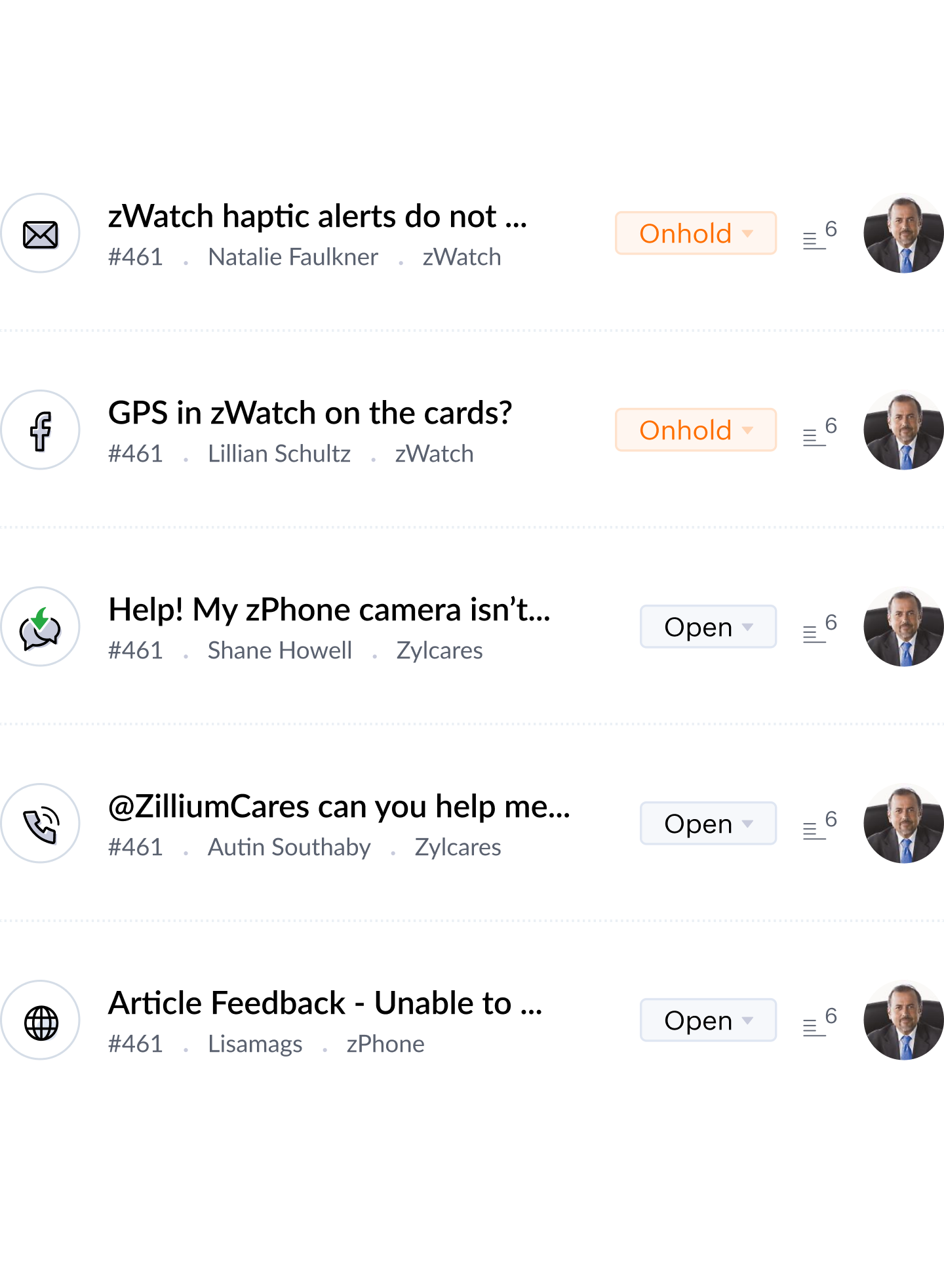
- Email: All of your customer emails are pulled into a convenient interface inside your ticketing tool, making it easier to respond. It makes a ticketing system instantly valuable to handle customer service emails across multiple email addresses.
- Social media: You can view and manage customer communication via social media, like Facebook, Instagram, and Twitter. You can reply to tweets and posts from your ticketing system and even set keyword alerts, so you never miss a post.
- Live chat: Chatting with customers can help you understand their concerns better, and provide more timely, personalized help. The support ticket system makes it easy to convert live chats into tickets if the issue needs more detailed attention.
- Telephony: Our omnichannel ticketing system allows you to use cloud telephony, which means you can receive and make phone calls from within the help desk. You can also log, record, and monitor these calls, then convert them into tickets or associate them with existing tickets.
- Webform: You should make it as easy for customers to reach you as quickly as possible, which is why Zoho Desk lets you embed a customizable web form widget on your website. That way, your customers can fill out a form with the details you need and submit their questions, which will be automatically turned into support tickets inside your ticketing software.
Start problem-solving, right away
Sorting, prioritizing, and searching for the right context can take up most of your support time before you step in to give actual answers. An efficient support ticket software does it all at the push of a button.
Ticket assignment
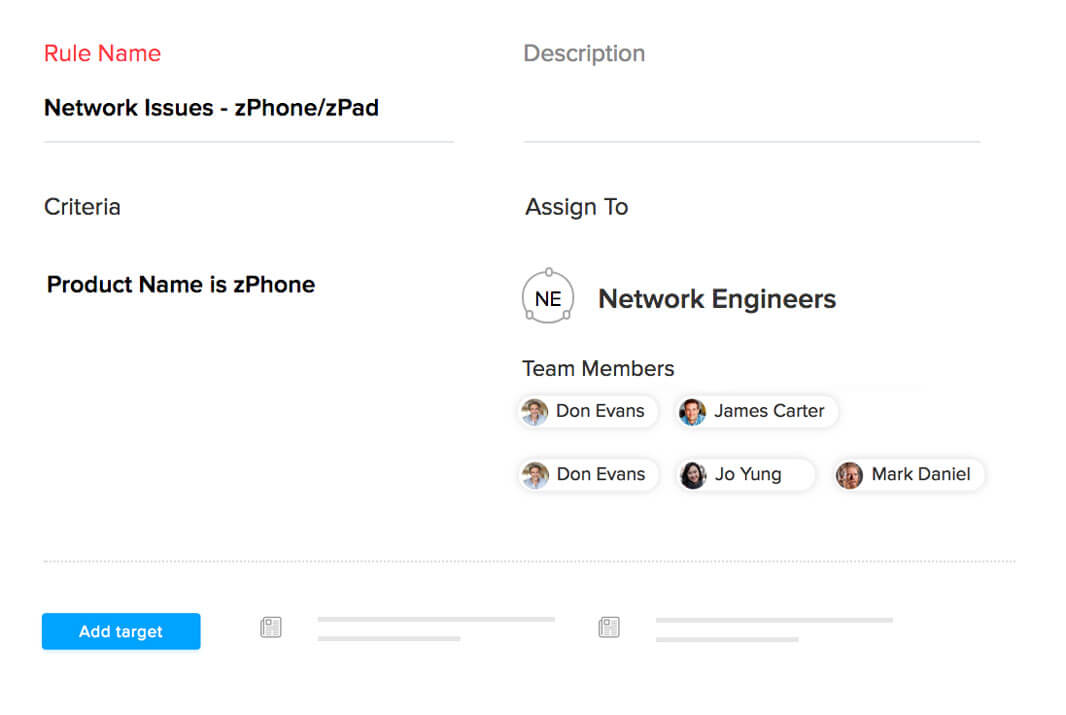
With the right help desk software, you don't have to spend time on manual ticket assignments anymore. You can quickly set up assignment rules to send the tickets to the right department and agent automatically. Direct assignment and round-robin automations in Zoho Desk save managers time and energy, so they can focus on critical tasks.
Work Modes
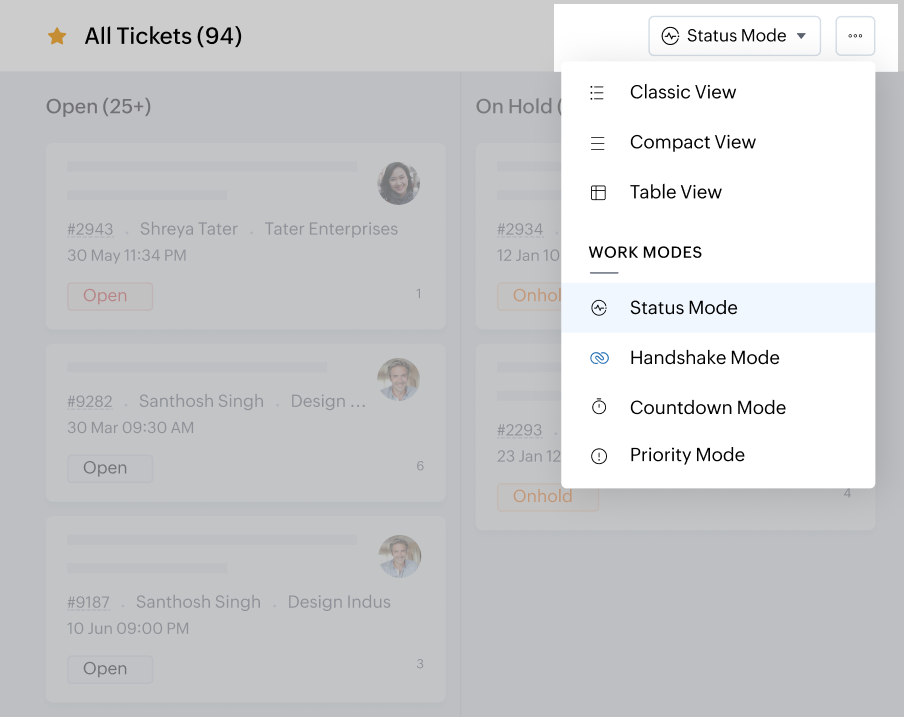
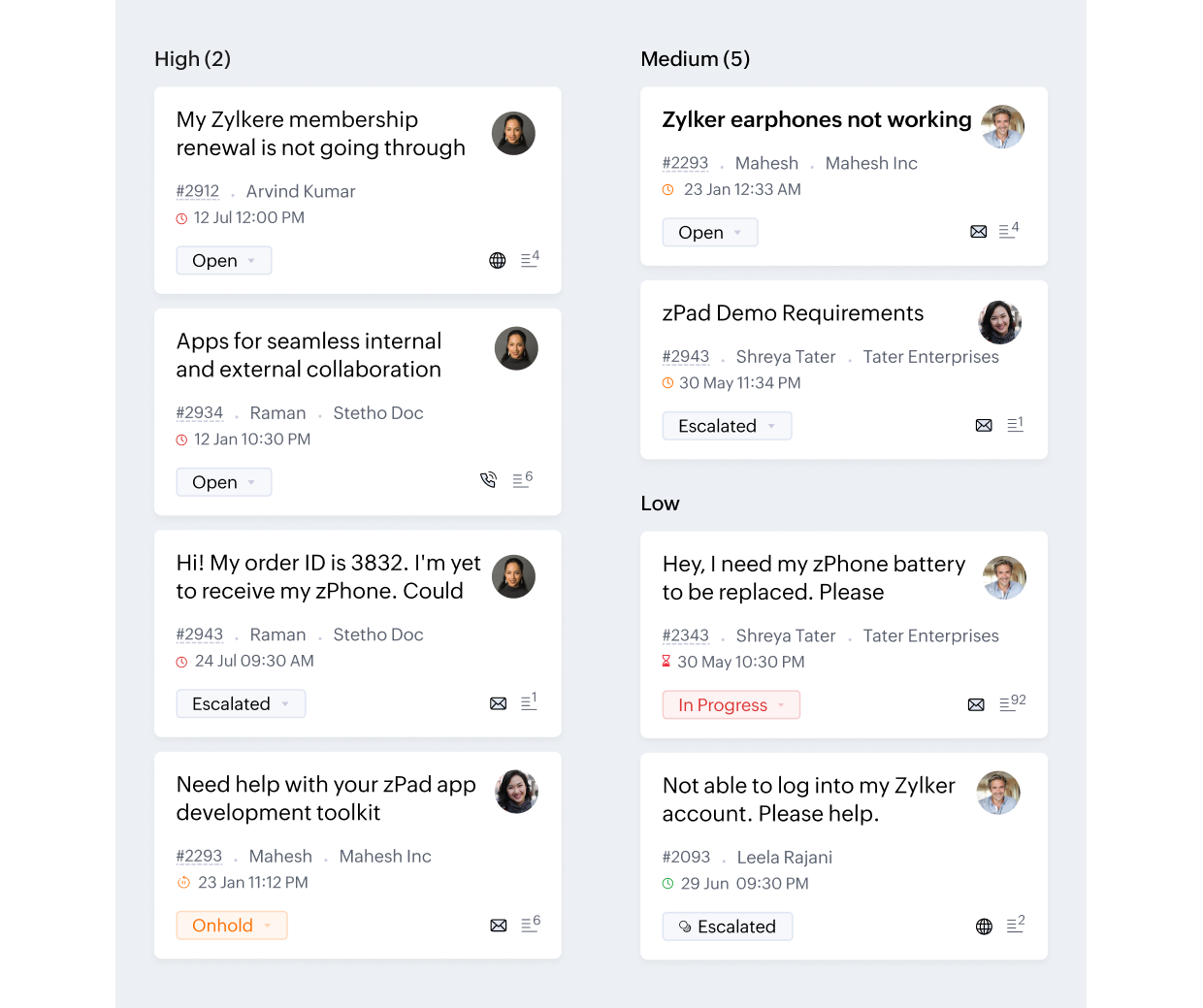
You can sort tickets with a mouse click when you use ticketing software. Zoho Desk makes it easy to use filters like urgency, priority, type of customer, or ticket status. The tickets in Work Modes will automatically move to their appropriate column, so your team can prioritize what to work on.
All of your customer information - in one place
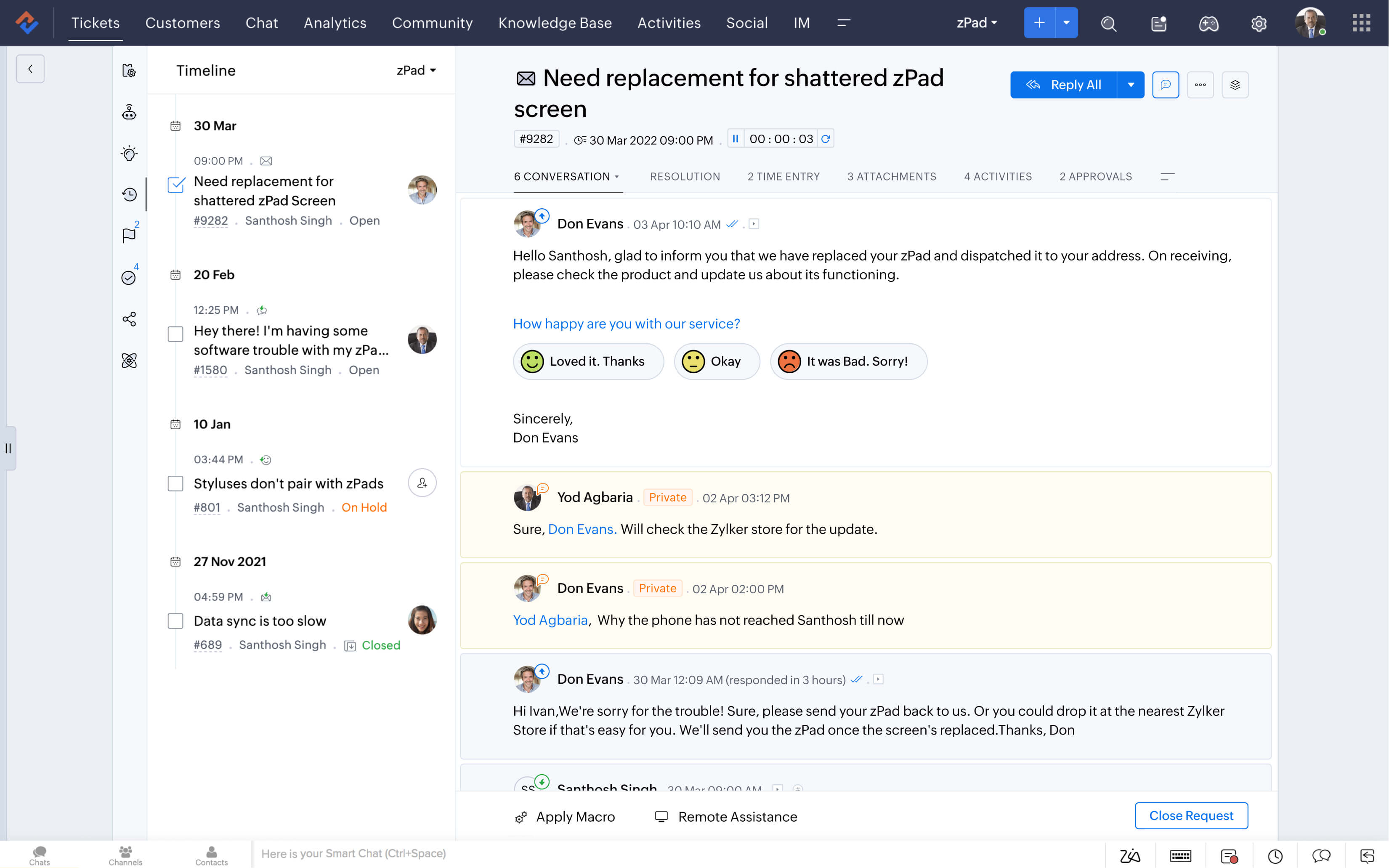
As a customer, there are few things more frustrating than having to introduce yourself and state your problem over and over again. That's why our ticketing system shows ticket history, along with the customer context.
Intuitive ticket view
The goal of good support ticket software is to make customer support easier for you and your team. Zoho Desk's easy setup process and intuitive ticket view highlight all the right details to keep things simple and manageable.
Context-aware system
Customers expect personalized, relevant experiences. Zoho Desk empowers your teams to deliver exactly that by providing essential context, such as each customer’s history and interactions with your business, right within the reply editor.
Faster support, made easier
A good customer service ticketing software will offer smart automations and self-service options to increase productivity and response turnaround time.
SLAs and workflows
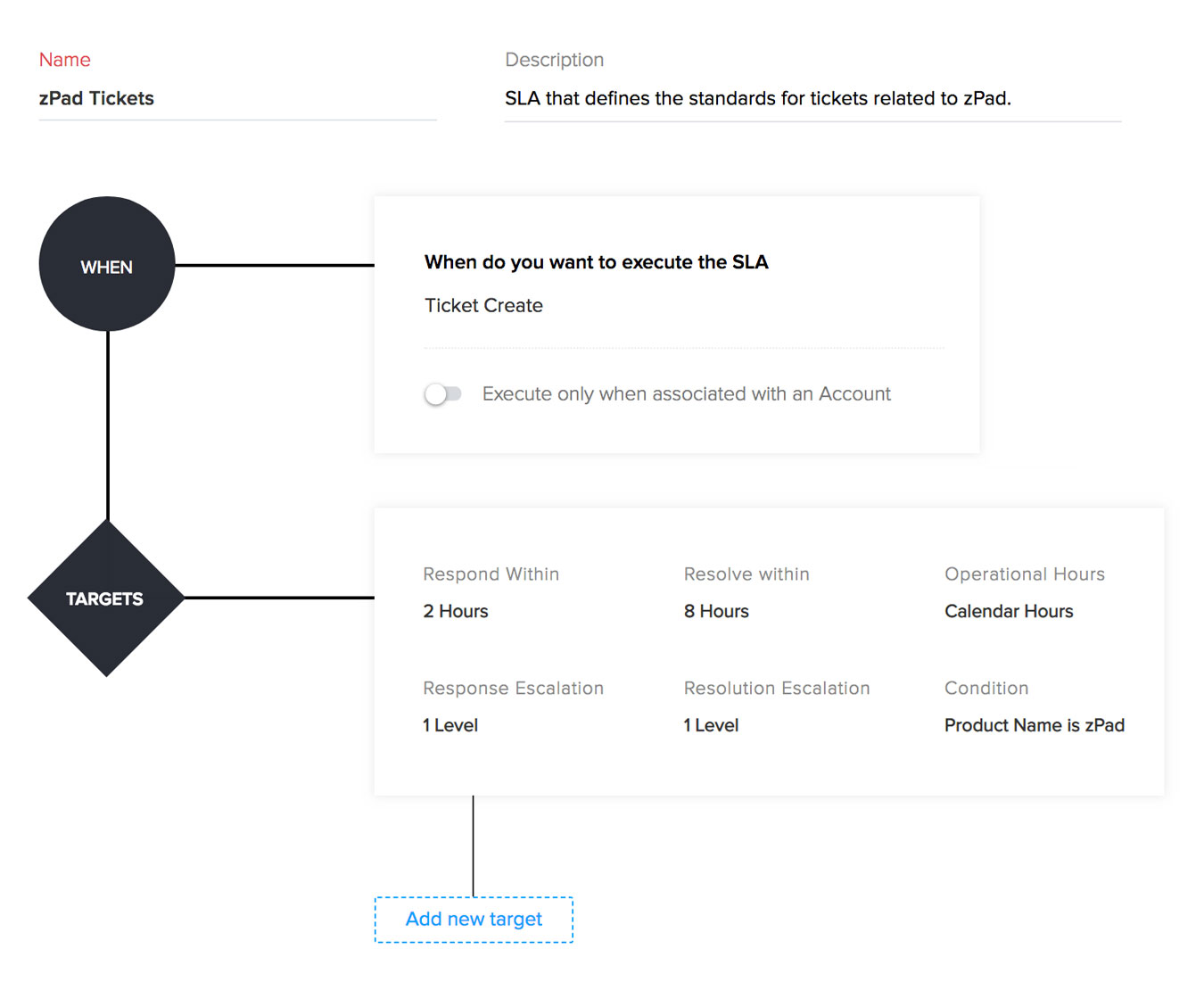
Support ticket system like Zoho Desk allows you to set SLAs, or Service Level Agreements, to highlight which tickets need immediate attention and to ensure no tickets go unanswered. And workflow automations can be set up to carry out actions automatically whenever an incoming ticket meets certain conditions.
Multi-brand help center
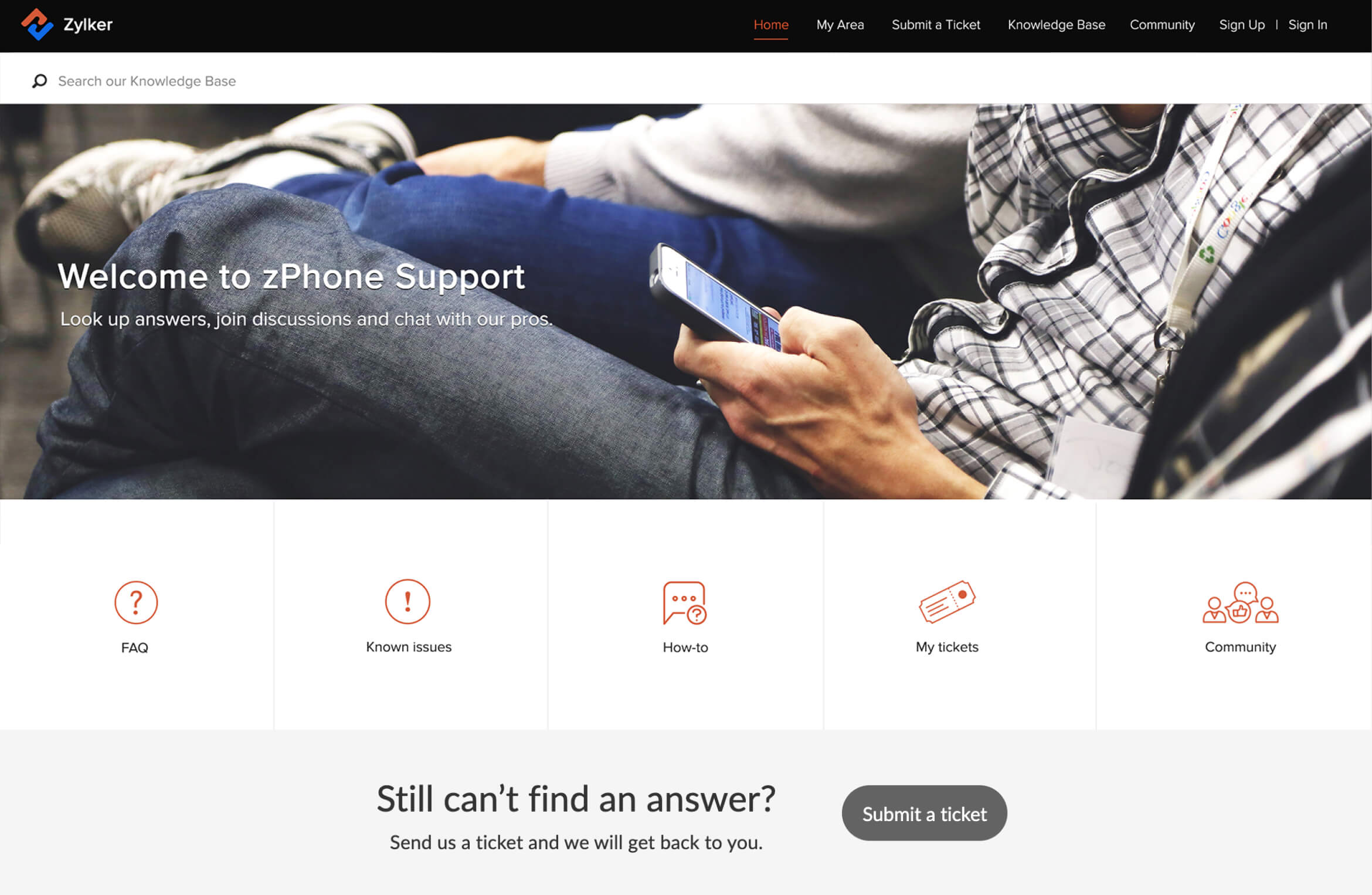
No matter how many brands your company consists of, you can create and maintain distinct help centers for each one. Whether you need to create a knowledge management system with help articles, list FAQs, or set up communities (or do all three!), you can create distinct ones for each brand. This creates a cohesive brand experience for your customers, while you manage all of your tickets from one interface in your ticketing software.
Stay ahead of the curve
A support ticketing system keeps you informed and ready for the next step in many ways.
Real-time Insights
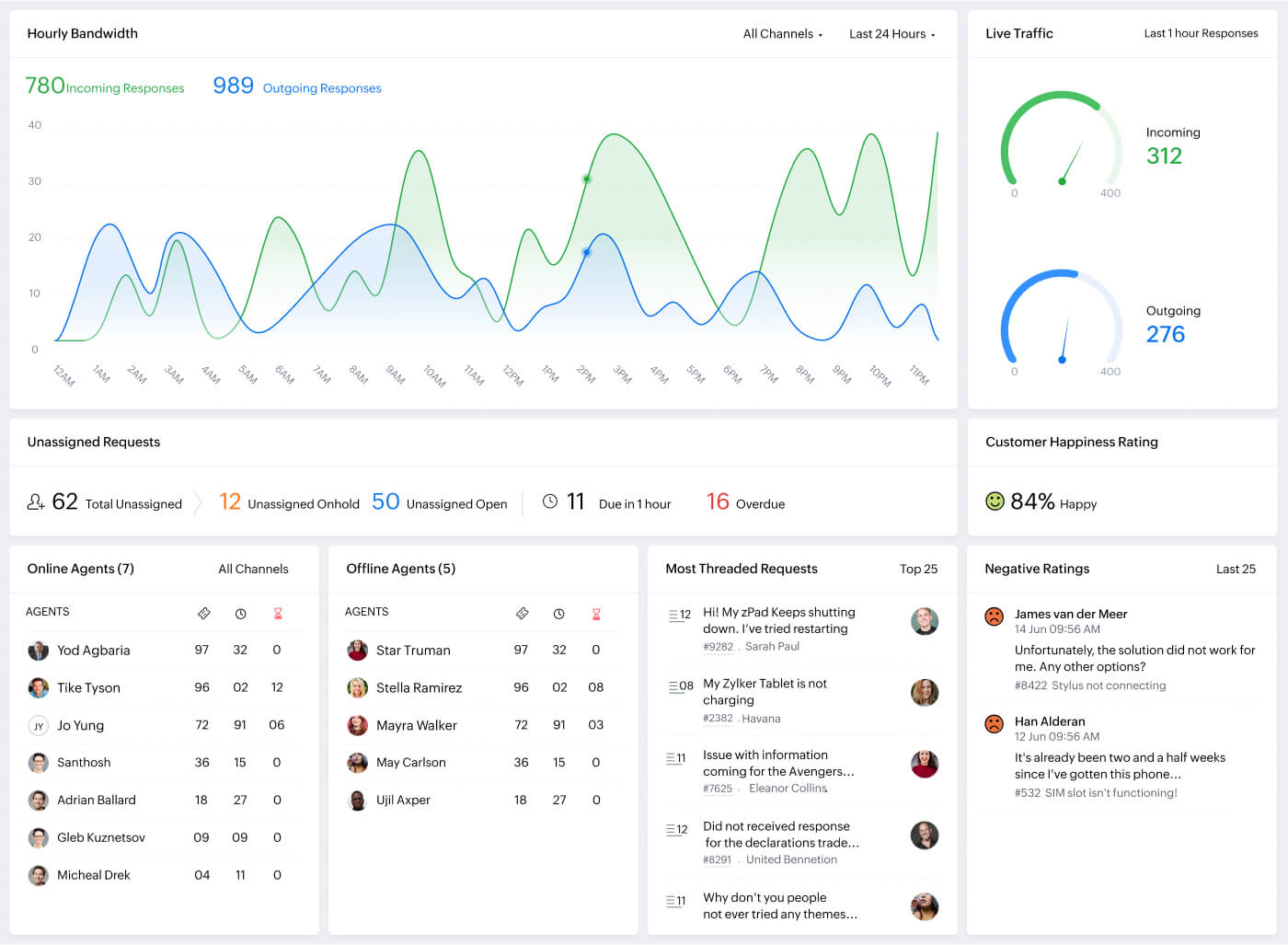
Zoho Desk offers HQ, a live dashboard that lets you quickly see essential metrics, like ticket traffic, customer happiness ratings, and the most threaded tickets. You can also create reports to monitor your team's performance. This way, the customer ticketing system helps managers to see when metrics are trending downwards and intervene immediately.
AI
AI in customer service empowers your teams to do more in less time with its generative, conversational, and predictive capabilities. Zoho Desk's AI, Zia helps your agents close tickets faster by generating quick responses, reduces their workload by answering common customer questions instantly, and helps decision-makers take the right actions by proactively alerting them of ticket anomalies.
Smart integrations
With an enterprise ticketing system, you can integrate all of your business tools and customize them to meet your brand guidelines and business needs. This can keep your data less fragmented and streamline your operations. Zoho Desk offers robust integrations with CRM, inventory, and invoicing software, along with APIs and other third-party integrations.
What if you aren't happy with the ticketing software after buying it?
There are a lot of options when it comes to tech support ticketing software, and most of them come with a free trial period, including Zoho Desk. If you run a small business, you could try Zoho Desk’s free help desk software that might suit your needs. Evaluate Zoho Desk and compare it with list of competitors, and decide what works best for you.
Learn more about customer service
Frequently Asked Questions
How does a ticketing system help my customers?
A ticketing system makes it easy for customers to get answers via email, phone, or live chat on your website. The right software can even make it easy to set up a self-service knowledge base with pre-written answers to common questions.
Why should I use an online ticketing system?
On an ideal day, your customer service agent simply works through the queue of support requests and questions. On most days, though, it's a little more chaotic for your agents. Tickets are coming in from multiple customers, across multiple channels–and all of those customers have specific needs and questions. An effective online ticketing system, like Zoho Desk, keeps this process error-free and makes it more efficient and easier for everyone involved.
What is a support ticket system?
Support ticketing tools save time by routing all support requests and customer interactions through a single help desk. Ticketing software can also implement automated rules and workflows to prioritize and resolve issues faster. This helps your customer service employees focus on getting their work done.
How does a ticketing system work?
Ticketing software creates a ticket each time a new customer support case is submitted. The ticket should include all relevant customer information and details of previous conversations, and automatically notify the customer support team of the new ticket. Most ticketing tools also send the customer automatic email notifications, based on their ticket status.