
Create sandbox Agents
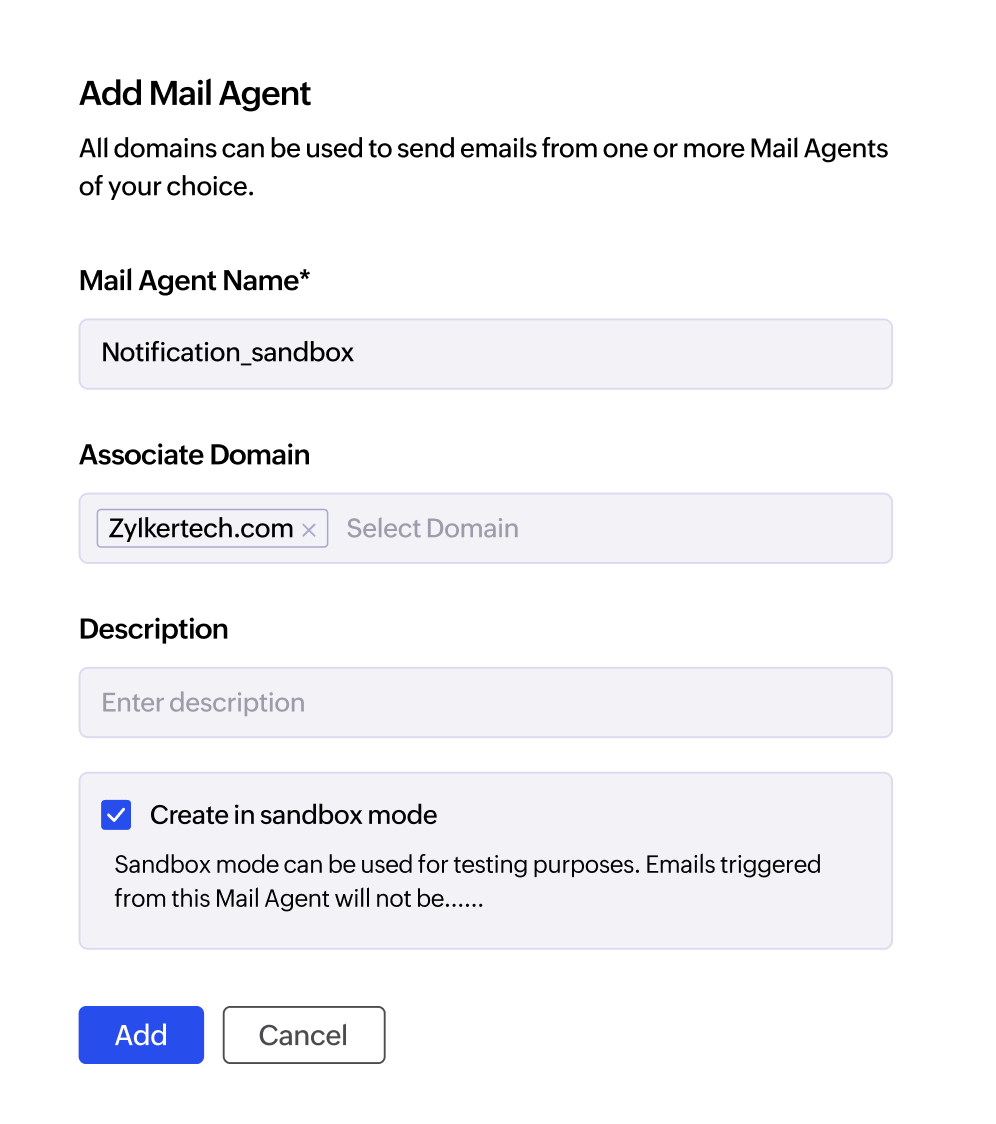
Create new Agents in sandbox mode to use them in a safe and exclusive testing ground environment. No emails will be sent out from these sandbox Agents, so you can validate SMTP/API settings, test webhooks, and simulate delivery and bounce-handling in a controlled environment.
How does sandbox mode work?
- Use SMTP/API credentials to create test connections.
- Send out test emails without risking accidental sends.
- Use the success or error message returned to see if the connection works.
Delivery analytics testing
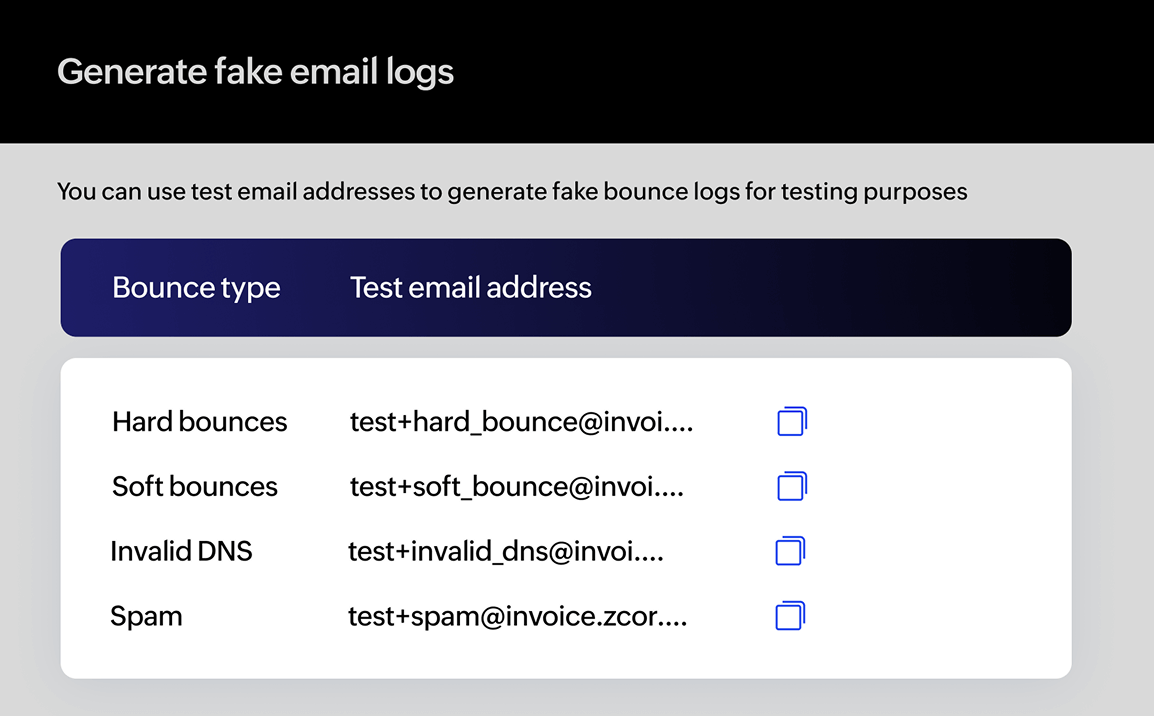
Simulated bounces
Email bounces can be mimicked to view how ZeptoMail handles them. Use the test email addresses provided inside the Agent to generate fake bounce logs—hard bounces, soft bounces, and bounces with specific reasons.

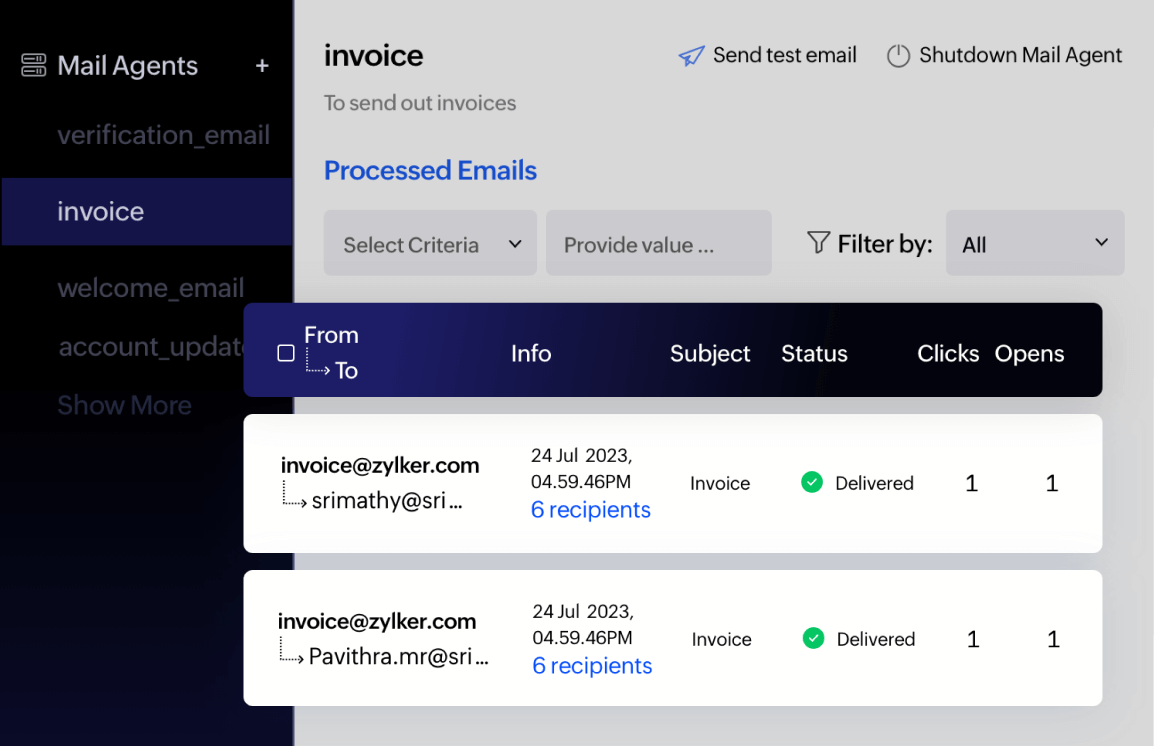
Processed email logs
Simulated logs of the test emails can be viewed in the processed email logs section. It gives you an overview of how the email logs will look inside the Agent, including delivery status, recipient information, and more.
What else?
- Use templates to send test emails to view how emails are displayed.
- Test webhooks to see how notifications will be triggered.
- Add email addresses to suppression lists to test suppression handling.
- Configure bounce forwarding address to mimic bounce handling.