Troubleshoot email-sending errors
When you send emails in ZeptoMail, issues can arise at different points. To help you identify and resolve these problems, ZeptoMail offers troubleshooting tips that you can follow at three levels — Network, Application or ZeptoMail. Follow the steps given below to fix common email-sending issues.
Network-Level Changes
Changes that can be done at the server or network level fall under this category.
What to Check
- SSL/TLS Configuration
- Ensure your server supports and uses the required security protocols: SSL or TLS.
- ZeptoMail supports TLS version 1.2 or higher only.
- Make sure the SSL/TLS certificates are valid and not expired.
- Port Settings
- Make sure your server is connecting to ZeptoMail from the correct SMTP ports — 587 or 465 only.
- ZeptoMail does not support port 25 as it is more susceptible to spam attacks.
- Use the appropriate port for the security certification you have: 465 for SSL, 587 for TLS.
- Firewall Settings
- Check if your firewall or network security allows outbound connections on your SMTP port.
Test your connection using the following commands:
telnet smtp.zeptomail.com 587
or
openssl s_client -connect smtp.server.com:465
Application-Level Changes
Mitigations that can be taken within your application settings will fall under this category. These changes are applicable for both SMTP and API configuration.
What to Check
- SMTP Credentials
- Username and password must be correct and should match what ZeptoMail provides.
- Certain legacy applications can restrict longer passwords. In such cases, you can generate shorter ones from the SMTP/API section within the desired Agent.
- Sender domain and Agent alignment
- Make sure your sending domain is verified.
- Ensure the domain you use is added to the Agent you have connected with your application. If you use a domain added in a Agent that you haven't connected with your application, then your emails will not be processed.
- API Settings
- Confirm the API key is valid and active.
- Check the API endpoint URL (e.g., https://api.zeptomail.com/v1/send).
- Ensure your application’s JSON requests are well-formatted with proper syntax.
- Make sure the API calls to ZeptoMail are always processed through a server to avoid CORS errors.
CORS error
A CORS error occurs when an API call is made directly to ZeptoMail from the application UI. For example, when an email is expected to be triggered when a button is clicked in the UI. To avoid this, the call from the UI should be routed through a server first and then to ZeptoMail.
How to Fix
- Double-check SMTP username and password in your app’s configuration.
- Review your API request body and headers against ZeptoMail’s API docs.
- Use a tool like Postman to test your API requests independently.
ZeptoMail-Level Changes
These are the changes that you can do within your ZeptoMail account to combat delivery issues.
What to Check
Sender Addresses
- If you have enabled sender addresses for a domain, use only those addresses to send emails.
Contacting Support
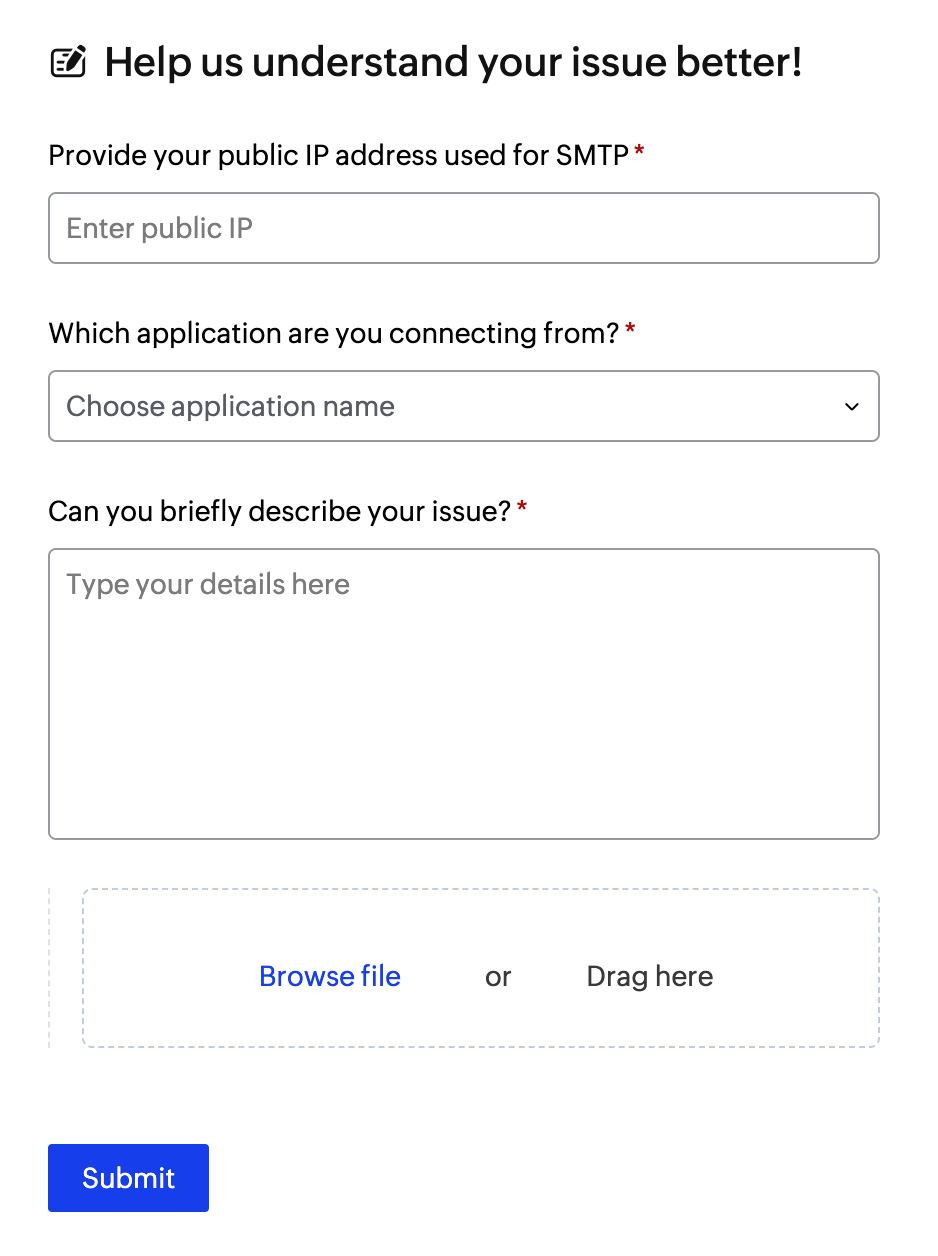
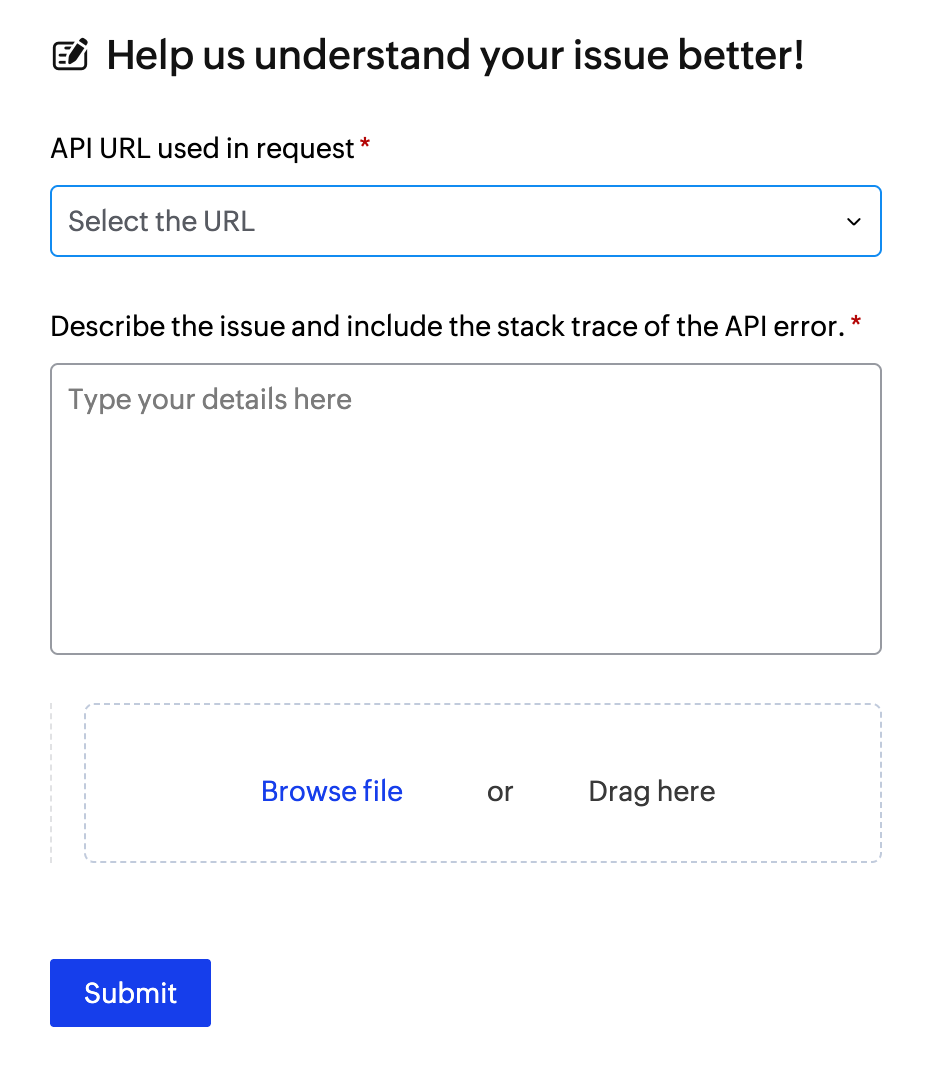
If after these checks you still face issues, share the following information with us in our contact form:
SMTP
- Public IP address: Provide the IP address your emails are sent from. If you aren't aware of your IP address, you can check it here.
- Application type: Choose the type of application you are using. It can be - SAP, SQL server/DB, website contact form or any website, tally and others.
- Description of issue: Detailed explanation of what’s failing (e.g., bounce messages, error codes) along with relevant screenshots.
API
- API endpoint: Share the exact API URL you’re trying to access. Whether - email, template, batch email or batch email template.
- Description of issue: Detailed explanation of the issue along with relevant screenshots.
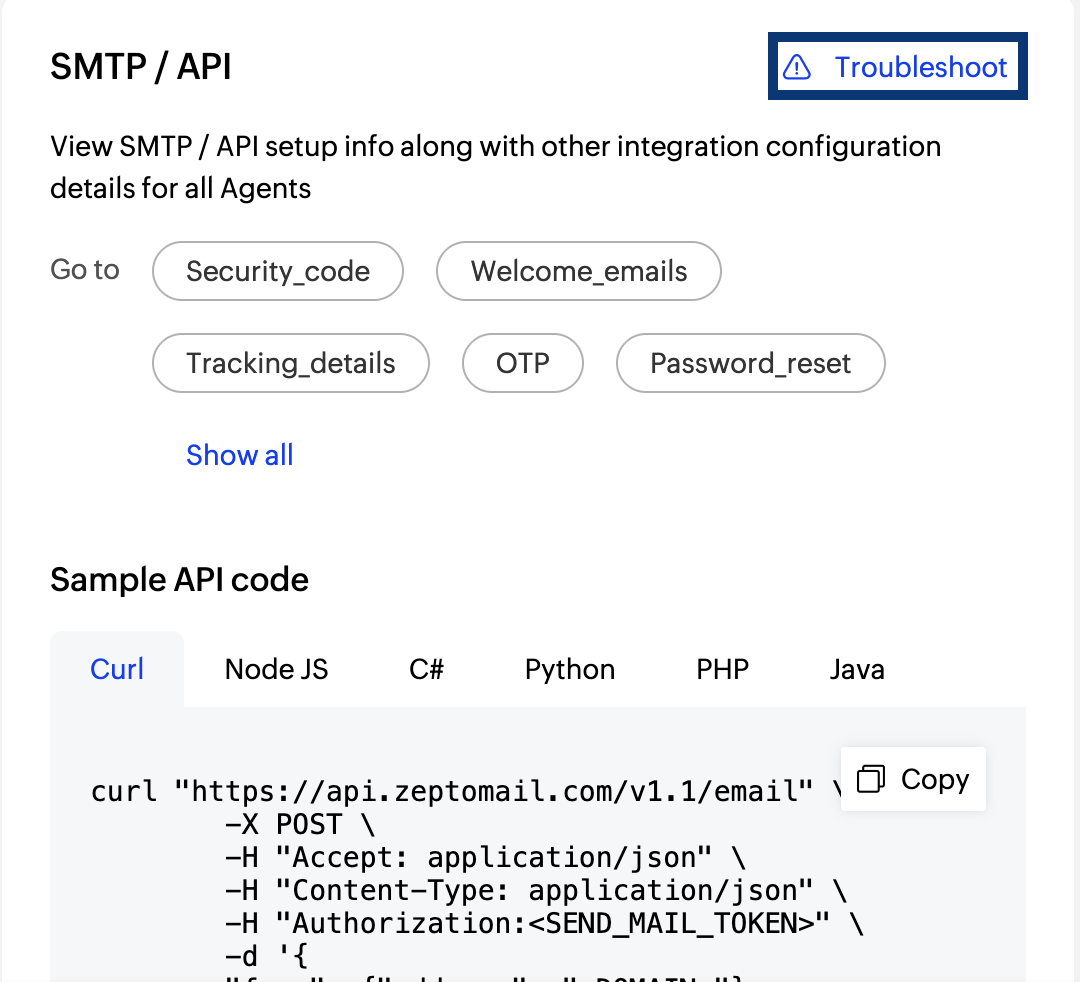
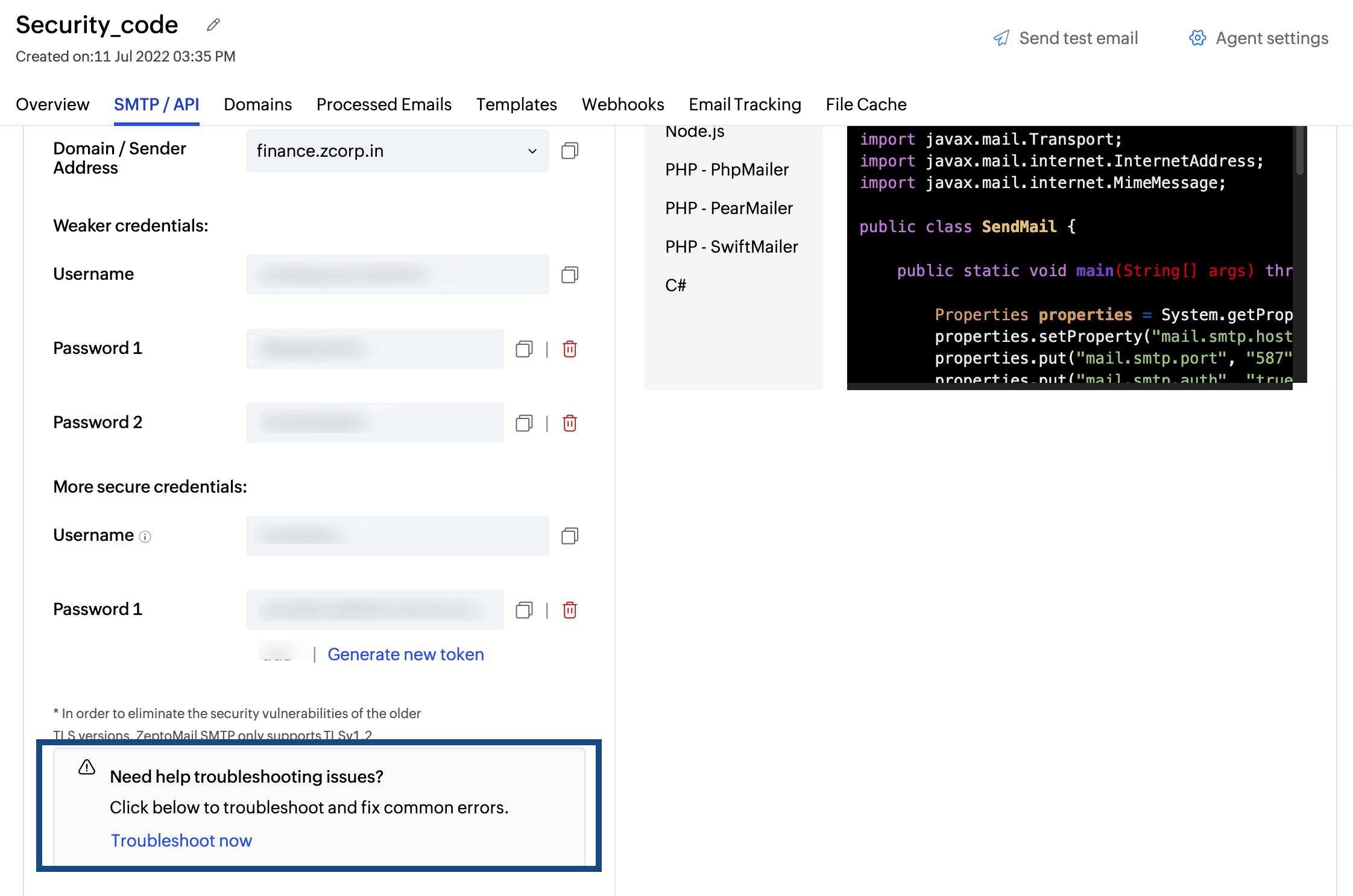
Where to find the troubleshooting section in ZeptoMail
- Dashboard - In the SMTP/API section.
- Agent - In SMTP or API section of your Agent.
- Templates - Under Single and Batch email setup.
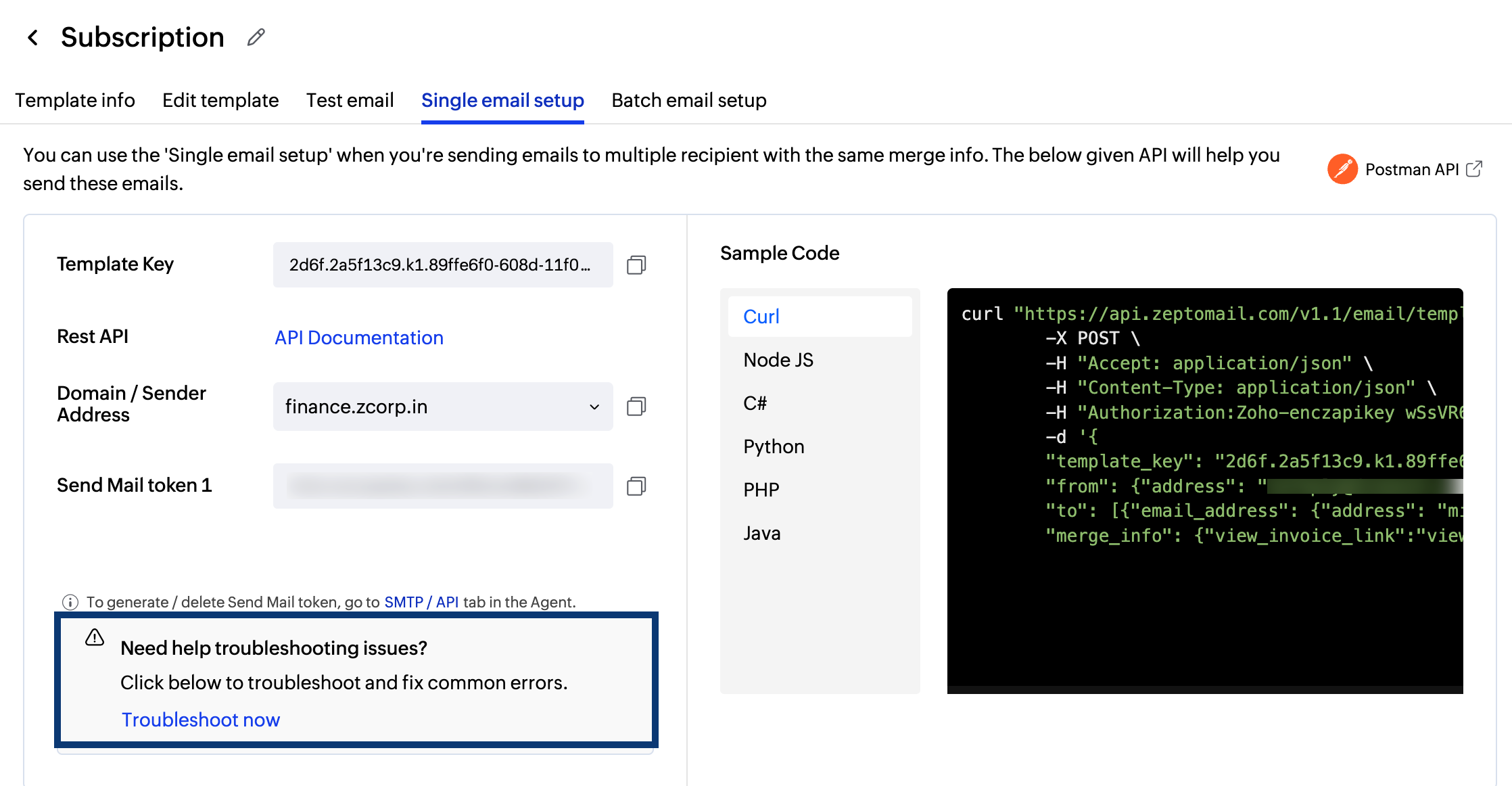
If you are still facing issues while sending out emails, you can submit your request using the Submit details button in the pop-up. Fill out your details and issues and submit to us, our team will review them and help you resolve them.