IP Management
ZeptoMail ensures secure email-sending through IP management. You can whitelist the IP addresses used to access ZeptoMail's services, blocking any access from unapproved sources. This helps organizations limit access to authorized networks and add an extra layer of protecting in case of credential compromise.
Steps to add allowed IPs
You can add static IPs, your current IP and a range of IPs to the account. Follow the steps below to add to the list:
- Login to ZeptoMail
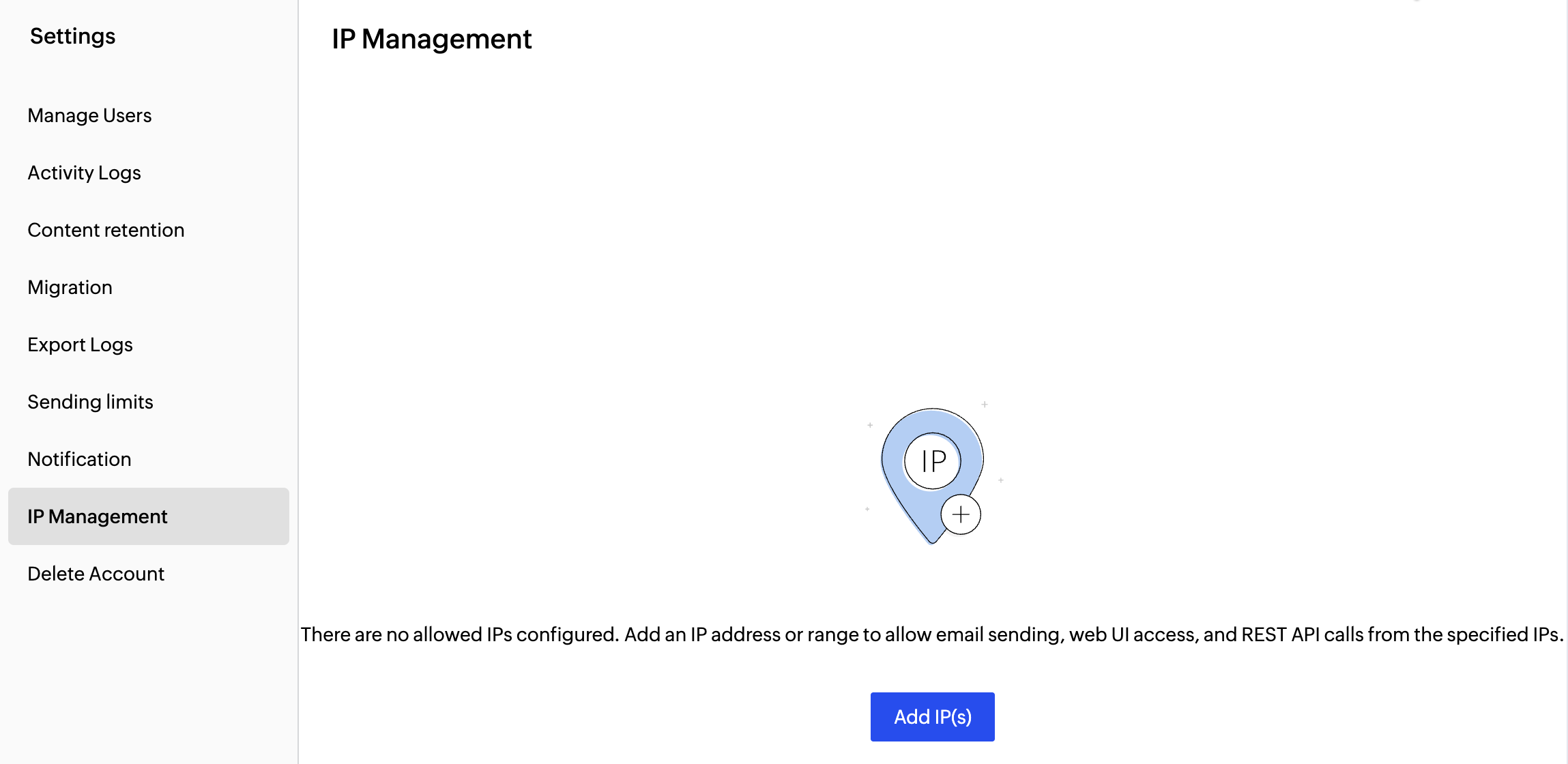
- Navigate to Settings > IP Managemnt from the left pane.
- Click on the Add IP(s) button. The Add allowed IPs pop up will appear.
- You can add the restricted IPs for three cases:
- Email-sending(SMTP&API) - Only the configured IP addresses can send emails using SMTP/API.
- Web UI access - Only the added IPs can login and access ZeptoMail. We recommend you to add your organization's IP here.
- Access REST APIs - Only the added IPs can access the REST APIs to perform the necessary operations.
- You can choose more than one option from the list.
- Enter the Name of the restriction and choose the case for which you wish to add the IP.
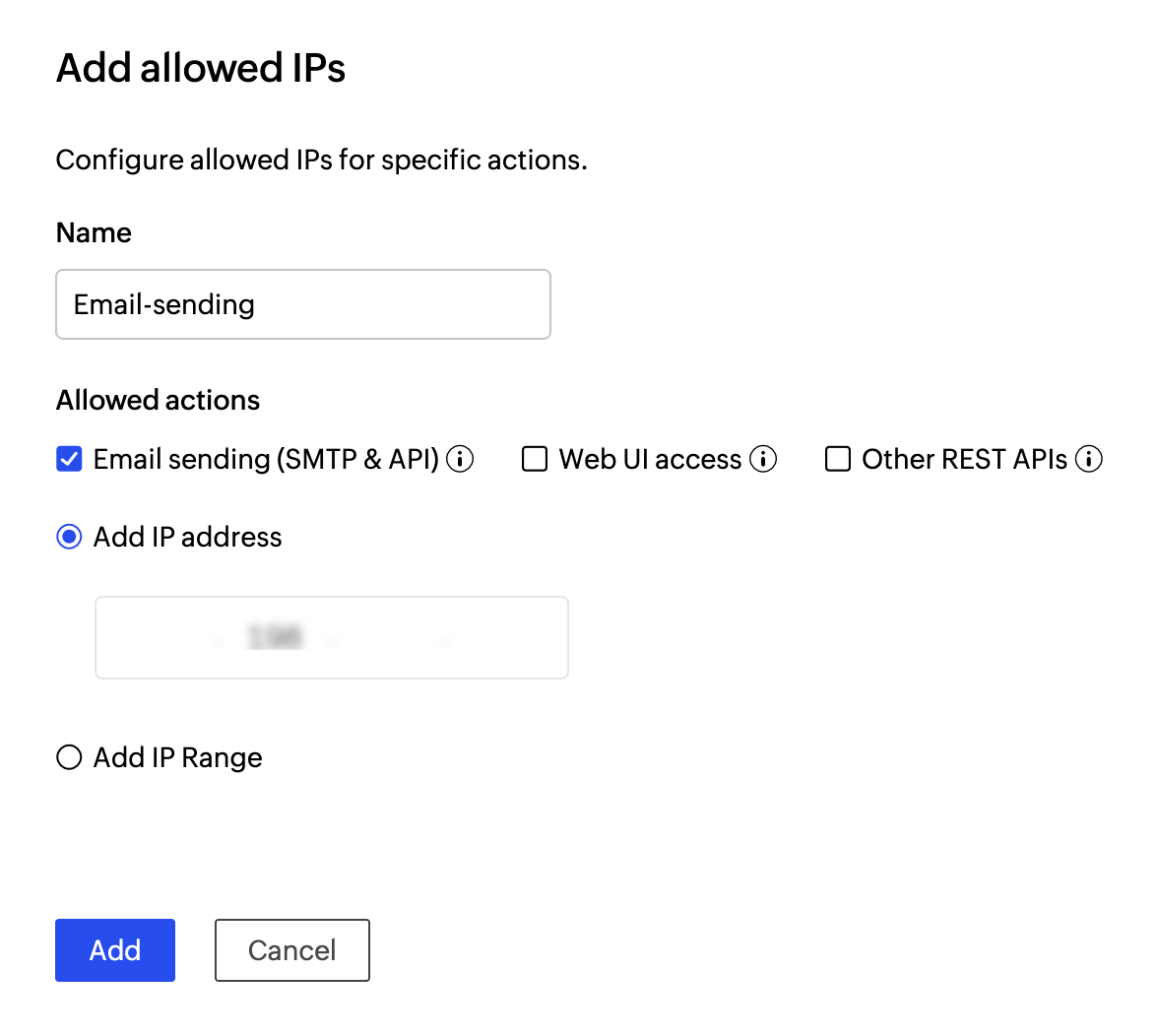
- Enter the allowed IP details:
- Add IP Address - The IP address you wish to include.
- Add IP Range - The range of IP addresses you wish to include.
- Click Add.
- You will be prompted to authorize your identity using your account password. Once done, the IP will be added.
IP restriction within Agents
Alternatively, you can add the restricted IPs for a particular Agent in the Agent setting option. To add Agent-specific IP restriction: Agent>>Agent settings>>IP restriction.
Follow the steps given in this page to add to the list.