Over 750K businesses
across the world store, collaborate, and organize their teams' work with Zoho WorkDrive








| feature |  |  | Savings |
|---|---|---|---|
| Starter | $ 15/user/month (billed annually) | $ 2.50/user/month (billed annually) | $ 12.50per user |
| Team | $ 25/user/month (billed annually) | $ 4.50/user/month (billed annually) | $ 20.50per user |
| Business | $ 35/user/month (billed annually) | $ 9/user/month (billed annually) | $ 26per user |
Local taxes (VAT, GST, etc.) will be charged in addition to the prices mentioned.
Why choose WorkDrive for your business?
| feature | | |
|---|---|---|
| Team Folders | ||
| Granular access controls | ||
| Multiple external share/download links | ||
| Unlimited file versioning | Add-on purchase | |
| File activity timeline | ||
| Custom data retention policy | Add-on purchase | |
| Asynchronous collaboration tool | ||
| Data templates | ||
| File version comparison | ||
| Custom branding | ||
| Data Loss Prevention | Built-in | Add-on purchase |
| Sub-folder level access controls | ||
| Supported languages | 65 | 24 |

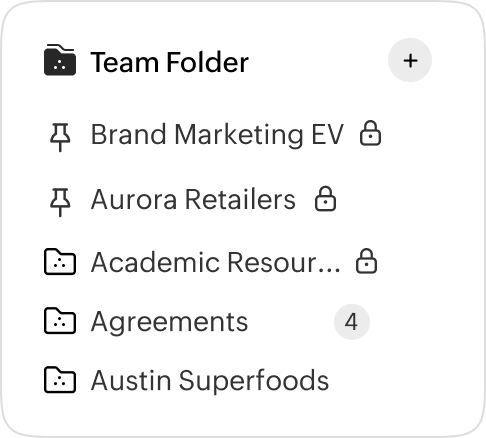

Team-centric approach
WorkDrive's interface is designed to put team collaboration at the center of work. Break down functional barriers and give your team a secure, virtual space to work together.

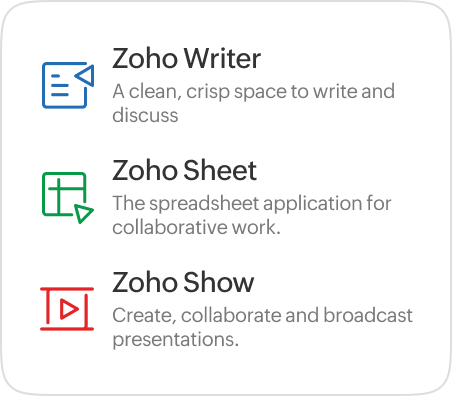
Native office editors
Zoho WorkDrive offers a built-in office suite, giving teams the freedom to create, collaborate, and review work without having to sign up for external tools.
Collaborate on your own terms
Decide when to share your work within Team Folders. Leverage the draft feature, create files using the Zoho Office Suite and share them with your team only when you are ready.



Contextual notifications
Never miss an update. WorkDrive offers real-time notifications at both the Team Folder and team levels. You can also enable notifications to closely monitor changes to a specific file or a folder.
Comprehensive yet straightforward interface
From setting IP restriction policies to remote wiping your business data from misplaced devices, WorkDrive offers a wide range of enterprise security features to help admins manage their team and files effortlessly.


Supercharge your productivity
utomate your processes and eliminate repetitive event-driven tasks with WorkDrive's powerful workflow manager. Scale your productivity across multiple teams and improve accuracy by routing tasks to the right people at every step.

Enhanced PII data protection
Configure Data Loss Prevention (DLP) policies and detect Personally Identifiable Information (PII) covering more than 47 countries. WorkDrive's built-in DLP engine auto-classifies your crucial data, implements sharing restriction, and ensures no data slips through the cracks.

Take full control of data retention
Maintain control of your data at every folder level. Choose the number of days a file stays in the trash and even set policies for admin access after it is deleted from trash. Experience data governance at its best, at zero additional cost.
Keep the changes in check
Compare file versions and learn the changes between multiple versions. WorkDrive's office suite enables comparison feature with content highlighting, so that all your team members can be informed of all the file changes.


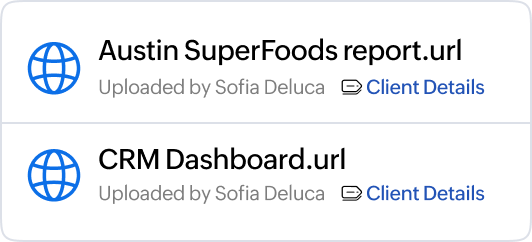
Reduce storage redundancy
Need the same file in multiple departments? Save a file URL in multiple Team Folders and reduce storage redundancy.
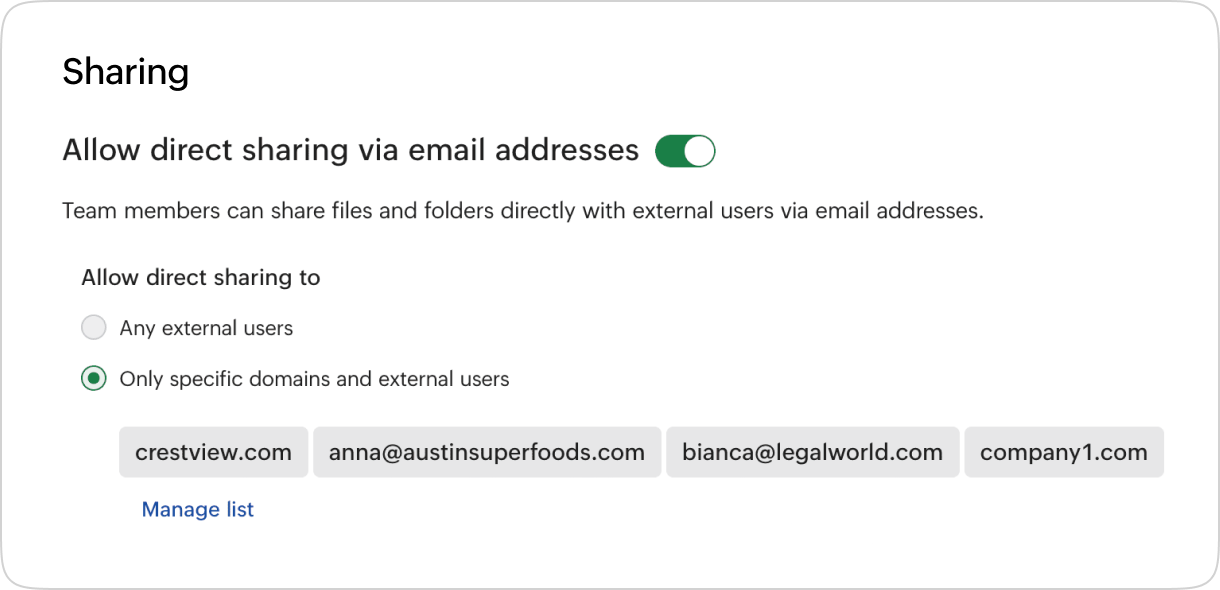
Enable secured external collaboration
Add an additional layer of security for external collaboration by creating a list of whitelisted domains and email addresses. Keep your files secure in all external sharing scenarios.

All third-party product name(s), trademark(s), and logo(s) are the property of their respective owner(s) and are used here solely for identification and comparison purposes. Their use does not imply any affiliation, sponsorship, or endorsement. Prices and features are drawn from publicly available information on each vendor’s website(s) as on September 2024, and the information is subject to change on those website(s) at any time without notice. The information contained in this webpage is for general information purposes only and should not be considered as authorized information from the vendors. Prices published here may not include applicable taxes or discounts offered, which may alter the final price payable by a customer. Zoho makes no representations or warranties, express or implied, including, without limitation, warranties of accuracy, completeness, merchantability, or fitness for a particular purpose, and accepts no liability for any loss or damage arising from reliance on the information. Please contact us at legal@zohocorp.com if you believe any information is inaccurate or outdated.