Payment & Credit History
Zoho Voice provides a detailed view of your financial transactions, helping you stay on top of your billing and usage. From your account, you can view and download:
Payment History
To view the transaction history:
- Go to Settings and select the Subscription tab.
- Click Upgrade/Change plan. You will be redirected to the Zoho Store page.
- Click Your Store Details in the top-right corner of the page.
Select Transaction History from the dropdown.
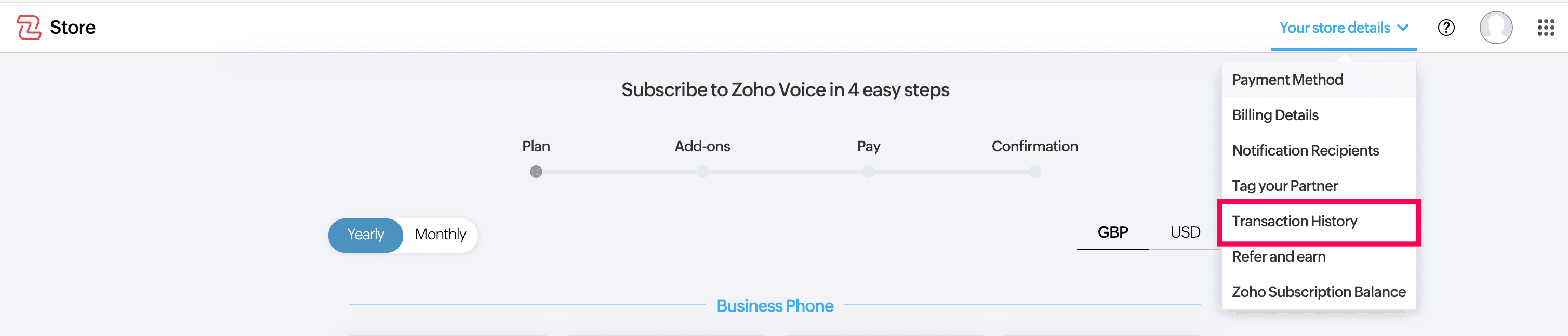
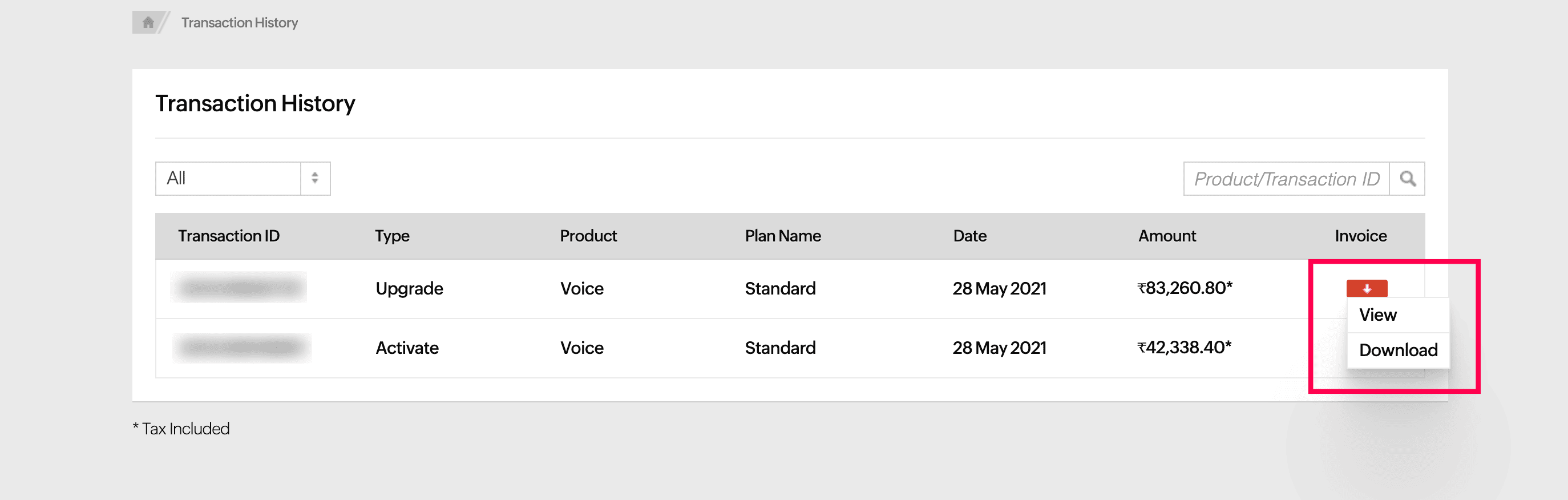
You will view a complete list of your transactions, including the Date, Plan Type, and Amount Paid.
- Use the search bar in the top right corner to find transactions by Product/Transaction ID. Simply enter the ID and click Search to view the matching results.
Filter your transactions by purchases, upgrades, renewals, or downgrades of your subscription. Click the All dropdown menu and choose the filter you want to apply.
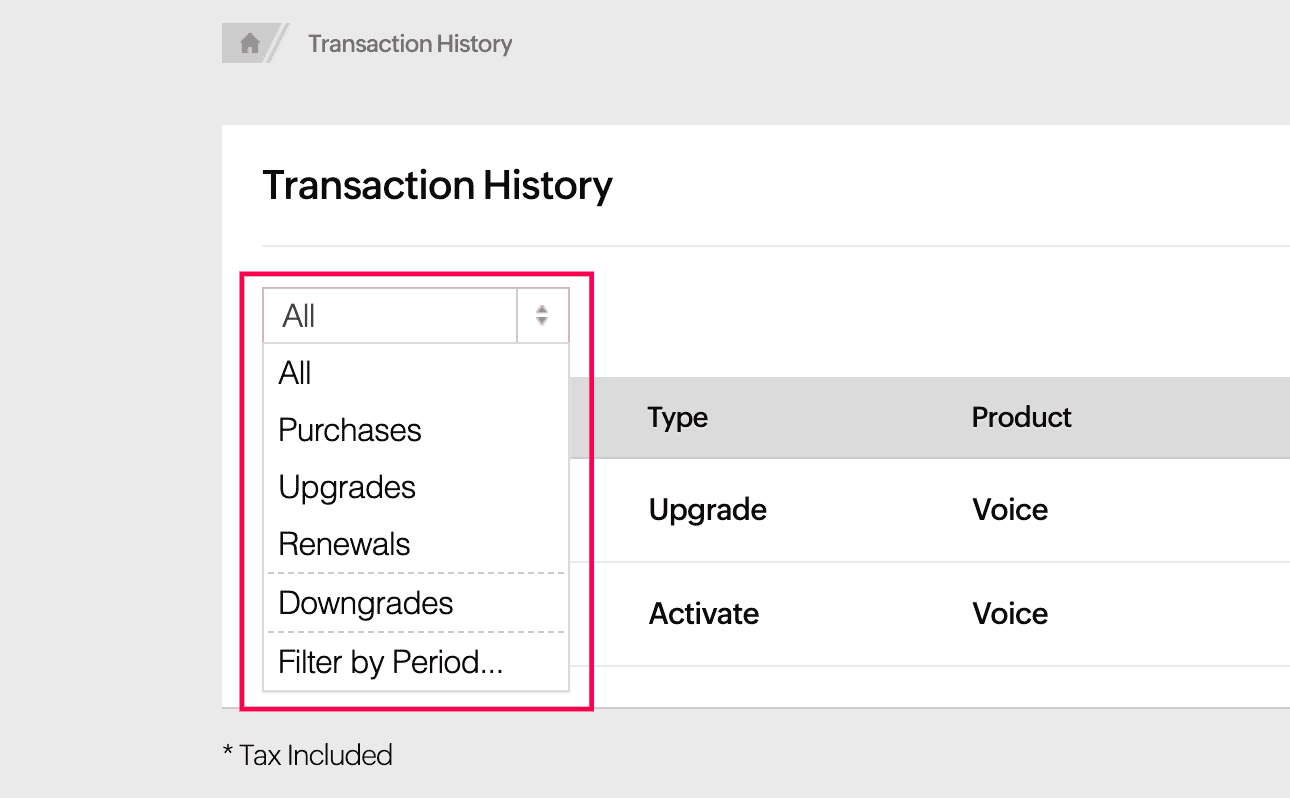
- To filter your transactions for a specific time frame, click Filter by Period from the dropdown and choose your desired date range.
To download PDF of a transaction, click the PDF icon and select Download.
Credit History
To view the credit history in Zoho Voice:
- Go to Settings and select Credit History.
- Select the month from the dropdown menu in the top-right corner.
Based on the chosen month, you can view a donut chart that visually represents the credits deducted for various activities. You can also filter the history by incoming calls, outgoing calls, incoming SMS, outgoing SMS, numbers, add-ons, storage, IM sessions, IM channels, or other deductions.
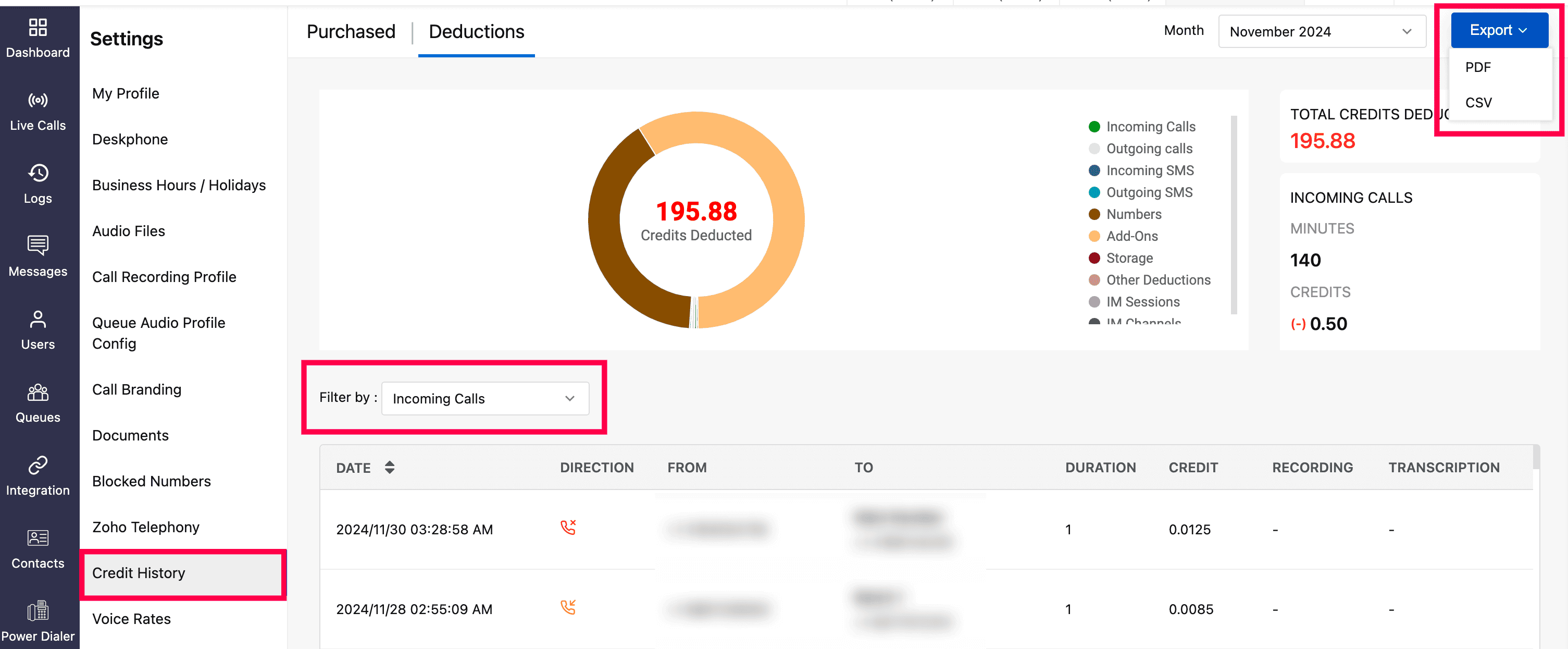
- Export the data as a PDF or CSV by clicking Export and selecting either PDF or CSV.