Audit Logs
The Audit Logs feature automatically captures the logs of actions performed by users in your organization. These actions include Create, Update, Delete, and Read operations. This feature helps super admins and admins closely monitor which user performed an action for a specific module during a certain period.
Note
Only super admins and admins can access this feature.
Set up and view Audit Logs
Go to Settings → Audit Logs module.
Apply filters based on:
Date range
Module
Users
Request type
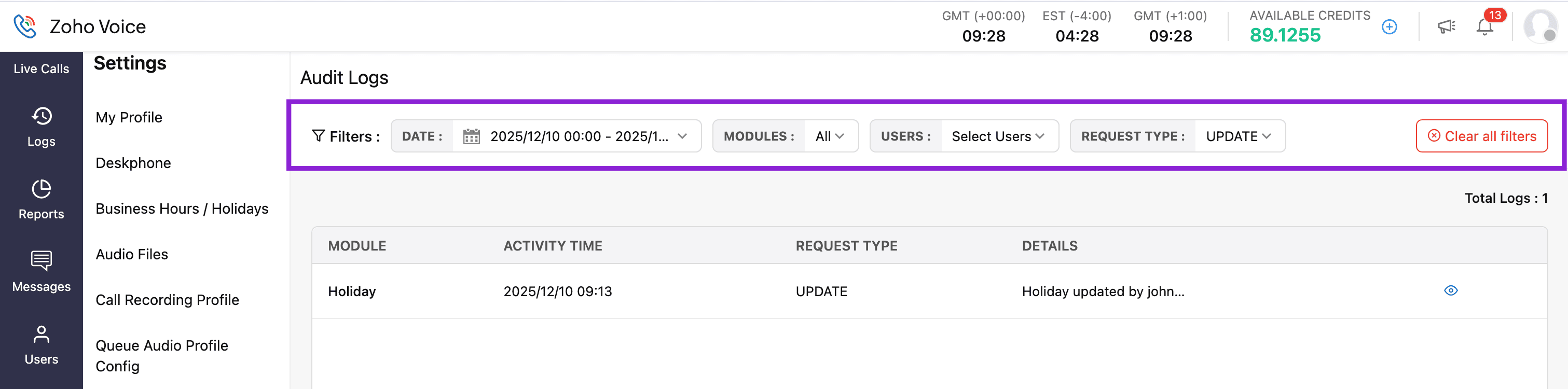
Based on the selected filters, the logs will be displayed.

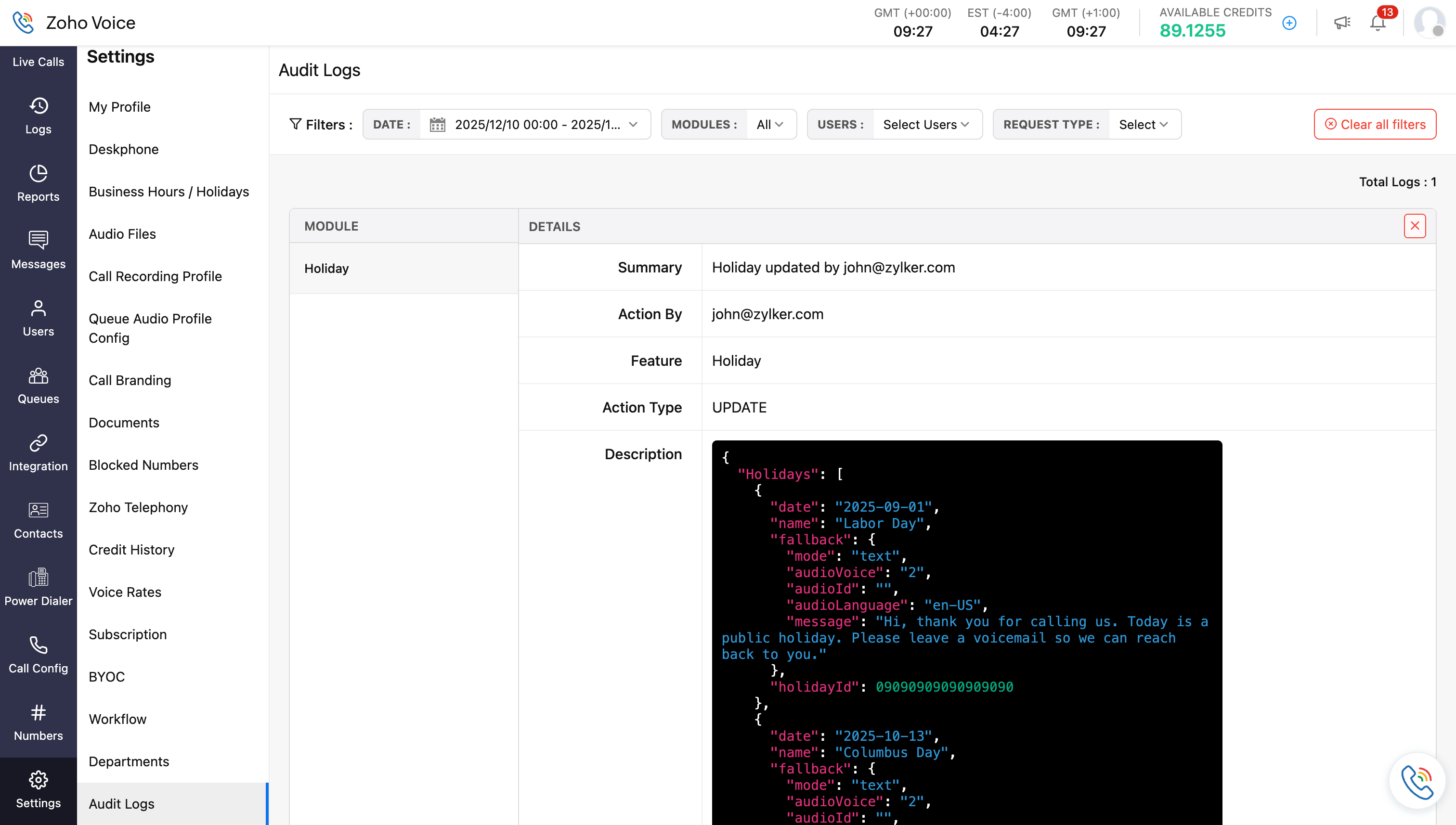
Hover over the required log and click the eye(info) icon to view detailed log information, including:
Action summary
Users who performed the action
Module name
Action type (CRUD operation)
Description
Accessed time
URL
Supported modules and logged actions
Note
Download activities are available only for the Read (GET) action.
Modules | Create | Update | Delete | Read |
Subscription | Yes | Yes | Yes | - |
Subscription Add-ons | Yes | Yes | No | - |
Purchase Number | Yes | No | No | - |
Documents | Yes | Yes | Yes | - |
BYOC Configuration | Yes | Yes | Yes | - |
Users | Yes | Yes | Yes | - |
Business Hours | Yes | Yes | Yes | - |
Holiday | Yes | Yes | Yes | - |
Department | Yes | Yes | Yes | - |
Queue | Yes | Yes | Yes | - |
Queue Audio Profile | Yes | Yes | Yes | - |
Audio files:
| Yes | Yes | Yes | - |
Custom Hold Music (Set as Default) | No | Yes | No | - |
Voicemail Greetings (Agent Association) | No | Yes | No | - |
Call Recording Profile | Yes | Yes | Yes | - |
Power Dialer | Yes | Yes | Yes | - |
Native Integration | Yes | Yes | Yes | - |
Phonebridge Integration | Yes | Yes | Yes | - |
Deluge Workflow Configuration & Functions | Yes | Yes | Yes | - |
Deluge Workflow Configuration (Status) | No | Yes | No | - |
Instant Messaging Channel | Yes | Yes | Yes | - |
Call Transcription | Yes | No | No | View/Download |
Desk-phone | Yes | Yes | Yes | - |
My Profile | No | Yes | No | - |
Dialpad Settings | No | Yes | No | - |
Contact | Yes | Yes | Yes | - |
Block Number | Yes | No | Yes | - |
Favourite Number | Yes | No | No | - |
Status Tracking (List & Table Export) | No | No | No | Yes |
Call Recording Export | No | No | Yes | Yes |
Call Log Export | No | No | No | Yes |
Credit History Exported | No | No | No | Yes |