


The shipping address I specified for some of my contacts is not showing on invoices I send.

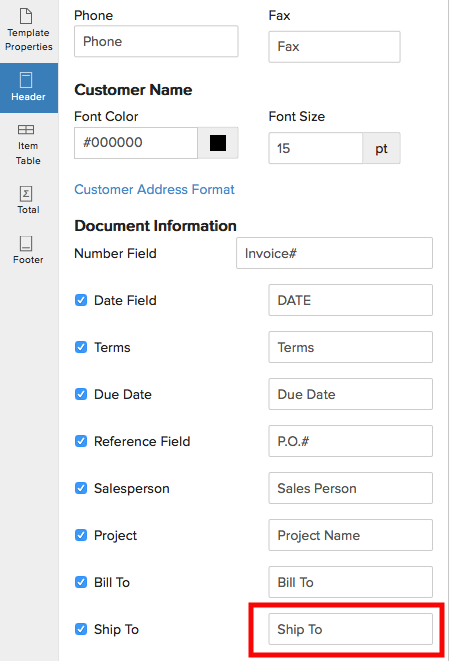
If you’ve specified the shipping address but it still does not show up during your transactions, double check whether you’ve enabled a column for Shipping address for the template you’re using for your transactions.
- Click the Settings icon on the top right and select Templates.
- Now select Invoices to edit the invoice templates.
Hover the mouse on the template to see the Edit button and click it to view template customization. Here, the option to enable Ship To can be found under Document in the Header section. Check the box to enable the Shipping Address column which will now show up on your templates.
 Yes
Yes