


How do I sync payment terms from Accounts or Contacts in Zoho CRM to Customers in Zoho Books?

Zoho CRM doesn’t have a default Payment Terms field in the Accounts or Contacts module. To sync payment terms from the Accounts or Contacts module in Zoho CRM to Customers in Zoho Books, create a custom field for payment terms in Zoho CRM and map it to the Payment Terms field in Zoho Books.
Here’s how you can create a custom field for Payment Terms in Zoho CRM:
- Log in to your Zoho CRM account.
- Go to Setup.
- Select Modules and Fields under Customization.
- From the Modules tab, select the Accounts or Contacts module that you want to sync with Zoho Books.
- In the next page, click Standard under the Layouts tab.
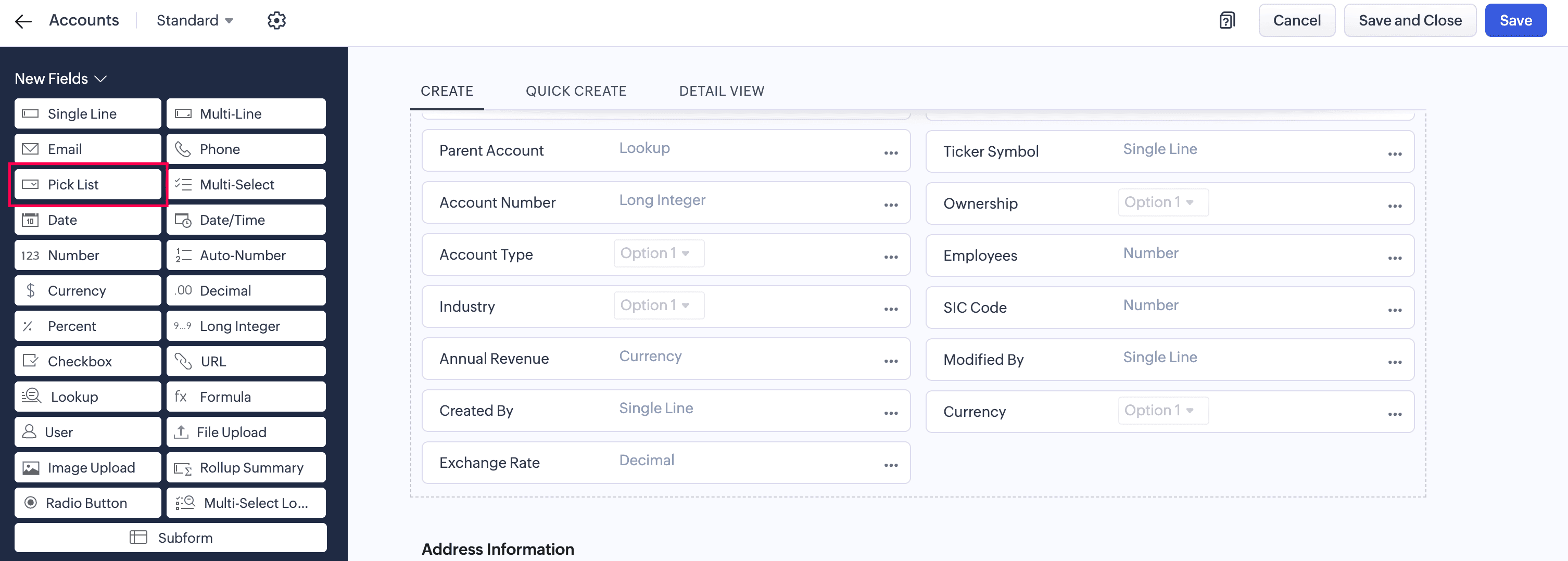
- Drag and drop the Pick List field from the New Fields pane, then rename it to Payment Terms.
- In the Pick List Properties pop up:
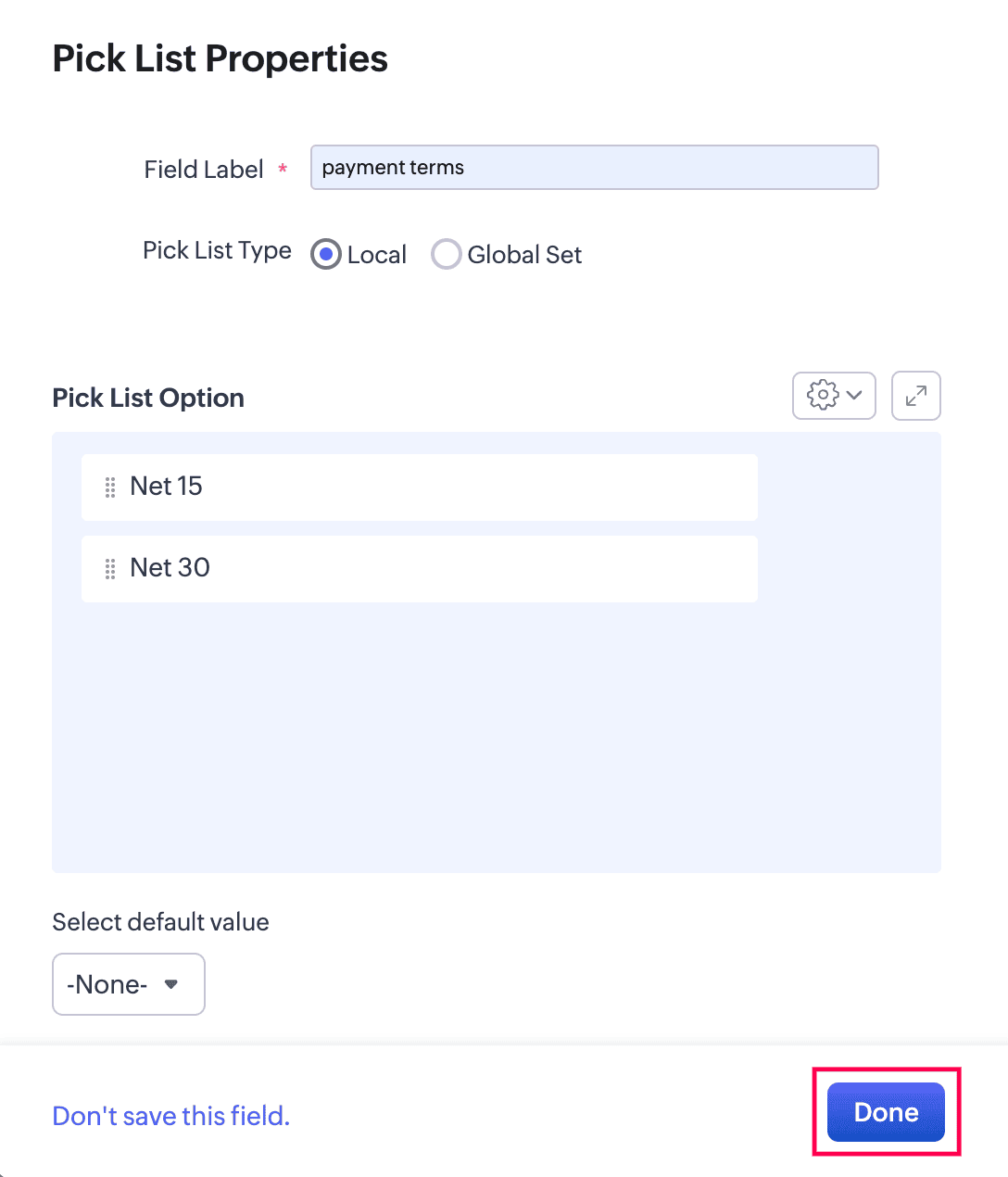
- Enter the Field Label and select your Pick List Type as Local.
- Enter the Pick List Option as Net 15, Net 30, Net 45, etc.
Note:The options that you add to the payment terms pick list in Zoho CRM must match the Payment Terms options available in Zoho Books.
- Click Done.
Now, you can map the custom field you created in Zoho CRM with the corresponding Payment Terms field in Zoho Books. Here’s how:
- Go to Settings.
- Select Zoho Apps under Integrations.
- In the Zoho Apps page, click Show Details next to Zoho CRM.
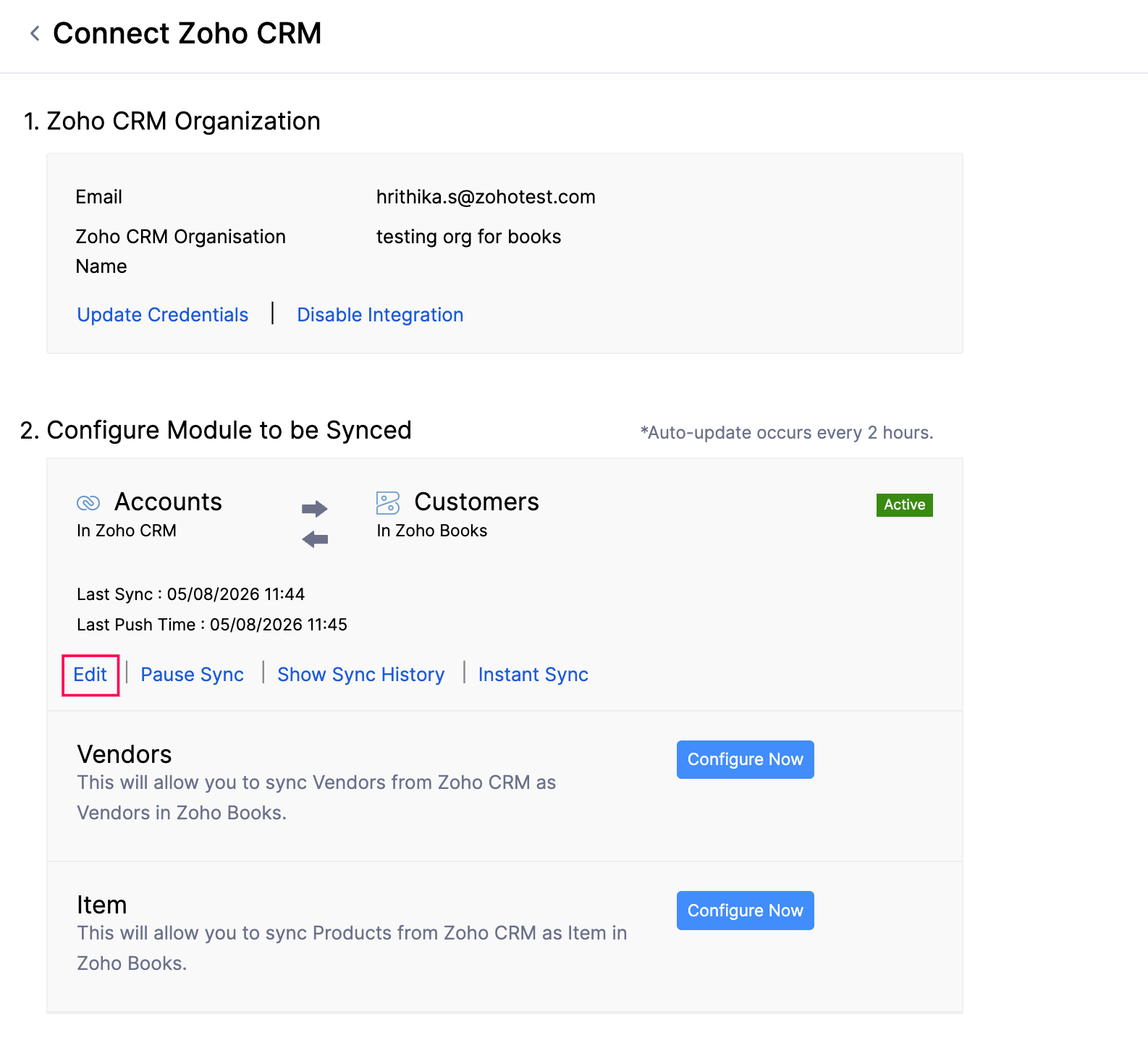
- In the Connect Zoho CRM page, navigate to the Configure Modules to Be Synced section, and click Edit for the module you’ve synced.
- In the Connect - Accounts/Contacts in Zoho CRM page, navigate to the Map Fields section.
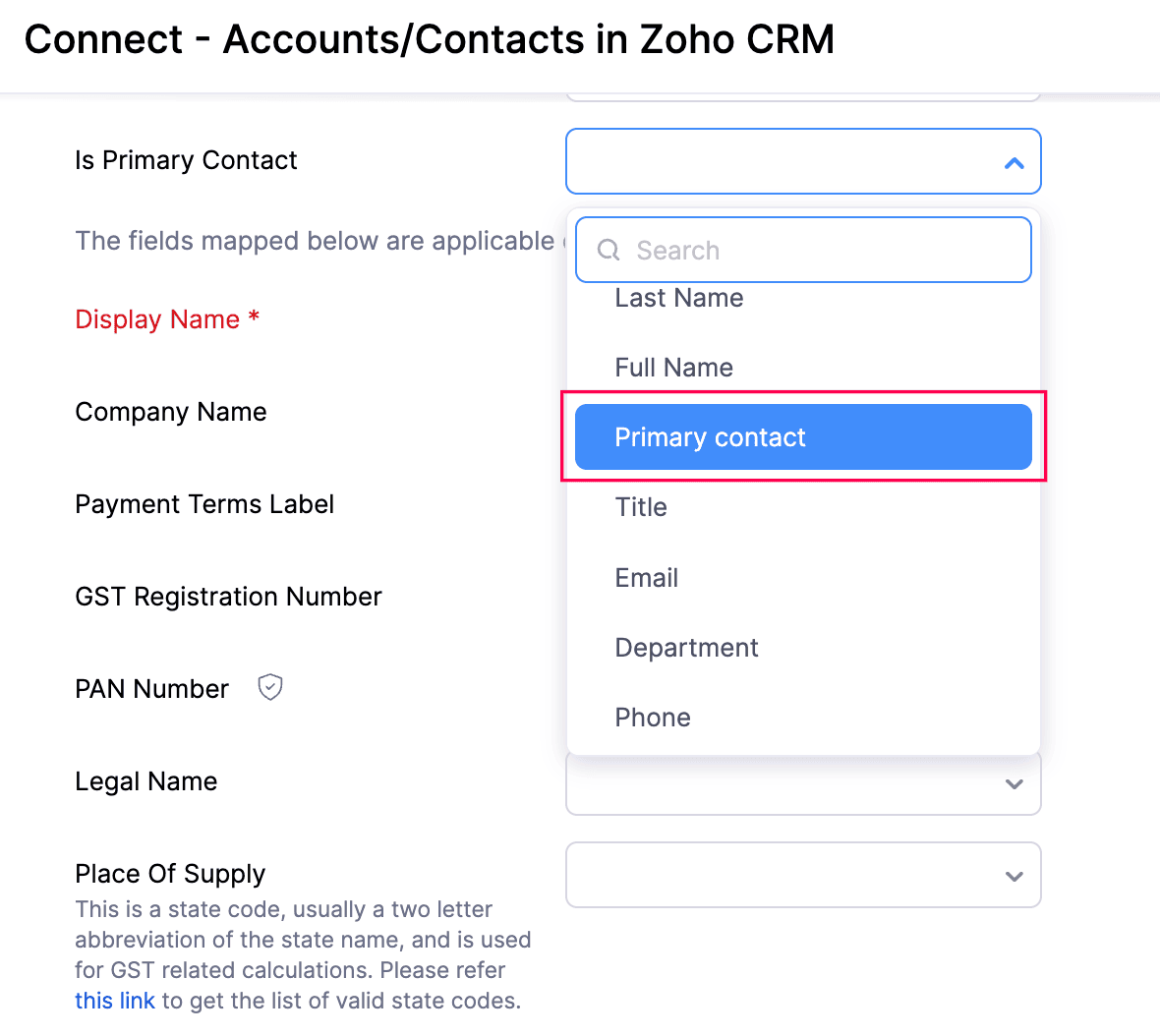
- Click the dropdown next to Payment Terms Label in Zoho Books, then select the corresponding custom field that you created in Zoho CRM.
- Click Save and Sync.
The payment terms from the Zoho CRM Accounts or Contacts module will now be synced with the Customers module in Zoho Books. You can update the payment terms for the existing Accounts or Contacts in Zoho CRM using the bulk update option.
If you change the Payment Terms value for a customer in Zoho Books, it will be synced to the corresponding Account or Contact in Zoho CRM, provided the same value is available in the Payment Terms picklist in Zoho CRM.
 Yes
Yes