


How do I fetch obligations for a different tax year, business, period type, or tax basis?

You can fetch returns for different tax years and businesses by selecting the required Tax Year and Business each time you fetch obligations from HMRC.
Standard is the default period type set by HMRC, but you can switch between Standard and Calendar period types while fetching obligations. Before submitting your first quarterly update for the tax year, verify whether you want to retain Standard or switch to Calendar. Once you submit the first quarterly update, you cannot change the period type until the next tax year.
You can also change the Tax Basis, if required. Here’s how:
- Go to Filing & Compliance on the left sidebar and select Income Tax.
- Click + Fetch Obligations from HMRC.
- In the Fetch Obligations from HMRC pop-up, select the required Tax Year, Business, Period Type and Tax Basis.
- Click Fetch Obligation.
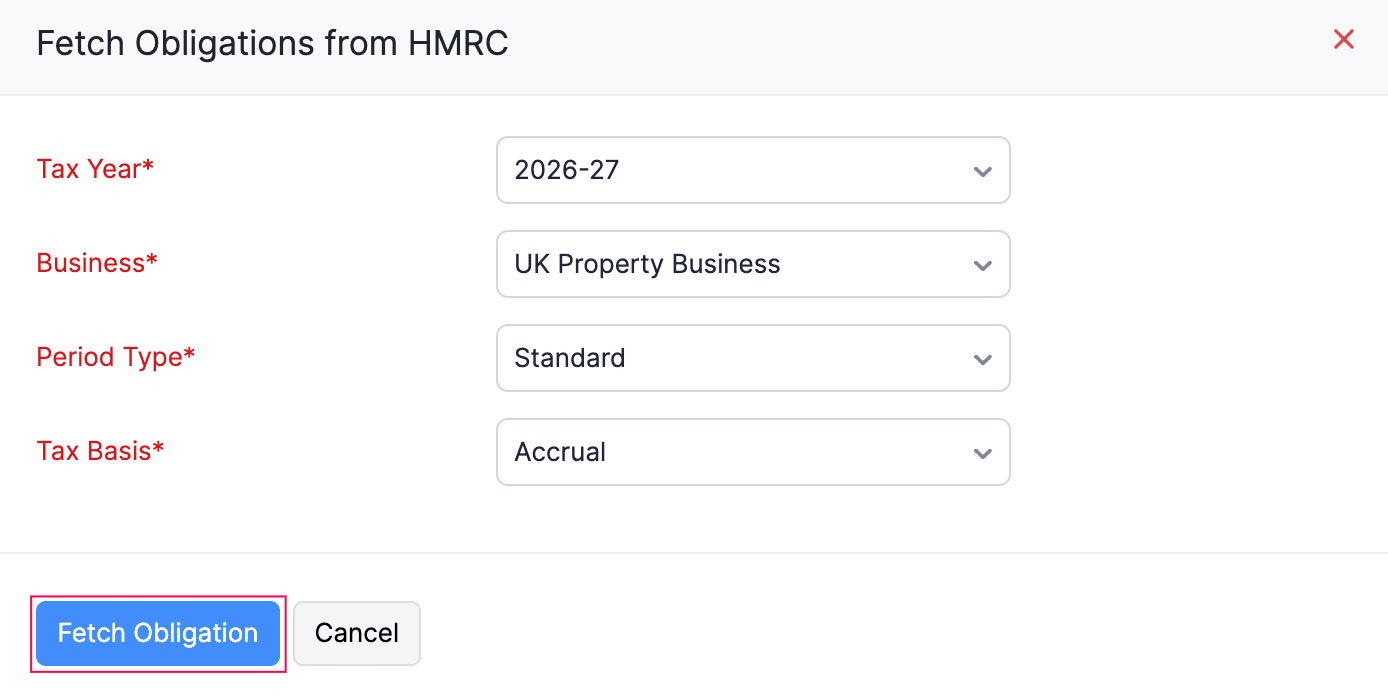
The returns for the selected tax year and business will be fetched and displayed under the To be Filed tab. To fetch returns for other tax years or businesses, repeat the same steps with a different Tax Year or Business selection.
 Yes
Yes