


How can I track non-trading income in my Corporation Tax return?

You can track non-trading income by mapping the relevant accounts under the Non-Trading Accounts section when preparing your return.
Here’s how:
- Go to Filing & Compliance on the left sidebar and select Corporation Tax.
- Click Generate Return and configure the accounting period details.
- In the Generate Corporation Tax Return page, navigate to the Map Accounts tab.
- Under the Non-Trading Accounts section, click + Add Accounts.
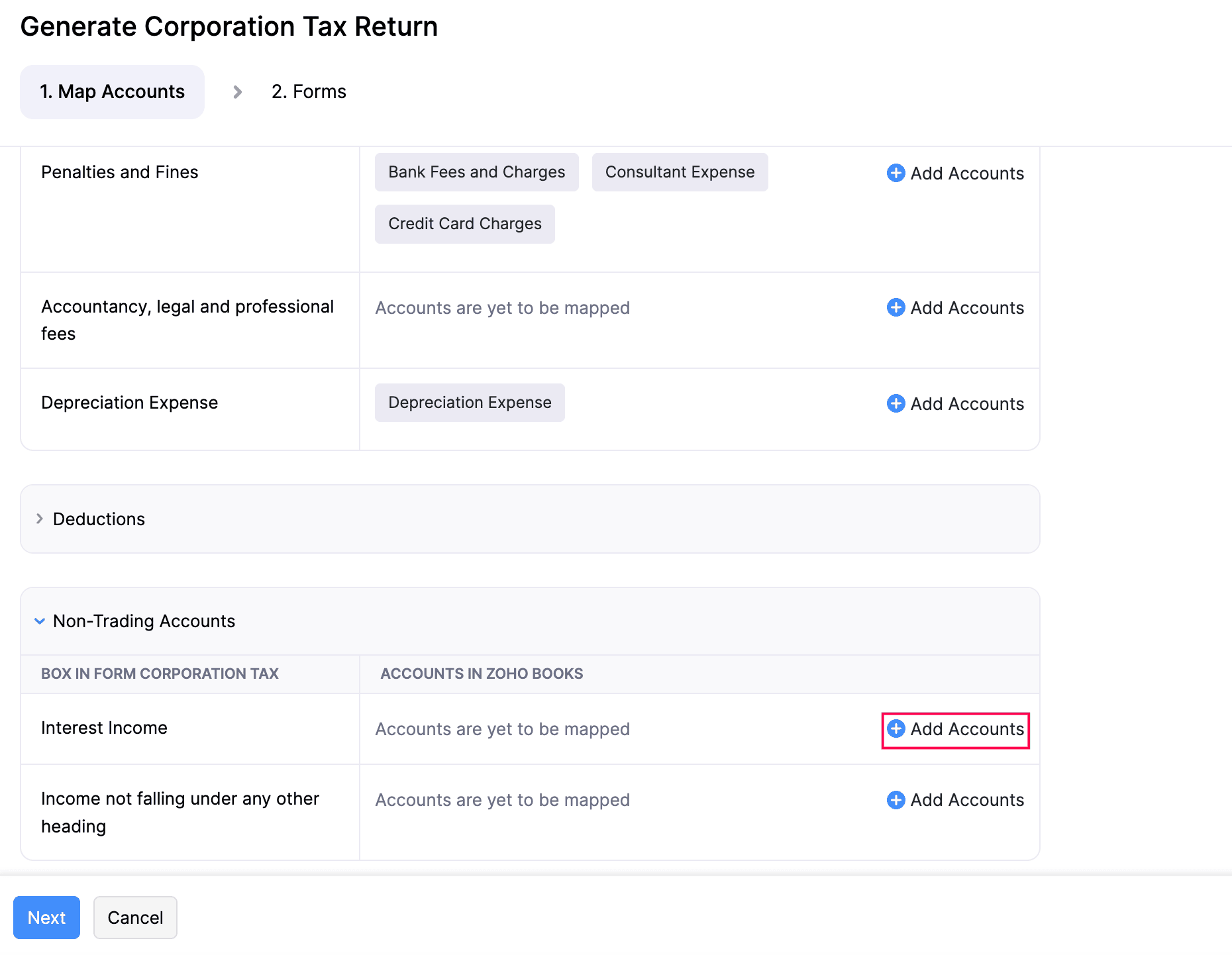
- Select the accounts related to your non-trading activities and map them.
- Click Next to proceed to the Forms tab, where the non-trading income will be reflected in the Computation form.
Once mapped, this non-trading income will be automatically included in your Corporation Tax return in line with HMRC rules.
 Yes
Yes