


How do I download the CT600, Computation, and Full Accounts?

Here’s how you can download all the required forms:
- Go to Filing & Compliance on the left sidebar and select Corporation Tax.
- Select the return you want to download.
- In the next page, click the Export button.
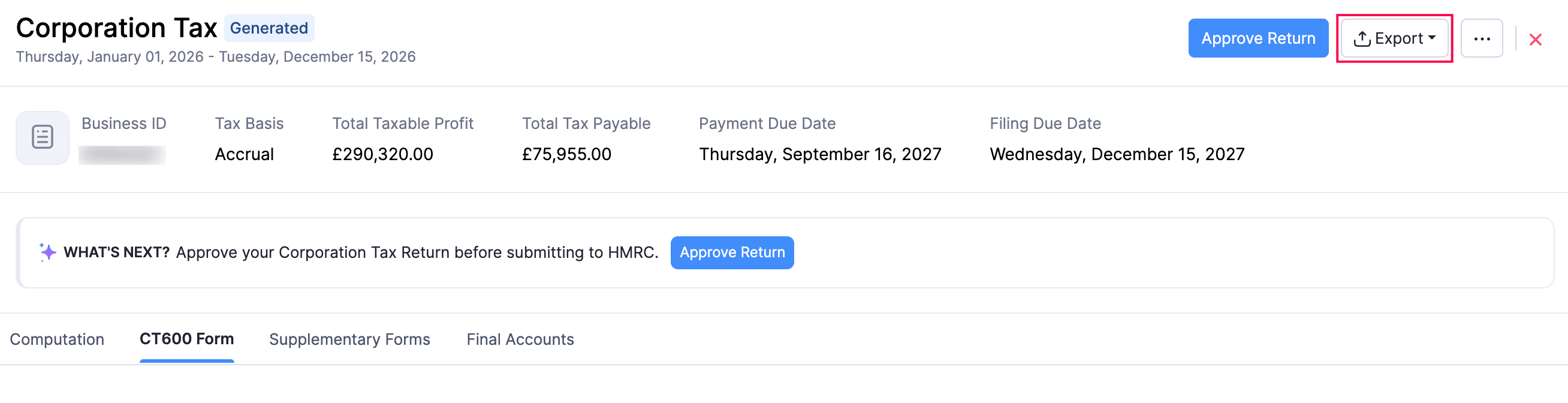
To download:
- The Corporation Tax Computation in the iXBRL format, select Download Computation iXBRL.
- The Full Accounts in the iXBRL format, select Download Full Accounts iXBRL.
- The Full Accounts as a PDF, select PDF Full Accounts.
- The CT600 form as a PDF, select PDF CT600 Full Form.
Note:
The documents that you download are for your organisation’s internal reference only and cannot be used for direct HMRC filing.
 Yes
Yes