


I have losses from a previous year. How do I apply them to my current return?

Losses incurred in previous years can be carried forward and applied to offset profits in later accounting periods. For example, if your business had a £20,000 loss in the previous year and made a £70,000 profit in the current year, you can use that £20,000 loss to reduce your taxable profit. After subtracting the carried-forward loss, the taxable profit becomes £50,000.
In Zoho Books, you can enter these carried-forward trading losses when generating your Corporation Tax return.
Here’s how:
- Go to Filing & Compliance on the left sidebar and select Corporation Tax.
- Select the return for which you want to enter the trading losses.
- Under Forms, navigate to the Computation tab.
- In the Computation form, scroll to the Trading Losses section.
- Enter the loss amount in the Brought Forward Trading Losses field.
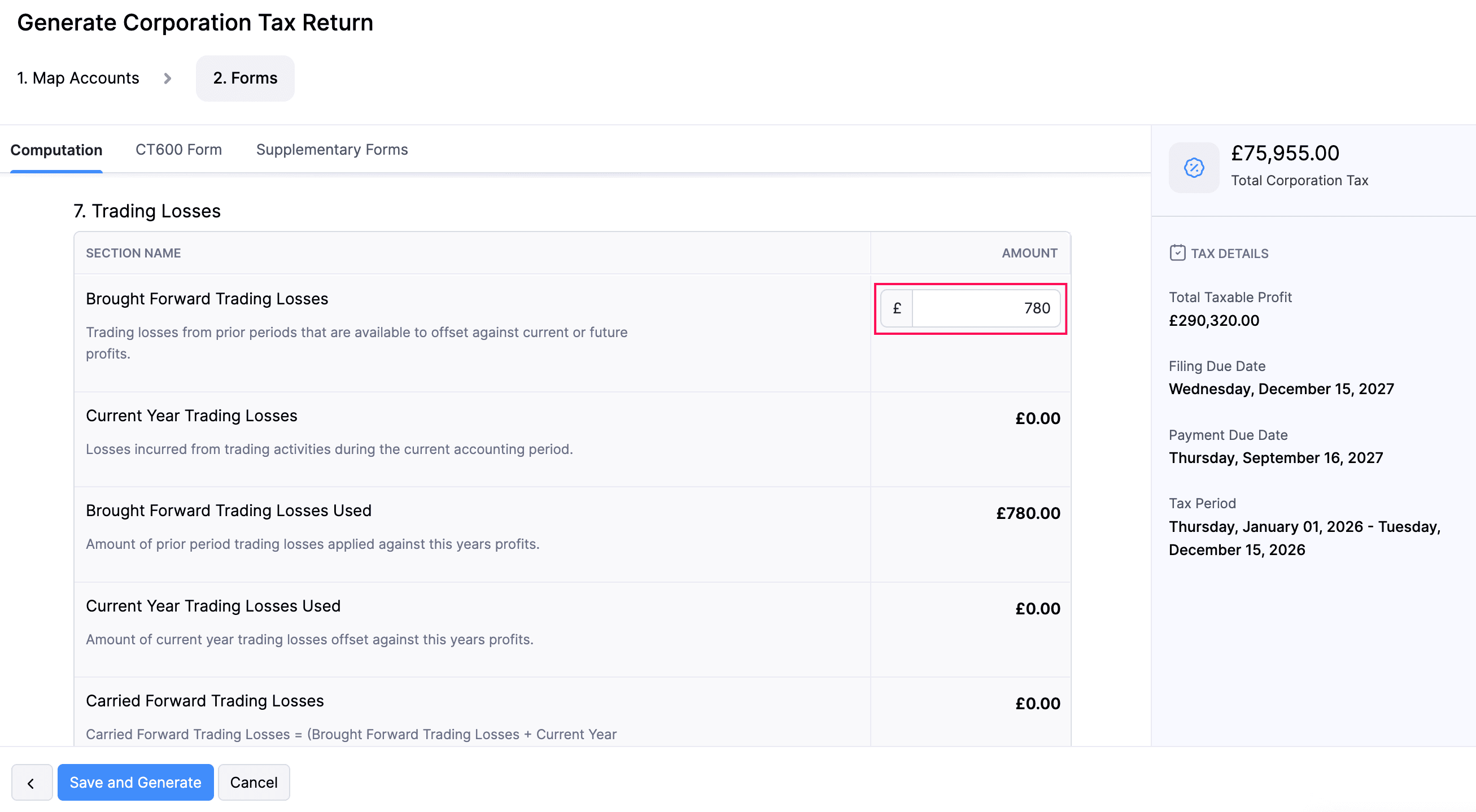
Zoho Books will automatically apply the carried-forward loss to offset the current period’s profits and update the Net Profit After Losses accordingly.
 Yes
Yes