



Final Declaration
The Final Declaration is an end-of-year submission under the UK’s Making Tax Digital (MTD) for Income Tax regime. It brings together all income, expenses, adjustments and reliefs associated with your NINO (National Insurance Number) for a tax year. By submitting it, you confirm to HMRC that all your records are complete and accurate. HMRC then uses this information to calculate the final tax liability or refund for that tax year.
With final declaration, you do not add any new information. All the details you had earlier submitted will be fetched into Zoho Books, which you can review, finalise, and submit to HMRC.
Prerequisites
Before you proceed to submit the final declaration, ensure that you:
- Submit all four quarterly updates to HMRC.
- Record income from all applicable sources, including business, property, interests, and dividend income.
Fetch Final Declaration into Zoho Books
To fetch the final declaration values, all your quarterly updates and final declaration for the tax year must be listed in your Zoho Books organisation.
Here’s how:
- Go to Filing & Compliance on the left sidebar and select Income Tax.
- In the Making Tax Digital for Income Tax page, click + Fetch Details From HMRC in the top right corner.
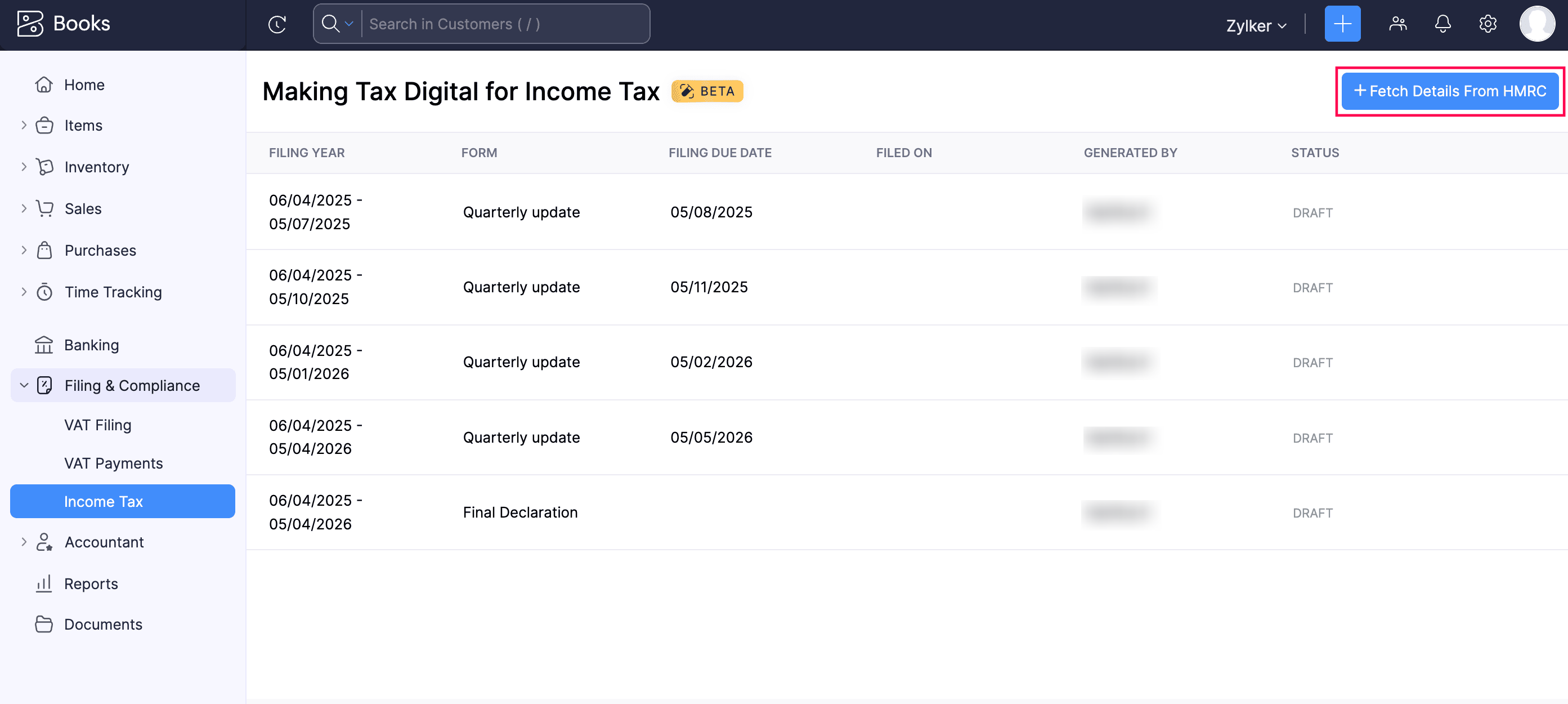
All the quarterly updates and final declaration associated with your NINO will be displayed in Zoho Books.
To fetch the latest final declaration values from HMRC:
In the list page, select the final declaration you want to update. It may take a while to be updated in Zoho Books, during which the status will be Calculation In Progress.
Click Refresh to check the progress.
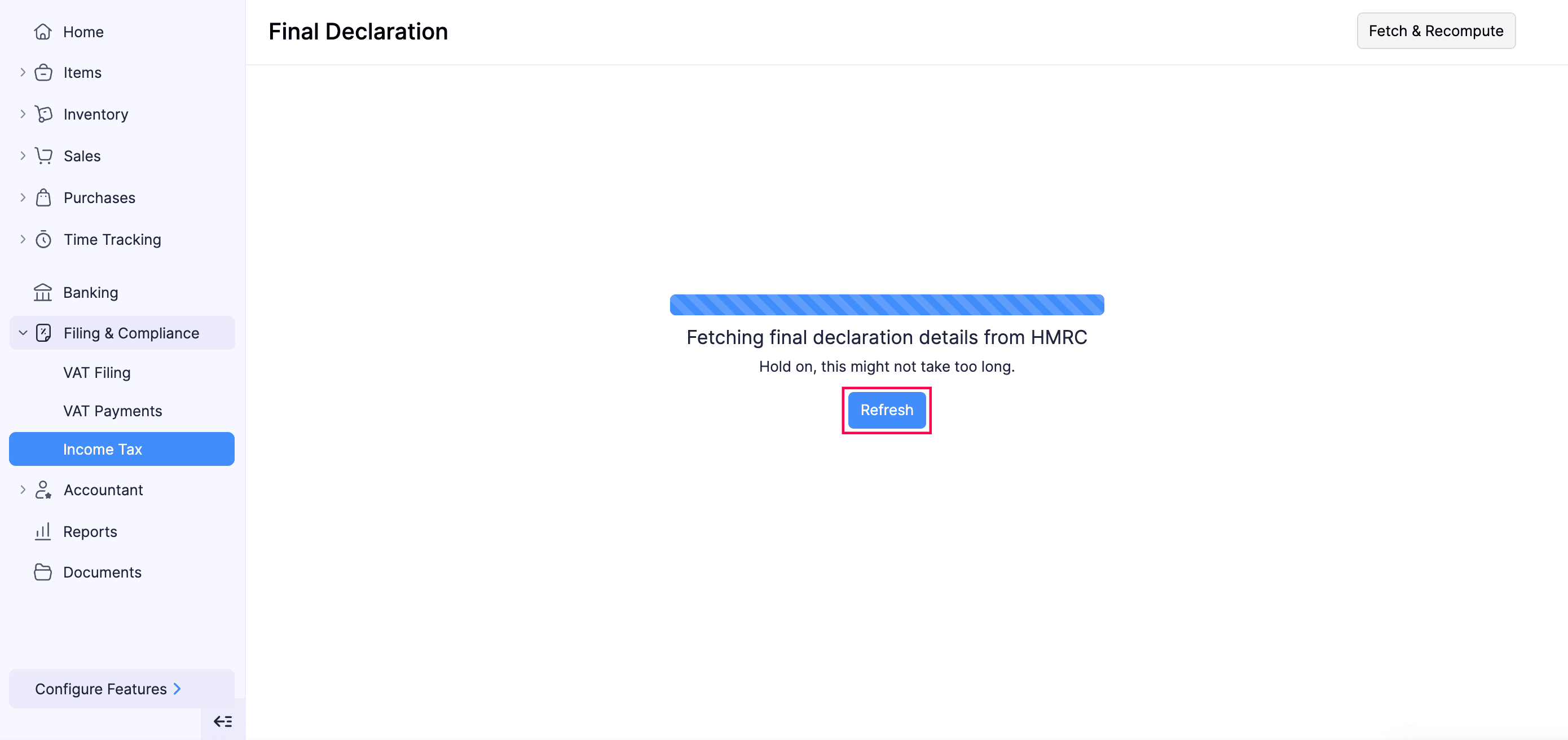
Once the values are processed, they will be displayed in the Final Declaration page.
Finalise Final Declaration
Once you fetch the final declaration details from HMRC, you can review and finalise them.
Here’s how:
- Go to Filing & Compliance on the left sidebar and select Income Tax.
- Select the final declaration you want to finalise.
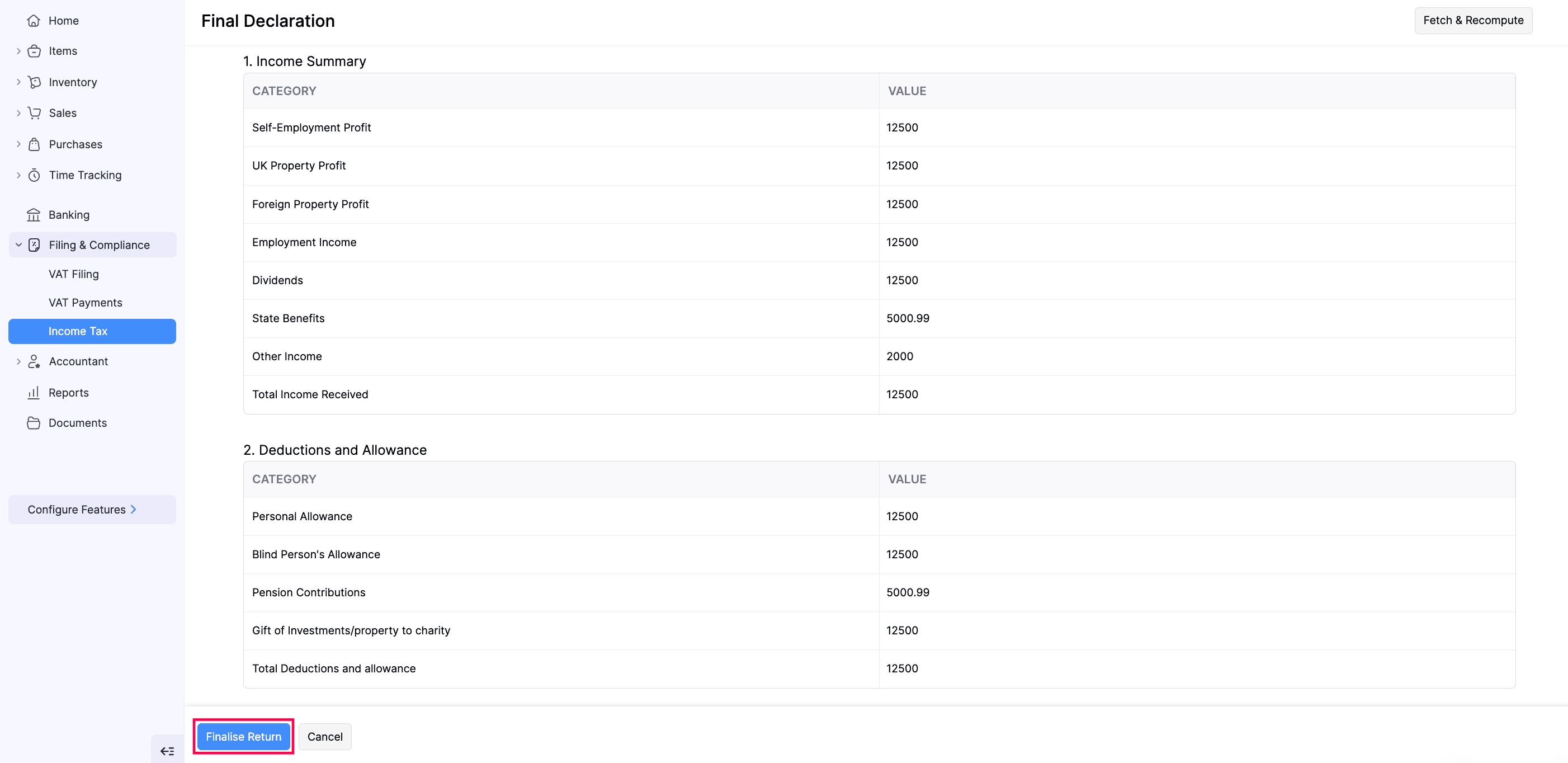
- In the Final Declaration page, review the amounts in the respective boxes.
- Click Finalise Return.
- In the confirmation pop-up, read the terms and click Finalise Update.
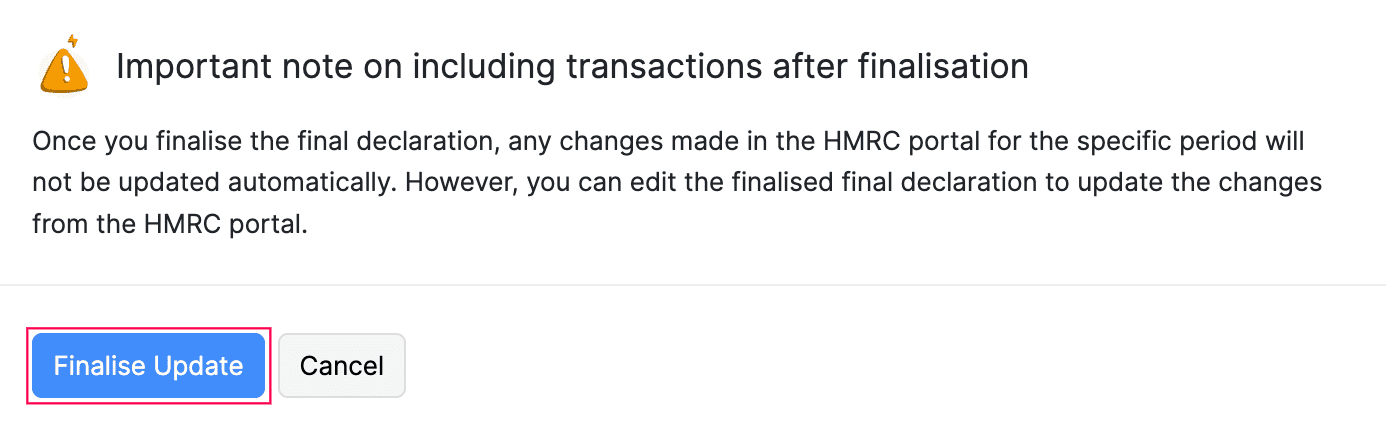
The final declaration will be marked as Finalised.
Recompute Final Declaration
If there are any inconsistencies in your final declaration, such as a value mismatch between HMRC and Zoho Books, you need to recompute it in Zoho Books, so that they are up to date with the latest values available in the HMRC portal.
To recompute your final declaration in the Draft status:
- Go to Filing & Compliance on the left sidebar and select Income Tax.
- Select the final declaration you want to recompute.
- In the Final Declaration page, click Fetch & Recompute in the top right corner.
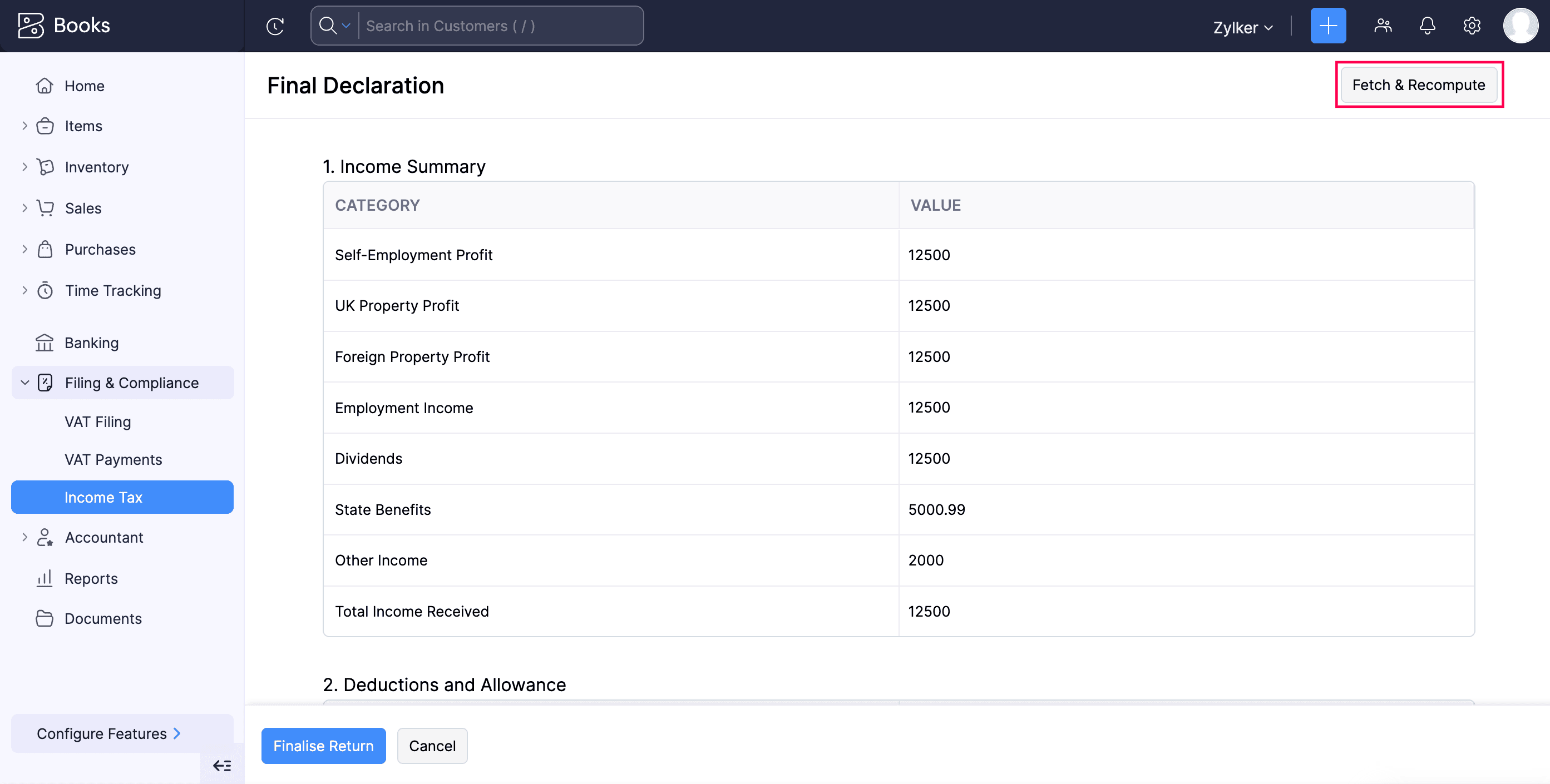
The values will now be recomputed and updated.
To recompute your final declaration in the Finalized status:
- Go to Filing & Compliance on the left sidebar and select Income Tax.
- Select the finalised final declaration you want to recompute.
- Click the More icon on the top right and select Edit.
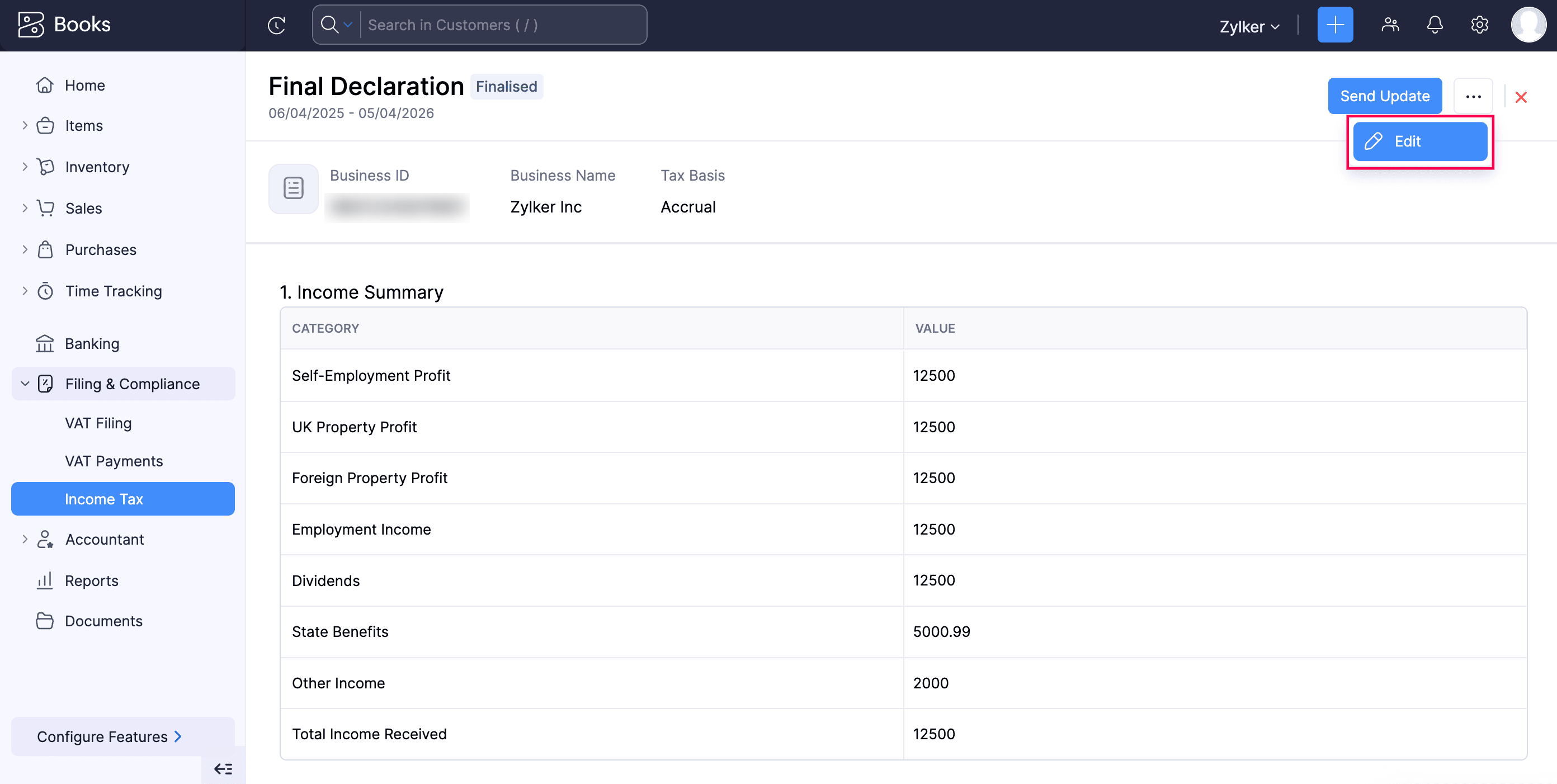
- In the confirmation pop-up, click Continue to Edit.
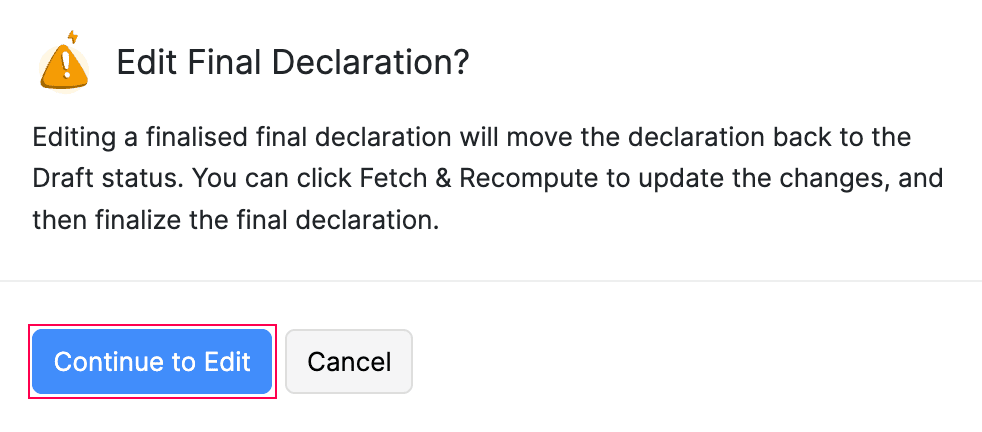
Now, the final declaration will be changed to Draft status and you can fetch the updated values from HMRC.
- In the Final Declaration page, click Fetch & Recompute in the top right corner.
The values will be recomputed in Zoho Books to match the updates ones available in HMRC.
Note:
Once the values are recomputed, you must finalise the return again.
Submit Final Declaration to HMRC
Once the final declaration is finalised, you can submit it to HMRC. Here’s how:
- Go to Filing & Compliance on the left sidebar and select Income Tax.
- Select the final declaration you want to submit to HMRC.
- In the Final Declaration page, click Send Update in the top right corner.
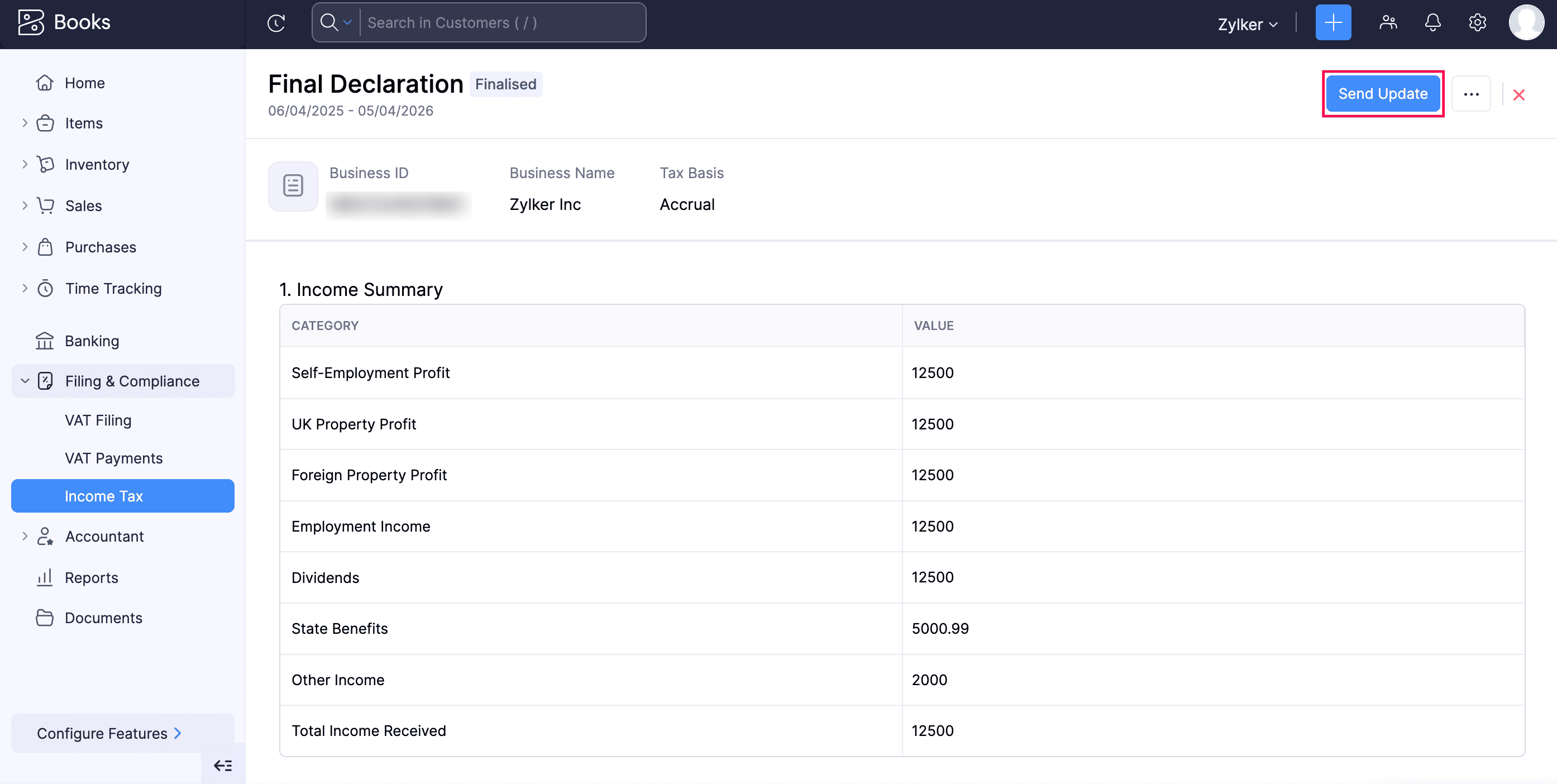
- In the confirmation pop-up, read the terms and click Send Update again.
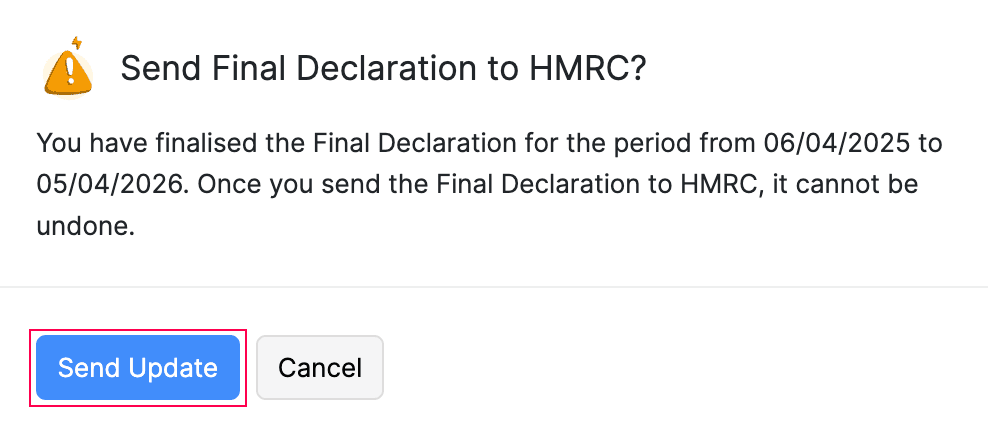
The final declaration will be sent to HMRC, and will be marked as Submitted in Zoho Books.
Note:
You can start submitting your final declaration once the respective tax year ends (from April 6th) and the last date to submit your final declaration would be January 31st of the following tax year. For example, for the 2026–27 tax year, the final declaration must be submitted on or before January 31st, 2028.
 Yes
No
Yes
No
Thank you for your feedback!