


Business Source Adjustable Summary

The Business Source Adjustable Summary (BSAS) is a digital summary provided by His Majesty’s Revenue and Customs (HMRC) under Making Tax Digital (MTD) for Income Tax.
After submitting all your quarterly updates, if you need to make adjustments for each of your income sources, you can generate a BSAS. The BSAS displays the total income, expenses, and allowances reported for the relevant tax year, allowing you to review and update the figures before the final submission.
In Zoho Books, you can generate a BSAS to review the data that was previously submitted and make any necessary adjustments without recalculating and resubmitting your entire income and expense totals. Once these adjustments are made, HMRC recalculates your tax liability to ensure everything is accurate before the final declaration is submitted by 31 January following the end of the tax year.
Generate Business Source Adjustable Summary
If you need to make adjustments after submitting all your quarterly updates, such as adding back non-allowable expenses (like personal costs, depreciation, fines, or client entertainment) or claiming additional deductions (like home office expenses, bad debts, professional fees, or capital allowances), you can do so by generating a Business Source Adjustable Summary (BSAS) in Zoho Books.
Before generating a BSAS, you must first create a BSAS form. Here’s how:
- Go to Filing & Compliance on the left sidebar and select Income Tax.
- Click Create Additional Submission in the top right corner.
- In the Create Additional Submission pop-up, fill in the following fields:
- Select the tax year in which you want to make adjustments in the Tax Year field.
- Select the applicable submission type in the Submission Type field. You can select Business Source Adjustable Summary (Self Employment) or Business Source Adjustable Summary (UK Property), depending on your business.
- Click Create.
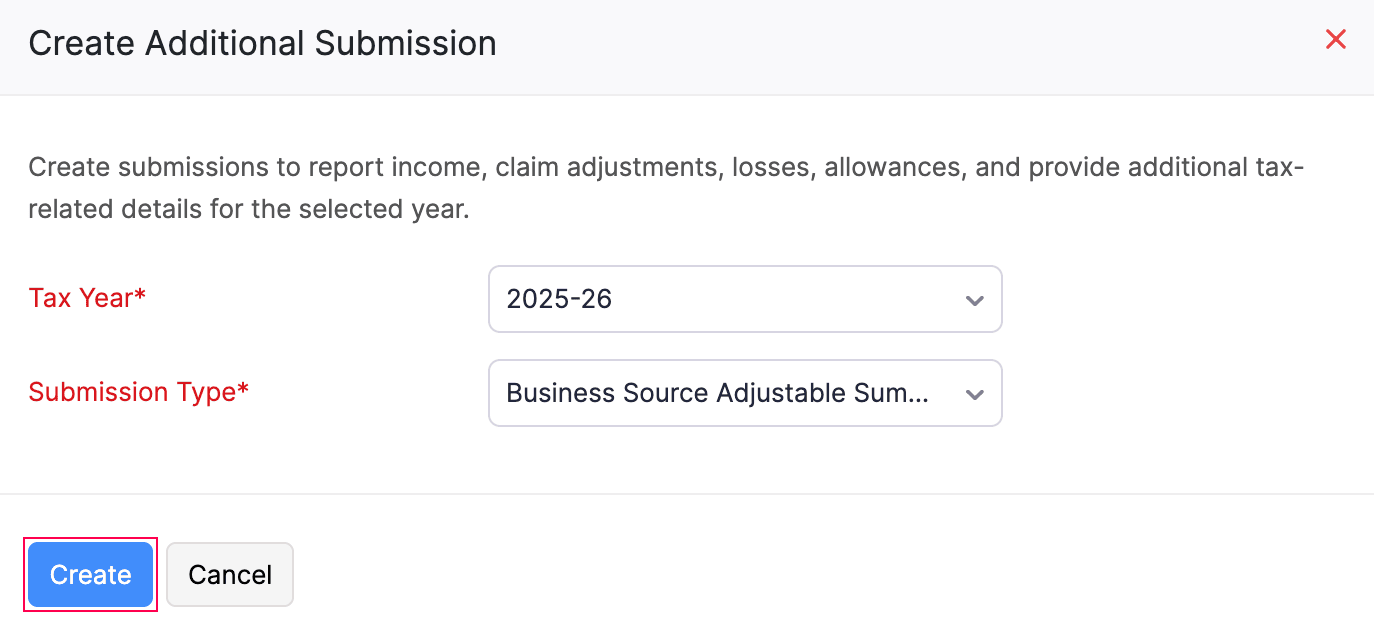
The BSAS will now be created in the Draft status and listed under the End of Year section of the To Be Filed tab.
- Click the newly created Business Source Adjustable Summary form from the End of Year section.
- On the Business Source Adjustable Summary page, review the Income, Expenses, Disallowable Expenses and other categories along with their corresponding HMRC Figures.
- Enter any required changes in the Adjustments field. The revised total for each category will then be reflected in the Final Figures section.
- Once you have made all your adjustments, click Save and Generate.
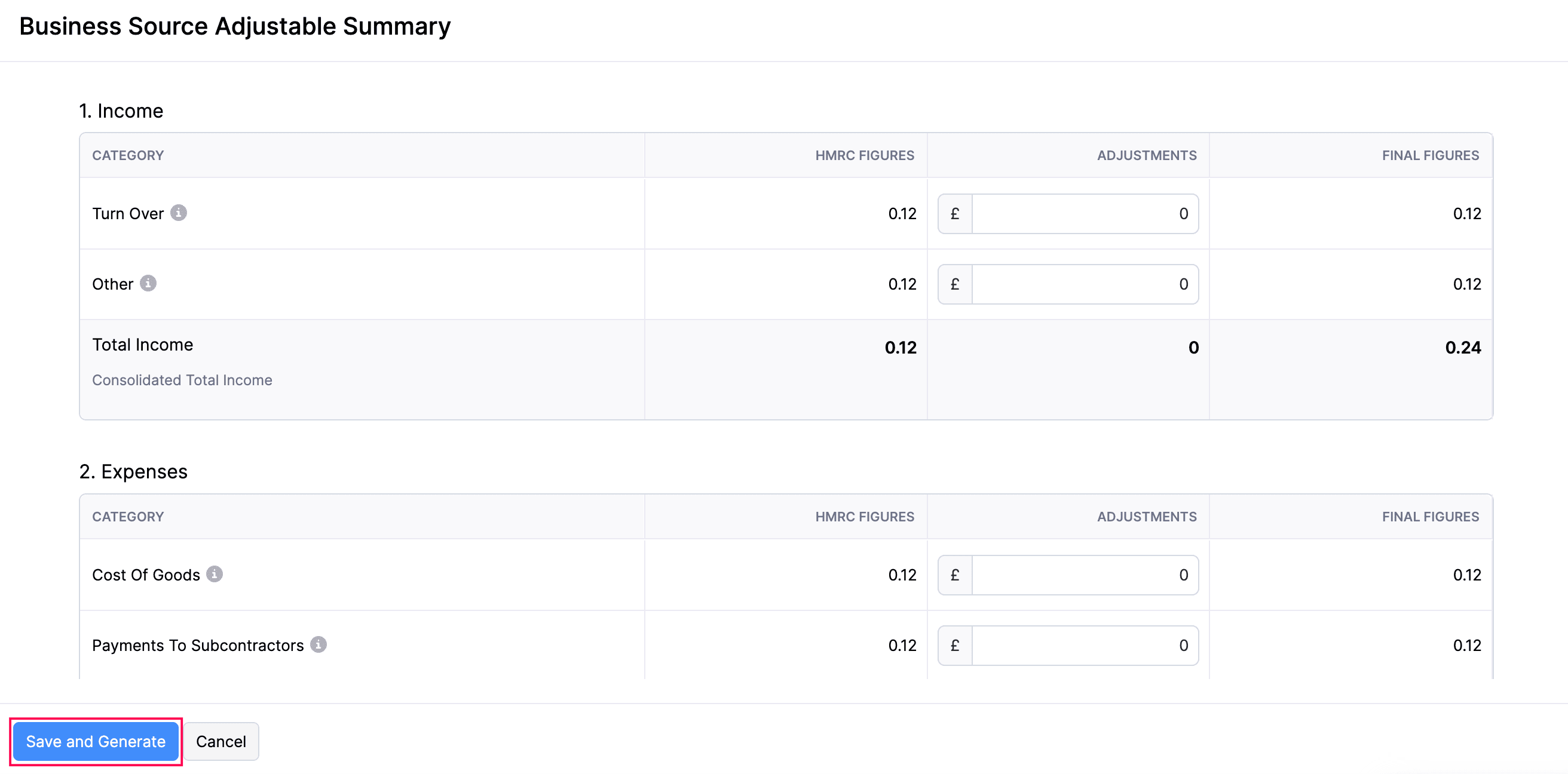
- In the confirmation pop-up that appears, click Finalise Update.
The adjustments made to the categories in the BSAS will be saved in Zoho Books, and the status of the form will change to Finalised.
Edit Business Source Adjustable Summary
To edit your BSAS in the Finalised status, before submitting it to HMRC:
- Go to Filing & Compliance on the left sidebar and select Income Tax.
- Select the Business Source Adjustable Summary in the Finalised status that you want to edit.
- In the Business Source Adjustable Summary page, click the More icon in the top right corner and select Edit.
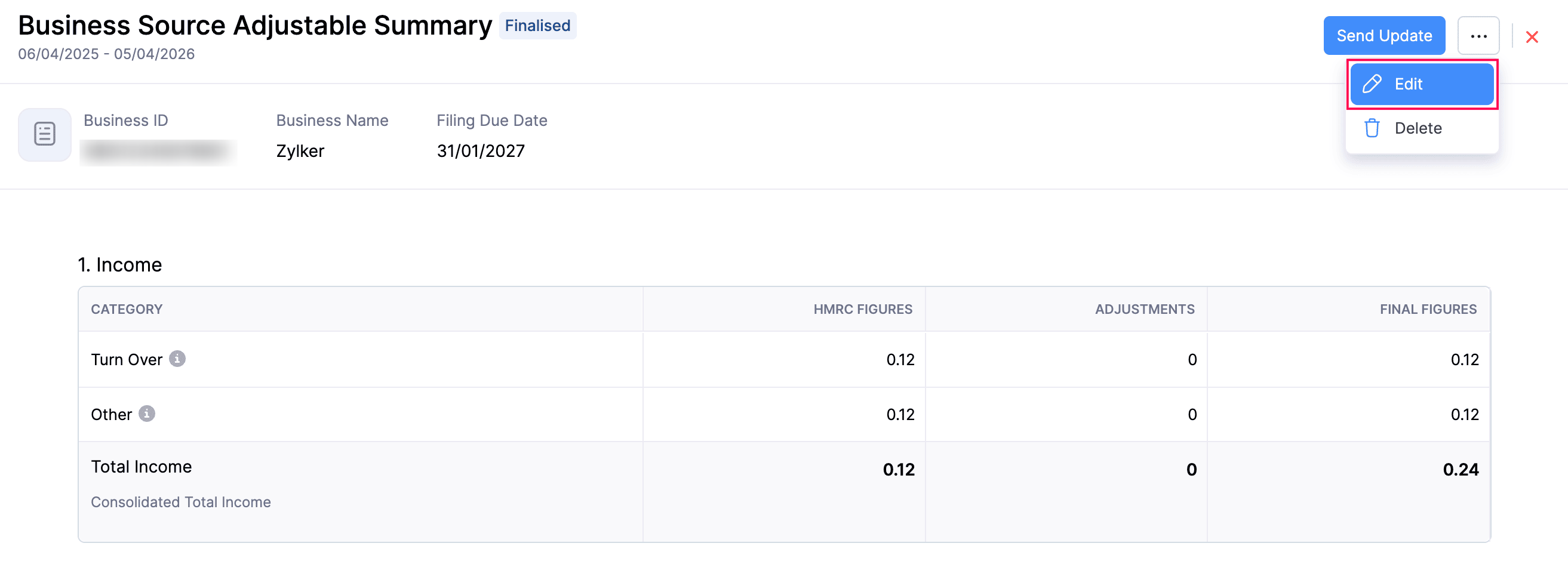
- In the confirmation pop-up that appears, click Continue to Edit.
- Make the necessary changes and click Save and Generate.
Your BSAS will now be updated with the latest adjustments provided.
Delete Business Source Adjustable Summary
To delete a BSAS:
- Go to Filing & Compliance on the left sidebar and select Income Tax.
- Hover over the Business Source Adjustable Summary in the Finalised status and select Delete.
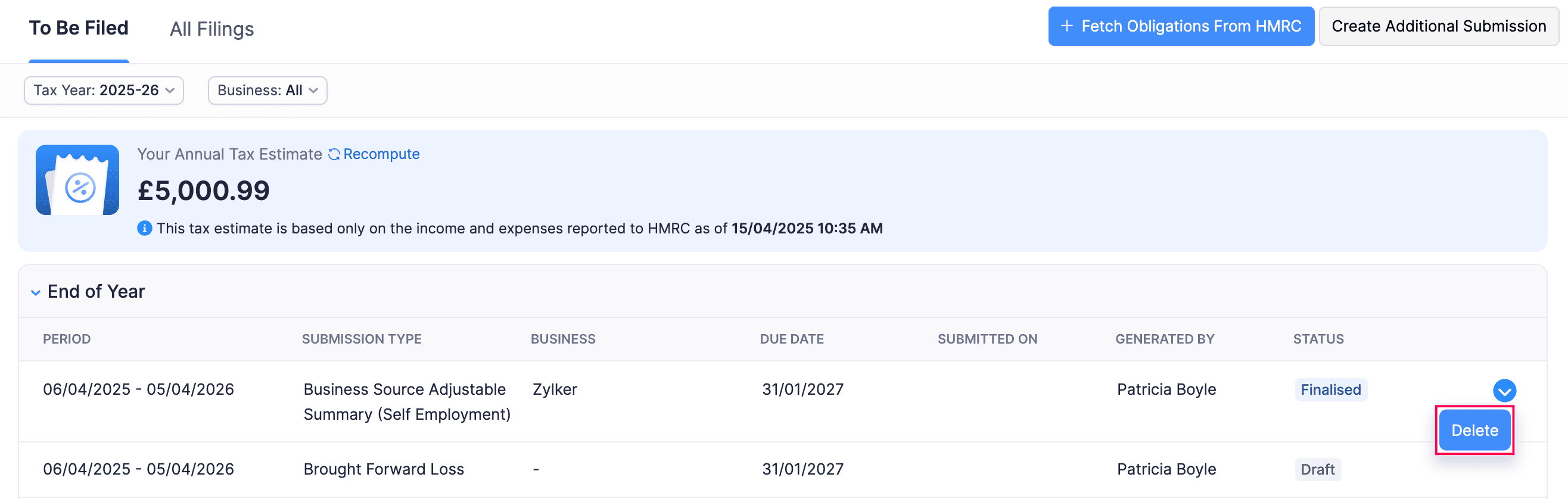
(or)
- Select the Finalised Business Source Adjustable Summary that you want to delete.
- In the Business Source Adjustable Summary page, click the More icon in the top right corner and select Delete.
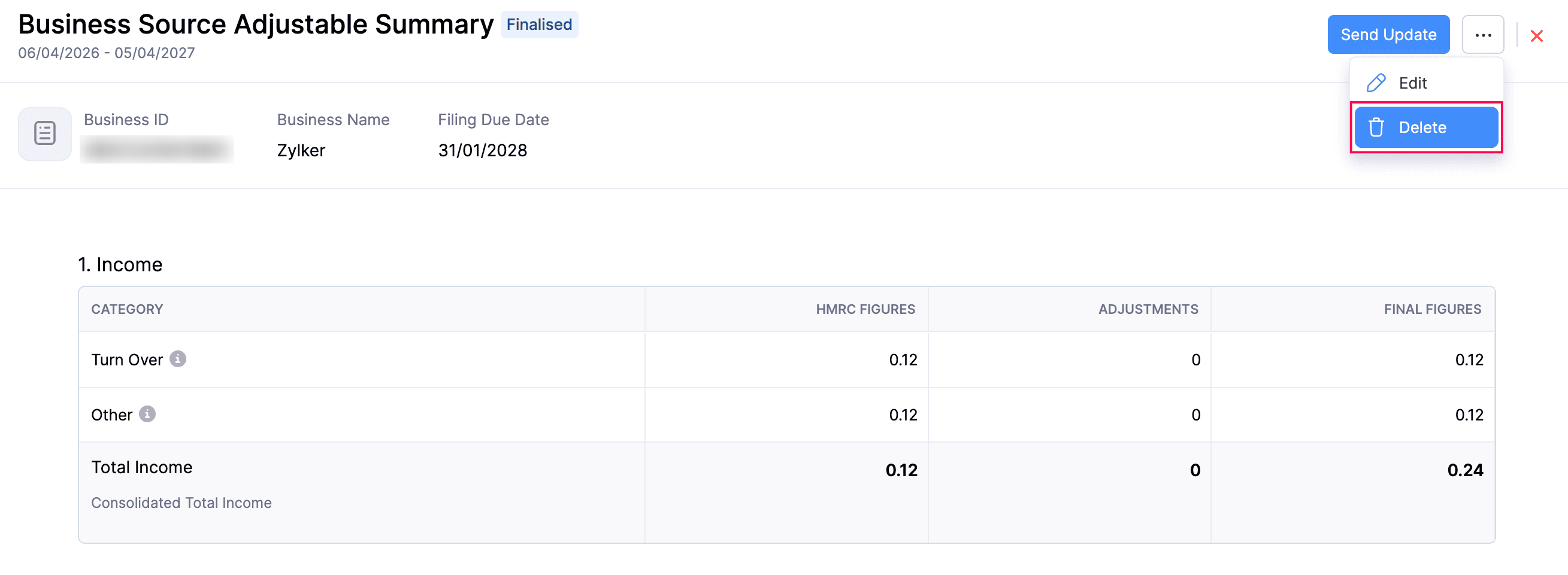
The BSAS will now be deleted.
Note:
You cannot delete a BSAS in the Submitted status.
Submit Business Source Adjustable Summary
Once you have added all the necessary changes and your BSAS is finalised, you can submit it to HMRC. Here’s how:
- Go to Filing & Compliance on the left sidebar and select Income Tax.
- Select the Business Source Adjustable Summary in the Finalised status that you want to submit to HMRC.
- In the Business Source Adjustable Summary page, click Send Update in the top right.
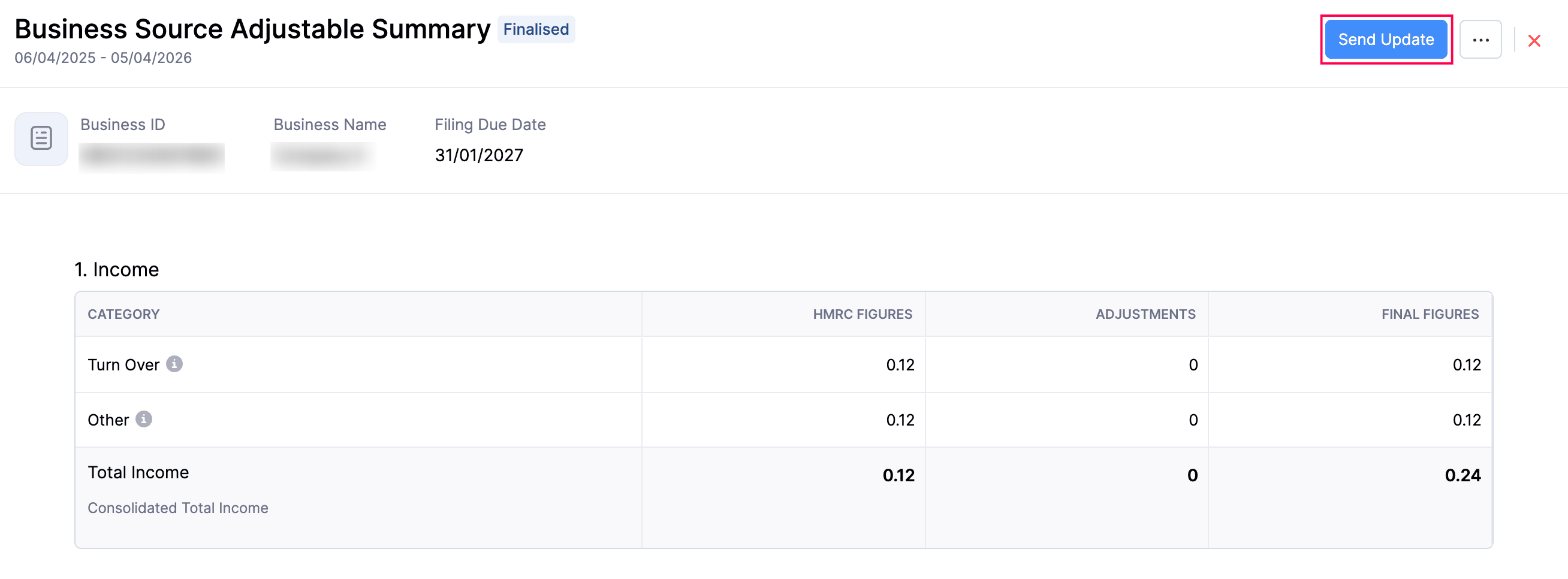
- In the confirmation pop-up that appears, read the terms and click Send Update again.
The Business Source Adjustable Summary will be sent to HMRC, and will be marked as Submitted in Zoho Books.
Note:
You can generate and submit multiple BSAS adjustments; however, each new submission will override the previous one. Only the most recently submitted BSAS will be taken into account.
 Yes
Yes