Marketing has become one of the most operationally complex functions in modern organizations. Campaigns span multiple channels, content engines run continuously, performance teams are constantly optimizing, and product launches require cross-functional coordination. And on top of it all, leadership expects real-time visibility into outcomes.
Each of these activities relies on different tools. Over time, data becomes scattered, discussions remain undocumented, and operational details get lost. Rather than juggling disconnected systems, marketing teams need a structured framework that mirrors how they actually work.
In this article, we explore how Zoho Tables can act as the operational backbone for marketing teams by centralizing planning, execution, and tracking.
The structure of modern marketing operations
Marketing operations can be simplified into three connected stages:
Planning → Execution → Tracking
While these happen across different channels and tools, most teams don't have a structured system that captures what was planned, what is being executed, and what results were generated.
Planning
When it comes to planning, there are different levels involved in marketing. These layers are conceptually aligned, but they remain operationally disconnected.
The gap in planning
When planning isn’t supported by a structured operational layer, important decisions often remain buried inside meetings and chat threads. Tasks that were verbally agreed upon may never get formally recorded, and over time this creates confusion, duplication, or missed deliverables.
The absence of a system typically results in:
- Decisions that can't be easily revisited or verified
- Tasks getting missed because they were never documented
- Lack of clear ownership and accountability
- Managers struggling to get a consolidated view of planned versus executed work
- Overdependence on spreadsheets that lack workflow logic and visibility
But with Zoho Tables, marketing teams can:
- Document every layer of planning in one centralized base
- Clearly define owners, timelines, dependencies, and statuses for each campaign, task, or initiative
- Create dashboards and views for quick overview
- Make decisions data-driven
Execution and tracking
Execution converts plans into measurable outcomes. At the same time, marketing teams continuously track performance across campaigns, content, events, and other initiatives. In practice, execution and tracking happen together.
Marketing operations involve multiple parallel workflows, each supported by different tools. In the sections below, we examine each workflow through this lens:
Content pipeline
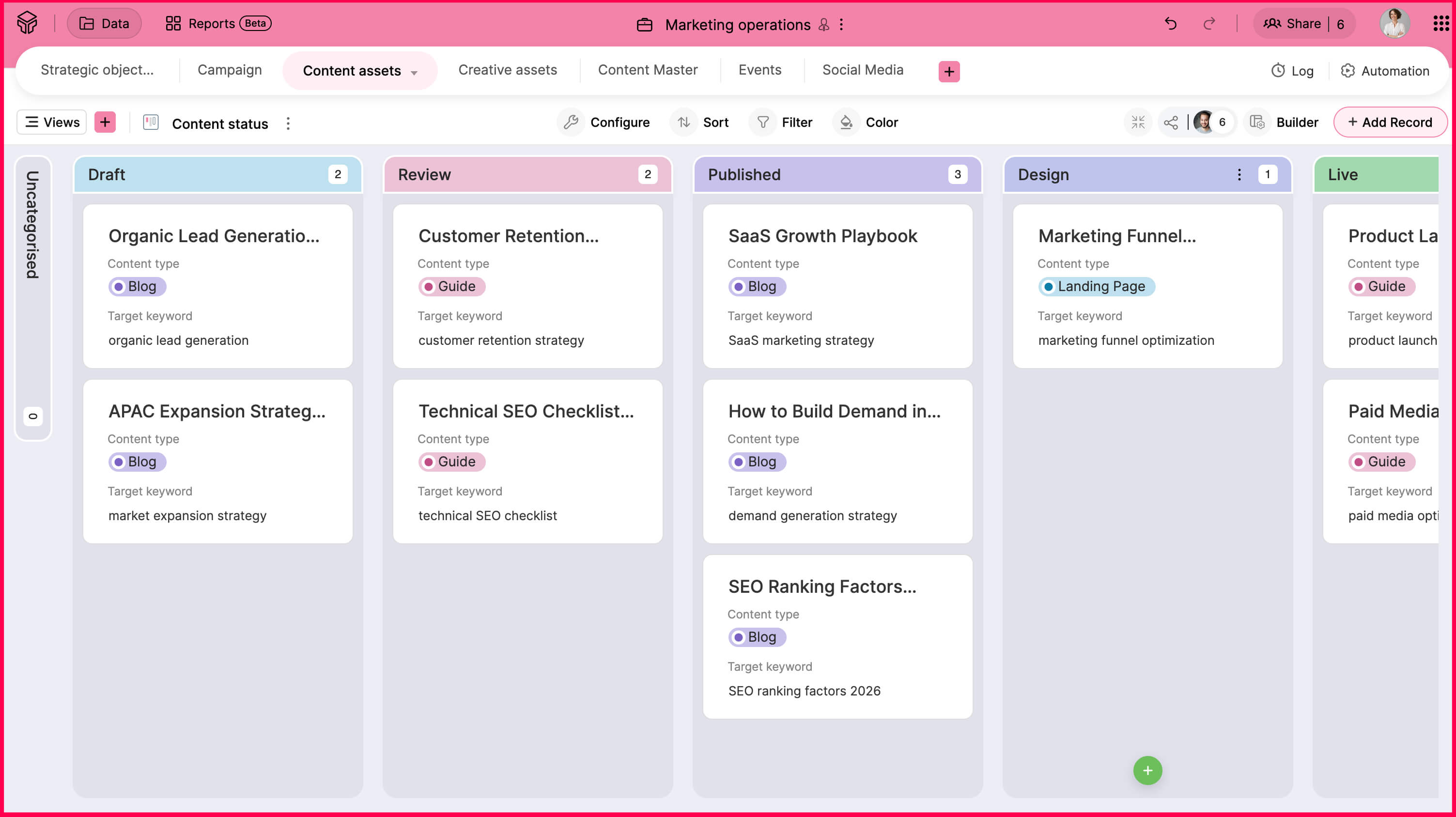
The content pipeline moves from SEO research to writing, review, publishing, and performance tracking.
With Zoho Tables, the entire content lifecycle can be structured in one place. Keywords, topics, owners, deadlines, approval stages, publish dates, URLs, and performance metrics can all live inside connected records. Every content asset links to the campaign it supports and the objective it drives. This creates visibility across the full pipeline.
Teams also benefit from:
- Automated notifications when content moves from draft to review
- Clearly defined approval stages that reduce back and forth coordination
- Record-level comments to capture feedback in context
- Automatic updates to a centralized content master once published
- Direct linkage between traffic, leads, and the campaign it supports
Creative workflow
Creative teams handle ad creatives, landing page visuals, videos, and event materials.
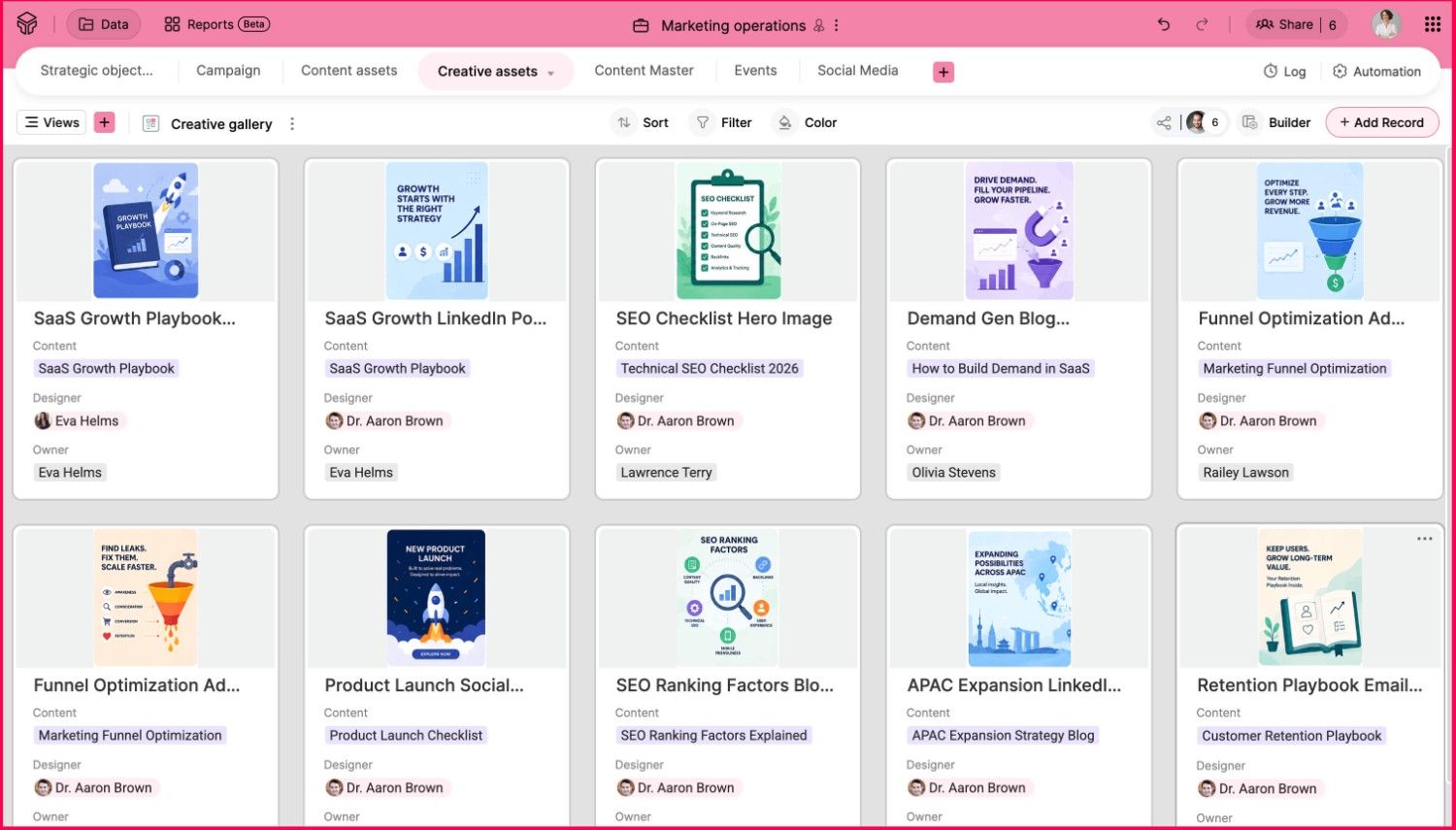
Zoho Tables standardizes creative intake and review by turning every request into a structured record linked to a campaign. Priorities, timelines, and owners become visible across the team. Review stages follow a defined process instead of informal follow ups.
In addition, teams can create:
- Form views to capture new creative requests
- Gallery views to showcase all creative assets in one place
- Automated review emails when a design moves to the next approval stage
- Clear workload visibility across designers and campaigns
Campaign and lead generation workflow
Campaign execution includes paid ads, landing pages, gated assets, budgets, and lead capture.
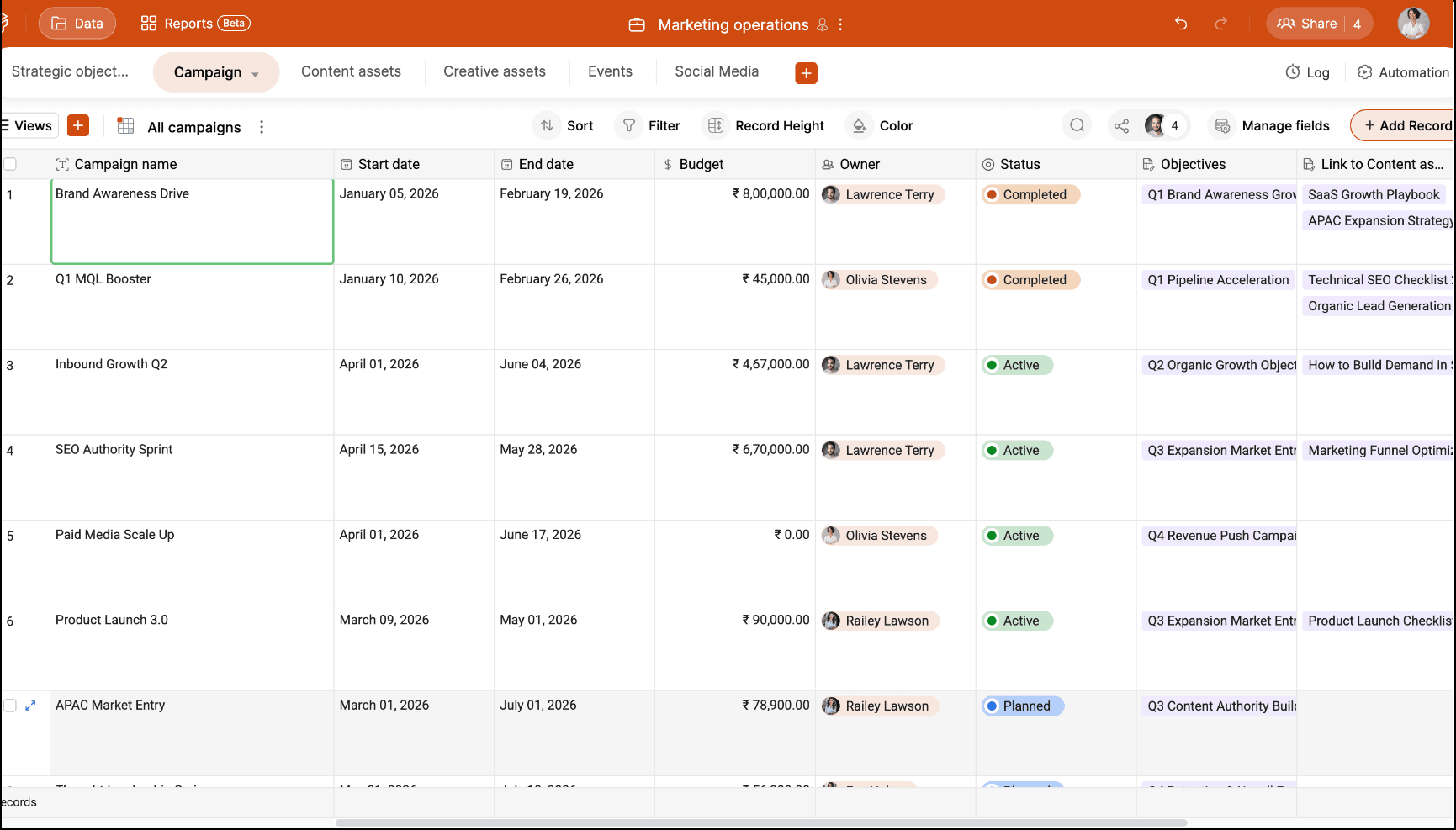
Zoho Tables turns every campaign into a structured record that connects objectives, budgets, creatives, landing pages, and leads in one place. Instead of switching across dashboards, campaign owners can view planning, execution, and results together.
Teams also benefit from:
- Clear mapping of budget allocation to specific campaigns
- Linked landing pages and creatives under one campaign view
- Real-time visibility of spend versus results
- Dashboards that show campaign performance without manual consolidation
Event and webinar workflow
Events and webinars are often treated as standalone initiatives, even though they involve multiple teams and moving parts.
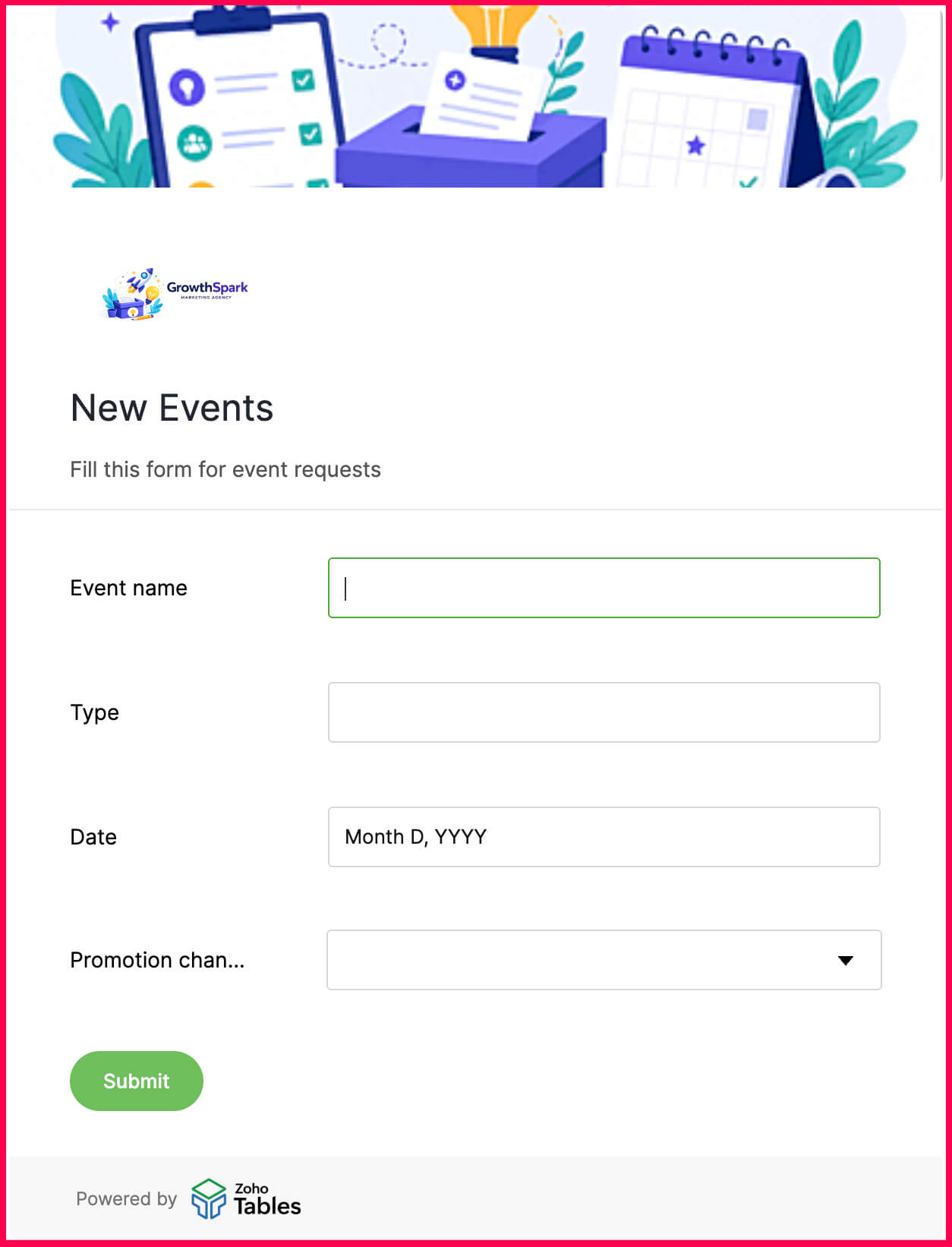
Zoho Tables structures each event as a campaign record connected to registrations, promotional activities, speakers, budgets, and follow-ups. This ensures that events aren't tracked separately from overall marketing goals.
Teams also benefit from:
- Clear ownership of pre- and post-event tasks
- Linked promotional activities tied to registration performance
- Automatic update of registration counts into dashboards
- Visibility into leads generated and pipeline influenced
- Centralized tracking of event timelines and milestones
Social media workflow
Social media supports brand visibility, demand generation, and campaign amplification.
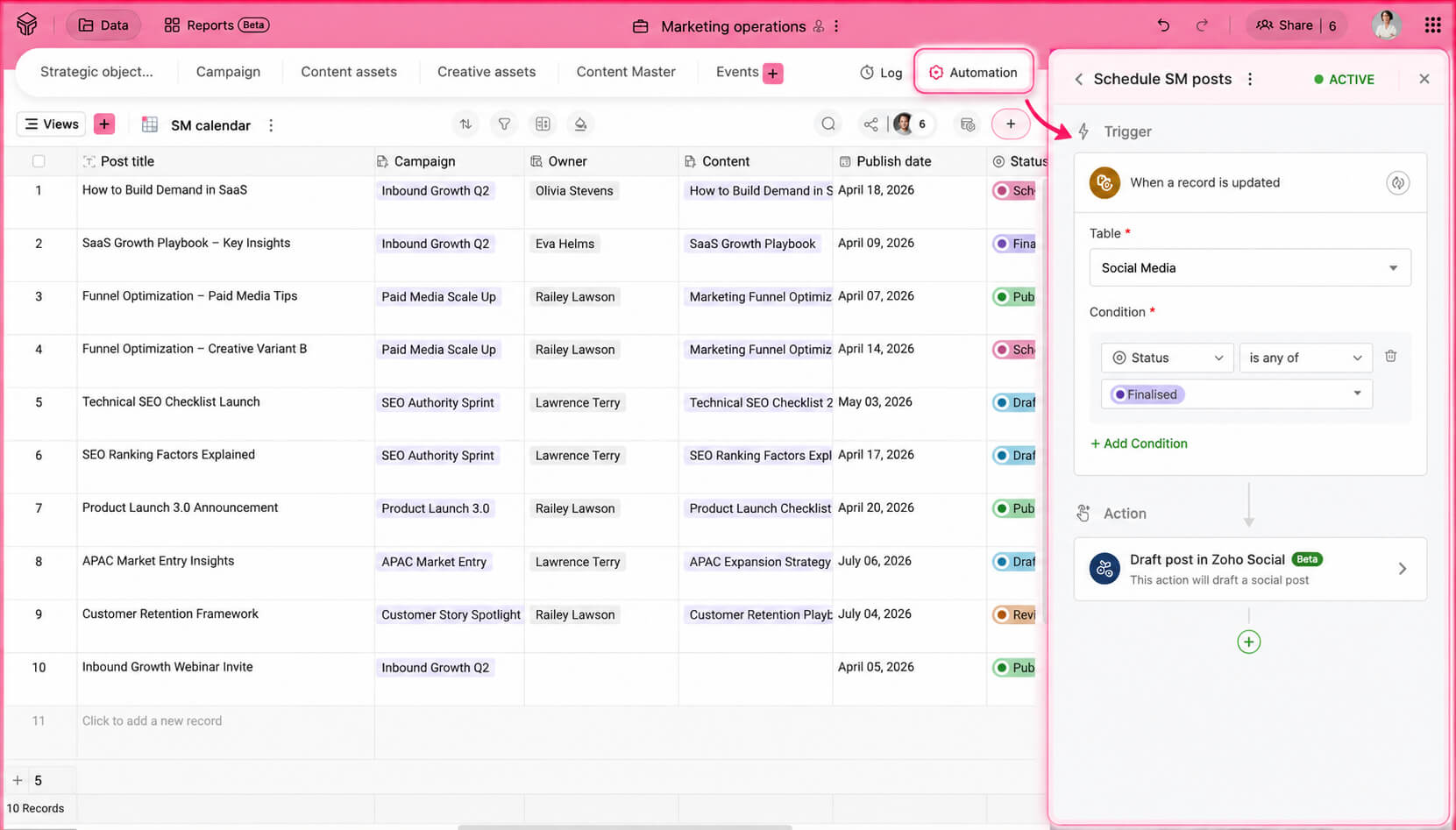
Zoho Tables centralizes the social calendar and connects each post to the campaign or objective it supports.
Teams also benefit from:
- Centralized publishing calendars linked to campaigns
- Visibility into post status and approvals
- Direct linkage between social activity and leads generated
- Automatic draft posting in Zoho Social once content is approved
- Simplified weekly and monthly reporting
Signs your marketing operations lack structure
If any of the following sound familiar, your marketing operations likely need more structure:
Monthly reports are prepared manually by consolidating data from multiple tools
You cannot clearly trace leads back to specific campaigns or assets
Creative and content requests arrive through chat and email
Budgets are tracked separately from performance metrics
Leadership asks for visibility that takes days to compile
Teams operate efficiently within tools but lack cross-campaign clarity
Bringing structure to your marketing operations
Moving from an unstructured way of managing marketing to a structured system requires preparation. But structure isn't about adding process—it's about designing clarity into how your team works.
Before implementing any system, focus on the fundamentals.
Audit your existing data
Unstructured environments often accumulate duplicated sheets, inconsistent naming, outdated fields, and parallel trackers that no one fully owns. Before introducing structure, take time to review what already exists. Identify redundant data sources, remove unnecessary fields, and align on common definitions. Standardizing terminology and cleaning data early prevents confusion later. A structured system works best when the foundation is reliable.
Identify the patterns in your work
Marketing operates through repetition. Instead of structuring around isolated tasks, look for recurring cycles. Notice what repeats every quarter, what information is always required, and where delays frequently occur. Patterns reveal how your team naturally functions and your structure should reflect these patterns.
Define ownership clearly
Operational clarity depends on accountability. When ownership is vague, progress slows and follow-ups multiply. Before transitioning to a structured system, ensure that responsibilities are well defined. Every channel or initiative should have a clear owner. And someone should be responsible for maintaining the system itself.
Map dependencies
Marketing work is interconnected. Content relies on research, creative relies on timelines, sales relies on marketing follow-up, and so on. Take time to understand how work flows across teams and where handoffs typically break down. The resulting structure should make these relationships explicit so coordination becomes predictable instead of ad hoc.
Start small and iterate
Structural change doesn't need to happen all at once, as attempting to reorganize everything simultaneously often creates resistance. Begin with one workflow, one team, or one initiative. Observe how the system functions in practice and gather feedback. Refine where necessary until it's easily adapted by all of your team members.
What to avoid during the transition
Structuring your marketing operations is a transformational step and should be approached thoughtfully. Below are a few things to avoid while making this significant change:
Over-engineering the system
Trying to design every possible scenario from day one creates unnecessary complexity. It's better to start with simple workflows and expand.
Replicating spreadsheet chaos
Simply moving existing sheets into a new system without redefining structure preserves the same confusion in a different format. Instead, take time to redesign how information connects.
Ignoring adoption
Introducing a structured system without aligning the team results in inconsistent usage and parallel processes. Involve stakeholders early, clarify the purpose behind the change, and ensure workflows are intuitive enough for consistent adoption.
Treating structure as a one-time project
Building an operational framework and leaving it unchanged over time causes it to become outdated. Review workflows periodically, remove what no longer serves the team, and refine the system as marketing priorities evolve.
How to get started with Zoho Tables
Zoho Tables is designed to be simple to adopt and flexible enough to match how your team already works.
- Create a base for your marketing team and set up one or two core tables, like for campaigns or content.
- Add fields that your team already tracks, such as owner, status, due date, and performance metrics.
- Link related records so that work items connect instead of living in separate sheets.
- Invite your team and assign appropriate access roles to maintain clarity and control.
- Use views like Kanban, Calendar, or Gallery to match how different teams prefer to work.
- Set up basic automations for review notifications or status updates to reduce manual follow-ups.
Base creation is the first step, and you can do it in multiple ways depending on where you are today.
Predesigned templates
Zoho Tables offers more than 60 predesigned templates, with over 15 templates built specifically for marketing use cases. You can start with a template and customize it further to match your exact requirements, instead of building everything from scratch.
Creating a base with Zia
Zia, Zoho’s in-house AI assistant, helps teams set up workflows faster. By describing your requirement in simple language, Zia can create a complete base with required fields and interconnected tables. This is useful when you need a starting point quickly or when no existing template matches your use case exactly.
Import your existing data
If you’re already using spreadsheets to manage your marketing data, you don’t need to start over. Zoho Tables allows you to import your existing spreadsheet data directly into a base. This lets you continue with the same data while benefiting from better structure, relationships, and automation.
Zoho Tables acts as the operational layer that connects the marketing tools you already use, bringing them together into a single, structured system your team can rely on.


