
- vs

Best Rows.com alternative for teams in 2026
Rows.com is shutting down on May 31, 2026. If your team's work lives there, it needs a new home.
Rows have attracted different kinds of users over the years. Some used it as an AI-powered spreadsheet with deep data integrations. Others used it to manage team operations: campaigns, pipelines, content calendars, vendor tracking, and internal workflows. Those are two quite different use cases, and the right alternative depends on which one describes you.
In this article, we look at who can migrate from Rows to Zoho Tables and successfully run their operations at a lower cost.
Get StartedIs Zoho Tables the right Rows alternative for you?
Zoho Tables is a strong alternative if you use Rows to:
Manage marketing campaigns, content calendars, or social media workflows.
Organize team tasks, project milestones, or operational processes.
Run back-office workflows like vendor management or budget tracking.
Collect and organize data through forms.
If you use Rows.com primarily for pulling live data from multiple tools, you may need to look for dedicated data integration tools with prebuilt connectors. But if you used it to organize and run your team's work, Zoho Tables is built for exactly that.
What is Zoho Tables?
Zoho Tables is a spreadsheet-database hybrid that lets you organize data into connected tables, visualize it in multiple ways, automate repetitive tasks, and collaborate with your team.
Teams across marketing, operations, sales, HR, and finance use it to manage work that's too structured for a plain spreadsheet but doesn't need a full enterprise tool.
If Rows felt like the right level of structure for your team's operations, Zoho Tables picks up from there and gives you more to work with.
How Zoho Tables compares to Rows
| Feature | Rows | Zoho Tables |
|---|---|---|
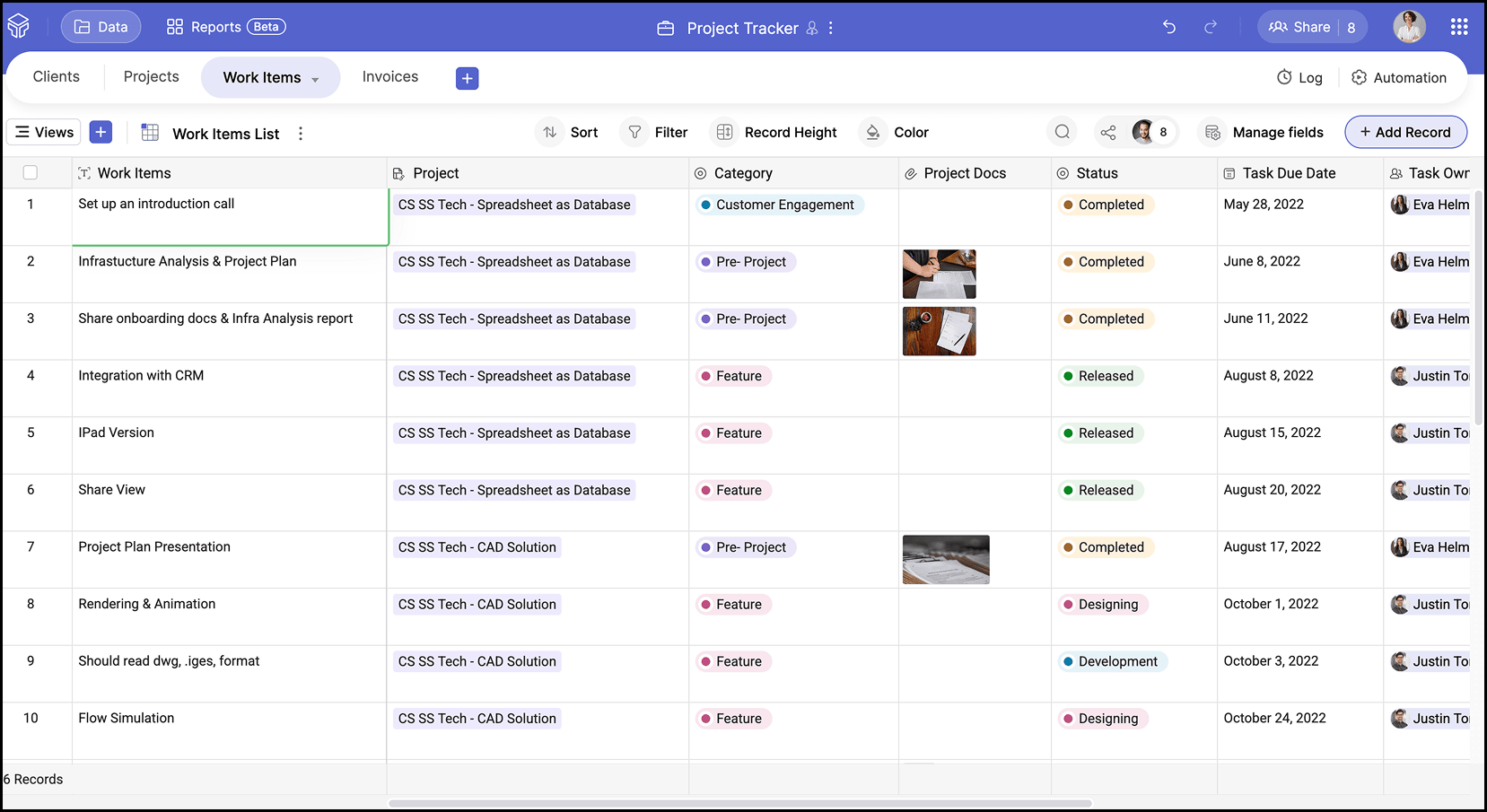
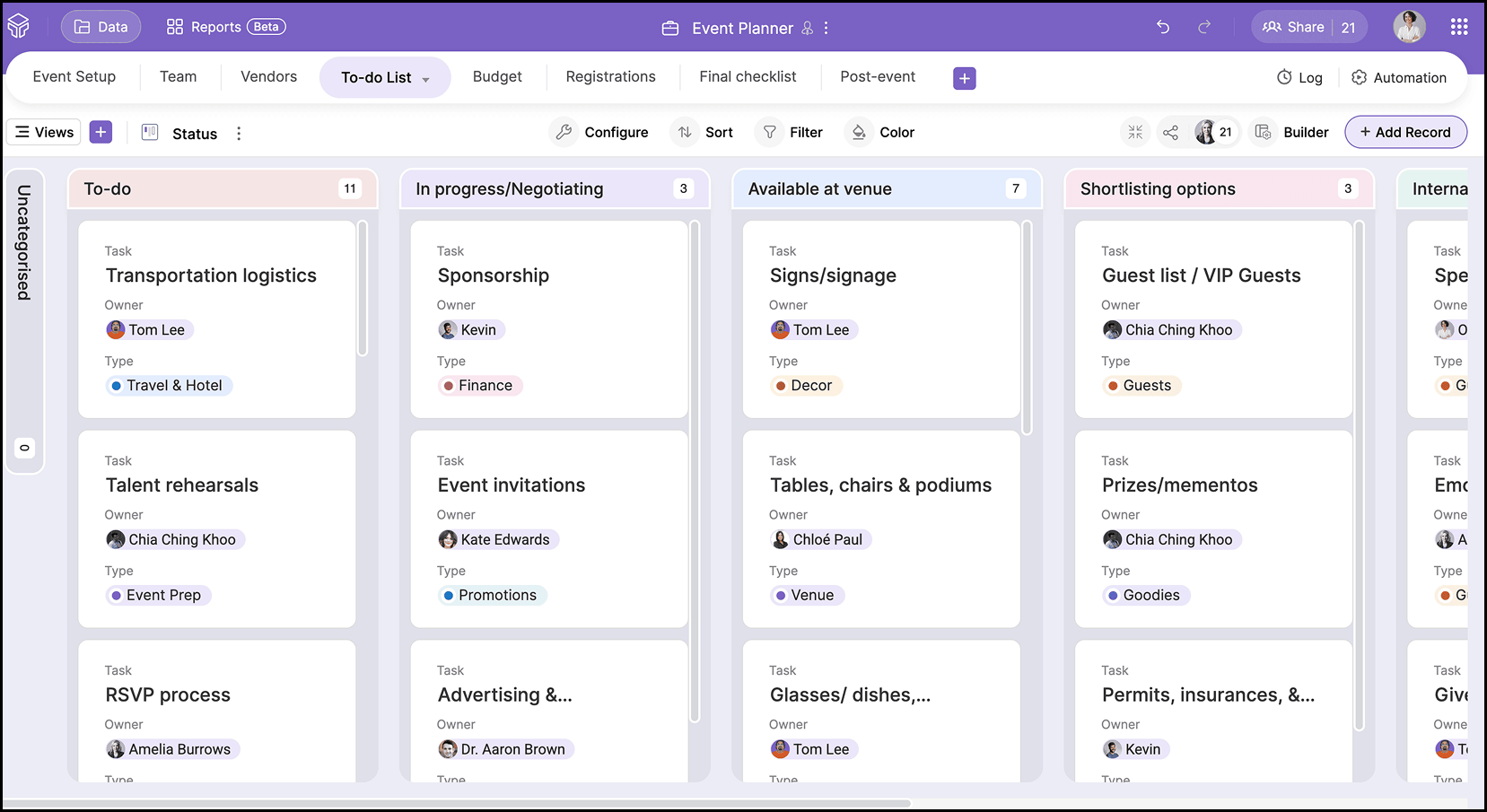
| Views | Grid and charts | Grid, kanban, calendar, gallery, Gantt |
| Data structure | Flexible sheets with basic references | Structured tables with defined relationships |
| Field types | Limited field types | 25+ field types including AI fields |
| Automation | Limited automation (data refresh, formulas) | Trigger-based workflow automations & scheduled automations |
| Integrations | Strong native integrations for external data | Open APIs available; connectors can be built via Zoho Flow and Zapier |
| Access control | Basic sharing | 5 access levels |
| Mobile app | Progressive web app; no native Android or iOS app | Powerful iOS and Android apps |
| AI | AI Analyst for insights | Zia assists with base setup |
| Pricing | Paid plans from ~$8/user/month | Free plan, paid from ~$4/user/month |
Where Zoho Tables goes further than Rows
Relational data structure
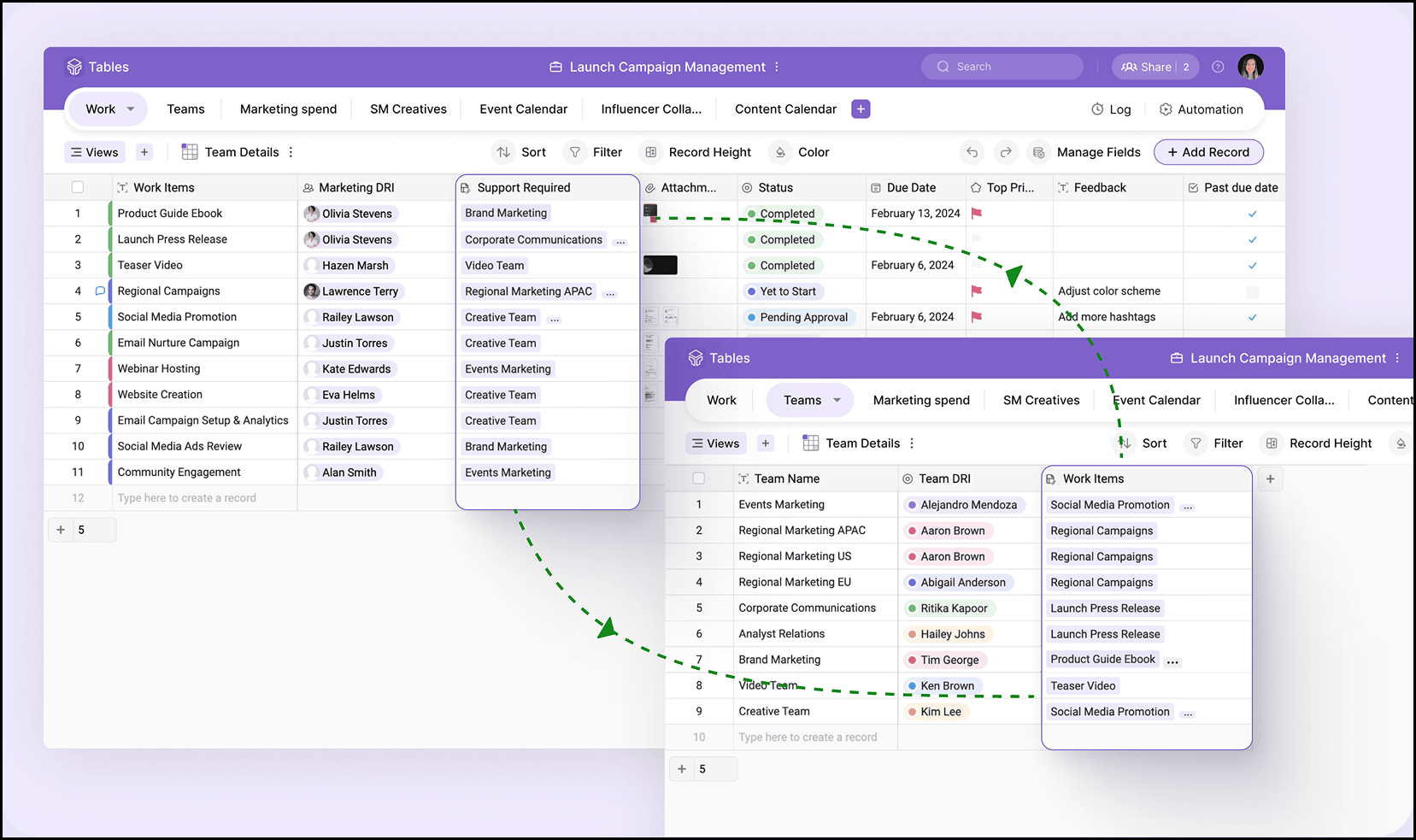
Zoho Tables lets you create real relationships between tables. A campaign can link to its tasks. A lead can connect to an account. A project can tie to its deliverables and budget. This means your data stays connected instead of duplicated. When something changes in one table, it's reflected across everything linked to it.
Multiple views of the same data
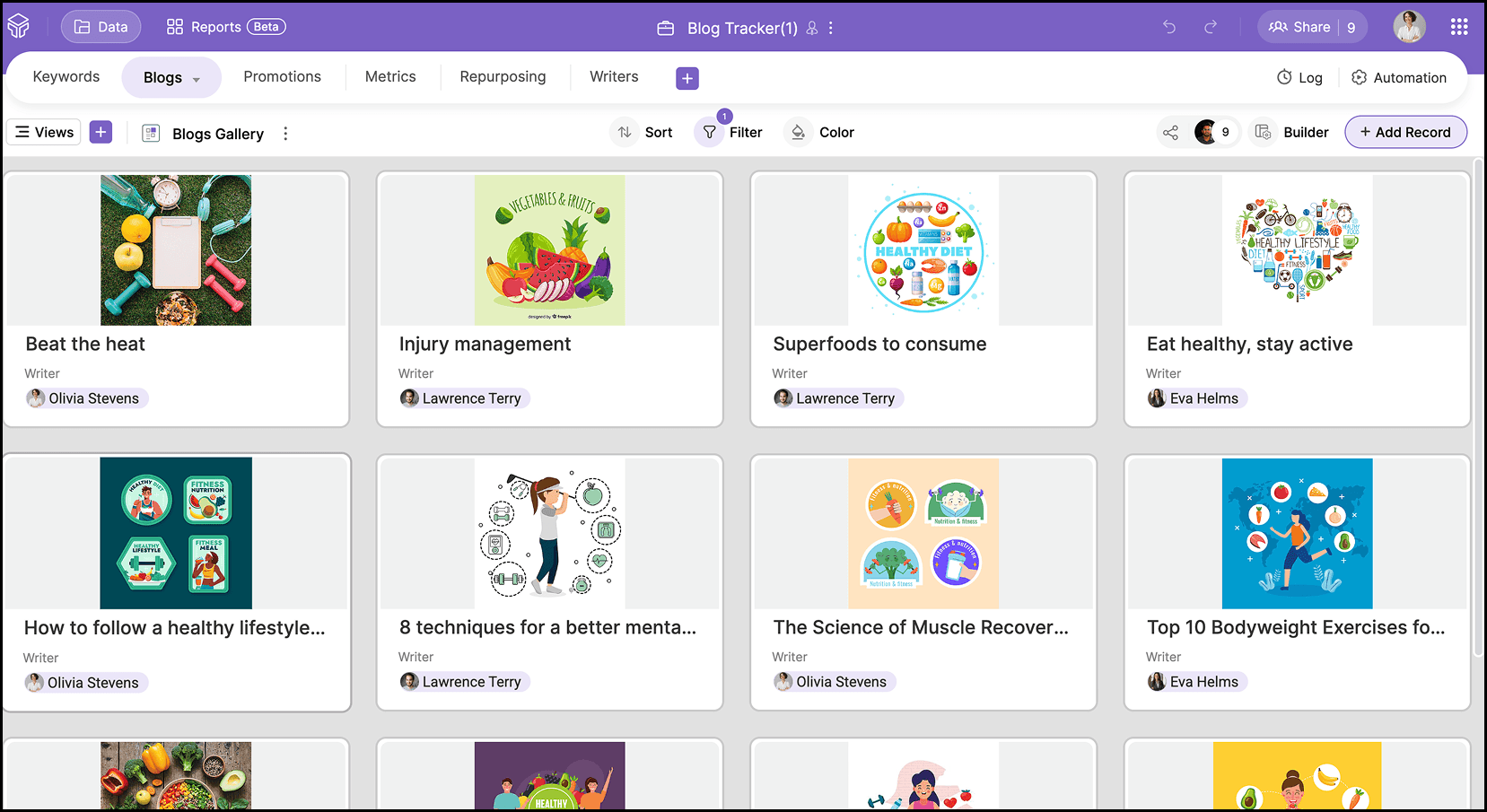
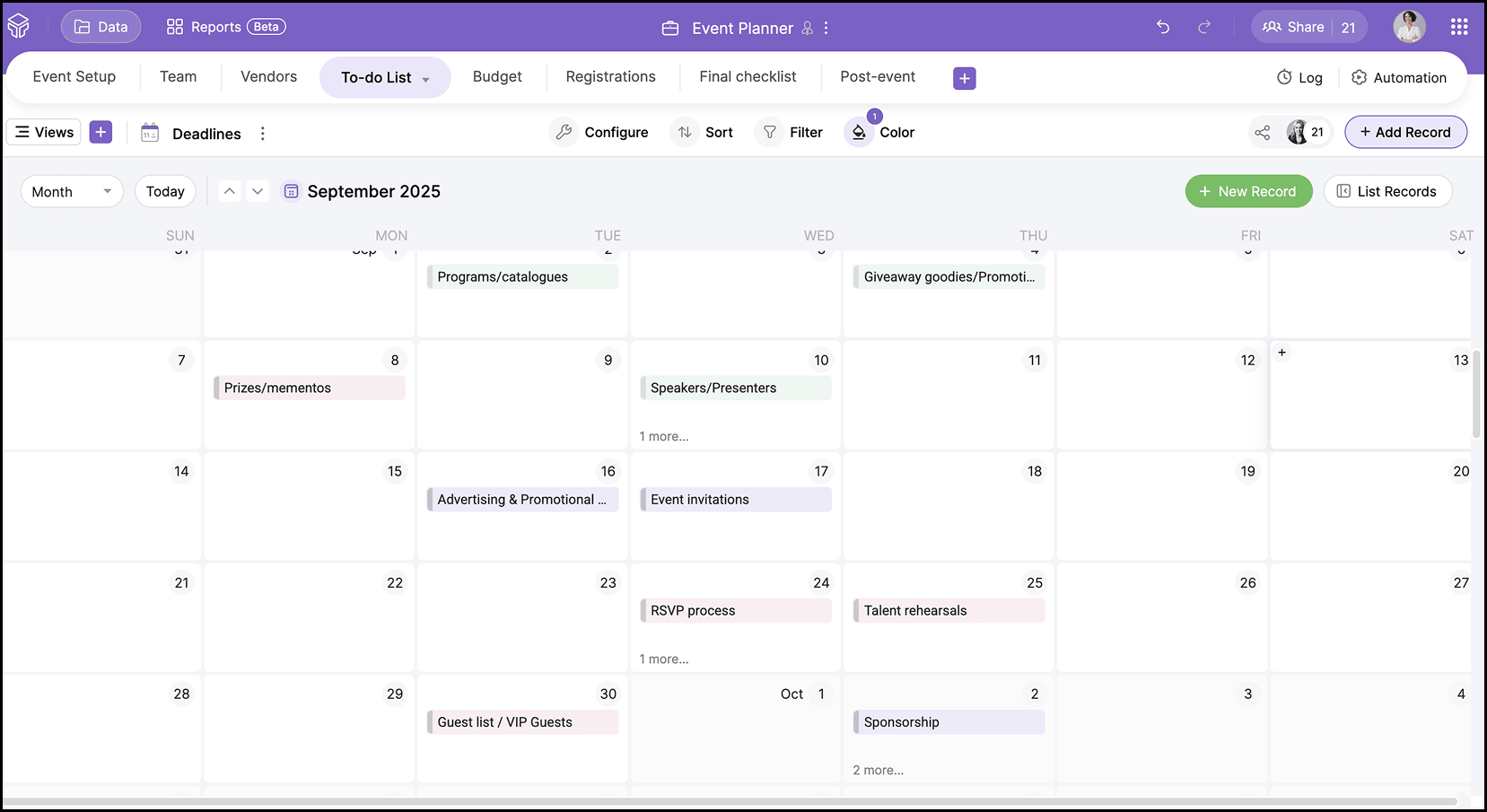
Zoho Tables gives you five ways to look at the same dataset without maintaining separate sheets:
Grid for data entry
Kanban to track stages
Calendar to manage deadlines
Gallery to browse visual assets
Form to collect inputs from inside or outside your team
Granular access control
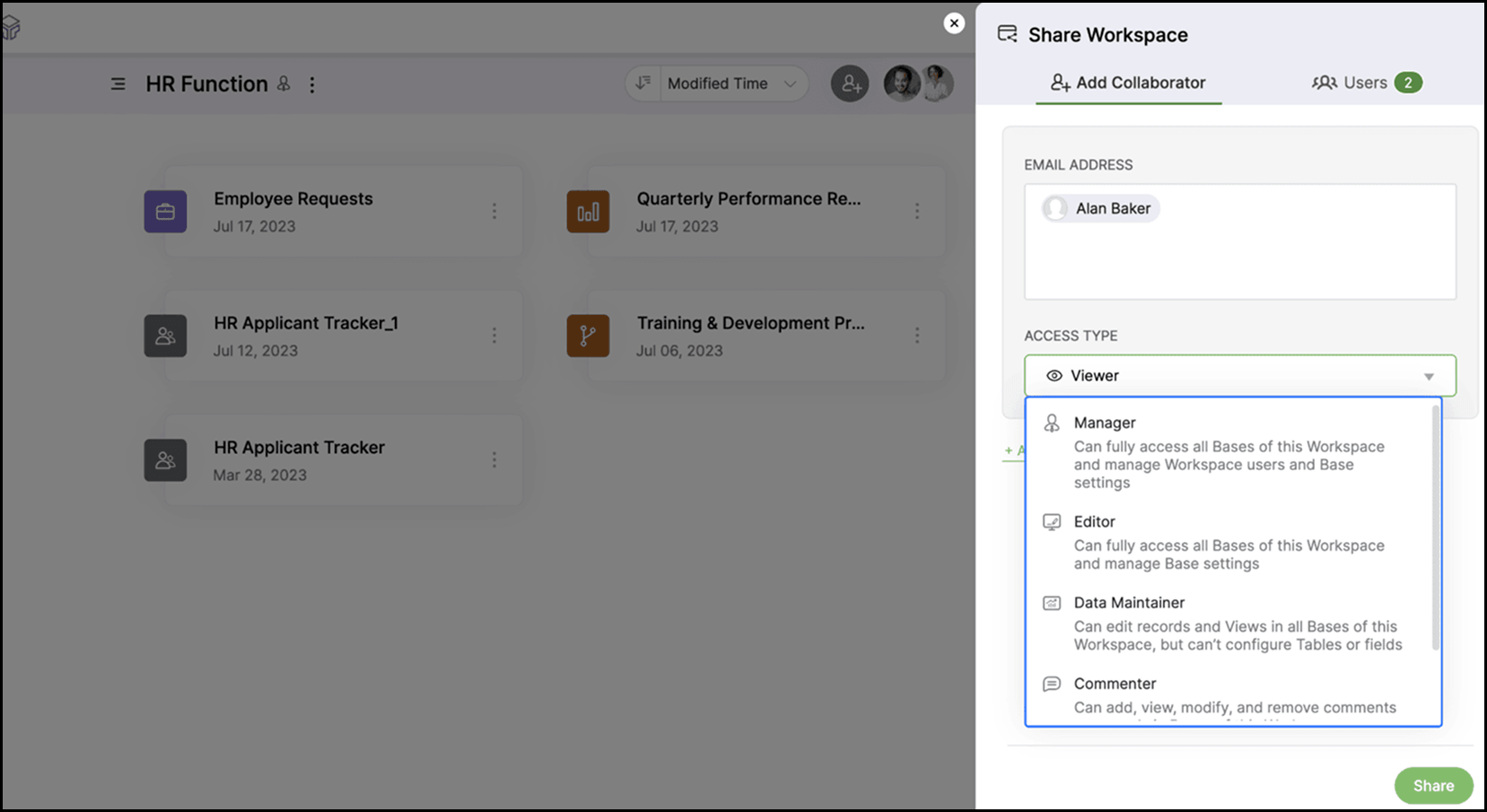
Rows.com has basic sharing. Zoho Tables gives you five distinct roles: Manager, Editor, Data maintainer, Commenter, and Viewer. You can also create and share specific views, so a collaborator or external partner only sees what is relevant to them.
Powerful mobile apps
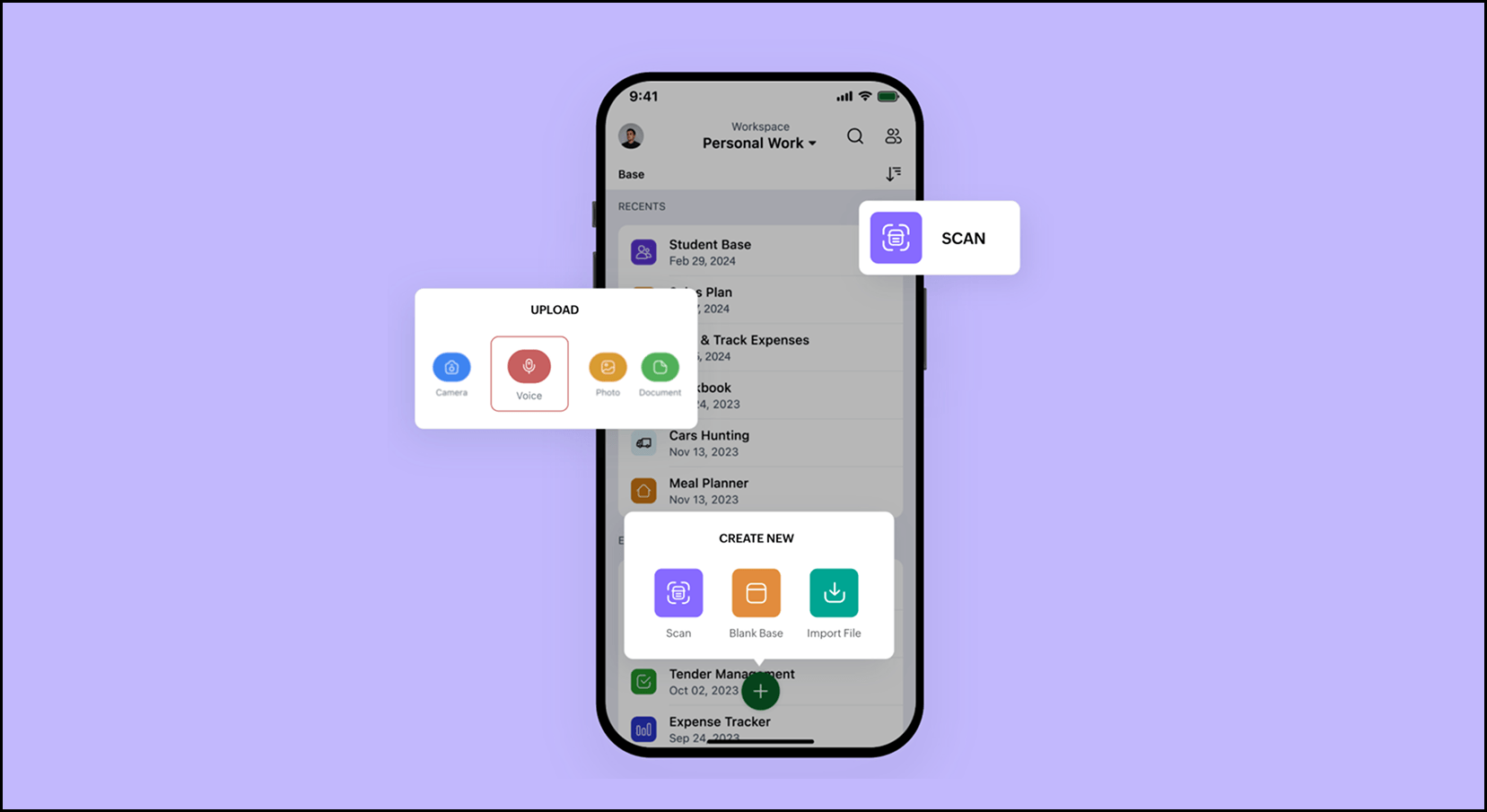
Rows doesn't have a native mobile app. It runs as a progressive web app, which means limited functionality and an experience that was never built for your phone. Zoho Tables has native apps for Android and iOS. The mobile experience covers nearly all web features, plus mobile-specific capabilities like scanning a table from an image, uploading voice notes, and creating bases using Siri. For teams that update data in the field or away from a desk, this makes a practical difference.
AI-assisted base building with Zia
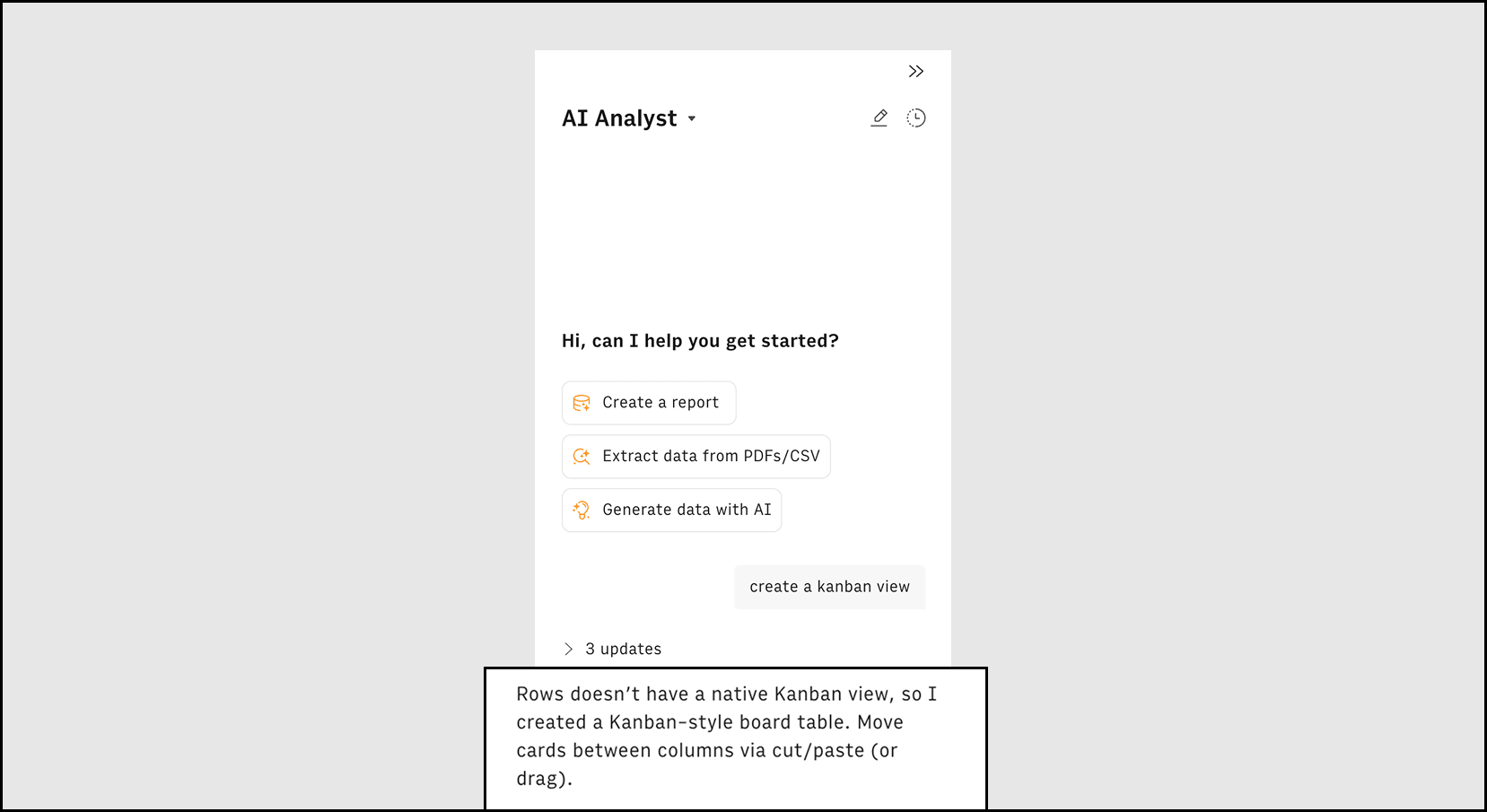
Rows uses AI for data analysis inside the spreadsheet. Zoho Tables uses Zia to help you build the structure itself. Just describe your workflow in plain language and Zia generates the tables, fields, and relationships for you. For teams rebuilding their setup from scratch, this saves significant time.
How to migrate from Rows to Zoho Tables
STEP
WHAT TO DO
1. Export your data
Download your Rows tables as CSV files. Do this before May 31, 2026.
2. Import into Zoho Tables
Use the Import from local storage option to bring your data in. Columns map automatically.
3. Customize your setup
Create tables, define relationships, and set up views that match your workflow.
4. Invite your team
Add collaborators with the right access levels.
And don't worry—you don't need to migrate everything at once. Start with your most active workflow, get the team comfortable, and move the rest.
Common use cases, ready to go
Most workflows that teams ran on Rows have a template ready in Zoho Tables.
Content calendar: Plan, assign, and track content from brief to published.
Campaign tracker: Link campaigns to tasks, budgets, and performance data.
Lead management: Organize leads, track stages in Kanban, and automate follow-ups.
Applicant tracker: Manage hiring stages, collect applications via forms, and notify interviewers.
Project tracking: Assign tasks, track milestones, and visualize timelines.
Meeting minutes: Record agendas, assign action items, and automate reminders.
Inventory tracker: Manage suppliers, approvals, and delivery dates.
Pricing
Zoho Tables offers a free plan for small teams and a Professional plan starting at per user per month, billed annually (starts with 3 user licenses). A 15-day free trial gives you full access to all premium features with no commitment required.
/user/month billed annually
Frequently Asked Questions
What is the best alternative to Rows.com?
Zoho Tables is a strong alternative for teams that used Rows.com for workflows, campaign tracking, and operations. It combines spreadsheet simplicity with structured workflows and automation.
Why is Rows shutting down?
Rows.com is evolving after joining Superhuman. As a result, the existing product is being phased out, and users need to migrate their workflows to another tool.
Can Zoho Tables fully replace Rows?
Zoho Tables can replace most workflow-based use cases, such as campaign tracking, project management, and data organization. If you used Rows primarily for live data pipelines and integrations, you should look for dedicated integration tools with prebuilt connectors.
Is Zoho Tables similar to Rows?
Both tools combine spreadsheet flexibility with structured data. However, Zoho Tables focuses more on workflow management, automation, and collaboration across teams.
How do I migrate from Rows to Zoho Tables?
You can export your data from Rows as CSV files and import them into Zoho Tables. From there, you can organize your data into tables, create relationships, and set up workflows that match your team’s processes.
Disclaimer:
Start your migration today
The deadline is May 31, 2026. The earlier you start, the more time your team has to settle in before Rows goes offline.
Start your free trial