Create a
Survey with AI
Stop writing surveys. Start describing them.
Building surveys no longer have to start with a blank screen. With AI powered survey forms, you can create complete, ready-to-send surveys in minutes, just by describing what you need.
From simple pulse checks to detailed, multi-section surveys, Zoho Survey AI supports every survey type.

Create a customer satisfaction (CSAT) survey for a SaaS company that provides survey software to small and mid-sized businesses.
Why Zoho Survey AI for generating surveys?
100+
Million surveys created
200+
Billion responses collected and analyzed
15+
Years of survey research experience
AI Surveys for Everyone
Build surveys faster than brewing your morning coffee.
No two industries ask the same questions, so why settle for generic surveys?
Describe to AI what you want to measure and it instantly builds a ready-to-send survey tailored to your business, whether it's customer feedback, student satisfaction, post-appointment reviews, market research, employee experience, or campaign performance, done in minutes. Responses sync seamlessly with Zoho CRM, Desk, Campaigns, and third-party apps, so insights don't just sit in a dashboard, they drive action.


Choose how you want to create your AI-powered survey
Tell AI what you want to learn, and AI creates a complete set of survey questions for you.Whether it’s customer feedback, employee experience, or product research, you get a clear starting point without staring at a blank screen.The questions come structured and ready, so they’re easy to review, edit and publish.
Not sure how to frame your survey? Pick from predefined prompts designed for common use cases like customer satisfaction, employee engagement, event feedback, market research and more.These prompts help you create surveys that sound natural and relevant, not generic one.
If you want to generate a prompt to create a survey, simply enter a few details like your target audience and what the survey is about. AI will create a clear, well-structured prompt for you.Use that prompt to generate a complete survey instantly.


How to create a survey form with Zoho Survey AI?
Create survey questions
Generate clear, relevant questions using AI or predefined prompts.
Design your survey
Edit questions, customize the survey theme, branding, and flow to match your audience.
Publish and share
Send your survey, collect responses, and track results in real time.
Quick Editor powered by AI
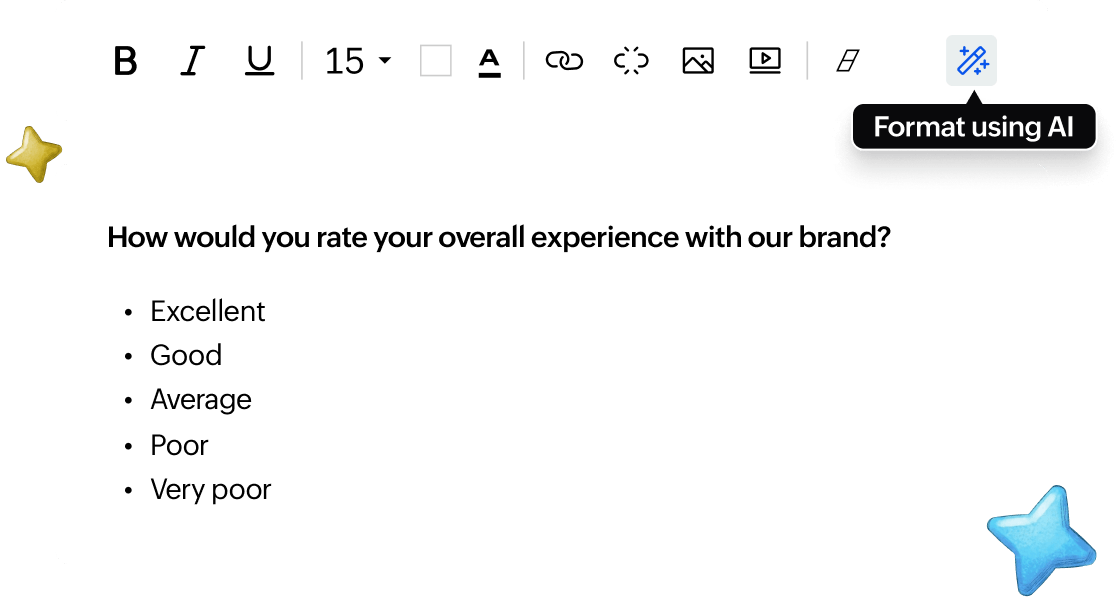
Create smarter surveys with AI assistance. AI formats your survey questions, helps you to create surveys that are cleaner, error-free, easier to answer, and designed to collect better-quality responses.
FAQ (Popular questions)
Yes. ChatGPT helps write questions, but Zoho Survey lets you create surveys, distribute them, collect responses, and view reports in one platform.
Zoho Survey allows users to try AI survey question generation as part of its plan offerings.
Yes. You can edit questions, apply themes, add logos, and change layouts even if the survey is AI-generated.
Yes. Zoho Survey keeps your survey data secure and does not use it to train external AI models.
No. AI assists with drafting questions, but you control the final survey design and content.
Yes. Clearer questions created with AI help respondents understand and answer more accurately.
No, you just describe what you want to learn in a simple language. Zoho Survey AI handles the rest.
Yes. Every question is fully editable. You can change wording, question types, order, and logic anytime.
You can create customer feedback, employee engagement, event feedback, product research, and many other survey types.
Yes. AI-created surveys can be shared via email, links, QR codes, and other distribution options, just like any survey.