Introduction
The "Partner API" provides partner with the ability to perform all GET operations that can be executed within the Partner Store. This API is designed using REST priniciples, ensuring that URLs are predictable and intuitive, making it straightforward to write queries and retrieve data related to your partner store. As per REST standards, the API adheres to HTTP rules, with every resource represented by a unique URL, which can be accessed via the "API Root Endpoint"
https://store.zoho.com/api/v1/partner
Getting Started
To begin using the Partner API, ensuring that the following pre-requisites are met:
A valid username and password
An authentication Token (OAuthToken)
Generating an OAuth
The Partner API uses the OAuth 2.0 protocol for authorization and authentication of API calls. To generate an OAuth token, you must first create a "Client ID" and "Client Secret" through Zoho's Self Client feature, accessible via the following URL:
https://api-console.zoho.com/

After obtaining your "Client ID" and "Client Secret", generate OAuth code with the necessary scopes to obtain both an access token and a refresh token. You should generate OAuth tokens with following scopes:
ZohoPayments.transactions.READ
ZohoPayments.subscriptions.READ
ZohoPayments.leads.READ
Multiple scopes can be mentioned as required.
Retrieving Access and Refresh Tokens:
To generate an access token using the authorization code, use the following "POST" request:
https://accounts.zoho.com/oauth/v2/token?code=1000.dd7e47321d48b8a7e312e3d6eb1a9bb8.b6c07ac766ec11da98bf6a261e24dca4&client_id=1000.0SRSZSY37WMZ69405H3TMYI2239V&client_secret=fb0196010f2b70df8db2a173ca2cf59388798abf&grant_type=authorization_code
To retrieve an access token using the refresh token, use the following "POST" request
https://accounts.zoho.com/oauth/v2/token?refresh_token=1000.8ecd474019e31d52d2f94aad6c5cb7.4638677ebc14f2f2ee0b6dfb6cebdc&client_id=1000.0SRSZSY37WMZ69405H3TMYI2239V&client_secret=fb0196010f2b70df8db2a173ca2cf59388798abf&grant_type=refresh_token
The generated access token will remain valid for one hour.
Multiple Data Centres
The Partner Store is hosted across multiple data centres. When accessing the Partner API, it is crucial to use the correct domain based on your region. Below is a list of available data centres and their corresponding base API URLs:
| Data Center | Domain | Base API URI |
|---|---|---|
| United States | .com | https://store.zoho.com/ |
| Europe | .eu | https://store.zoho.eu/ |
| India | .in | https://store.zoho.in/ |
| Australia | .com.au | https://store.zoho.com.au/ |
HTTP Methods
The Partner API follows appropriate HTTP verbs for every action. However, at present, only "GET' actions are supported. In future releases, "POST" and "PUT" methods will be available to support additional actions.
Response
All responses from the Partner API will be returned in JSON format.
Error Handling:
Any errors encountered during API calls will be communicated via error messages in the response, allowing you to diagnose and resolve issues efficiently.
Pagination
The Partner API supports pagination for retreiving list of resources such as subscriptions, transactions, and leads. Each API request returns a maximum of 200 items by default, and pagination information is included in the response headers under the "has_more" node. You can navigate through pages using the 'page' parameter and control the number of records returned by using the "per_page" parameter.
API Call Limit
To ensure optimal performance and availabilty, the following limits apply to API calls
Calls per minute : A maximum of 100 API requests per minute are allowed.
Transaction Start Date: You can only retrieve transaction starting from January 1. 2019. Transactions prior to this date cannot be fetched using the API.
Subscriptions API
The Subscription API allows you to retrieve a list of all the subscriptions in your partner store with pagination. Below is an example of how to use this API
GET /subscriptions
scope : ZohoPayments.subscriptions.READ, ZohoPayments.fullaccess.READ
The following are the attributes and values that you can provide to get the subscription list.
| Attribute | Value |
|---|---|
| next_recurring_date_from | The recurring date from which you want the subscription list (yyyy-mm-dd). |
| next_recurring_date_to | The recurring date till which you want the subscription list (yyyy-mm-dd). |
| billing_frequency | monthly, quarterly, half_yearly or yearly. |
| pricing_type | partner_price or list_price. |
| subscription_start_date_from | subscription date from which you want the subscription list (yyyy-mm-dd). |
| subscription_start_date_to | subscription date till which you want the subscription list (yyyy-mm-dd). |
| email_id | Customer's email address. |
| service_id | subscription service |
Sample Response
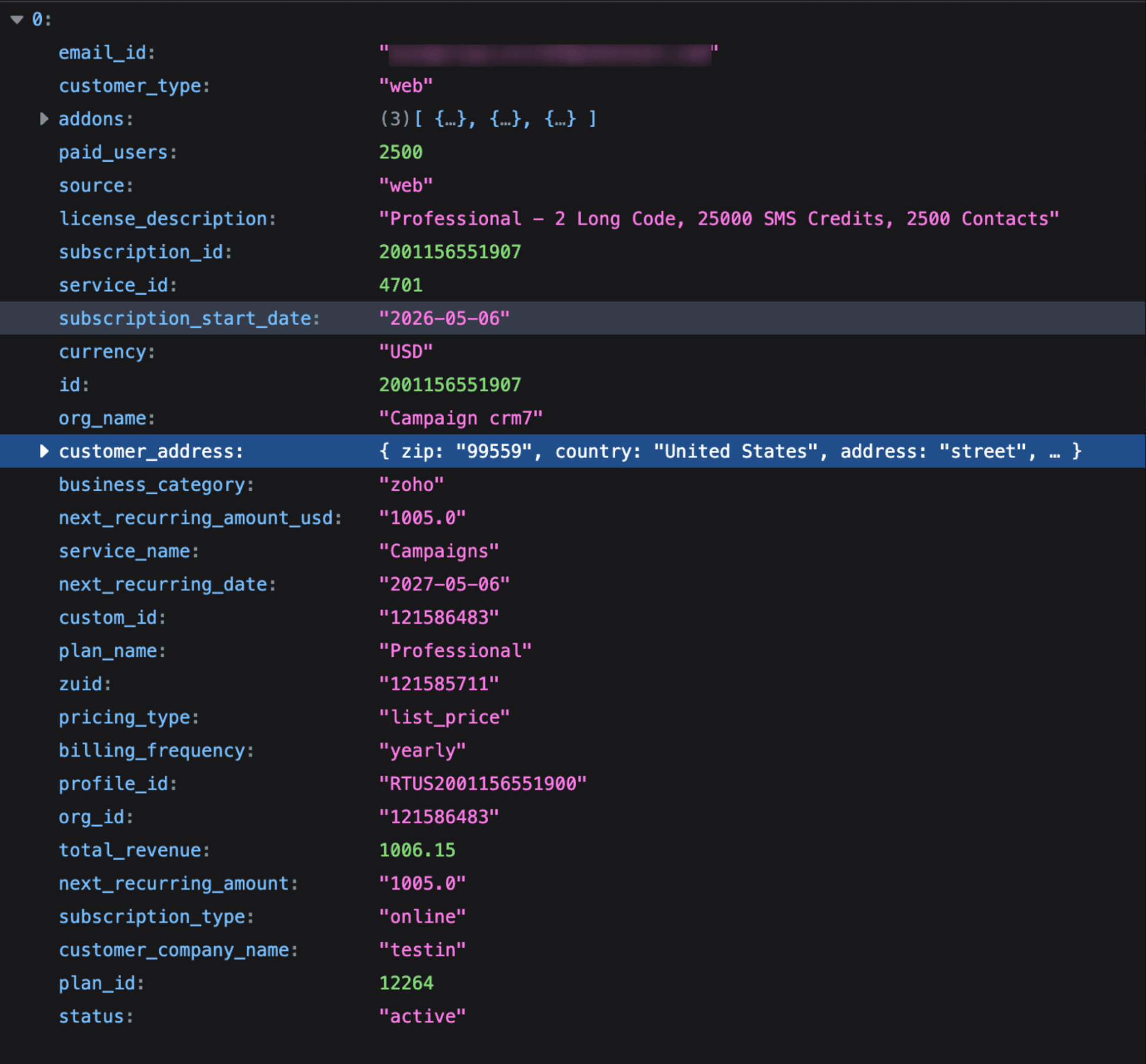
The Unique ID for the Subscription API is subscription_id.
The following are the attributes and values that you will in the response.
| Attribute | Possible Values |
|---|---|
| subscription_type | online, offline. |
| pricing_type | list_price, partner_price. |
Active Subscriptions
List all the active subscriptions with the pagination.
GET /subscriptions/status/active
Inactive Subscriptions
List all the inactive subscriptions with the pagination
GET /subscriptions/status/inactive
Specific Subscription
List the details of a specific subscription
GET /subscriptions/{subscription_id}
Example request : /subscriptions/14000000293023
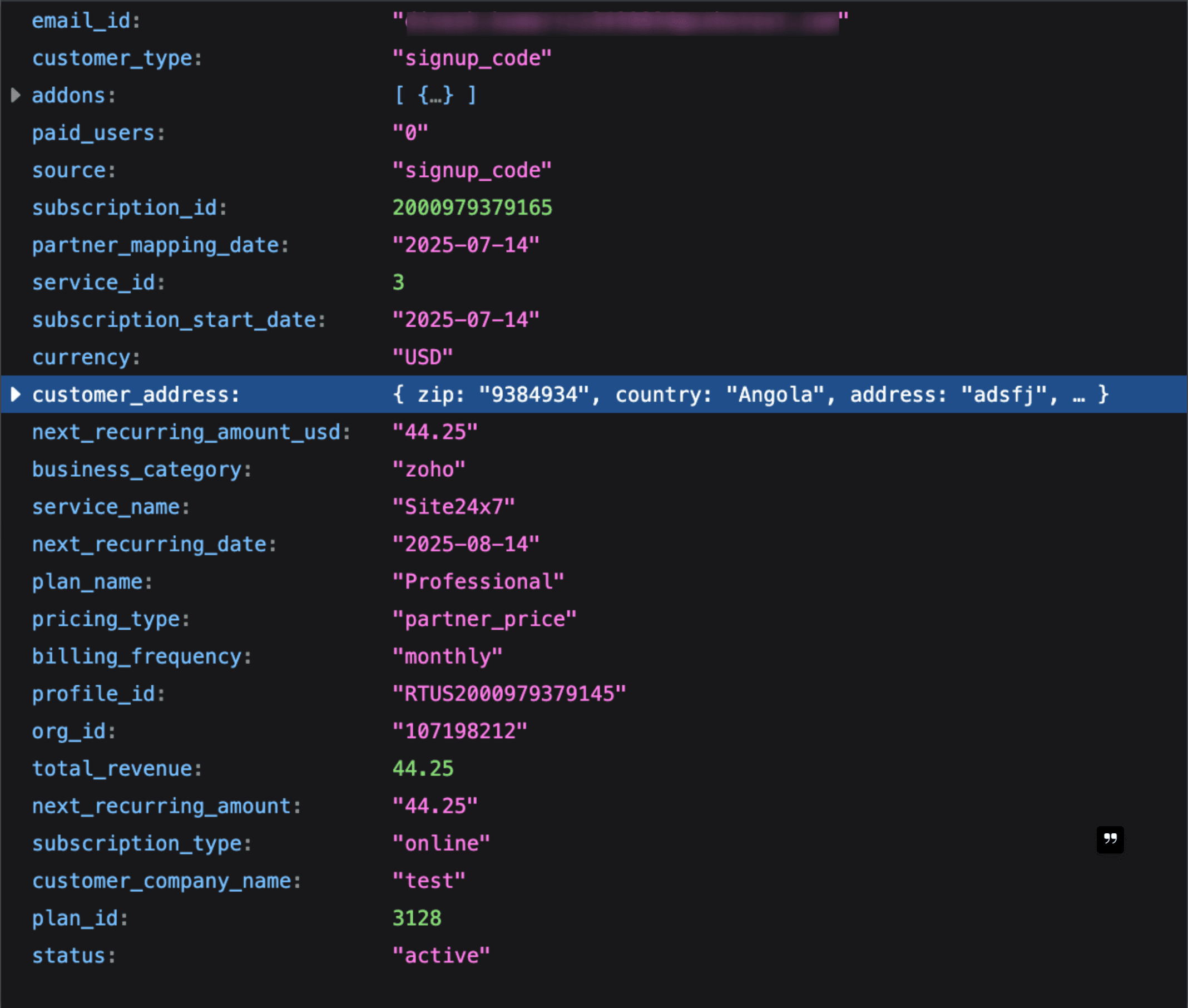
Sample Response :
Transactions of a subscription
List all the transactions of a specific subscription
GET /subscriptions/{subscription_id}/transactions
The following are the attributes and values that you can provide to get the transaction list of a subscription.
| Attribute | Value |
|---|---|
| transaction_date_from | The date from which the transactions should be listed. |
| transaction_date_to | The date till which the transactions should be listed. |
| billing_frequency | monthly, quarterly, half_yearly or yearly |
| pricing_type | partner_price or list_price |
Sample response for a list of transactions for a specific subscription.
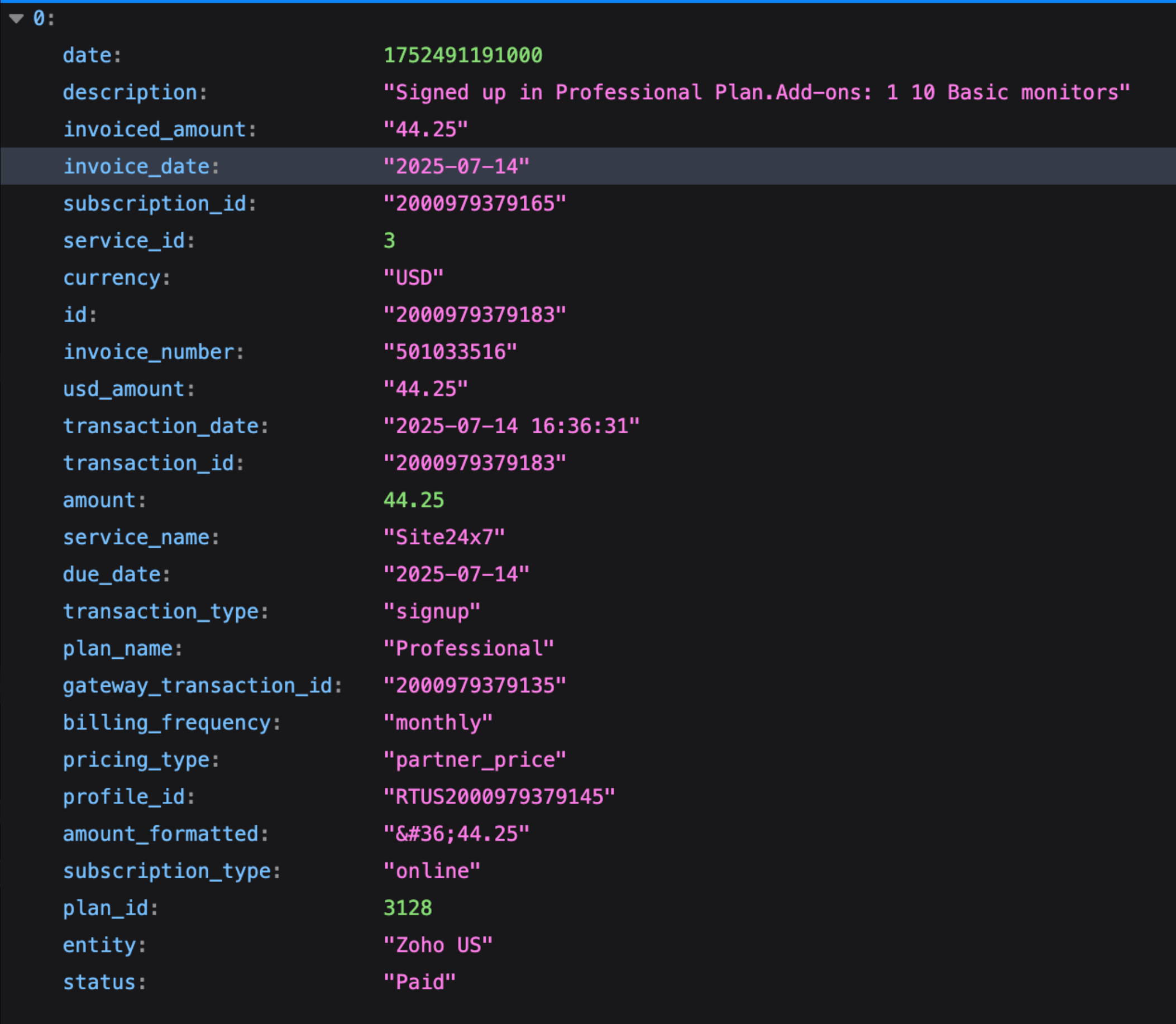
The Unique ID for the Transaction API is transaction_id.
The following are the attributes and values that you will in the response.
| Attribute | Possible Values |
|---|---|
| subscription_type | online, offline. |
| transaction_type | signup,reactivate,cancel,upgrade,downgrade,recurring_failure,recurring,card_change,refund, data_sync,one_time_payment,offline_to_online,past_due,skip_month,scheduled_cancel, subscription_resumed,one_time_charge. |
| pricing_type | list_price, partner_price |
Invoiced Transactions of a subscription
List all the invoiced transactions of a subscription with the pagination.
GET /subscriptions/{subscription_id}/transactions/status/invoiced
The following are the attributes and values that you can use to list the invoiced transactions of a subscription.
| Attribute | Value |
|---|---|
| transaction_date_from | The date from which the transaction should be listed. |
| transaction_date_to | The date till which the transaction should be listed. |
| billing_frequency | monthly, quarterly, half_yearly or yearly |
| pricing_type | partner_price or list_price |
| service_id | transaction service |
Sample response for a invoiced transaction
Transactions API:
List all the transactions with the pagination.
scope : ZohoPayments.transactions.READ,ZohoPayments.fullaccess.READ
GET /transactions
The following are the attributes and values that you can use to list all the transactions.
| Attribute | Value |
|---|---|
| transaction_date_from | The date from which the transaction should be listed. |
| transaction_date_to | The date till which the transaction should be listed. |
| billing_frequency | monthly, quarterly, half_yearly or yearly. |
| pricing_type | partner_price or list_price. |
| service_id | transaction service |
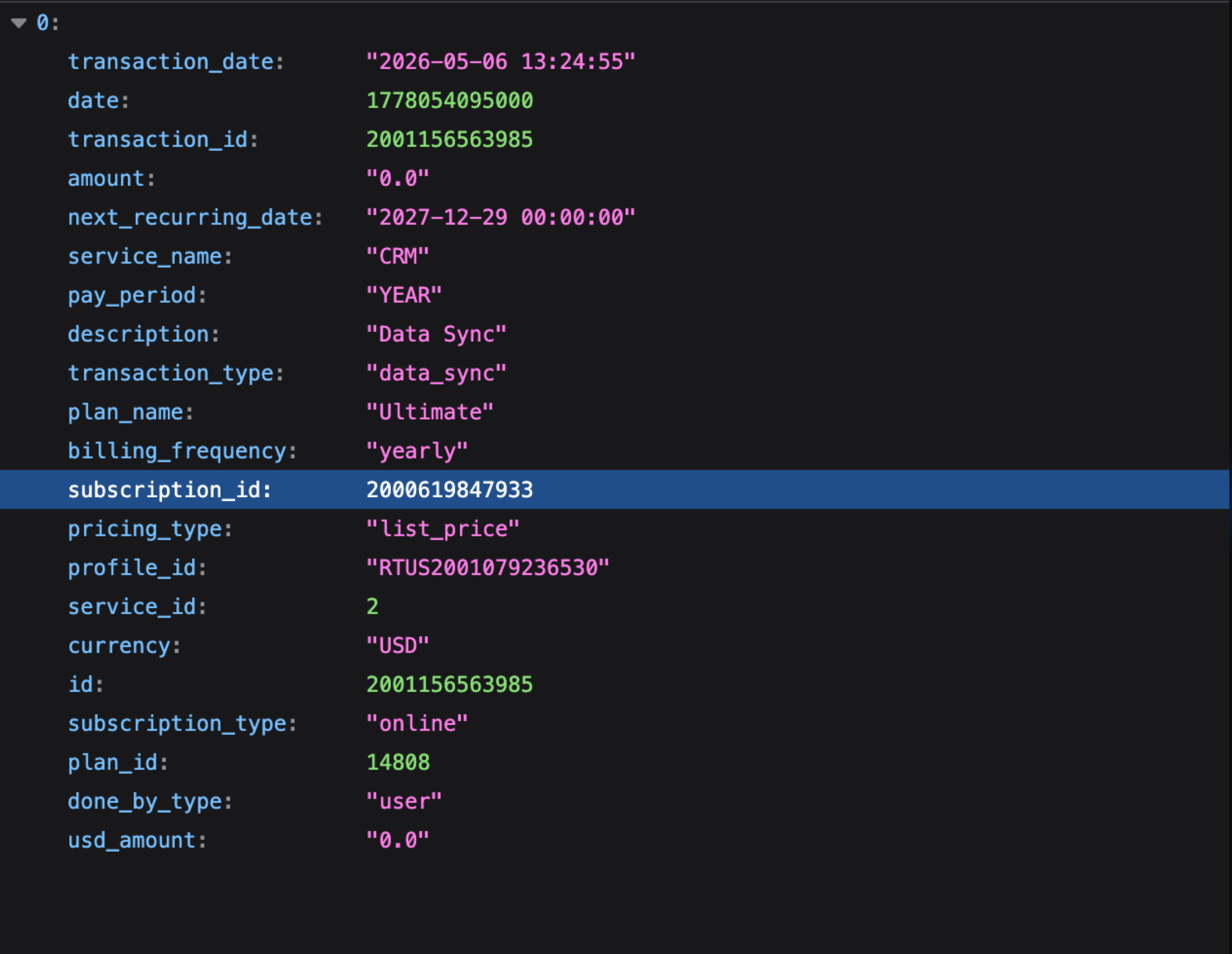
Invoiced Transactions
List all the invoiced transactions
GET /transactions/status/invoiced
Specific Transaction
List the details of a specific transaction.
GET /transactions/{transaction_id}
Invoiced Transaction
List the details of a transaction with the invoiced entity, invoice amount and invoice number (if invoiced).
GET /transactions/{:transaction_id}/status/invoiced
Invoice Attachment
List the invoice attachment for a transaction.
GET /transactions/{:transaction_id}/invoice/attachment
The API call is limited to 10 requests/minute.
Leads API
List all the leads that have tagged in your partner store with the pagination.
scope : ZohoPayments.leads.READ,ZohoPayments.fullaccess.READ
GET /leads
The following are the attributes and values that you can use to list all the leads.
| Attribute | Value |
|---|---|
| registration_date_from | The date from which the leads registered should be listed. |
| registration_date_to | The date till which the leads registered should be listed. |
| email_id | Customer email address |
| service_id | lead service |
Sample response
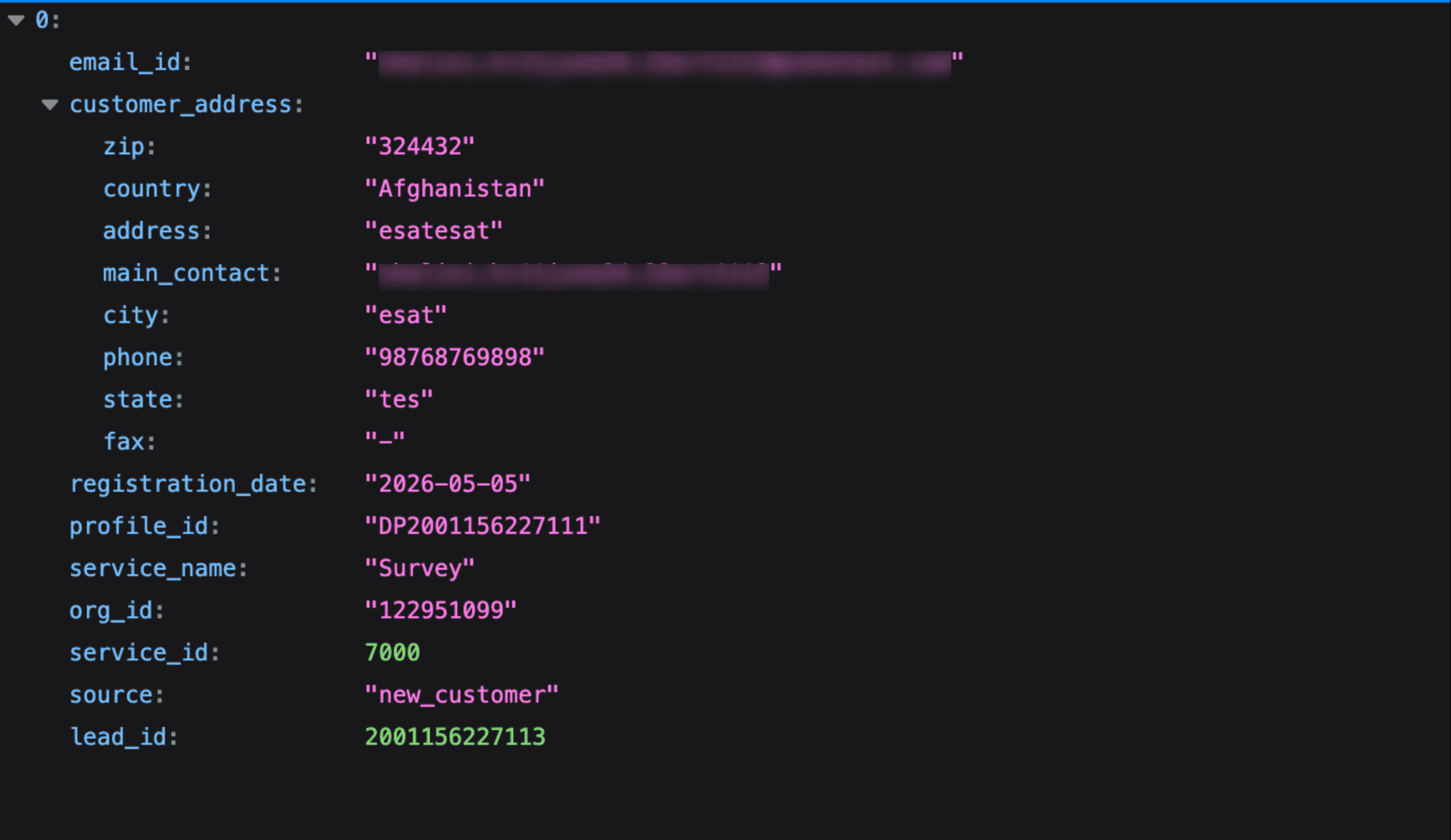
The Unique ID for the Leads API is lead_id.
Details of a specific lead
List the details of a specific lead.
GET /leads/{lead_id}
Sample Request to get list of transactions using access_token
$ curl https://store.zoho.com/api/v1/partner/transactions
-H 'Authorization: Zoho-oauthtoken 1000.41d9f2cfbd1b7a8f9e314b7aff7bc2d1.8fcc9810810a216793f385b9dd6e125f'
Commission API
Get the list of commissions with pagination
scope : ZohoPayments.commissions.READ,ZohoPayments.fullaccess.READ
GET /commissions
The following are the attributes and values that you can use to list all the commissions.
| Attribute | Value |
|---|---|
| date | commission accounted date (yyyy-mm-dd). |
| subscription.email_id | customer's email address |
| transaction.service_name | subscription service name |
| transaction.transaction_date | customer transaction date. |
| entity | commission billing entity (Zoho US, Zoho Singapore, Zoho Netherlands, Zoho Germany, Zoho Mexico, Zoho Australia, Zoho Canada, Zoho India, Zoho Nigeria) |
The pagination details will be part of the response.
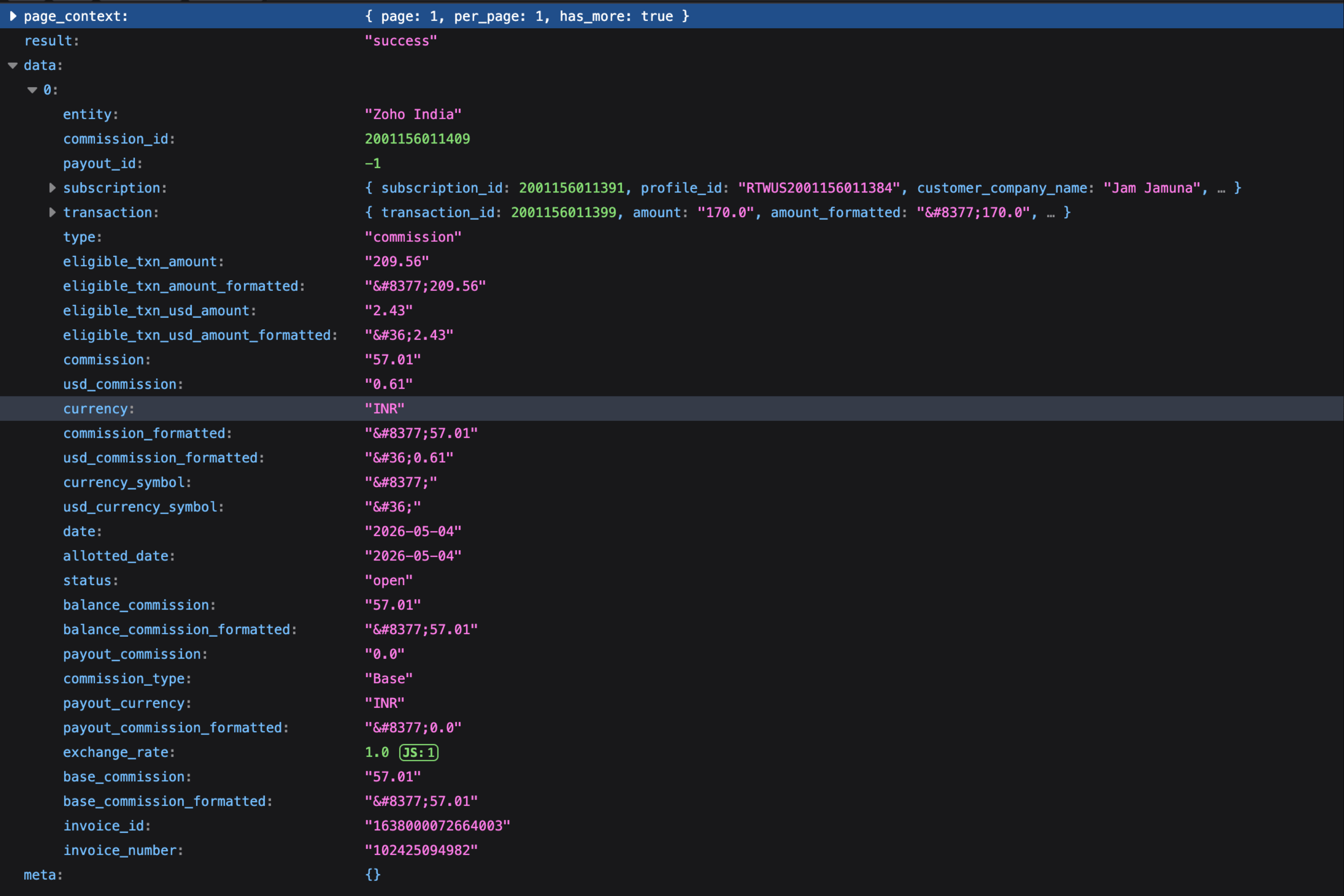
Sample response