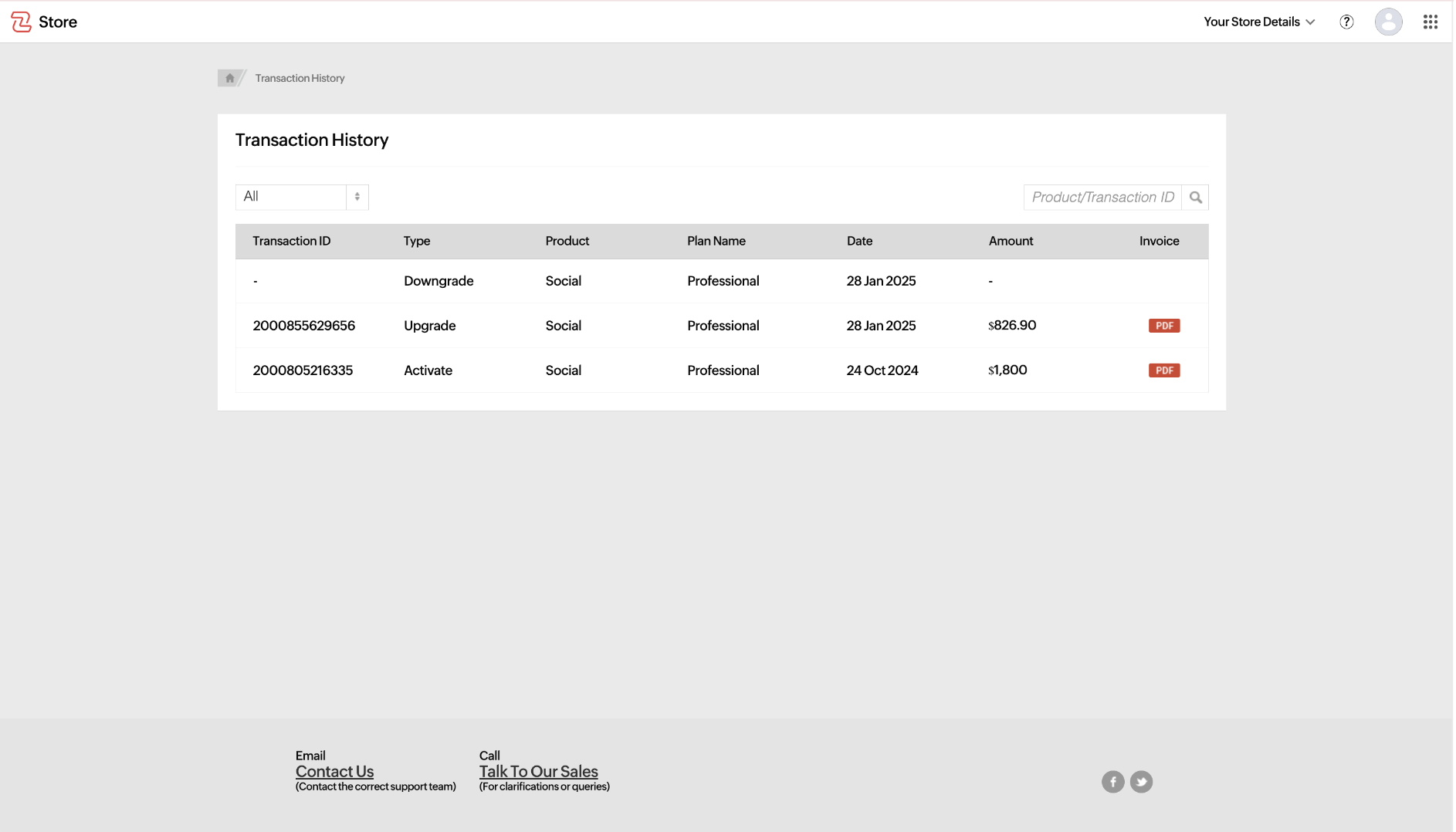
You have the flexibility to access and review your payment history at any time, allowing you to track all past transactions associated with a specific service. This feature helps you maintain a clear financial record, monitor billing cycles, verify past payments, and ensure transparency in your subscription charges. Additionally, you can download invoices for your transactions, making it easier to manage financial documentation for accounting, tax filling, or auditing purposes. Follow the step-by-step guide below to efficiently view and download your payment records.
Navigating to the Manage Subscription page:
- Open the product page: Navigate to the product you wanted to the view the Payment History.
- Access Subscription Option: Click on your profile icon in the top-right corner of the page.
- Select Manage Subscription: Click the Upgrade/Manage Subscription located below your profile details.

Steps to View Payment History:
- Navigate to the Manage Subscription Page - Go to the Manage Subscription section in the product.
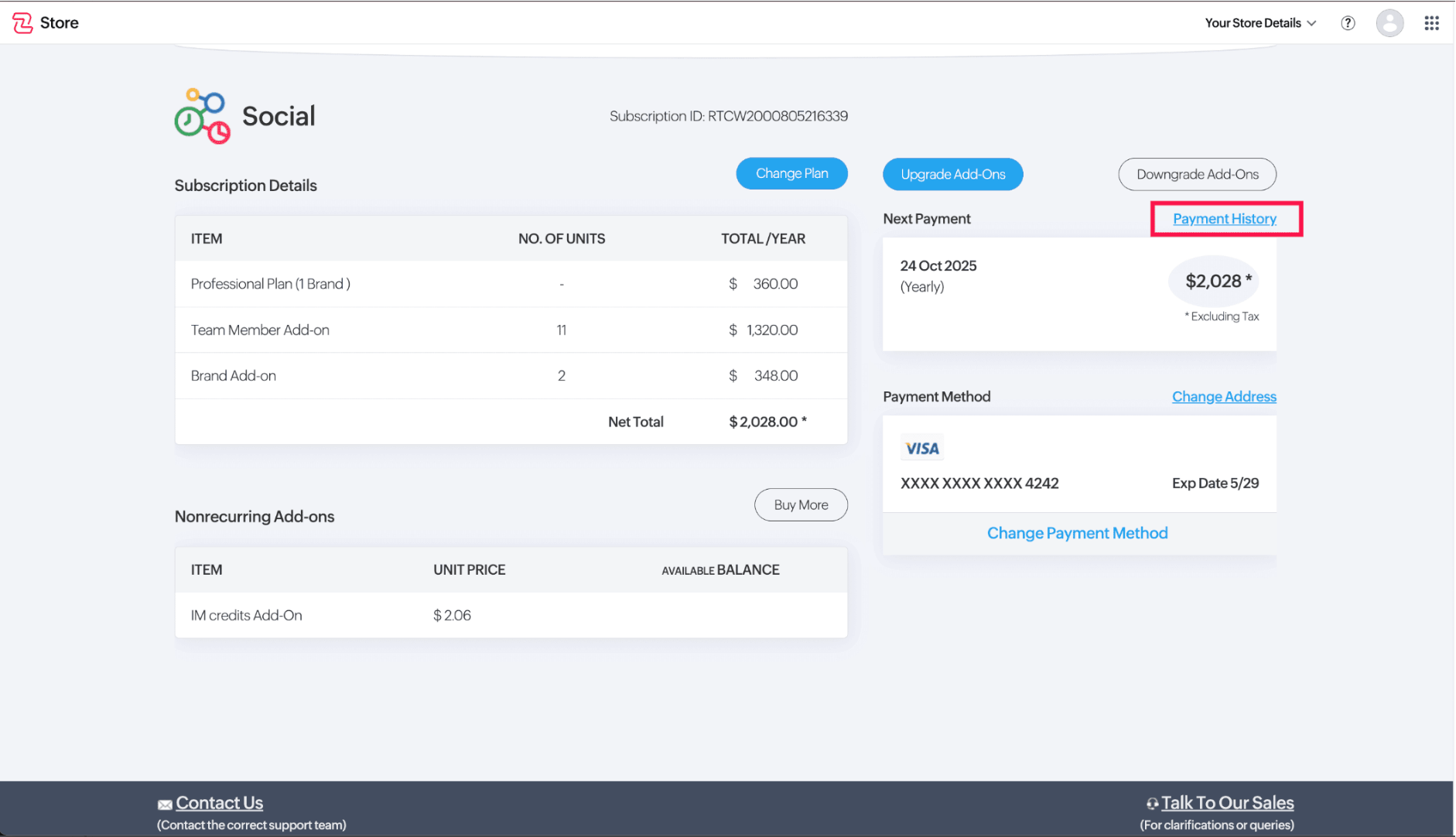
- Click "Payment History" - Locate and select the Payment History option near the Next Payment section.
- Review Transactions - A detailed list of past transactions related to the selected service will be displayed.
- Download Invoices - To keep a record a record of your payments, you can download any invoice as a PDF for your reference.