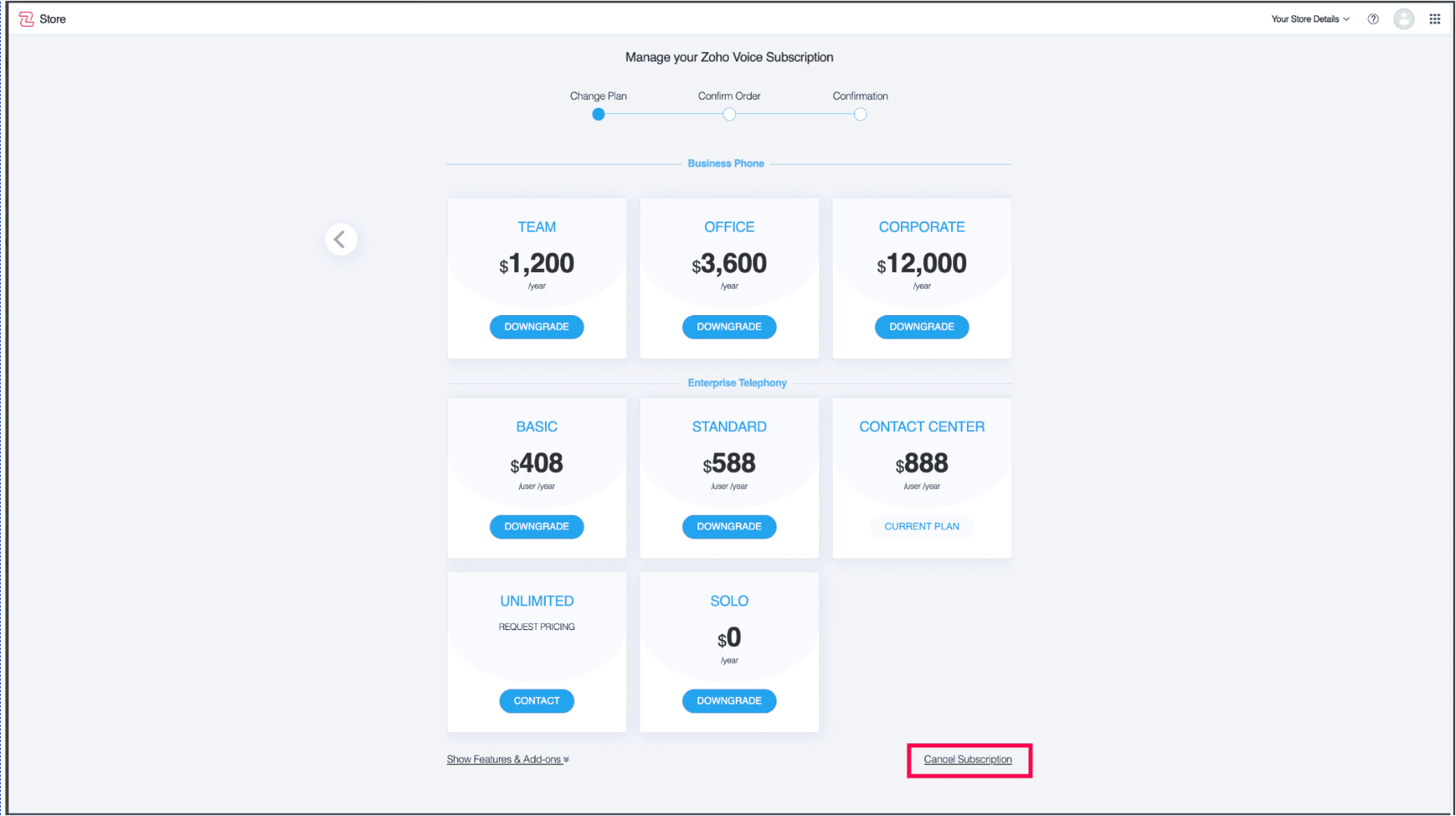
If you decide that your current subscription plan no longer meets your needs, you have the flexibility to cancel it at any time. Once the cancellation process is completed, your account will be downgraded to the Free Edition, allowing you to continue using basic feature without incurring further charges. This ensures that you can still access your account and data while transitioning away from a paid plan. Follow the step-by-step instructions below to successfully cancel your subscription and manage your billing preferences.
Steps to Cancel your Subscription
- Access the Manage Subscription Page - Navigate to the Manage Subscription section in the product you wanted to cancel the subscription for.
- Click "Cancel Subscription" - Scroll to the bottom of the page and select the Cancel Subscription button.
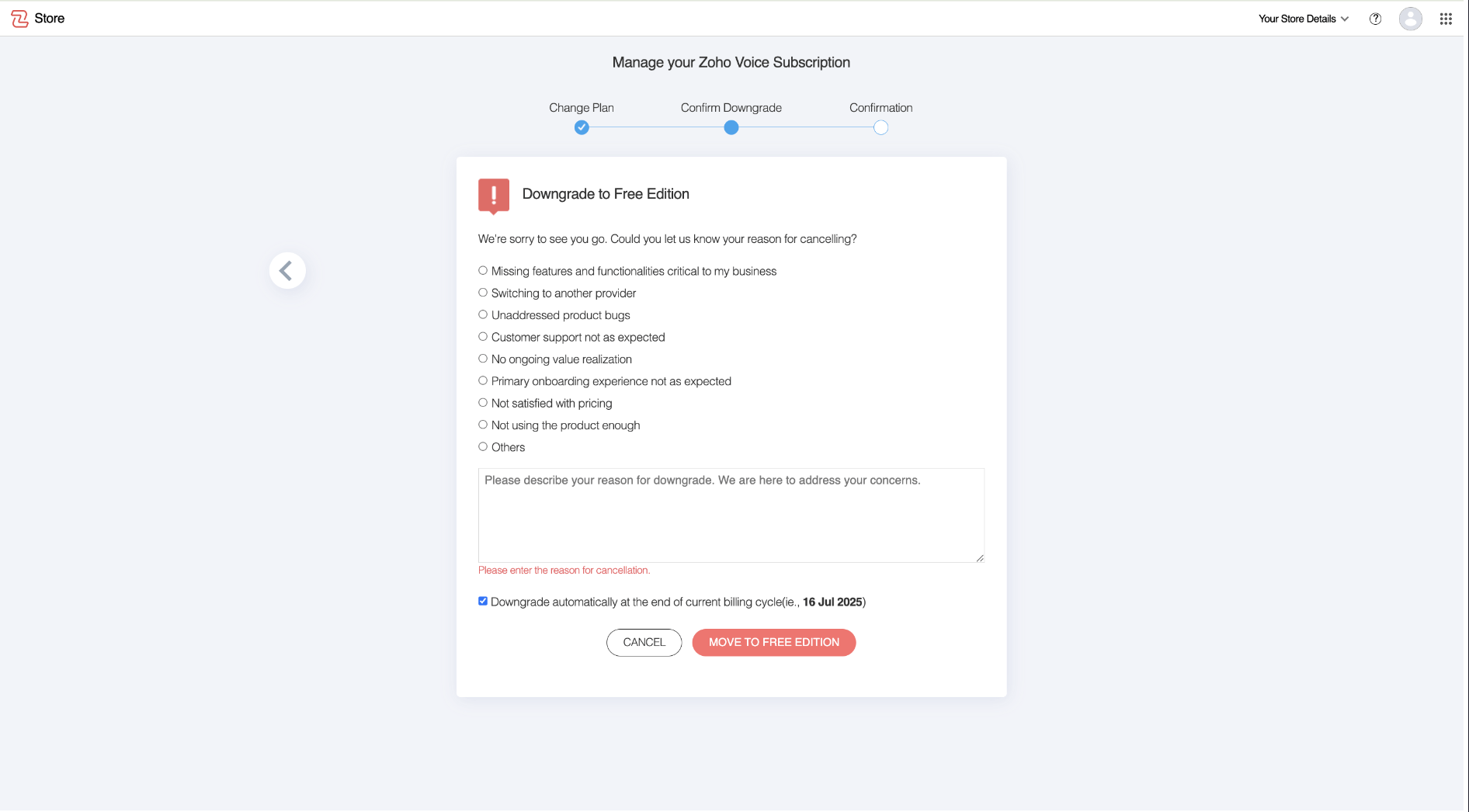
3. Provide a Reason for Cancellation - Choose a reason for canceling your subscription and click Move to Free Edition to proceed.
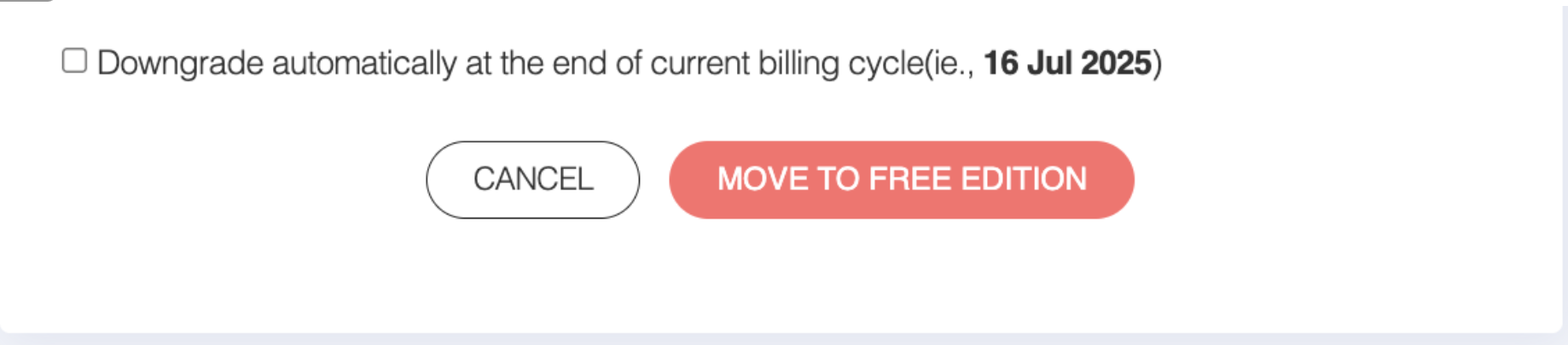
4. Choose Immediate or End-of-Cycle Cancellation:
- If you want to downgrade immediately, proceed without selecting the checkbox.
- If you prefer to remain on your current plan until the end of your billing cycle, check the box.
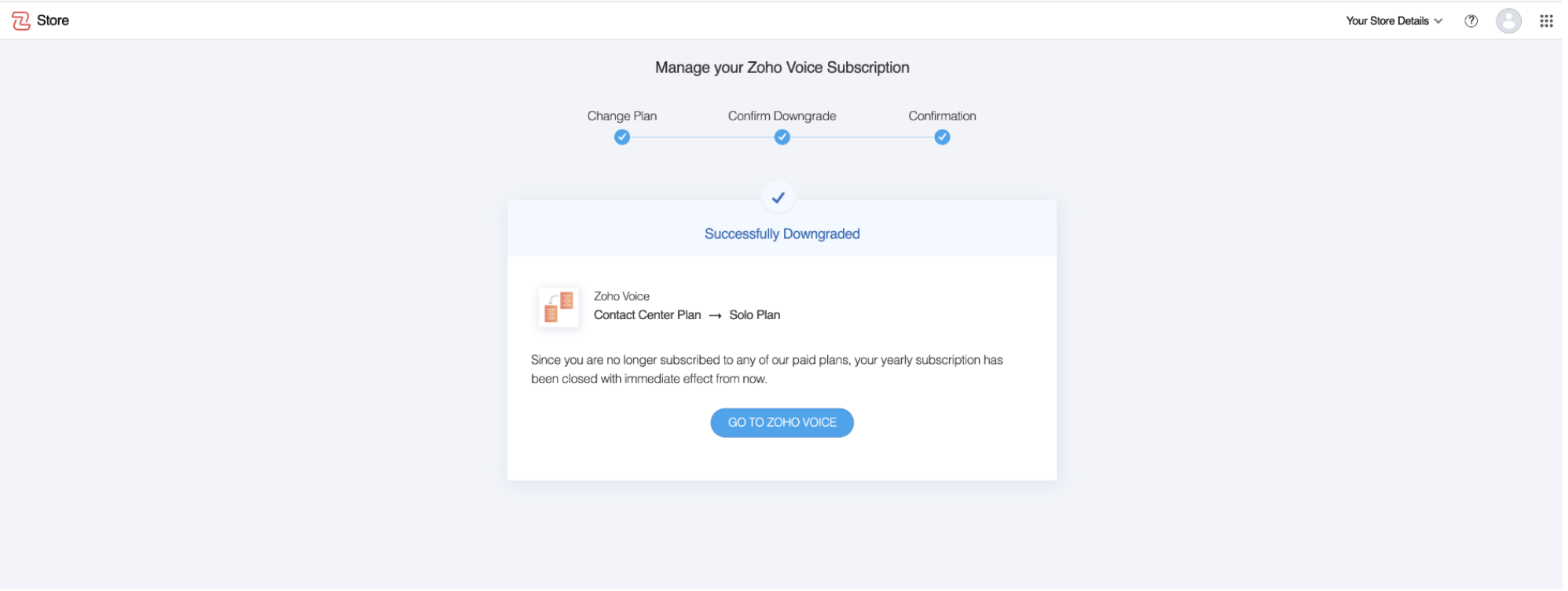
5. Confirmation - Once the downgrade is successfully processed, you will receive a confirmation indicating that your subscription has been successfully downgraded.