The better way to invest in your brand's social media growth—Zoho Social
Create awareness about your financial services on social media, build strong customer relationships, and up your social media marketing game with Zoho Social
Sign up for free
Why do financial services need a social media management tool?
Social media platforms have become a common way to foster strong and engaging customer relationships. While the increased usage could be one reason, the versatility of these channels contributes to the growth of the brands. Major financial institutions and banks have started using these channels to educate, raise financial awareness, and promote their services to customers.
As a financial service provider, social media channels can be one of your main keys to building trust in this digital era. Having a social media management tool like Zoho Social makes this journey smooth. Social media marketing activities and planning strategies become easier with a unified tool that lets you publish, monitor, collaborate, and analyze anytime from anywhere.
How can you grow on social media as a financial service provider using Zoho Social
Educate and build awareness by publishing consistently
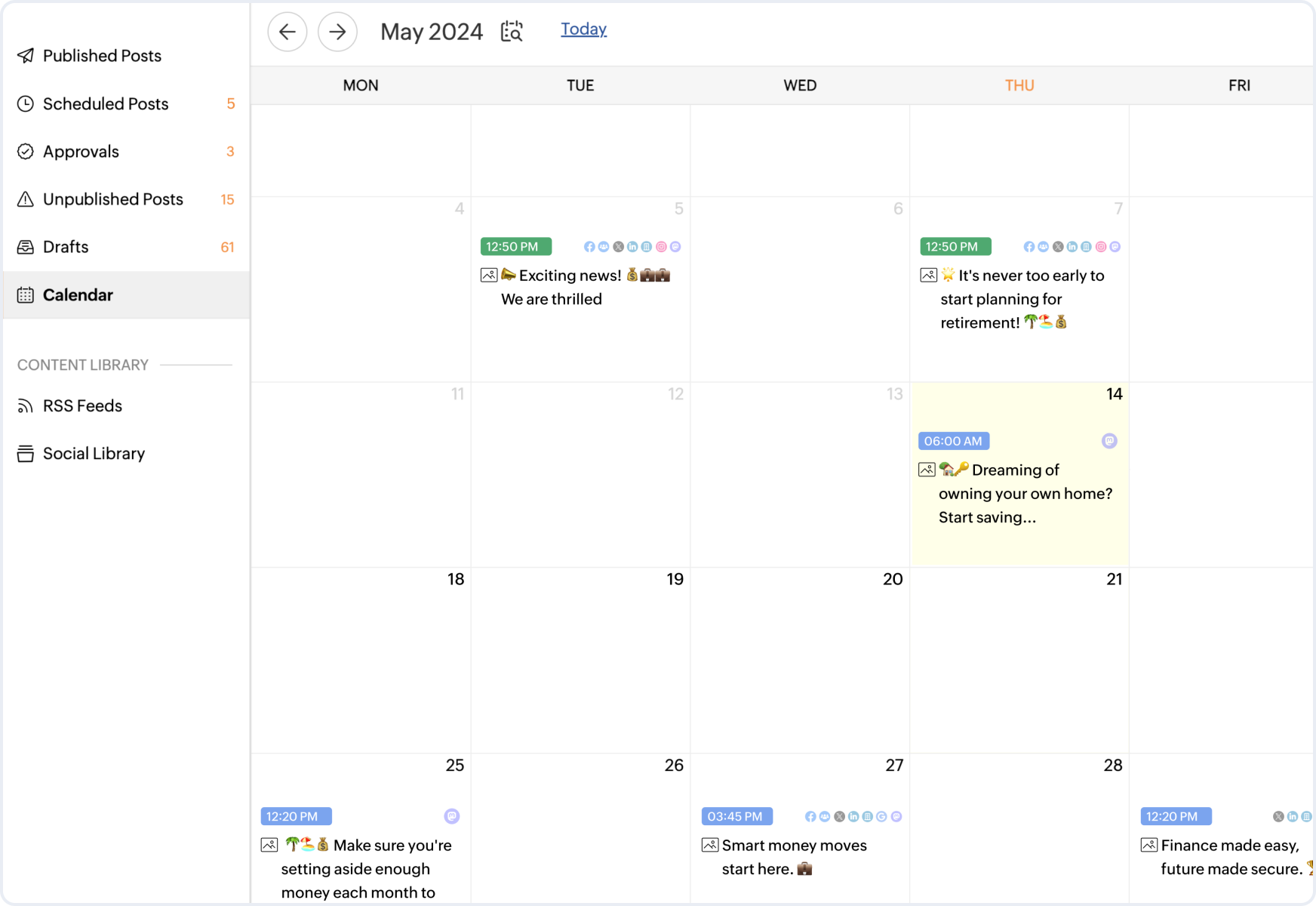
People tend to put in a lot of thought before trusting a service provider with their finances and money. The process of gaining this trust from your audience/customers is interlinked. Awareness builds trust, which in turn helps with converting the audience into customers. Being in the banking industry, the first thing you can do to establish credibility on social media is to start publishing consistently. Zoho Social lets you post to all your favorite channels while ensuring you stay consistent. Here's how Zoho Social helps you stay active on social media channels:
Stay consistent
Sort your weekly/monthly calendar from anywhere by scheduling posts. This ensures that you're consistent and ignites conversations with the audience.
Reschedule effortlessly
Change in the plan? Reschedule the posts by just dragging and dropping.
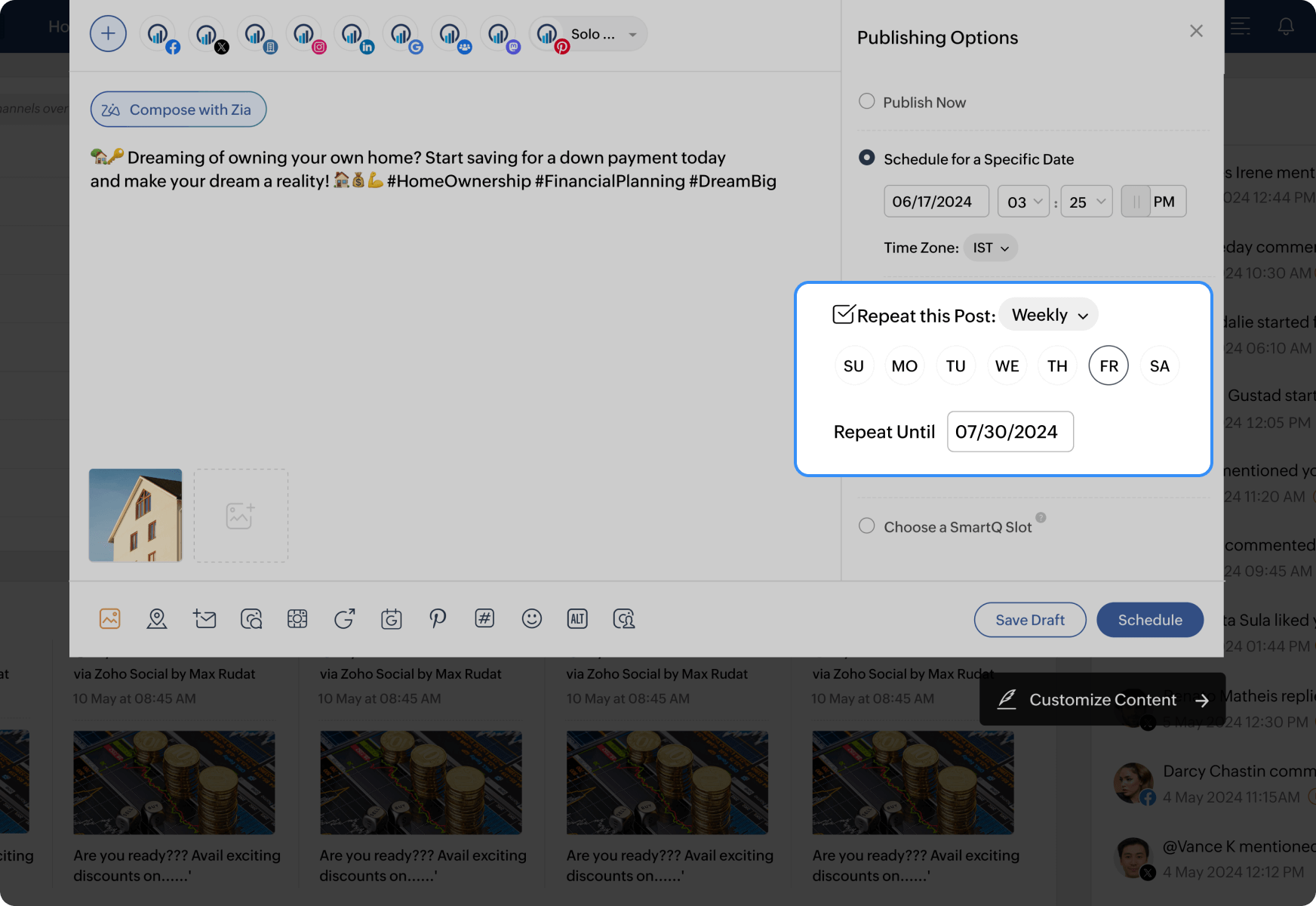
Repeat posts
Have terms and conditions or important posts you want your followers to have in mind? Set posts to repeat weekly/monthly as per your convenience.
Ensure your customers feel seen and heard using a unified Inbox
For many banking institutions, using social media channels for customer service hasn't been a go-to strategy. However, the paradigm has been slowly shifting, and people have started reaching out to the teams through comments and direct messages. Having your DMs open to them is another way to strengthen customer relationships. Zoho Social's unified inbox lets you do all this without a hassle, and here's how:
Respond promptly
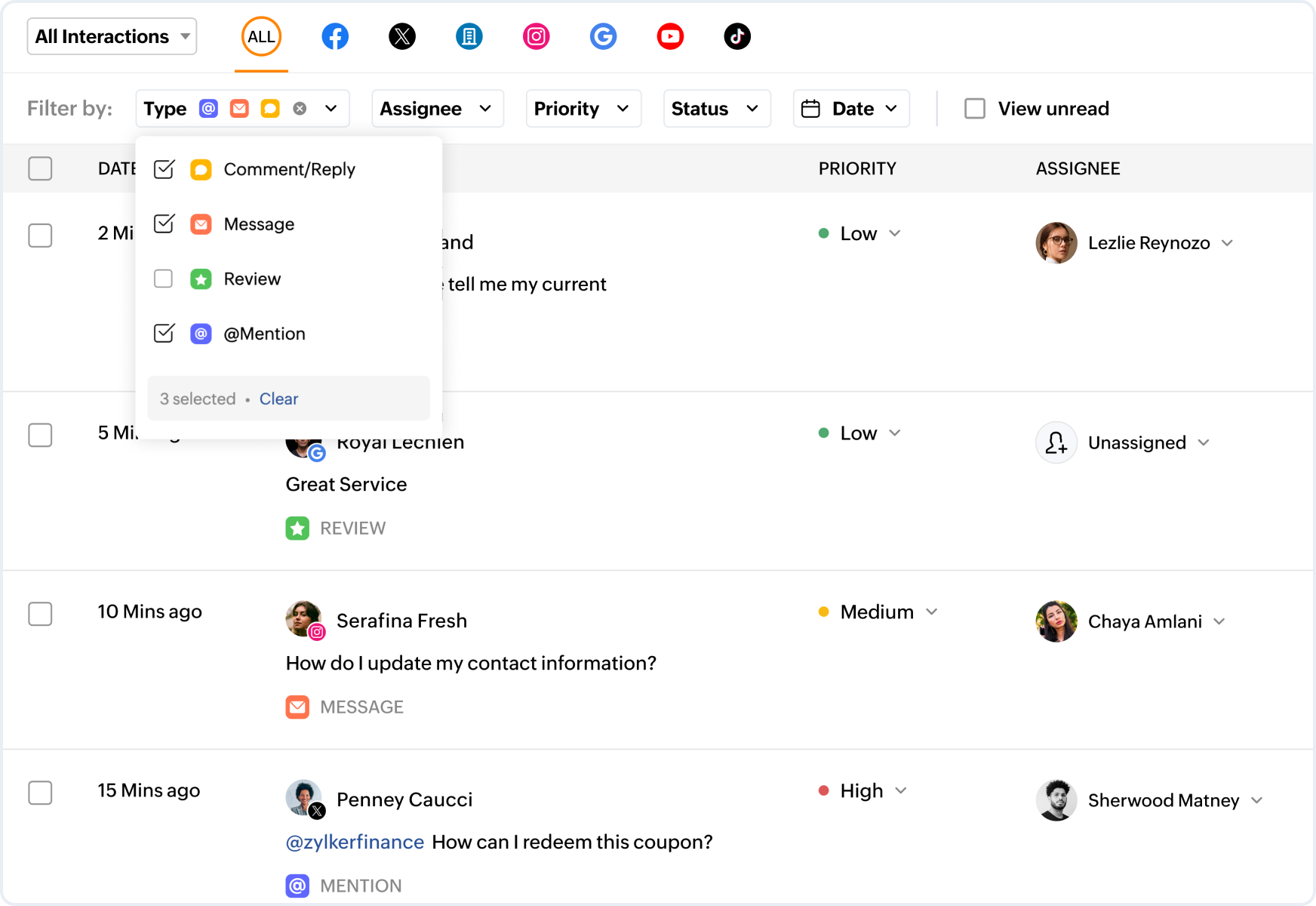
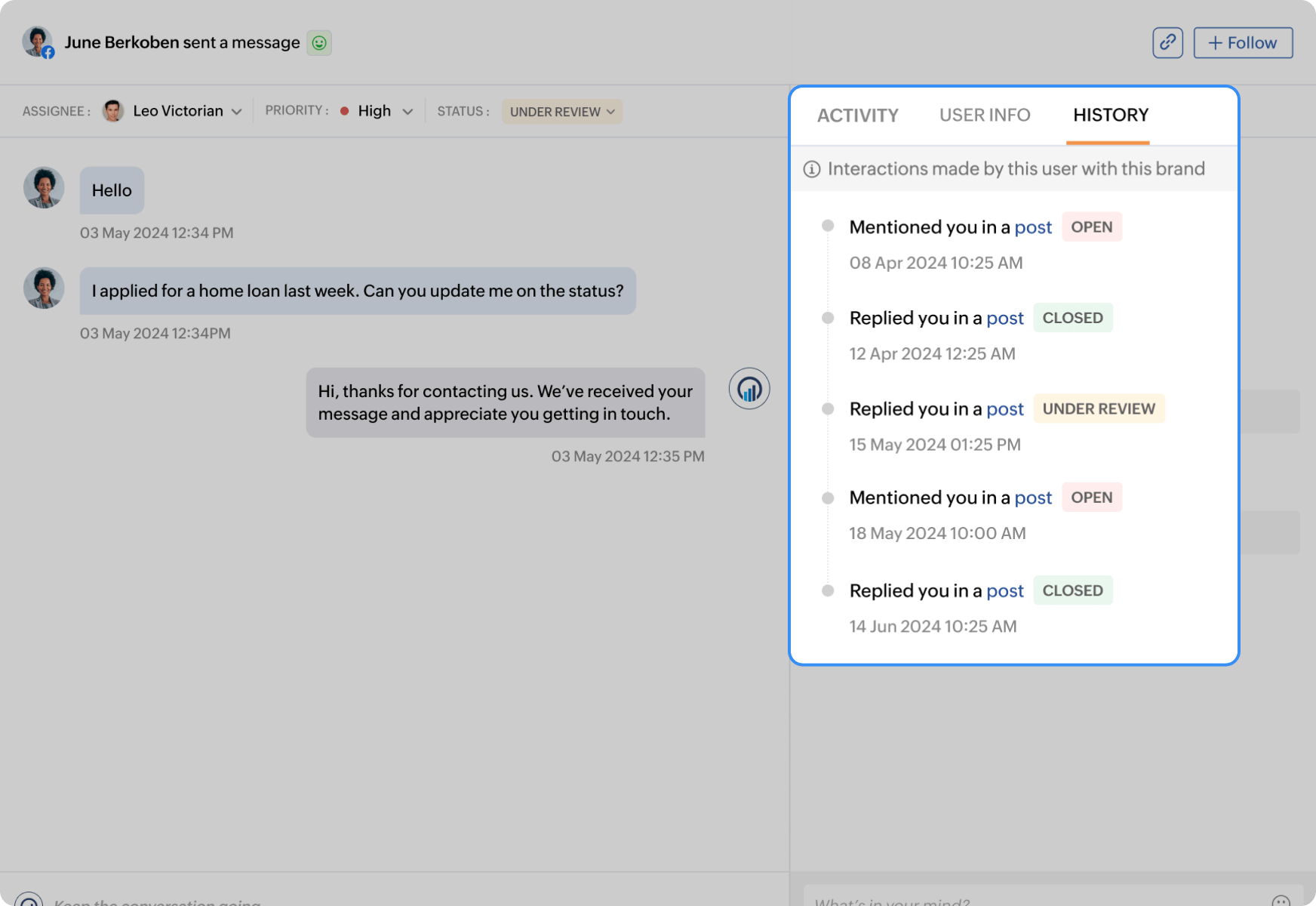
View and act upon all essential engagements, such as comments, messages, reviews, and mentions from your favorite social media channels, all under one unified tab.
Set priority levels
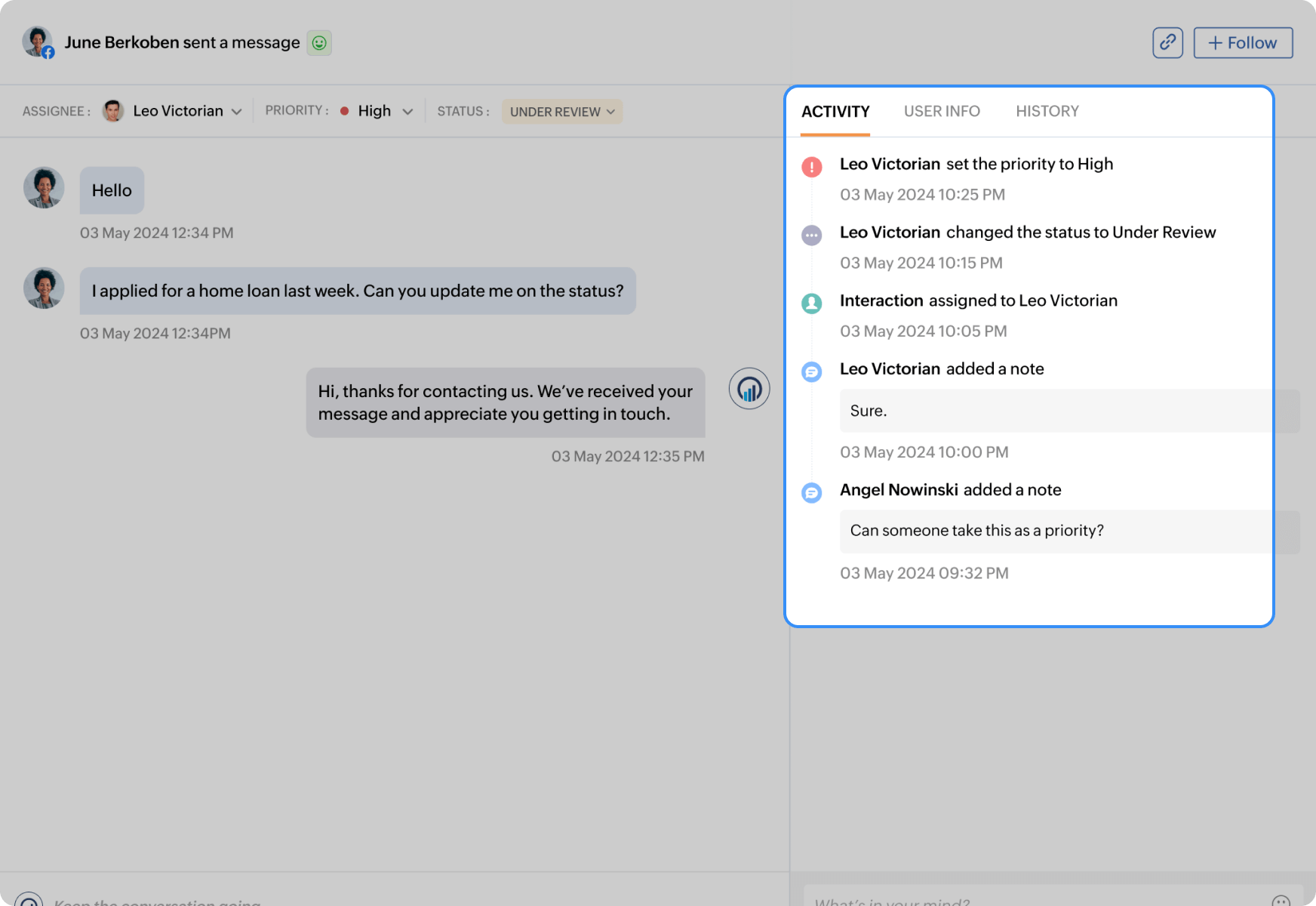
Assign them to your team to take care of customer queries and set their priority to streamline the process.
View conversation history
Know the customer better by viewing your conversation history with them. This helps you solve their query easily.
Know what people are saying about your service
Knowing what people are saying about your banking service will help you lay out a clear and adaptive marketing plan. But keeping an eye on it all from various channels can be hectic. Zoho Social's monitor dashboard is here to help you stay on track by letting you:
Customize listening columns
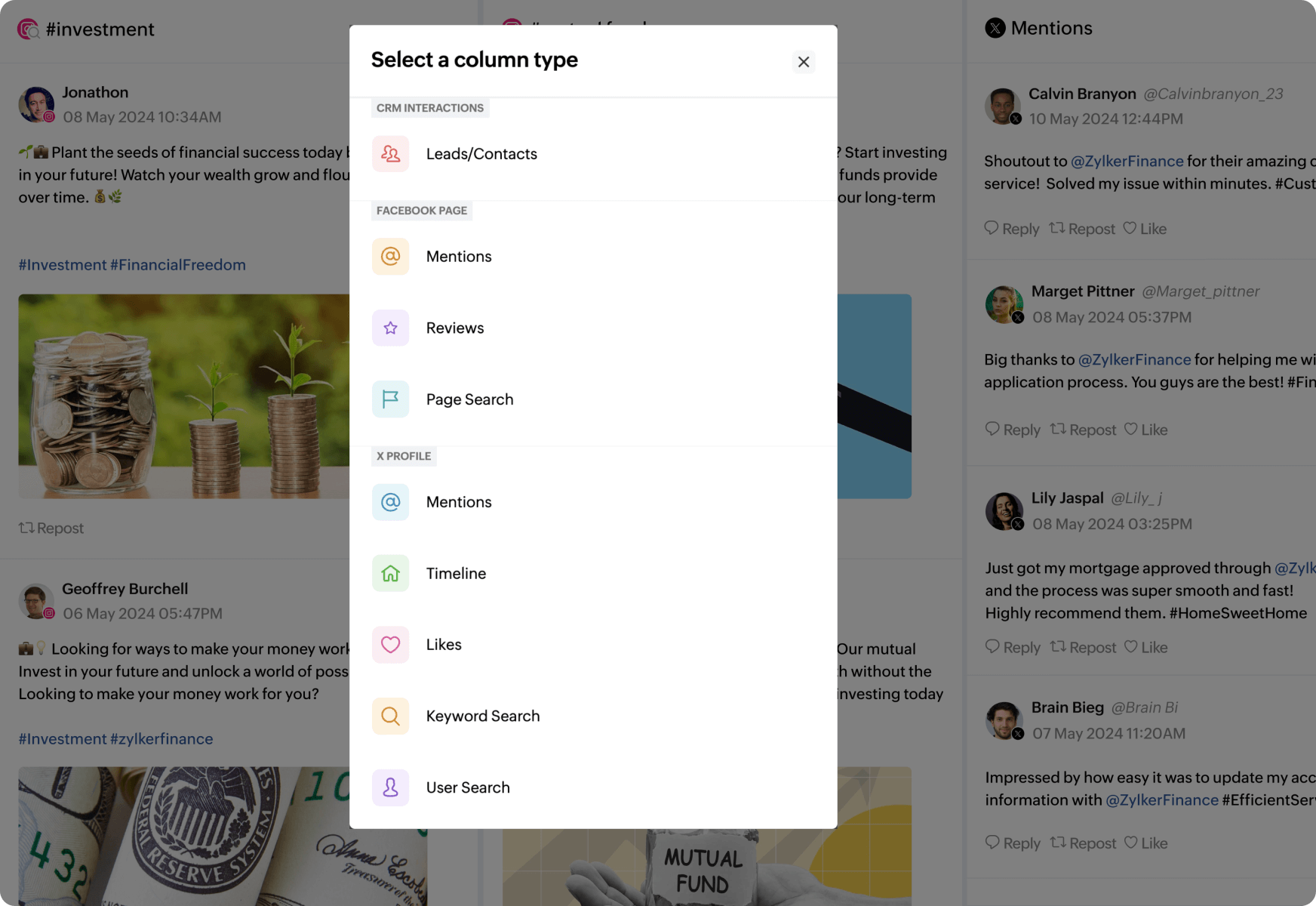
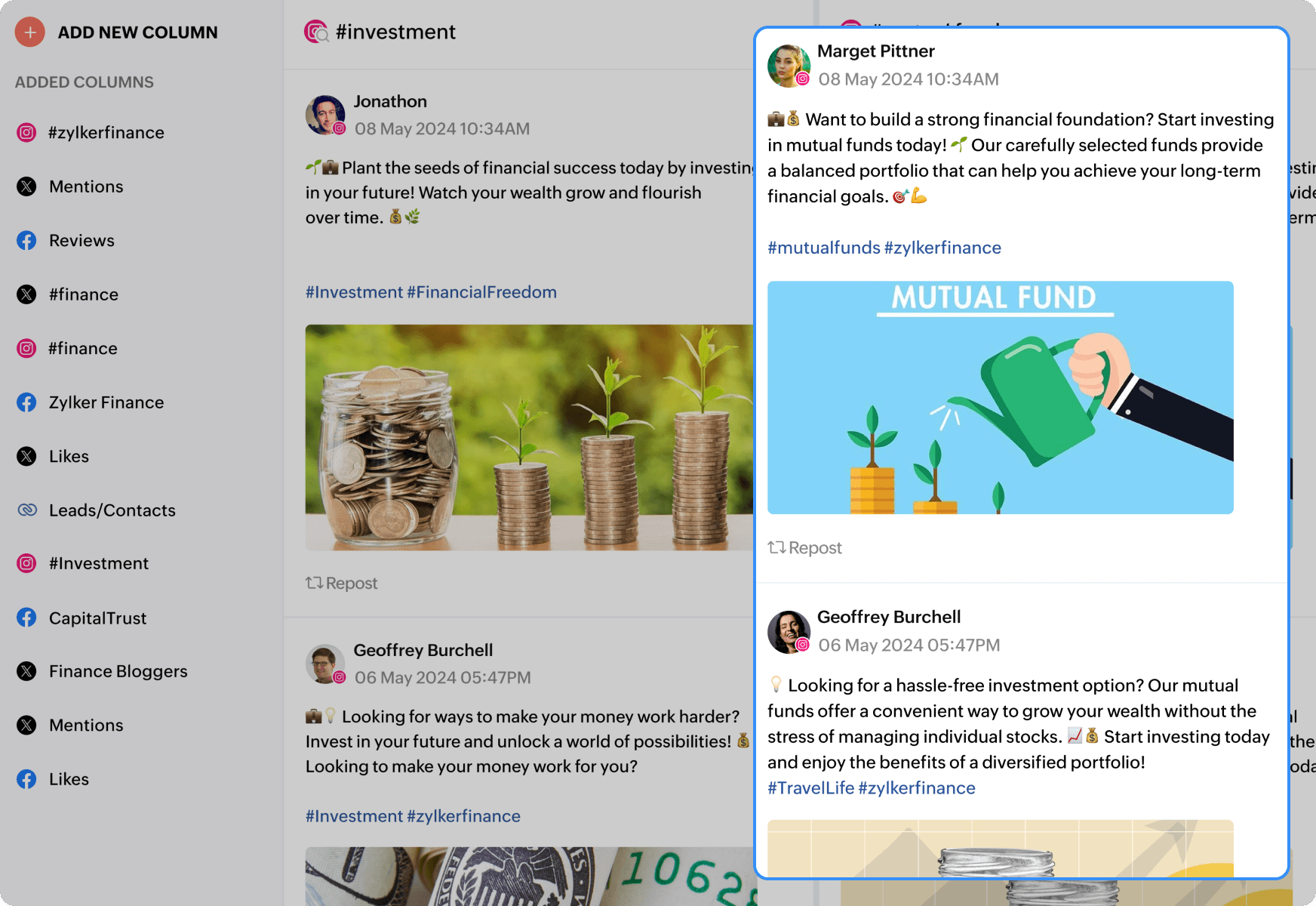
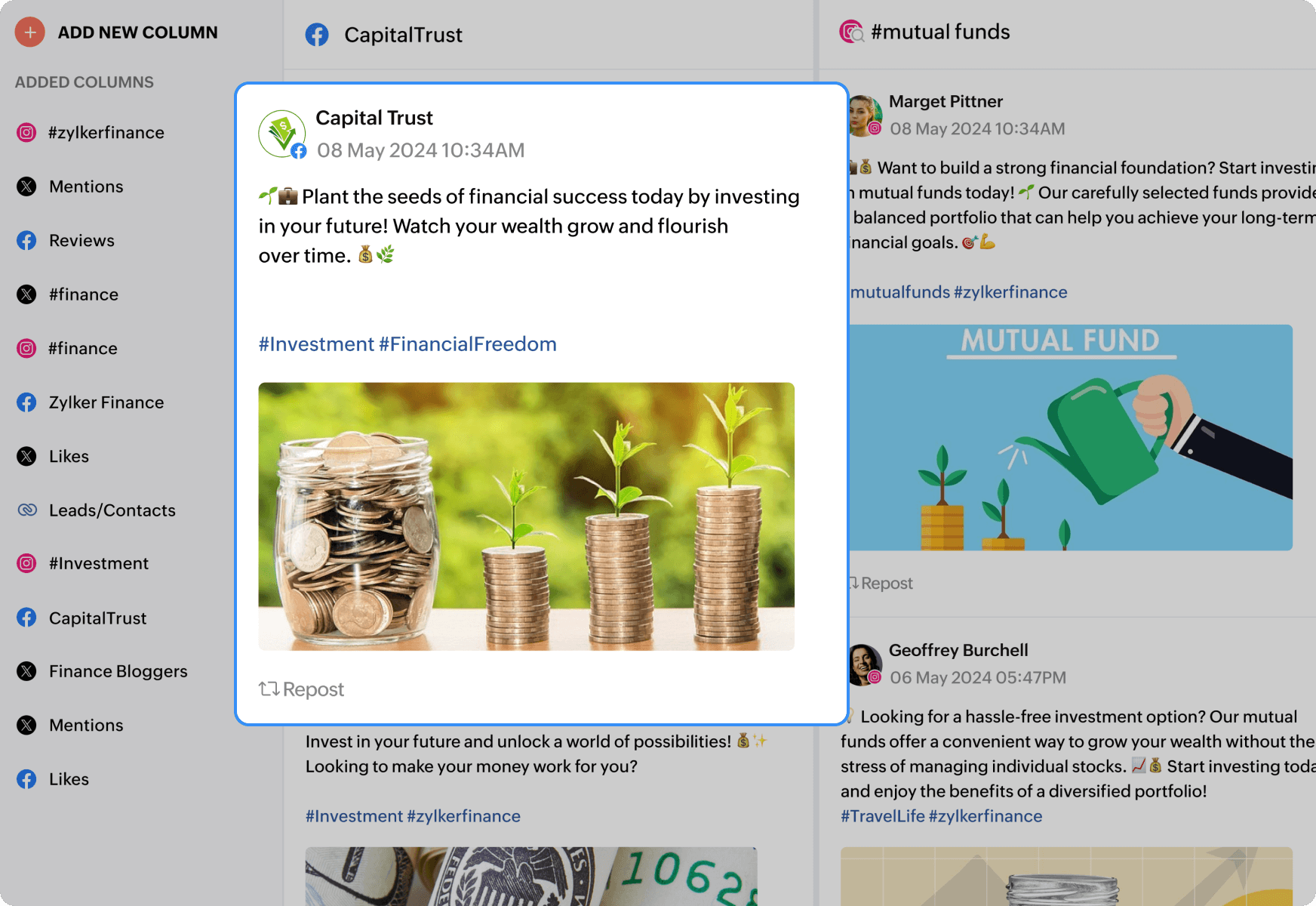
Create customized columns to keep track of all essential engagements, such as comments, mentions, reviews, and likes from all your favorite channels.
Monitor the market
See what's trending in the banking sector by monitoring hashtags and topics on the go.
Competitor analysis
Know what your competitors are posting without following them just by tapping into the listening columns.
Analyze the important metrics that will help your brand grow
To know what's working well for you on social media, it's important to analyze your strategies. This'll help you create content that your target audience loves. Zoho Social's robust analytics feature lets you generate reports, giving you access to in-depth metrics and insights. Here's everything Zoho Social fetches to help you grow exponentially on social media:
Understand your audience
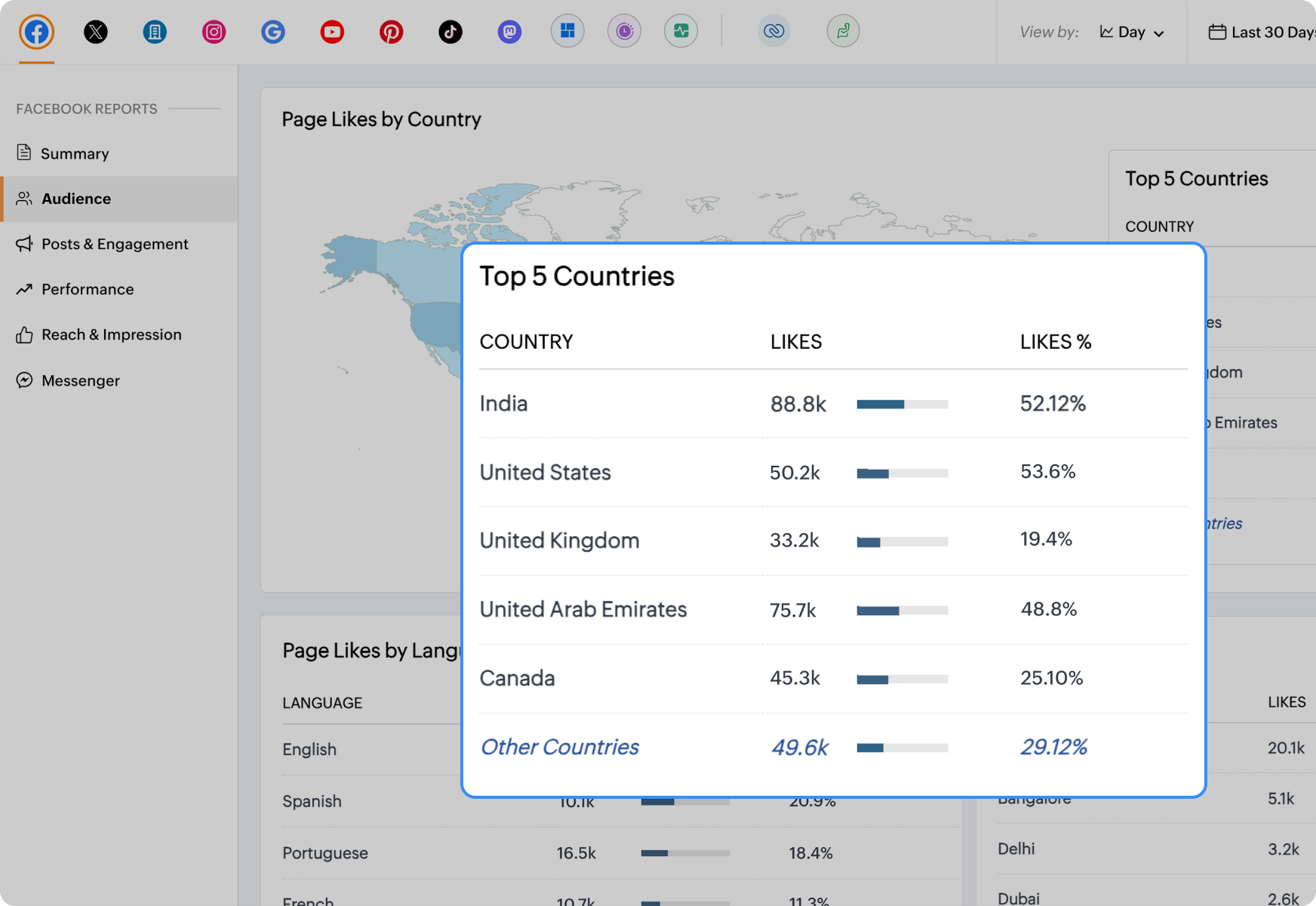
View your demographics and understand the type of audience you have. This'll help you create better content according to their liking.
Fetch essential metrics
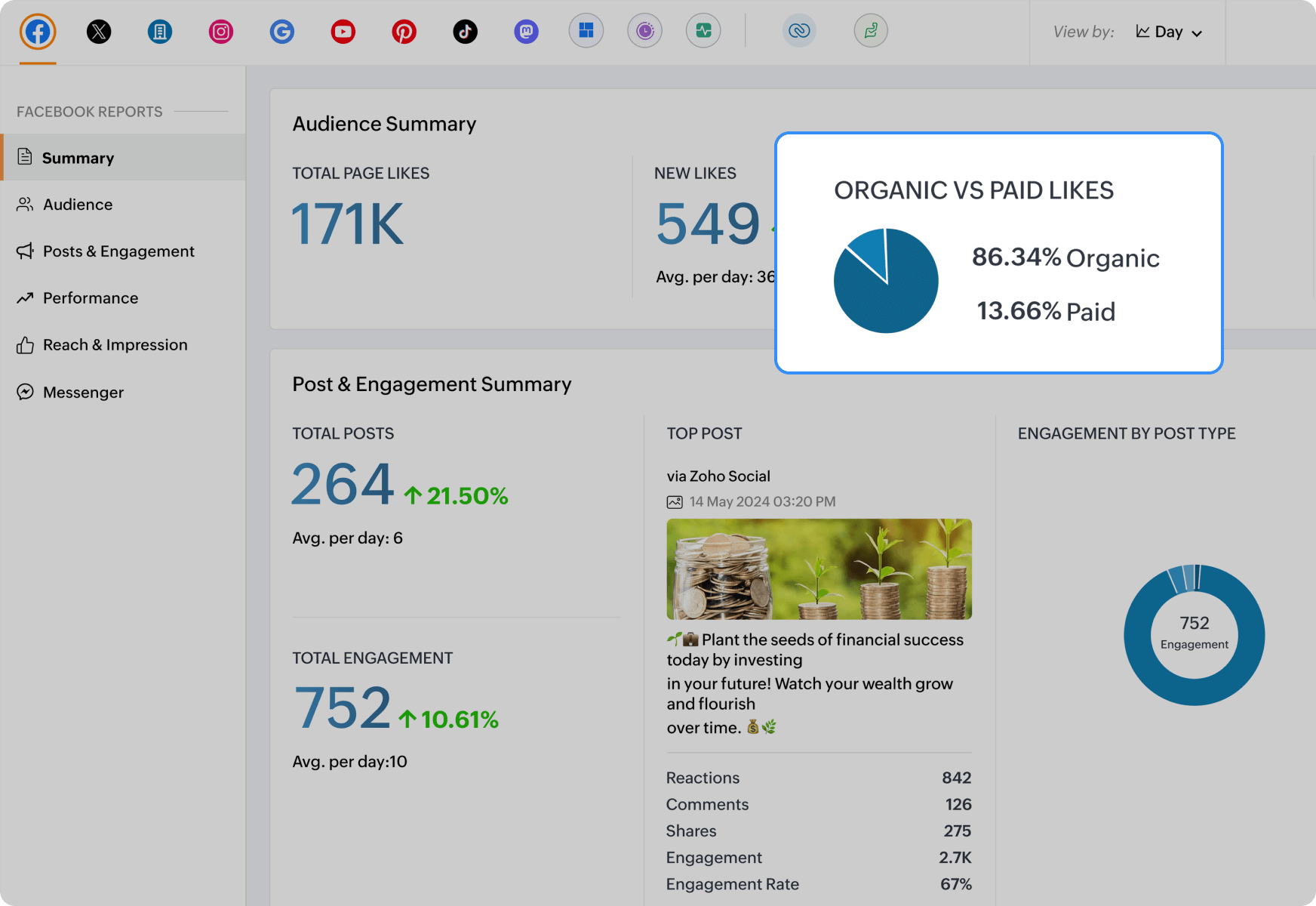
Know which type of posts have fetched you high engagement rates and traffic and improvise your strategies further.
Share reports
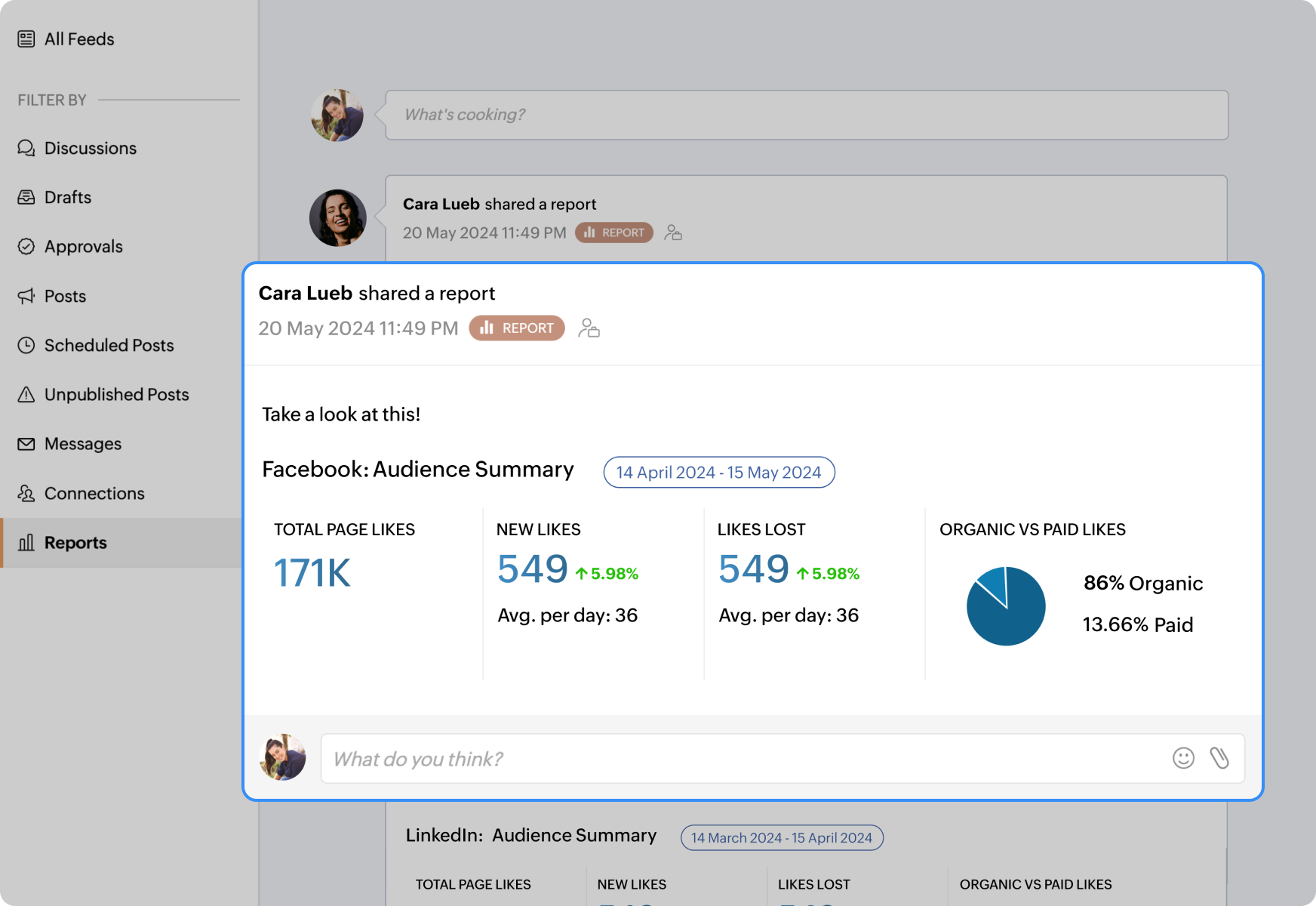
Generate and share these reports with your marketing team to work on a better social media plan for the future.
Integrations that make a difference in customer experience
Streamline the lead journey with Zoho CRM
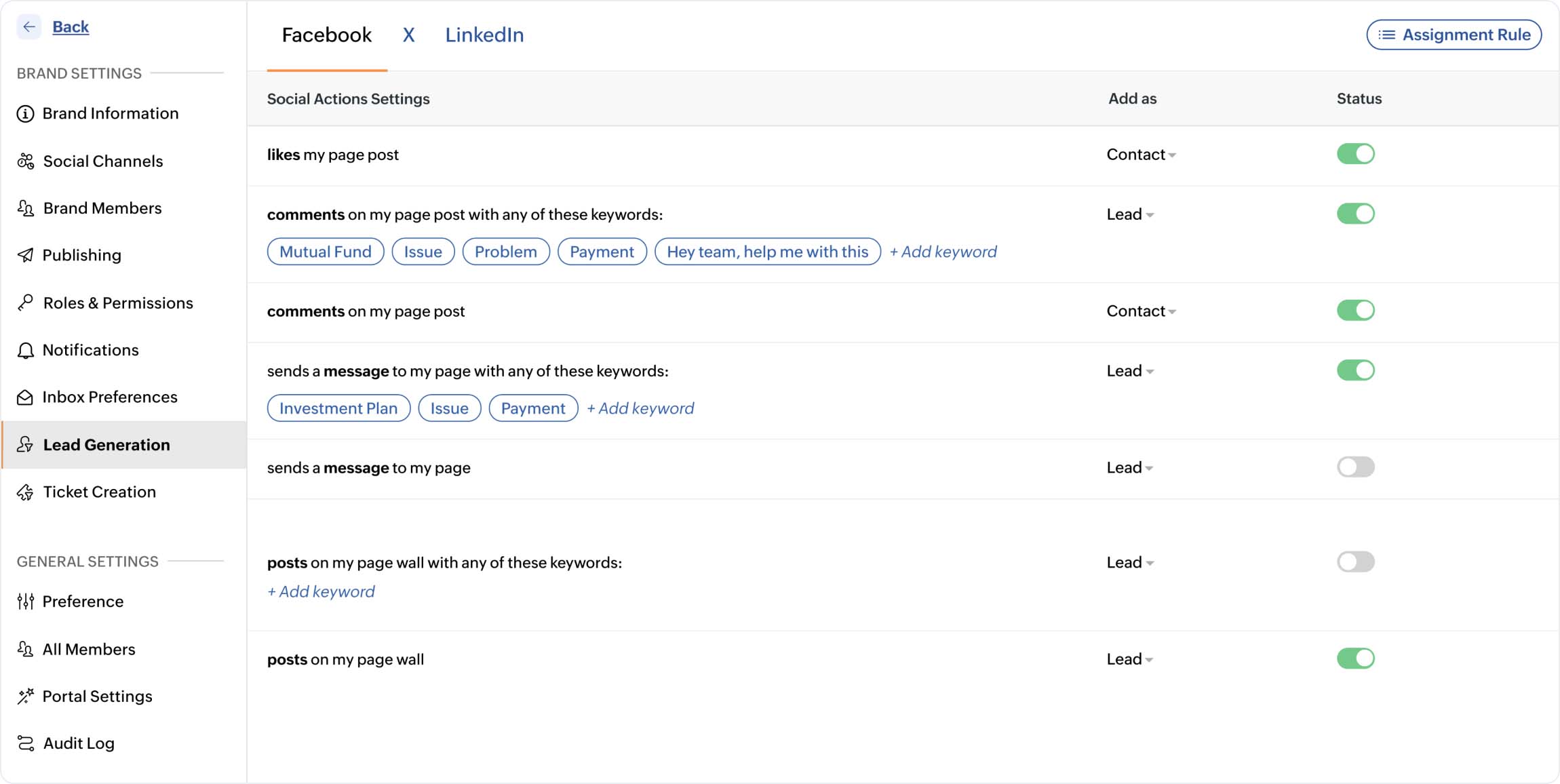
There's no shortage of leads you can generate on social media, but the process of syncing the leads from social media to your CRM tool can become a tedious task when there's no integration between the two. Zoho Social's integration with Zoho CRM bridges the gap between social media marketing and sales.
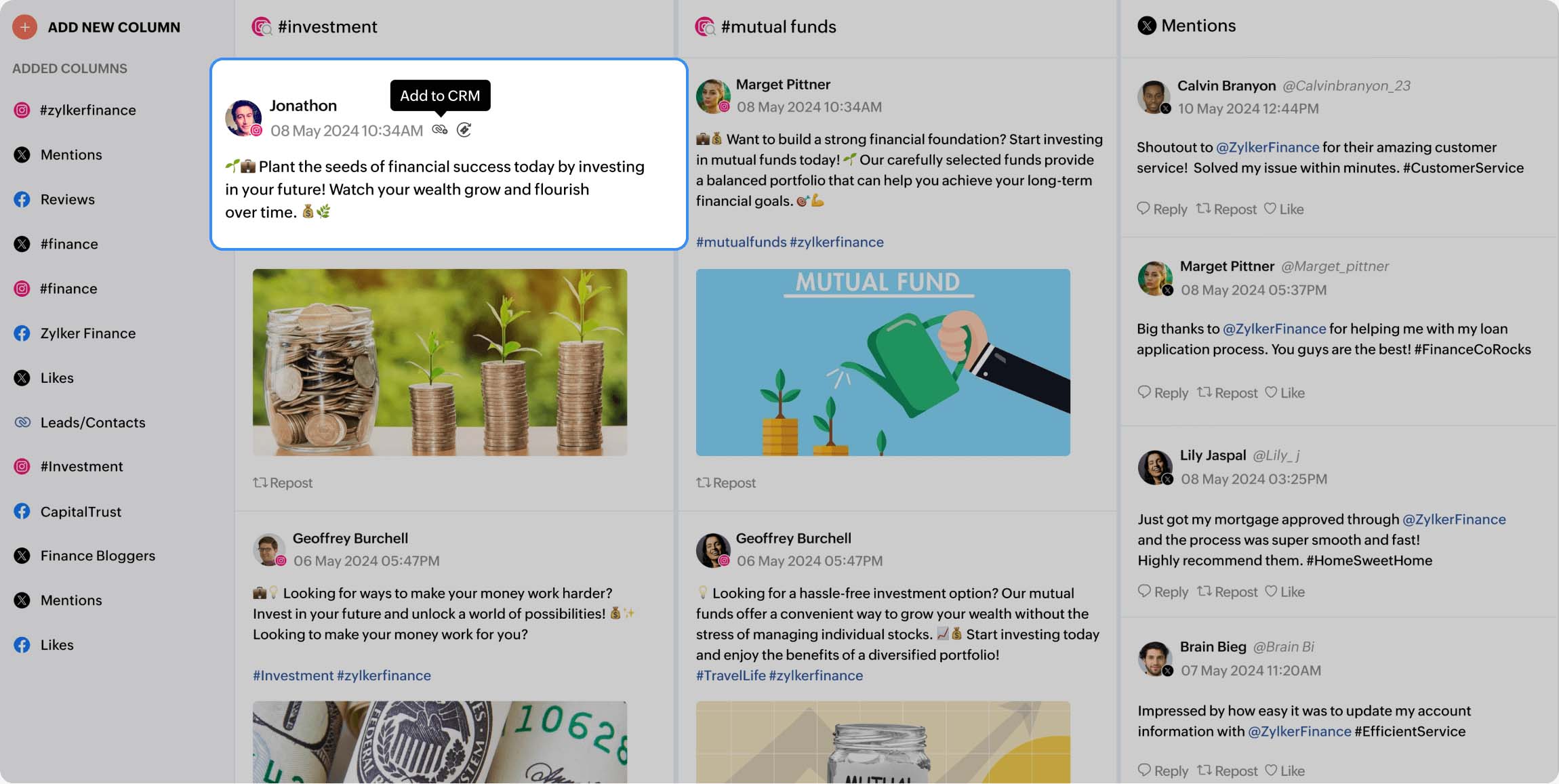
Spot a lead? Add to Zoho CRM with just a click from the monitor dashboard.
Automatically convert essential engagements such as comments, likes, messages, and mentions by defining them as lead qualifiers.
Provide five-star customer service with Zoho Desk
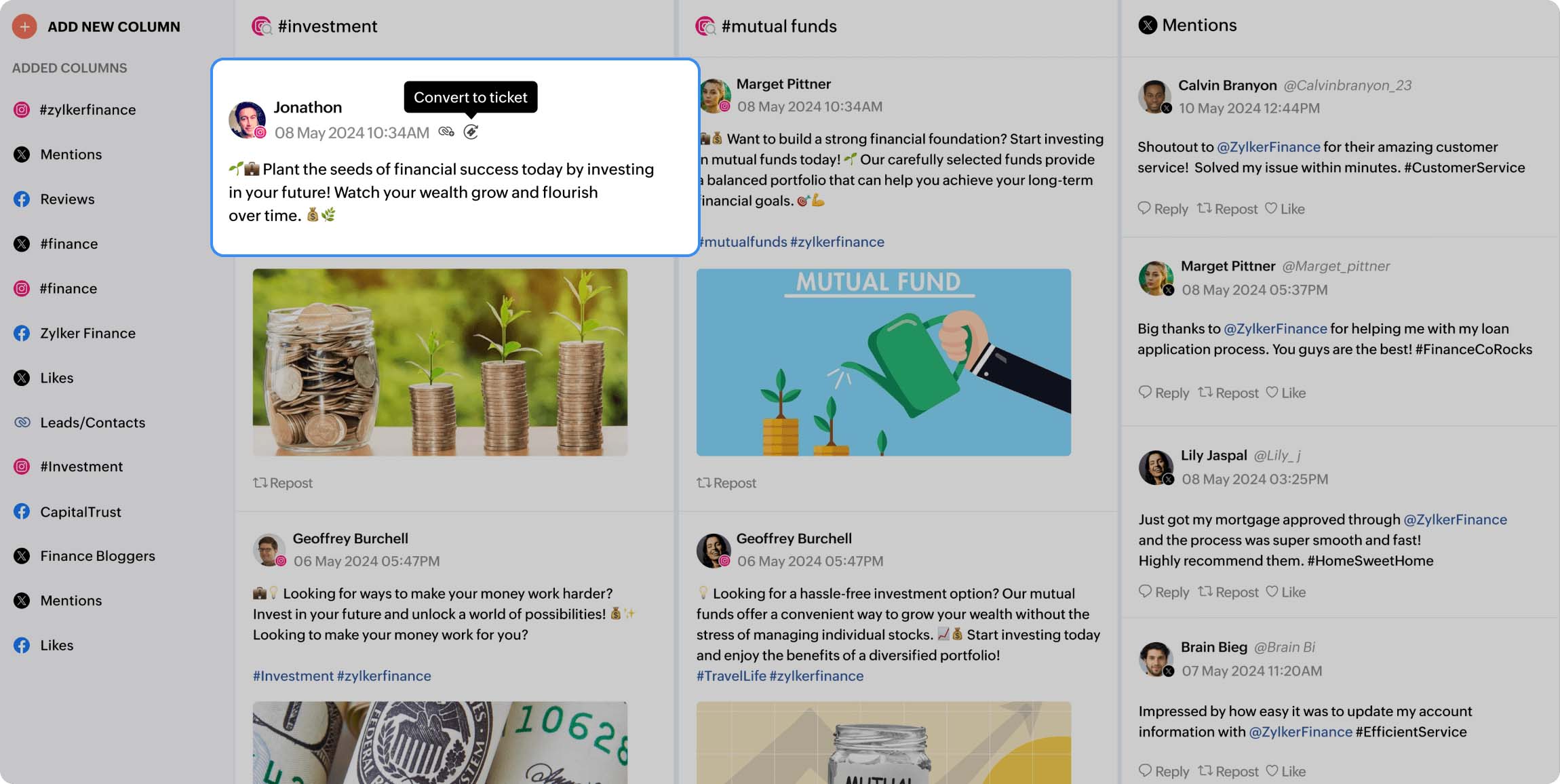
When it comes to banks and financial institutions, the customer experience has to be smoother and quicker. Social media has become the added new-age customer service platform. But when you've established your presence across various platforms, it gets tricky to swiftly get to the queries that come in from the audience. Zoho Social's integration with Zoho Desk cuts down the time taken by letting you:
Convert essential engagements such as comments, messages, and mentions into tickets. This eliminates the confusion between the marketing and customer service teams.
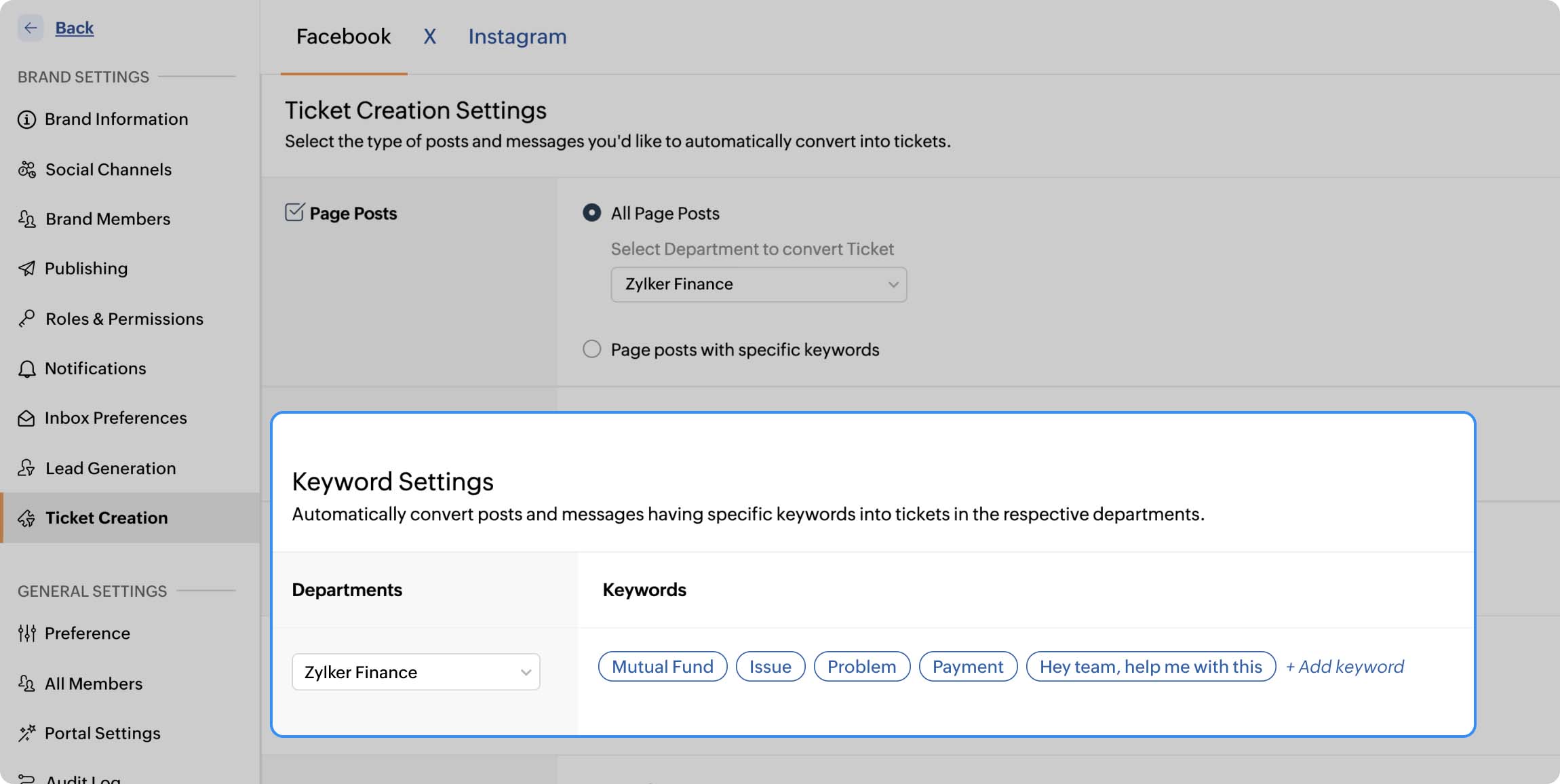
Automate ticket creation by defining keywords and certain engagement actions. By enabling this, you don't have to always wear your search glasses. Queries automatically get converted into tickets for your support team to take care of.
Hear what our customers have to say!
"Being able to respond very quickly is important in a B2C business, and that gets sorted with the new Inbox, because nothing is missed out."
Shweta Thakur
Founder and CEO, Wildermart
"Having the ability to get a shortened link which is a small thing allows you to track how many actual clicks that particular link gets"
Natalia Andrade
Head of Marketing, Fazenda

