
Key Features of Zoho Sign on Windows
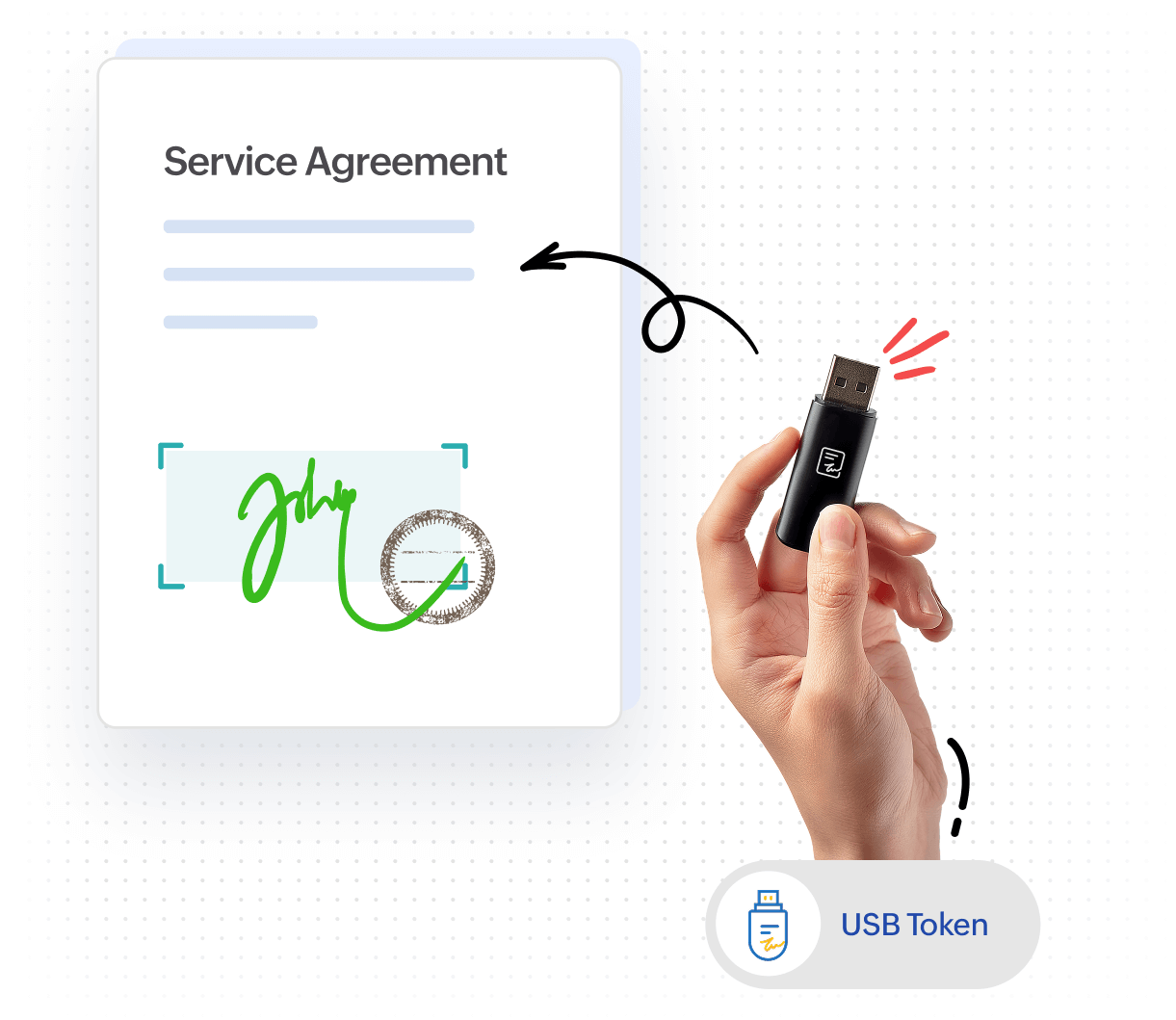
Sign documents with USB digital signature certificate (DSC) tokens
With the Zoho Sign for Windows app, you can securely sign documents from your device—even without a Zoho Sign account or internet connection—using your USB DSC token. Simply import documents from your device and sign them directly.
Automate signing workflows
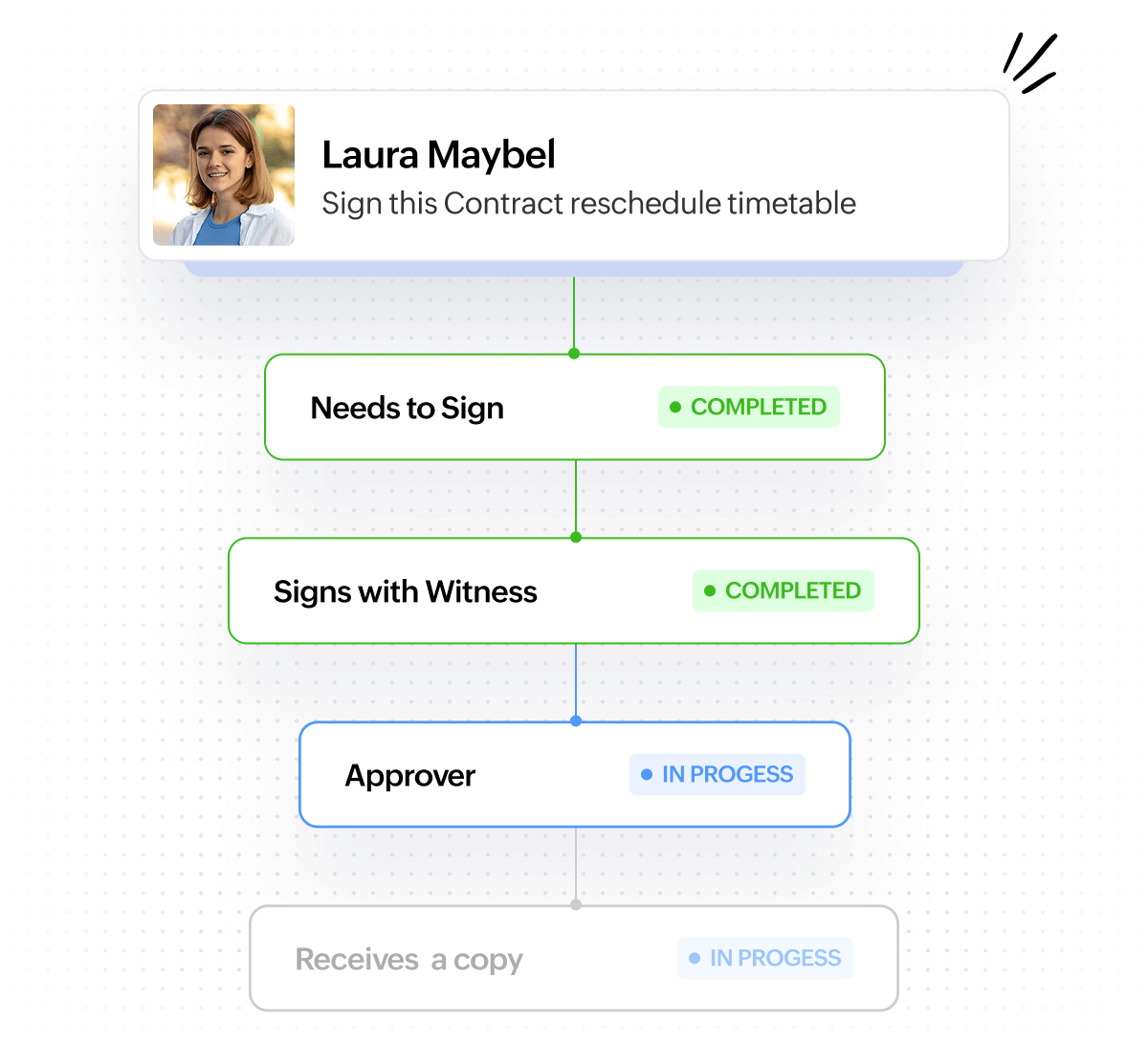
Zoho Sign's secure, end-to-end signing workflow is a must-have for every digital-first business. It offers the essentials to advanced features, including reusable templates, shareable signing URLs, detailed audit trails, bulk signature collection, vernacular signatures, and witness signing.
Tight integration with the Microsoft 365 suite
Unite the best of both worlds by integrating your Microsoft apps with Zoho Sign. Access Zoho Sign with a federated single sign-on (SSO) in Microsoft 365, sign and collect signatures on attachments in Outlook, import and back up signed files to OneDrive, collaborate with your colleagues on Teams using chatbot assistance, utilize AI prompts for speedier signing with Copilot, and automate workflows with Power Automate.




Why choose Zoho Sign
for Windows?
Secure and compliant
Documents signed with Zoho Sign are protected with AES-256 encryption at rest and follow the TLS/SSL protocol in transit. Zoho Sign guarantees no-compromise compliance by obliging with strict data privacy and security guidelines, such as the GDPR regulation, HIPAA, SOC 2 Type 11, and more.
Cost-efficient
Companies save more than $30 per envelope by opting for Zoho Sign. By skipping costs involved in preparing, printing, scanning, mailing, redrafting, storing, and retrieving documents physically, companies can boost their overall productivity and invest in other operations.
Accelerate workflows
Expedite agreements by 80% by switching to Zoho Sign. Avoid turnaround delays, constant reminders, and errors by doing away with the print-scan-sign method.
Tight integrations
In addition to Microsoft 365, Zoho Sign tightly integrates with the Zoho suite, Google Workspace, and CRM platforms to provide seamless signing workflows for businesses. You can also integrate Zoho Sign with any app by building workflows on automation platforms like Zapier, Make, and Integrately. For further customized integrations, take advantage of Zoho Sign's developer tools like APIs, webhooks, and other SDKs.
Tailor-made for healthcare companies
Companies in the life sciences and healthcare industries can enable Zoho Sign's controls for life sciences to stay compliant with the FDA's 21 CFR Part 11 and the EU's GMP Annex 11. Zoho Sign is legal in most regions worldwide and abides by the ESIGN Act, eIDAS, ETA, ITA, ECTA, and other regional e-signature laws.
Zoho Sign stands above the rest!
/month/user (billed annually)
$25/user/month (billed annually)
$14.99/user/month (billed annually)
$14.99/user/month (billed annually)
/envelope (flat pricing)
$1.25/envelope (flat pricing)
Not disclosed
$1.98/envelope (flat pricing)
Unlock this window of opportunity with Zoho Sign for Windows
FAQs
Digital signature certificates (DSCs) are the unique fingerprint-like certificates appended to every digitally signed document. They protect the document from tampering, forging, and repudiation. Organizations or individuals may choose to sign with their own DSC , even when using apps like Zoho Sign (which has its own DSC). In those cases, they may use a USB token to store and upload their DSC when signing. Zoho Sign for Windows allows you to upload and sign using your own or your organization's DSC via a USB token.
Download the app for free from the Zoho Sign page in the Microsoft Store. Otherwise, simply open the Microsoft Store and type "Zoho Sign" in the search bar, or search for it under the "Apps" tab.
Absolutely! Enjoy seamless signing for free, just as you would in the web app, by downloading Zoho Sign for Windows in the Microsoft Store.
Drop an email to support@zohosign.com and our team will reach out to you shortly.
For a personalized demo, you can fill out this form or contact us at support@zohosign.com.