 +
+
Agreements almost sign themselves with predefined digital signature workflows
Connect Zoho Sign with your everyday business apps to create custom automated workflows in Microsoft Power Automate.
Trigger actions during and after signing events.
Connect Zoho Sign with more than 1,000 apps.
Automate signing actions anywhere in your workflow.
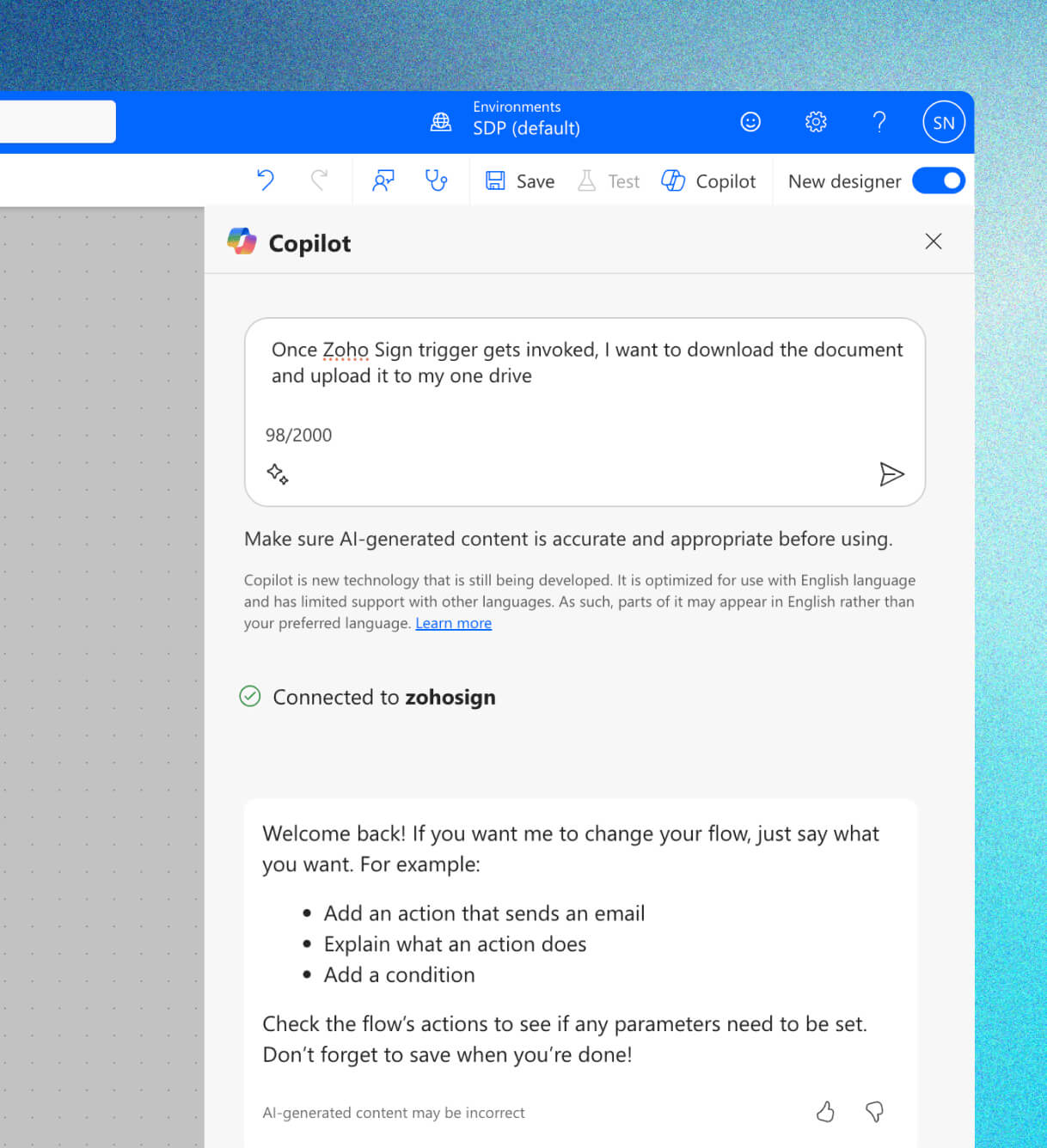
Prompt Microsoft Copilot to auto-generate your custom workflows, including signatures, within Microsoft Power Automate.
Popular use cases
Sales
- Customer lifecycle
- Non-disclosures
- Business deals
Marketing
- Social media engagements
- Onboarding agreements
- Marketing proposals
Finance
- Loan agreements
- Insurance documentation
- Invoices and bills
Healthcare
- Patient lifecycle management
- Medical reports
- Pharmaceutical vendor agreements
Education
- Student intakes
- Student exits
- Administrative processes
How does it work?
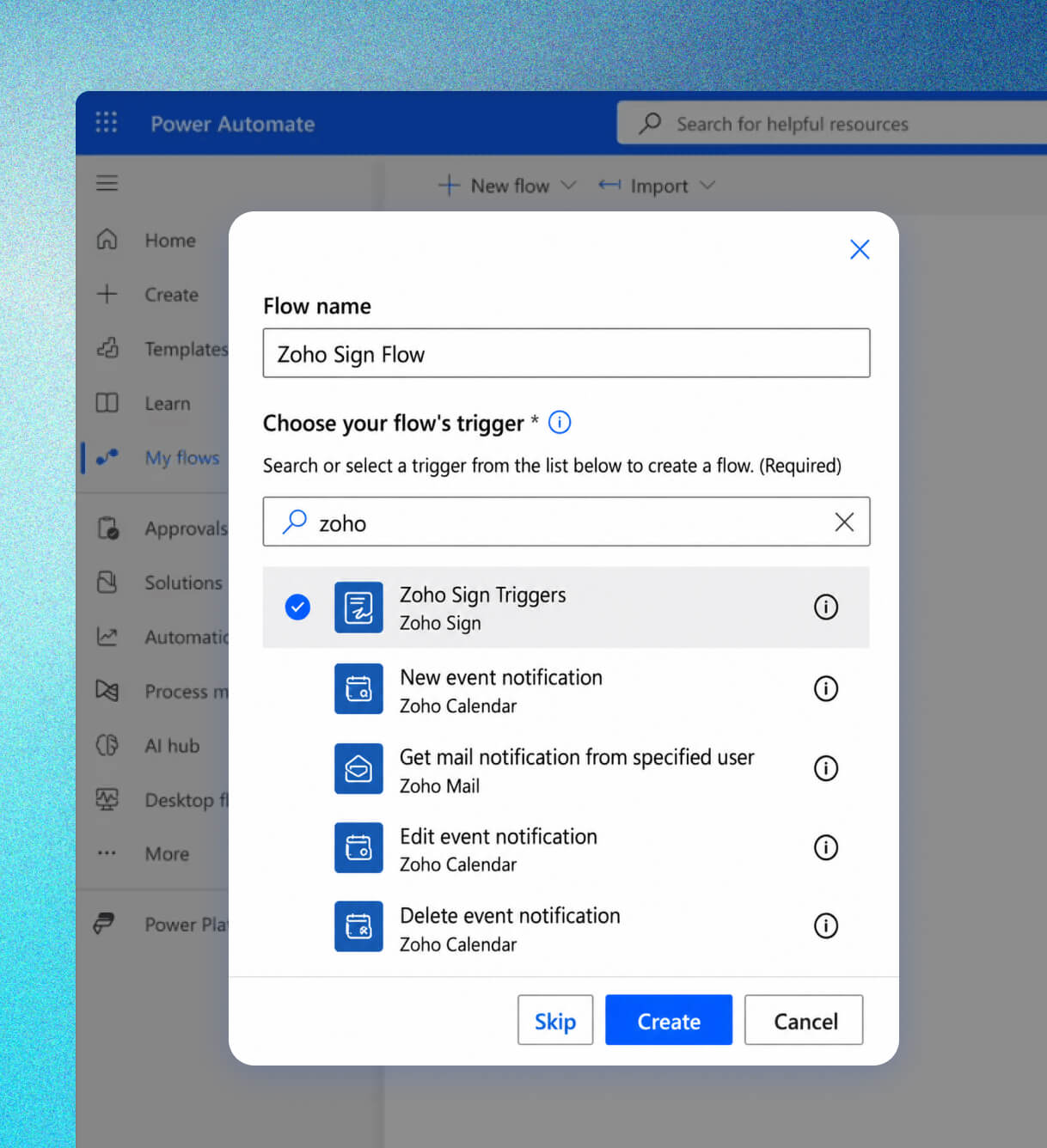
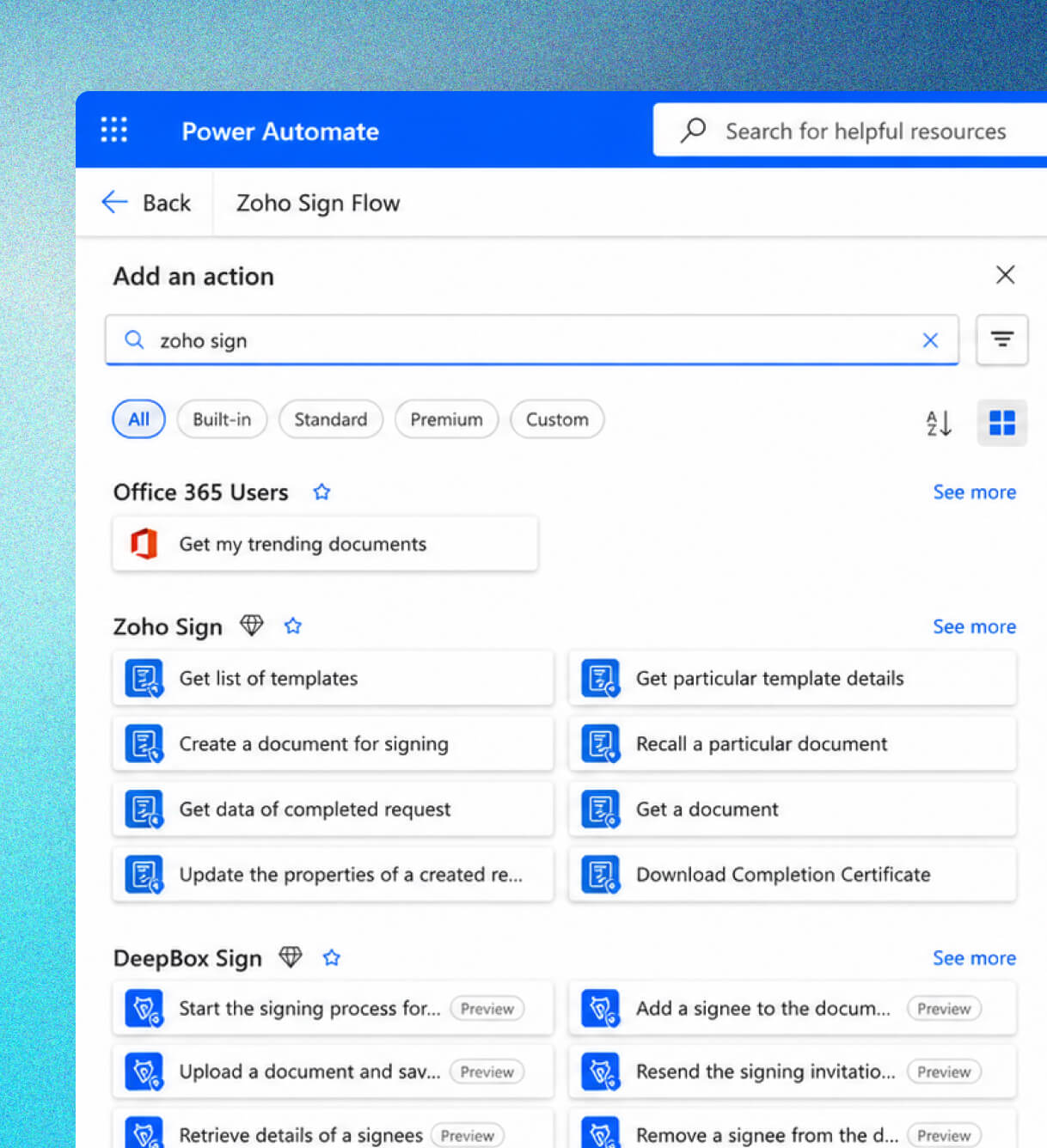
Triggers initiate workflows and help perform actions. Zoho Sign offers seven triggers and 14 actions that you can plug in with other apps anywhere in your Power Automate workflow. Whether it's emailing signed offer letters to candidates, notifying teams for document approvals in an office chatroom, or storing confidential agreements in your cloud drives, you can automate a variety of workplace operations with Zoho Sign in Microsoft Power Automate.
Initiate workflows using triggers
Zoho Sign offers seven triggers for every stage in the signing workflow—Sign, Decline, Forward, Completed, Recalled, Expired, and Viewed—so you can keep your agreements moving smoothly.
Automate actions
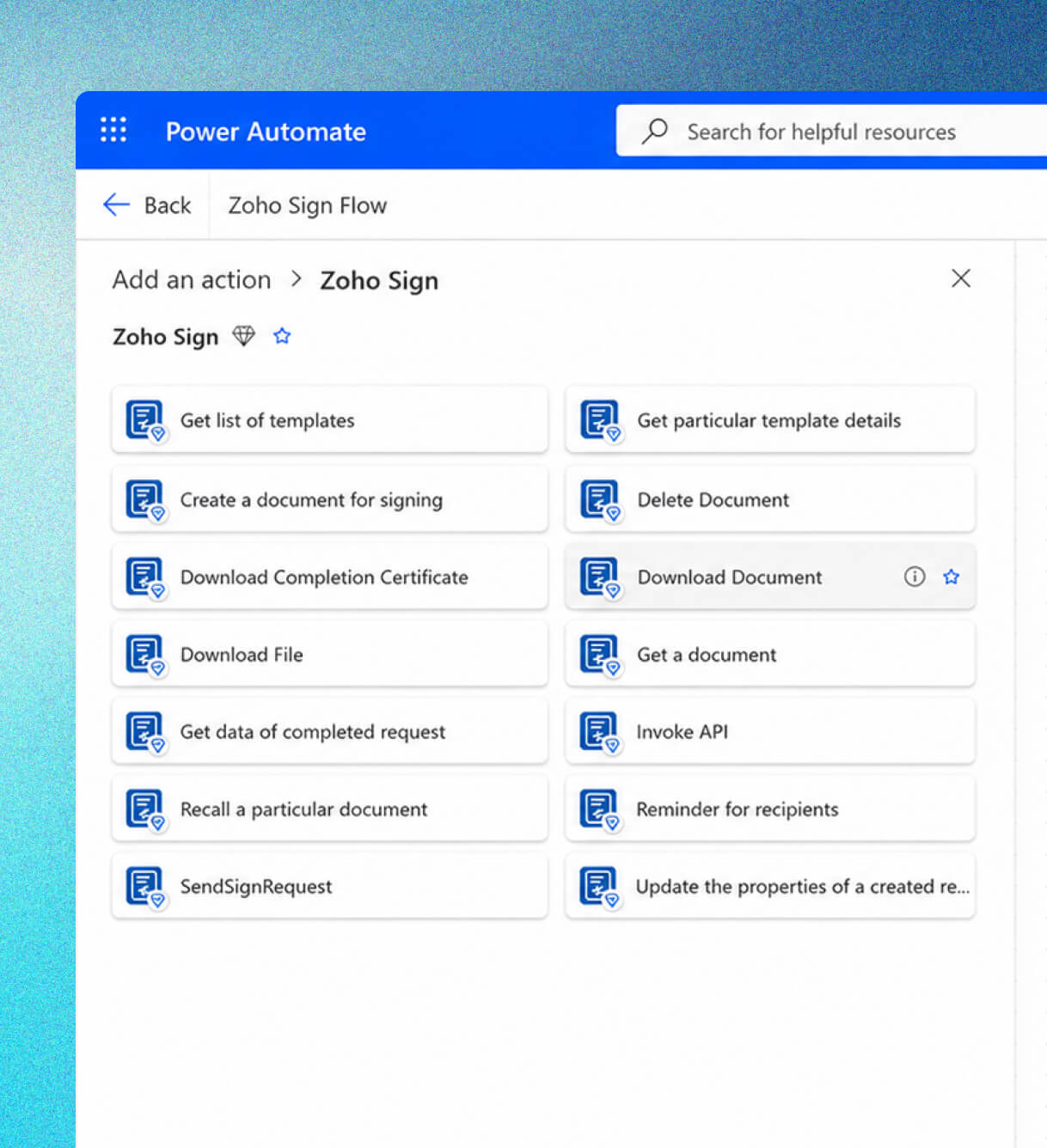
Set signing actions in motion whenever a specific event occurs. Zoho Sign supports a range of actions:
- List available templates
- Get template details
- Create a document for signing
- Delete a document
- Download documents
- Download completion certificates
- Download files
- Fetch documents
- Get request details
- Send signature requests
- Invoke APIs
- Recall documents
- Send reminders
- Update request details
Prompt Copilot for signature workflows
Struggling to repeatedly create and edit workflows? Microsoft Copilot integrates seamlessly within Microsoft Power Automate to generate quick and comprehensive signature workflows with no manual intervention.
Customize workflows without switching apps
Create custom signing workflows with your existing apps by connecting Zoho Sign with them. Once integrated, you no longer have to sign into and switch between apps; your workflows remain automated.
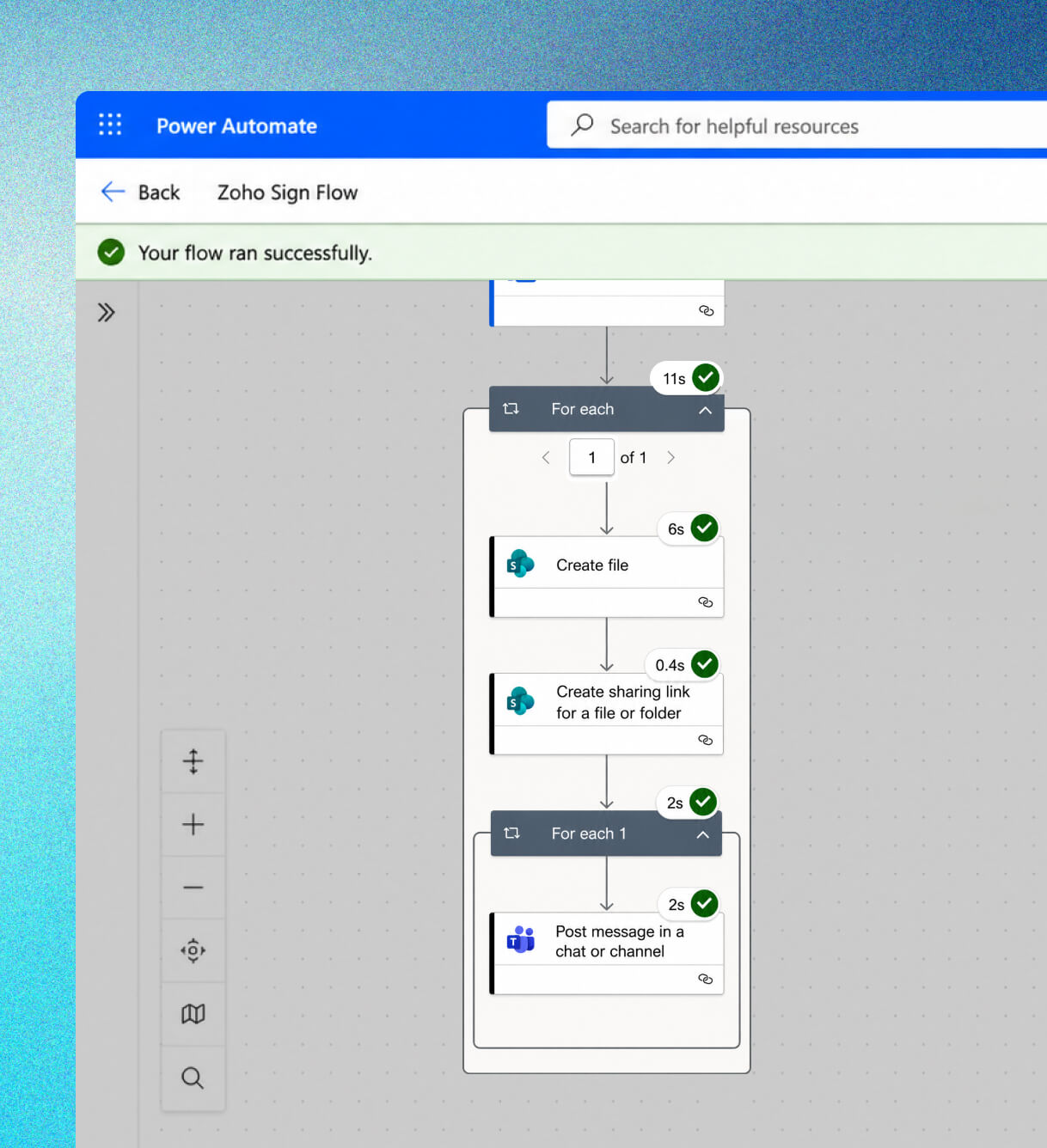
Connect with over 1,000 apps
Microsoft Power Automate offers 1,000+ app connectors that you can mix and match to create workflows that best execute your business processes.
Benefits of using Zoho Sign with Microsoft Power Automate
Automated signature workflows:
Sign, collect, and store agreements at various stages of business through automated workflows.
Seamless integration with Microsoft Copilot:
Prompt Copilot for generating swift workflows in seconds.
Secure digital signatures:
Sign agreements backed with AES-256 encryption and legal admissibility in almost all regions of the world.
Faster turnaround:
Accelerate your agreement management with workflow automation. From automated reminders to signing requests, mitigate manual intervention and wasted work hours with this integration.
Connect and automate your complete agreement management with Zoho Sign + Microsoft Power Automate
FAQs
Zoho Sign is a comprehensive agreement management platform that helps you automate signature workflows end to end. You can sign, collect payments, collaborate and edit agreements, and manage your agreements with AI assistance in Zoho Sign. Zoho Sign is a must-have for organizations looking to automate their contract management lifecycle.
First, ensure that you have valid Zoho Sign and Microsoft Power Automate licenses. Then, click on Create in your Power Automate dashboard. You can start a workflow from scratch (Blank), a Template, or a Connector. Choose Zoho Sign triggers to initiate workflows and build further using Zoho Sign actions.
You can use the SendSignRequest action to automate signature collection.
Zoho Sign integrates with Microsoft Power Automate, Microsoft Copilot, Microsoft Teams, Microsoft OneDrive, Microsoft Outlook, and Office 365.Learn more about these integrations.
Absolutely! Zoho Sign is court admissible in many countries, and it abides by most electronic signature laws worldwide. Find out the legality of Zoho Sign's digital signatures in your country.
Yes, you can connect your business email apps and cloud storage apps like Zoho Mail, Zoho Workdrive, OneDrive, GMail, Outlook, and more with Zoho Sign through Power Automate workflows.