 +
+
Streamline signature collection and agreement management from your Gmail inbox
Plug the Zoho Sign add-on into Gmail for quicker and more organized agreement signing.
Sign Gmail attachments from incoming emails.
Send attachments for signing straight from Gmail.
Track agreement status and view document archives.
Optimize signatures across your Google Workspace with Zoho Sign integrations.
Popular use cases
Sales
- Non-disclosures
- Vendor agreements
- Business deals
Marketing
- Social media engagements
- Onboarding agreements
- Marketing proposals
Finance
- Loan agreements
- Insurance documentation
- Invoices and bills
Healthcare
- Patient lifecycle management
- Medical reports
- Pharmaceutical agreements
Education
- Student intakes
- Administrative processes
- Scholarship affidavits
How does it work?
Integrate Zoho Sign with Gmail as an add-on, and it will appear on the right-hand pane of your Gmail interface. Select any email with an attachment to sign or collect signatures on it. The add-on can be opened at anytime to track signature status or view agreement history.
Resources
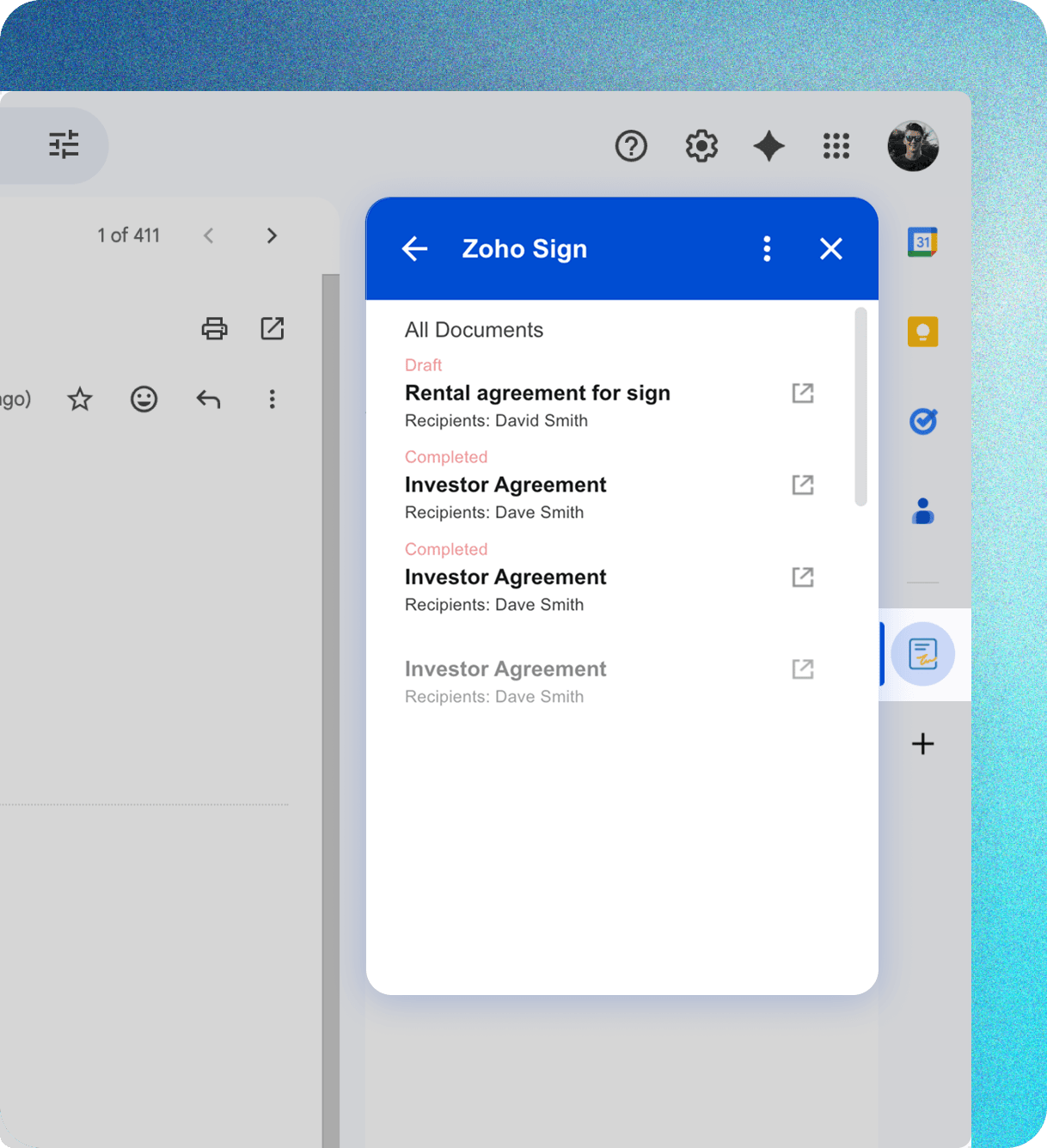
Sign attachments from Gmail
Sign your Gmail attachments through quick upload via the Zoho Sign add-on.
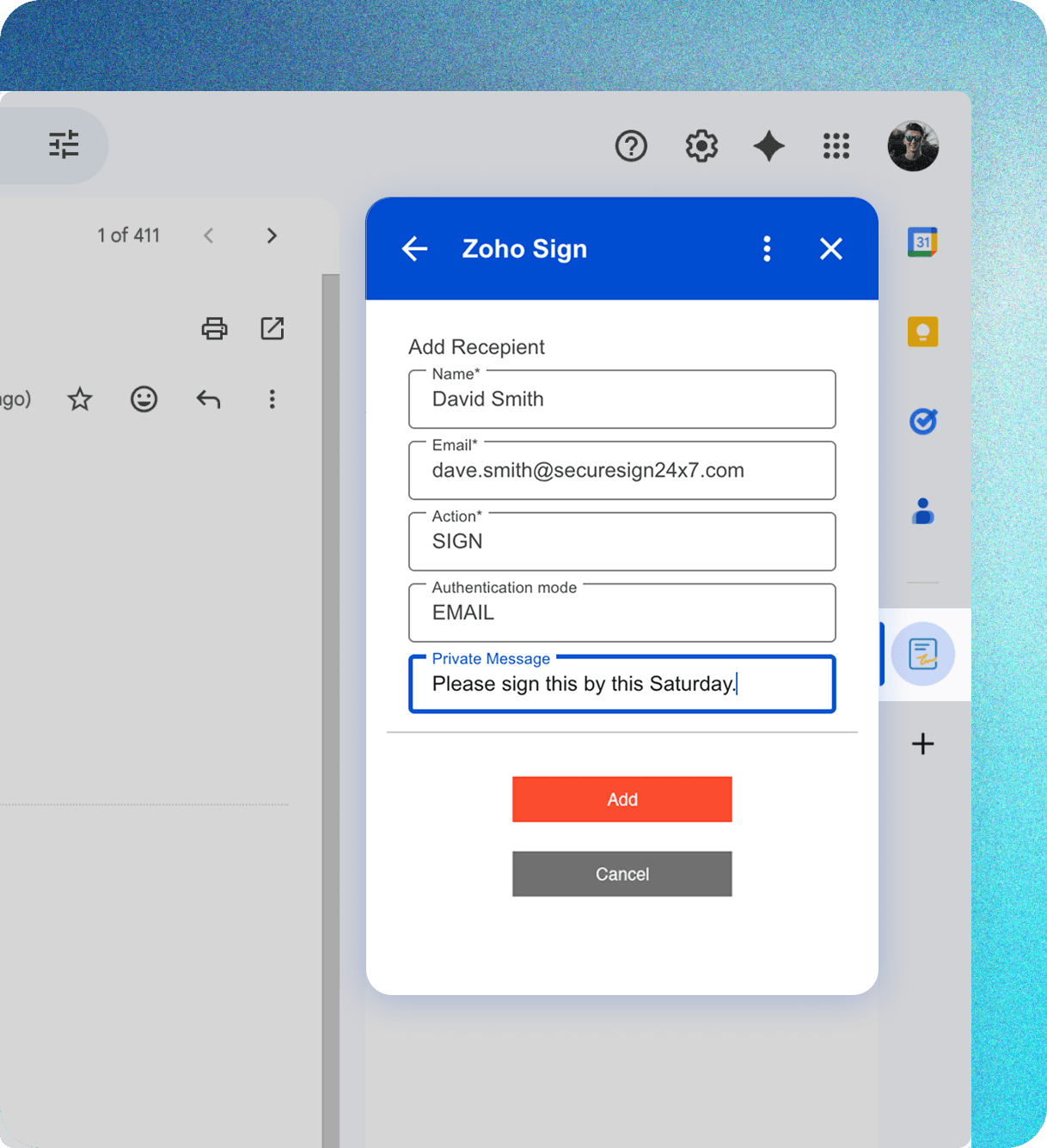
Collect signatures on attachments
Create recipient workflows, set mandatory signer authentication, and include private notes for smooth signature collection on Gmail attachments.
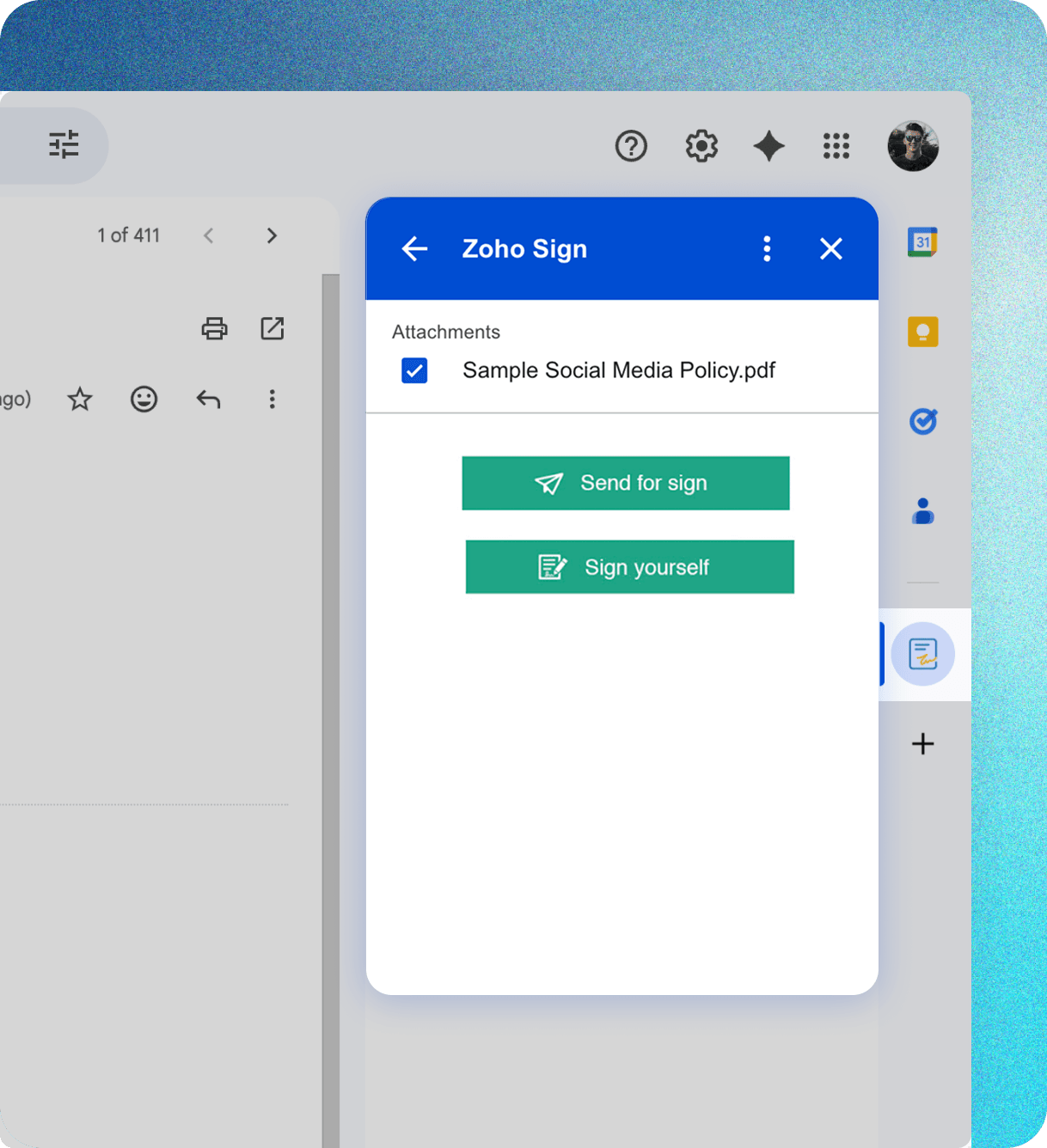
Track agreement status and history
Real-time agreement updates, now on your Gmail screen! Know when your agreements are viewed and signed, check agreement history, and see recipient details straight from the add-on.
Sign seamlessly across Google Workspace
Zoho Sign integrates with Google Workspace, Google Drive (with editing in Google Docs), and Gmail to give you a secure signing experience from the comfort of the Google ecosystem.
Check out our other Google app integrations.




Benefits of Zoho Sign + Gmail
Simplified email signatures
Sign and collect secure signatures on Gmail attachments faster.
Seamless signing, Google-wide
Sign, edit, and store agreements without friction across Google Workspace.
Reduced drop-offs
Minimize drop-offs by cutting the time from sent to signed.
Streamlined agreement management
No more download and upload hassles. Zoho Sign's add-on for Gmail streamlines agreement signing and tracking.
Accelerate agreement turnaround with Zoho Sign + Gmail
FAQs
Zoho Sign is a digital signature and agreement management solution trusted globally for signing and collecting secure digital signatures. Users can collaborate on and edit agreements, manage them with AI assistance, and integrate with third-party apps like Google through native add-ons or via custom integrations built with REST APIs. It's ideal for organizations looking to automate signatures on business email attachments and streamline their contract management lifecycle.
Gmail is a business mailbox provider offered by Google. It makes email transactions, storage, and categorization simple and streamlined for digital businesses.
Click on the Get Add-ons + icon on the right-hand pane in your Gmail account and search for Zoho Sign. Click Install and continue. Select the Gmail account you wish to connect with Zoho Sign and provide the necessary access. You're all set!
Zoho Sign integrates with Google Workspace, Google Drive (with editing in Google Docs), and Gmail. Learn more about the Google integrations.
All paid plans suppo rt the Zoho Sign add-on for Gmail.
Absolutely. Zoho Sign follows PKI technology to ensure secure signatures. Agreements signed with Zoho Sign are also legally recognized in most countries. Find out more about the legality of Zoho Sign in your country.
Yes, you can connect your Google apps with Zoho Sign for a seamless experience. Currently, Zoho Sign supports integrations with Google Workspace, Gmail, and Google Drive; editing is supported for Google Docs stored in Google Drive.
Write to us at support@zohosign.com and we will assist you.