

Zoho Sign + Microsoft SharePoint
Streamline signing workflows with secure, connected document storage
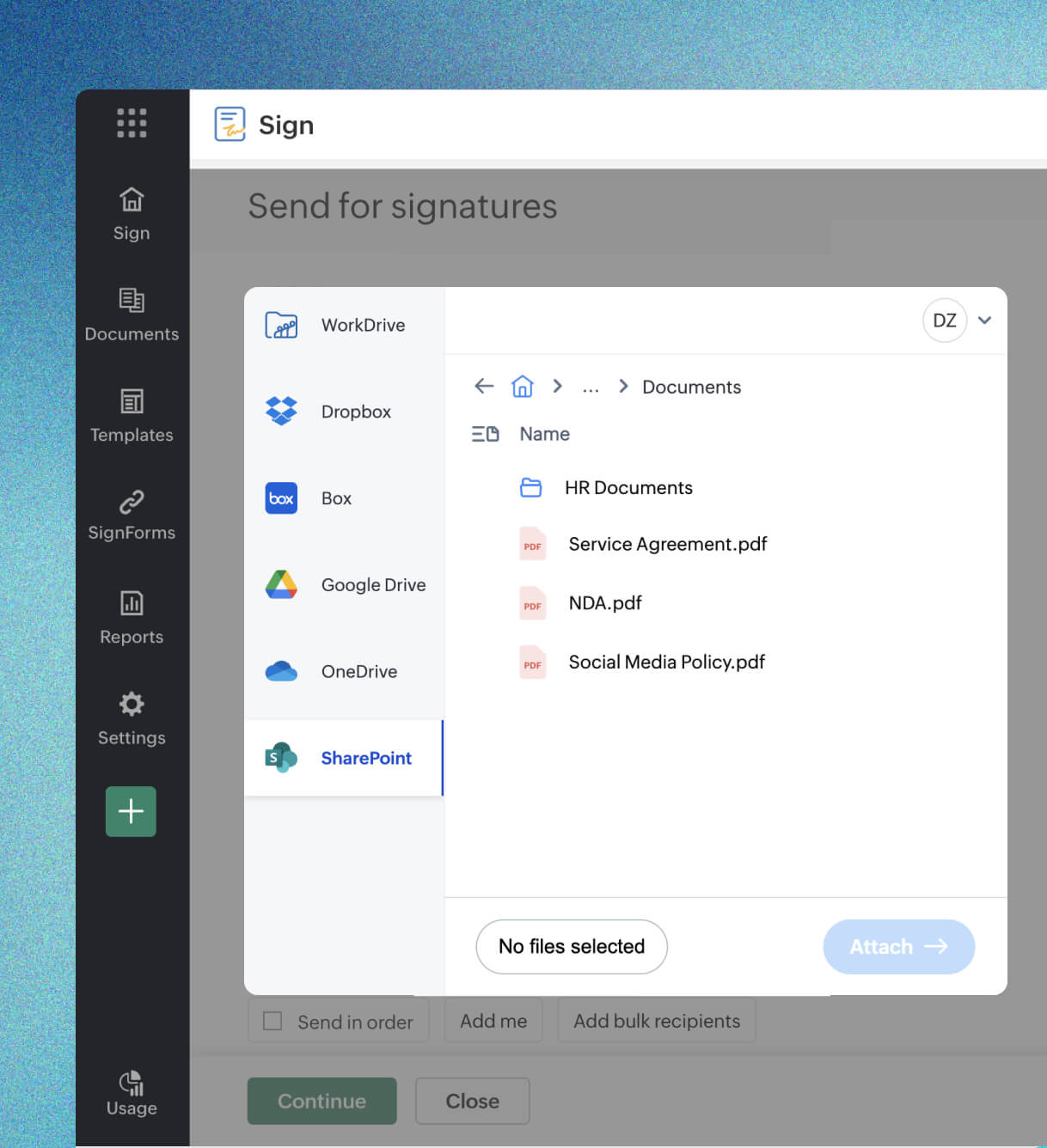
Import files from Microsoft SharePoint
Sign or send documents faster no downloads required.
Browse your SharePoint sites and libraries directly within Zoho Sign when creating a signing request. Select your document, configure the workflow, and send it out, all in one place. There's no need to download or re-upload files. Zoho Sign works on its own copy while keeping your original document in SharePoint unchanged.
Automatic backup to Microsoft SharePoint
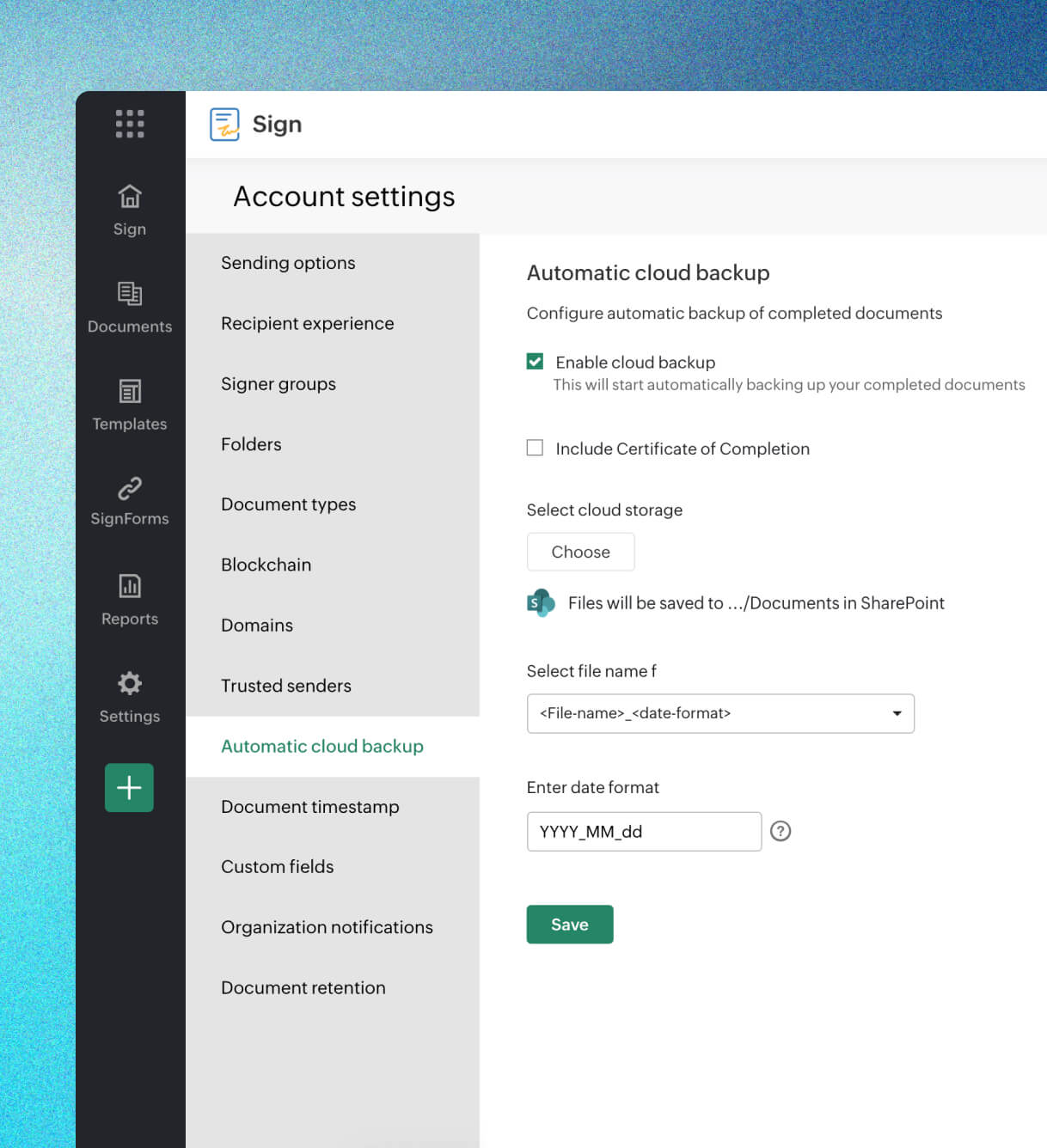
Set it once, stay compliant.
Choose a default SharePoint folder in your settings, and Zoho Sign will automatically save every signed document there. All documents are pushed there automatically, signed copy and completion certificate included, the moment the final signature lands. This is ideal for teams handling a steady stream of agreements or working under strict compliance and data retention policies.
Manual backup to Microsoft SharePoint
Flexible storage for dynamic workflows.
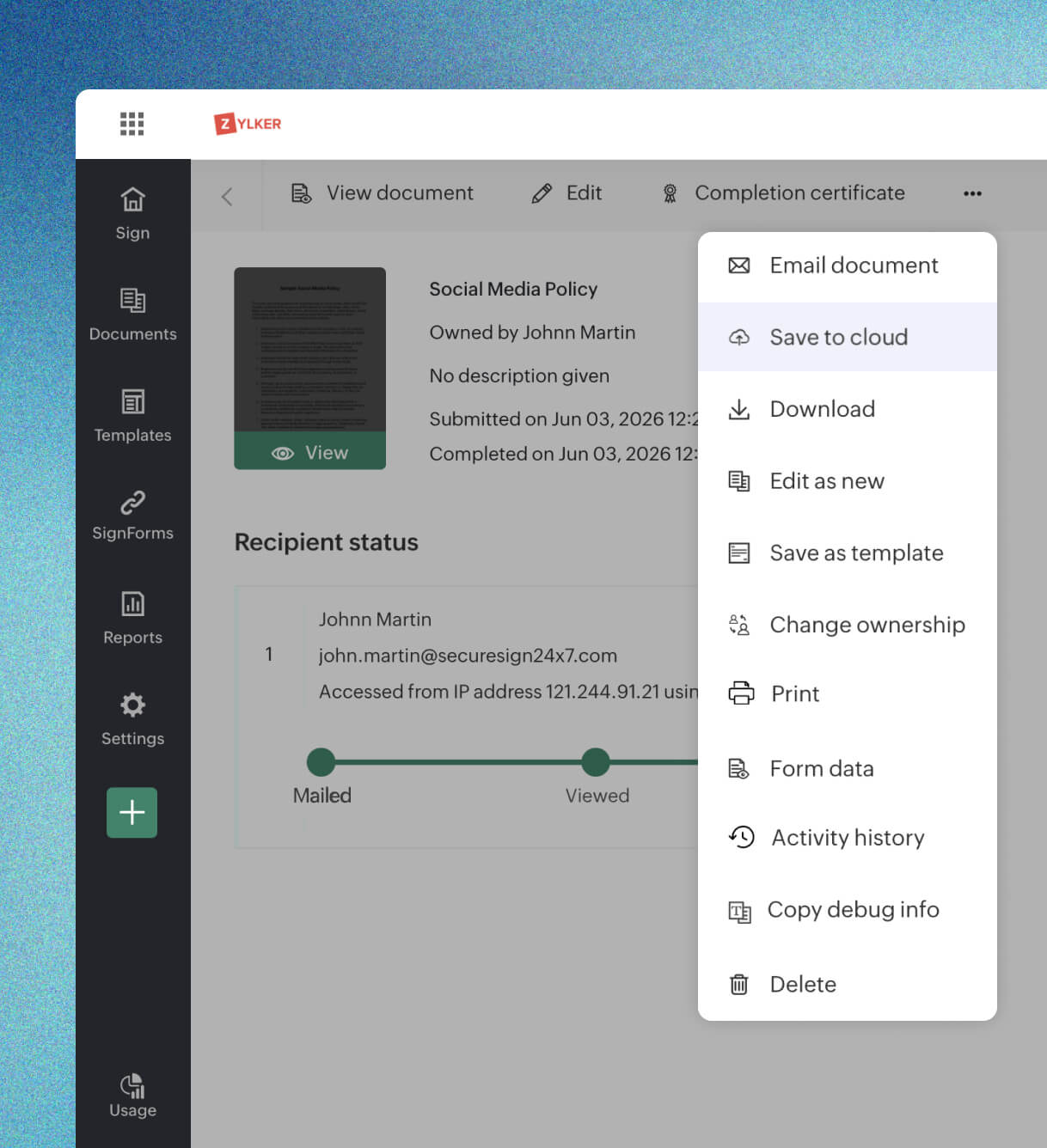
Once the last signature is collected and the document signature process is complete, send the finalized document and its completion certificate to any SharePoint folder you choose. This is perfect when your filing structure varies across documents, or when you want to review before archiving.
Frequently asked questions
If all completed documents go to the same location, automatic backup is the best choice. If the storage location varies by document type or workflow, manual backup offers more flexibility.
Both the final signed document and its completion certificate are saved to SharePoint, so you always have a complete, audit-ready record of every signing.
In your Zoho Sign settings, connect your Microsoft SharePoint account, enable cloud backup, and choose a default SharePoint folder. From then on, every signed document is pushed there automatically once the final signature is collected.
Once a document is fully signed, open it from Zoho Sign and use the save-to-cloud option to send the finalized document and completion certificate to any SharePoint folder you choose.
No. Automatic backup applies to documents completed after the feature is enabled. For documents completed earlier, use manual backup to send them to SharePoint.