


How do I change the print size of my invoice template?

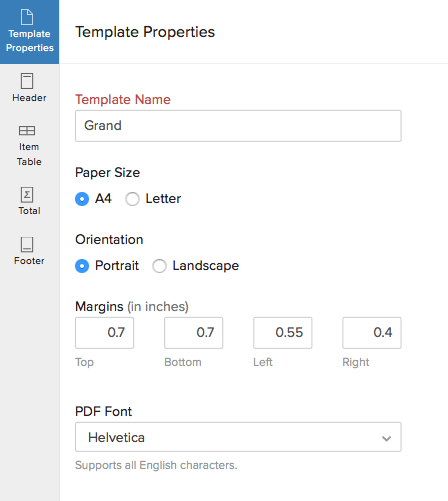
You have an option to choose the size of the paper — that is, you can either choose A4 or Letter. The option of creating a custom margin will also be provided to you wherein you can set the margin as per your requirement. Adjusting the above parameters, you shall be able to fit all your content into one invoice.
Follow the steps to edit the size of a template:
- Click the Settings icon on the top right corner and select Templates.
- This will take you to the Templates section.
- Now hover the cursor over a template and select the Edit button present on the templates.
- Edit the size of the of invoice template in the Template Properties section and click Save.
 Yes
Yes