


How do I display a custom field from my contact’s info on the invoice?

Let’s take an example where you are adding a custom field named ‘VAT#’ to one of your client’s contact info, and you want that to be displayed on the invoice. To do so, follow the below mentioned steps:
Enabling Custom Fields in The Address Format (From Contacts)
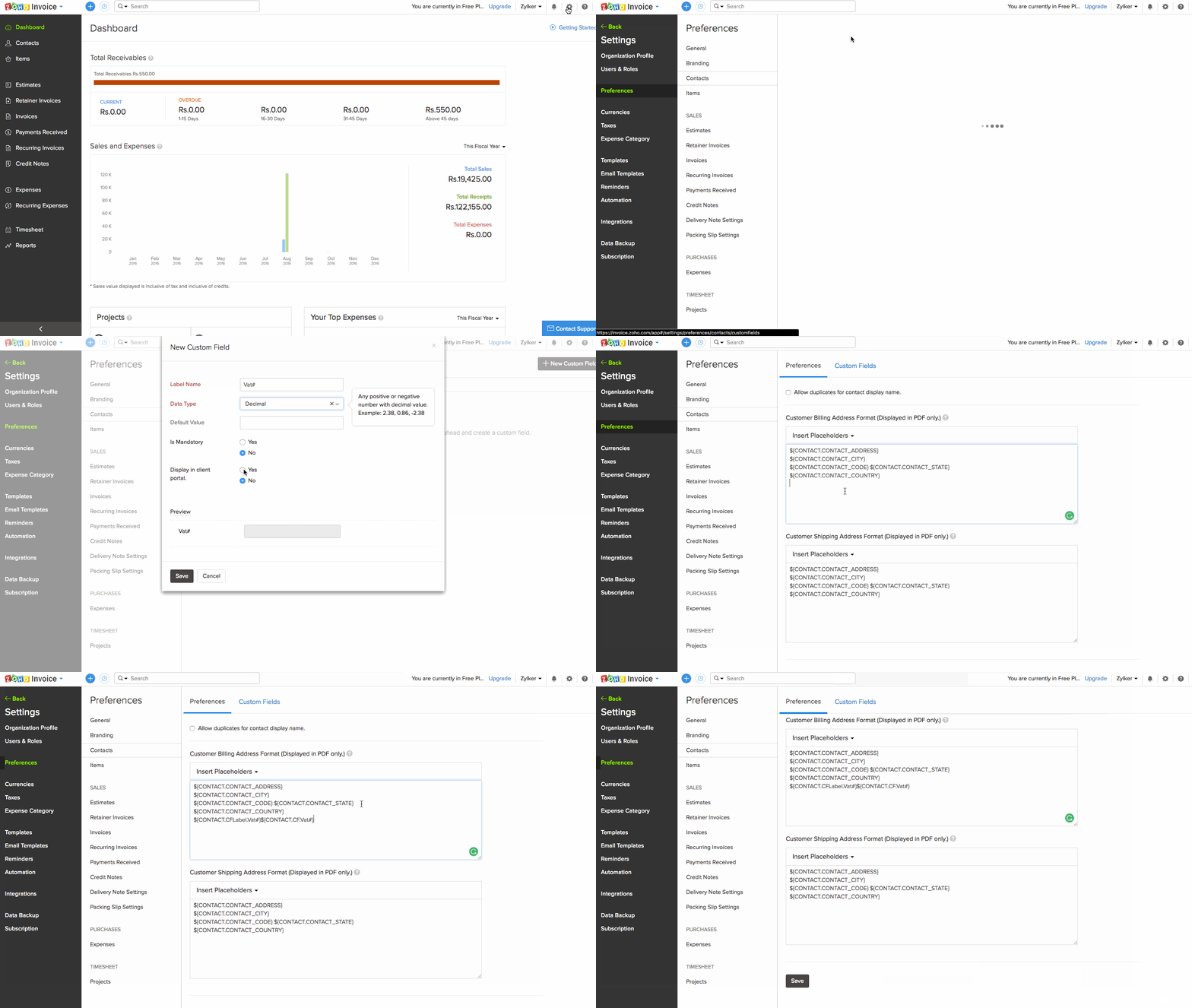
- Go to Settings > Preferences > Customers and enter ‘VAT #’ to the custom fields.
- Click ‘Insert Placeholders’ under the Customer Address Format section and select ‘Custom Field Label 1 (VAT #)’ and ‘Custom Field Value 1 (VAT #)’
- click ‘Save’.
This should make the VAT# field appear in your invoices.
 Yes
Yes