Products and services

List products and services clearly on your profile to help customers evaluate offerings before contacting you.

Overview

Products and services help businesses showcase what they offer. These features enhance your profile’s appeal, improve search visibility, and can influence potential customers’ decisions.

Here’s a comprehensive guide on what these features are, why you should use them, and how to add and manage them effectively.
What are GBP products and why use them?

Businesses can showcase their products with images, descriptions, and categories directly on their GBP. This feature is especially useful for retail, ecommerce, and businesses with tangible inventory.

  • Visibility: Products are shown prominently on both mobile and desktop versions of your business profile. On desktops, they appear near the top of the profile, often just below events.
  • Customer interaction: Each product can link to a specific page on your website, encouraging direct traffic and potential sales.
  • Who can use it: Access depends on your primary business category. Some categories like hotels, alcohol, guns, cannabis, gambling, and adult entertainment are excluded. If you don’t see the option but competitors do, it could be a bug or category mismatch.

How to add products in GBP

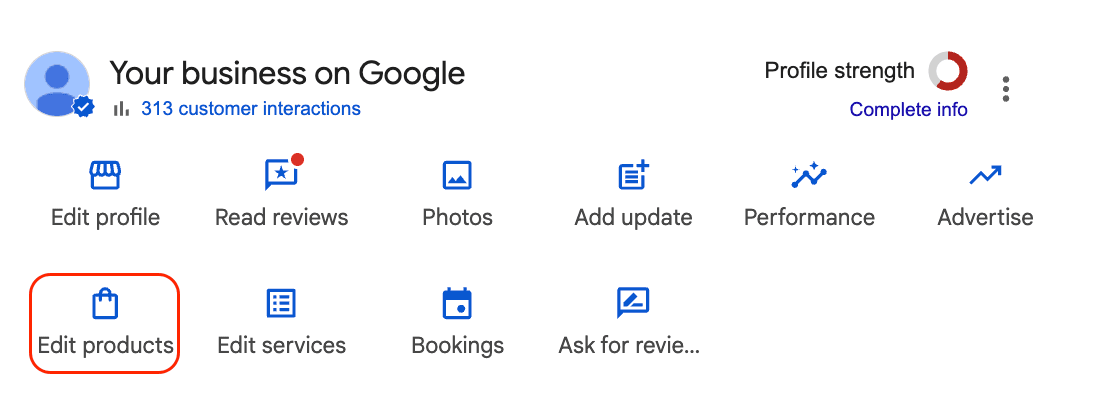
  1. Access the Edit Products tab in your GBP dashboard on the desktop or mobile app.
    Video verification
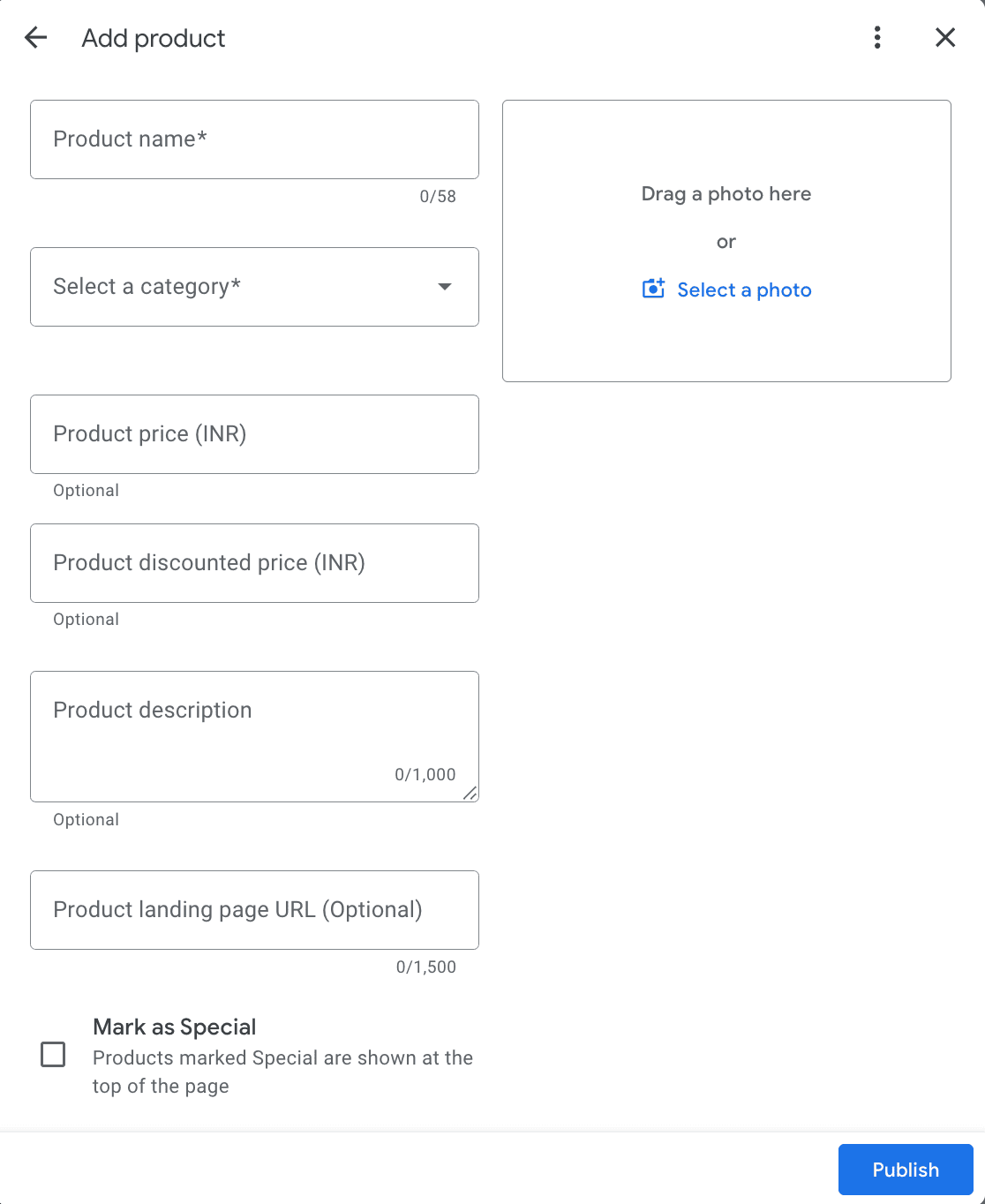
  2. Click Add product and fill in the required details.
    • a.Image: Recommended size 1,200 x 900 pixels (GIFs are allowed and can be eye-catching).
    • b.Product name: Up to 58 characters.
    • c.Category: Choose an existing category or create a new one.
    • d.Description: Up to 1,000 characters, use engaging copy to encourage clicks.
    • e.Link: Add a URL to the product page on your website.
    Video verification
  3. Organize products into categories based on your preference.
  4. Save and publish your products by clicking Publish.
Tip: Plan your product listings in advance, keep them updated, and focus on “evergreen” products that don’t frequently go out of stock or change URLs.

Managing and measuring products

Product order is based on the most recently added or updated items; editing a product can move it to the top of the list.

GBP Insights shows website visits but does not specify which part of the profile generated the click. Use UTM parameters on product URLs and monitor Google Analytics campaigns to track traffic and conversions from your GBP products.

What are Services and why should you use them?

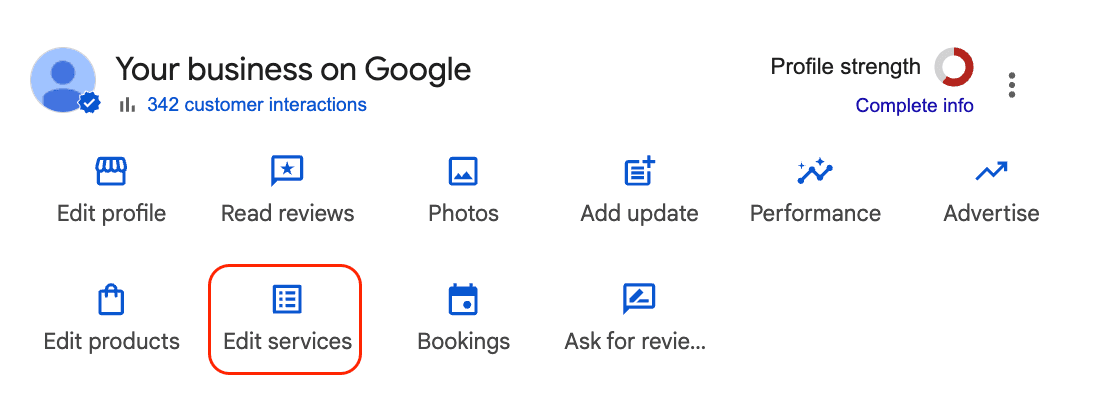
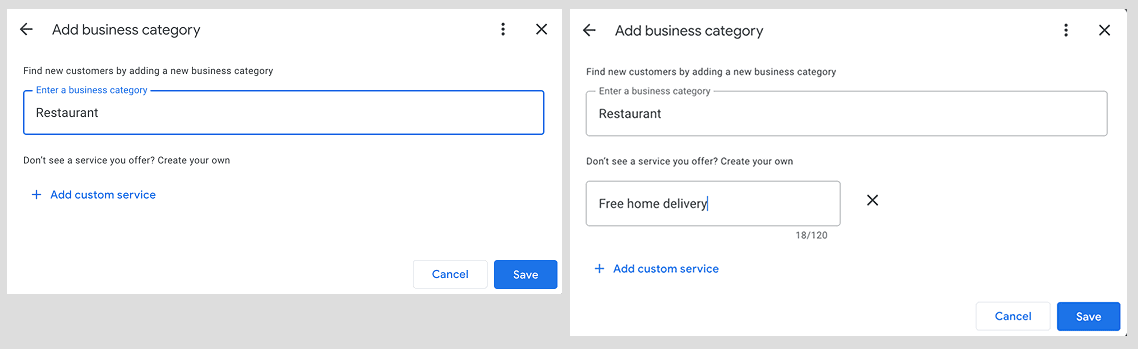
Services allow businesses to list the specific services they provide with descriptions, organized under relevant categories. This helps potential customers understand exactly what you offer when they find your business on Google Search or Maps.

  • Visibility: Services primarily appear on mobile devices under a dedicated Services tab in your business profile. They can also contribute to “justifications” in local search results, where Google highlights relevant services to show why your business matches a search query.
  • Business entity signal: Adding your services feeds Google detailed, structured information about your business, helping it understand your offerings and potentially boosting your local SEO.
  • Who can use it: Not all businesses have access to the Services feature; it depends on your business category and Google’s interface updates. You’ll find the Services option in your GBP dashboard if it's available.

How to add services

  • Log in to Google Business Profile Manager on your desktop.
  • Navigate to the Services section, usually found under the Info tab or directly in the menu.
    Video verification
  • Services may be grouped by Google’s predefined categories or in custom sections depending on your dashboard version.
  • Add your services by selecting a category and entering a clear, concise description.
    Video verification
  • Review and remove any auto-populated or irrelevant services Google may have added from your website.
  • Click Save to save your changes.
Tip: Regularly check and update your services to ensure accuracy, as Google sometimes auto-populates this section with outdated or incorrect information.

Limitations and considerations for services

  • Services do not currently appear on desktop search profiles.
  • You cannot add links to your website in service descriptions.
  • Measuring the direct impact of services is difficult since GBP Insights does not provide specific data on service views or clicks.
  • For businesses with many locations, services can be managed via the Google Business Profile API, allowing bulk updates.

Comparing products and services

FeatureProductsServices
VisibilityMobile and desktopMobile only
Website linksYes, direct links to product pagesNo links available
CategoriesCustomizable categoriesOften predefined by Google
Impact measurementTrackable via UTM parameters and Google AnalyticsLimited; no direct measurement tools
Best for Retail, ecommerce, businesses selling tangible itemsService-based businesses (e.g., salons, plumbers)

Why use both?

If your business offers both products and services, adding both to your GBP maximizes your visibility and appeal. Products tend to have stronger direct conversion potential due to clickable links, while services help Google better understand your business and can enhance local search relevance.

Adding and optimizing your GBP’s Products and Services features is a straightforward yet impactful way to stand out in local search results and attract more customers. Whether you run a small local shop or a multi-location service business, these tools offer valuable opportunities to showcase what makes your business unique.