Business information

Discover what business details matter most and how accuracy impacts customer trust and local search rankings.

Overview

Now it's time to include relevant information to really get started with your Google Business Profile.

Start by filling out as many details as possible. If done right, this can be one of the best ways to imprint your business in a potential customer's mind. By spending a few minutes editing your Business Profile, you can give customers a clear-cut idea of what your business is all about.
Where to edit

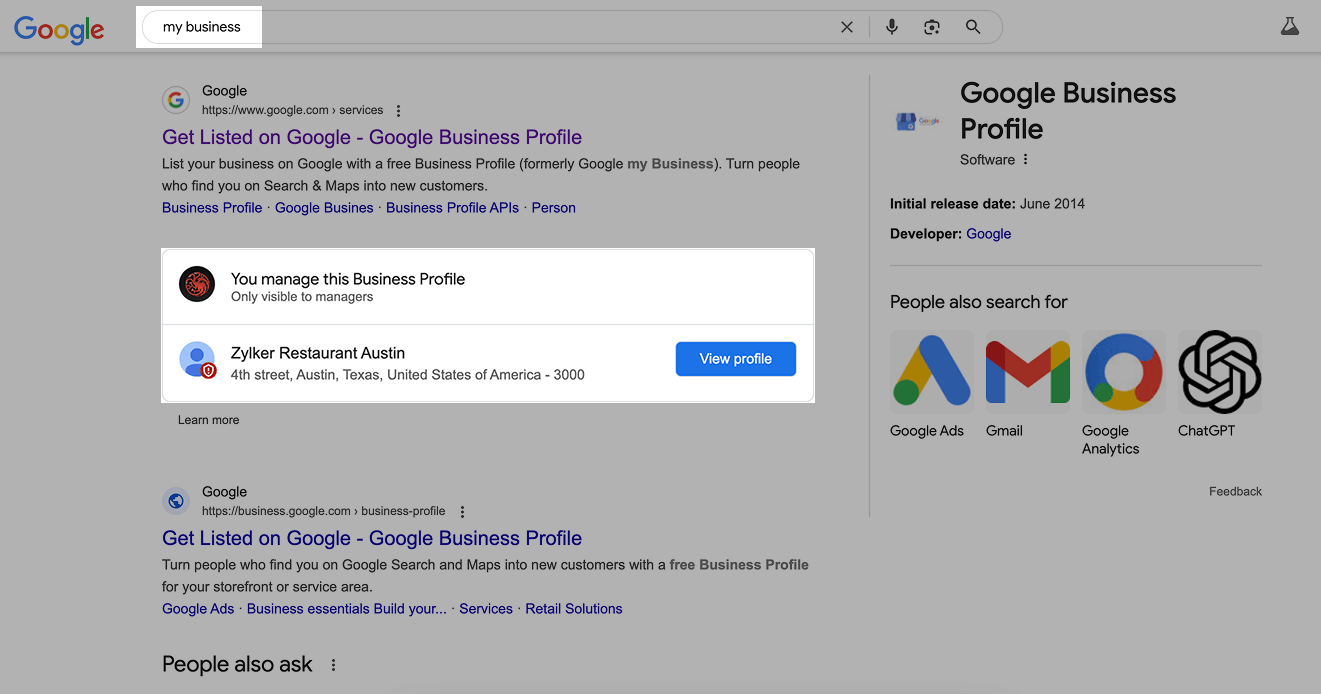
With the same Google account you created the Business Profile, search "my business" on search. The businesses you manage will appear. Click 'View Profile.'

Video verification

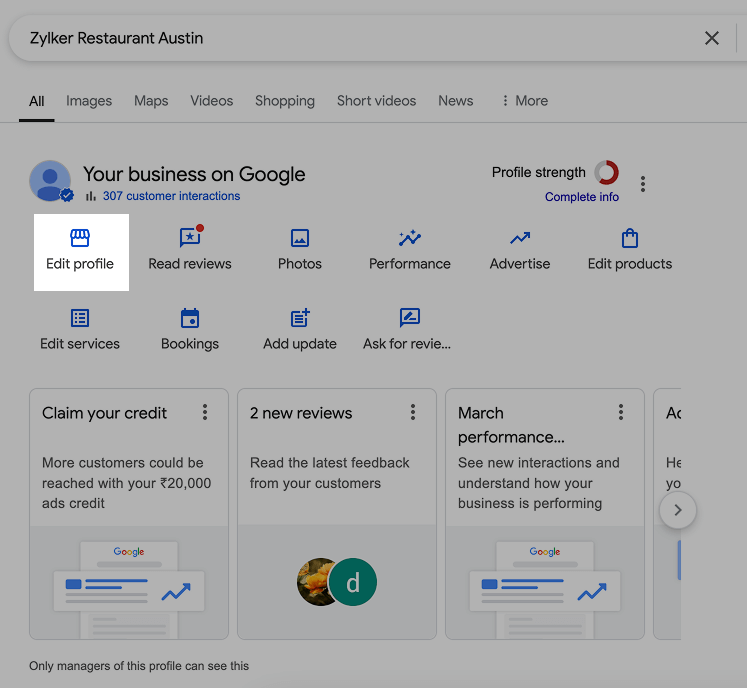
Click Edit profile to edit your business information.

Video verification

What to edit

Your GBP will be the first point of contact with customers. Keeping it updated with the latest information isn't a good-to-have, it's a must-have and a critical component of your online strategy.

Utilize everything to give potential customers all possible information.

Business category

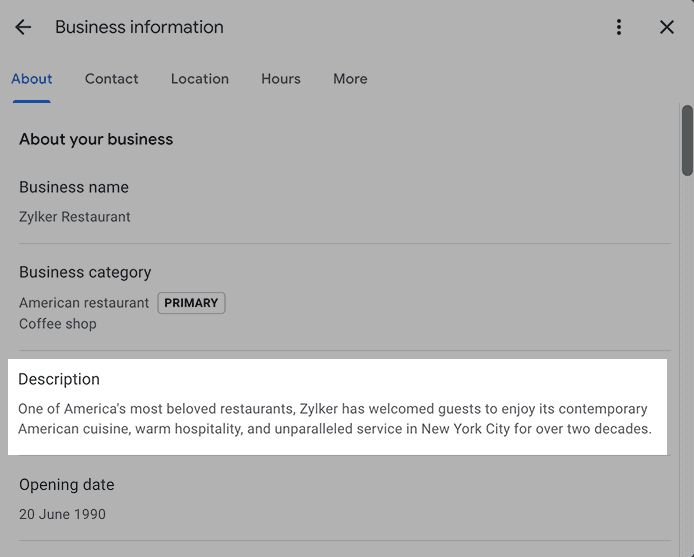
Now, select a primary category that best describes the core product or service your business offers. In other words, think about the one or two words you'll use when explaining what your business is all about. Choosing the right category improves your local ranking.
Be as specific as possible. For example, if you own a restaurant specializing in seafood, go for "Seafood restaurant" instead of "Restaurant."

In addition, add secondary categories that describe your business as a whole. Avoid choosing too many categories as it may not convey what exactly you do or will dilute the core offering.

Important

  • Attributes may vary based on the business category. You might see links for online orders, reservations, or appointments.
  • Be cautious when updating core details like your business's name, category, address, phone number, or website. Certain changes may trigger Google to flag or suspend your profile, requiring re-verification.

Business description

You can utilize this space to explain your business in more detail. Express the whys, hows, and whats; and include the history, nature, and mission of the business to give potential customers a more complete idea of what your business is about. There is a 750-character limit for this description.

Video verification

What not to do

  • Stuffing the description with keywords
  • Adding website or social media links
  • Mentioning special discounts or offers
  • Poor formatting, such as using all caps, misspellings, or extra spacing
  • Check Google’s prohibited and restricted content guidelines to learn more about what to avoid

Opening date

Adding an opening date will be helpful to add a hint of trust; a note of "__ Years in Business" will be displayed when your profile is being viewed on Google's Local Pack.

Phone numbers

You can add one primary phone number and up to two additional ones. Only mobile and landline numbers are allowed; fax numbers cannot be added. Phone calls are the go-to method of many people to connect with businesses, so make sure you don't miss out on this.

If needed, you can hide the phone number through the Advanced Settings.

Chat

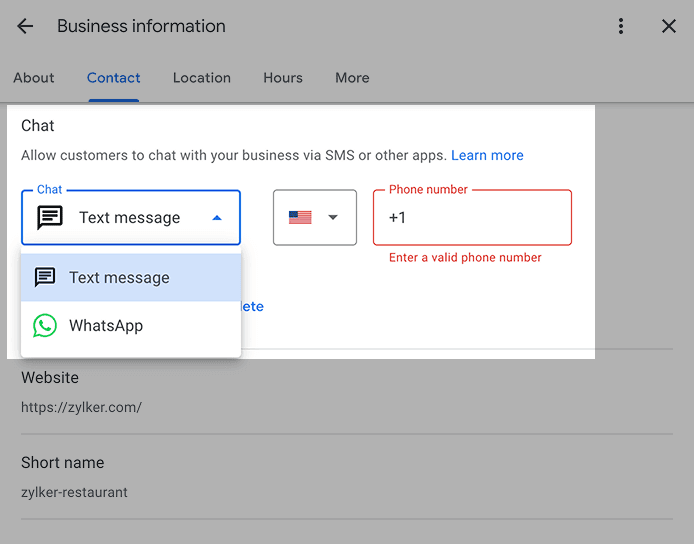
Enter a phone number and WhatsApp click-to-chat link to engage with customers by text message and directly on WhatsApp.

Video verification

If you're unfamiliar with WhatsApp's click-to-chat link, use https://wa.me/<number>, replacing <number> with the full phone number in international format. Do not include any zeroes, brackets, or dashes—just the country code followed by the phone number.

Website

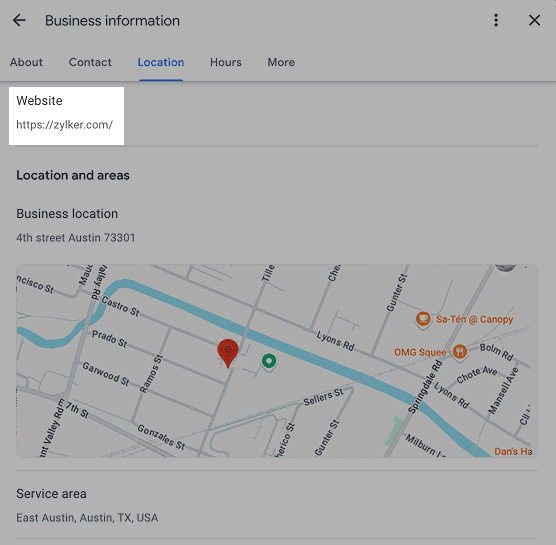
This can be a doorway for customers to learn who you are, what you represent, and what you stand for, increasing the chances of customers buying from you. If you're operating in multiple locations, link the landing page of each location as a best practice. Include the top keywords and talk about the primary category a bit to positively impact your Local Pack ranking.

Video verification

If you're unfamiliar with WhatsApp's click-to-chat link, use https://wa.me/<number>, replacing <number> with the full phone number in international format. Do not include any zeroes, brackets, or dashes—just the country code followed by the phone number.

Website

This can be a doorway for customers to learn who you are, what you represent, and what you stand for, increasing the chances of customers buying from you. If you're operating in multiple locations, link the landing page of each location as a best practice. Include the top keywords and talk about the primary category a bit to positively impact your Local Pack ranking.

Video verification

Location and areas Physical businesses

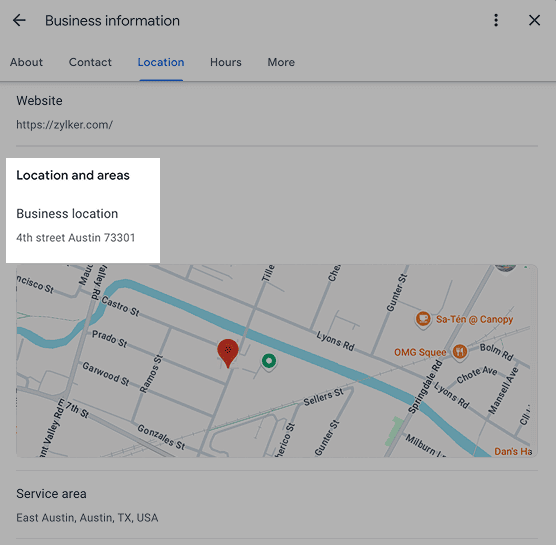
Use your real business address—no PO boxes or virtual offices. Suite numbers and floors are fine, but make sure your location has clear signage. If you're in a co-working space, it must have your business name displayed, be staffed, and open to customers during business hours.

Video verification

Service-area businesses

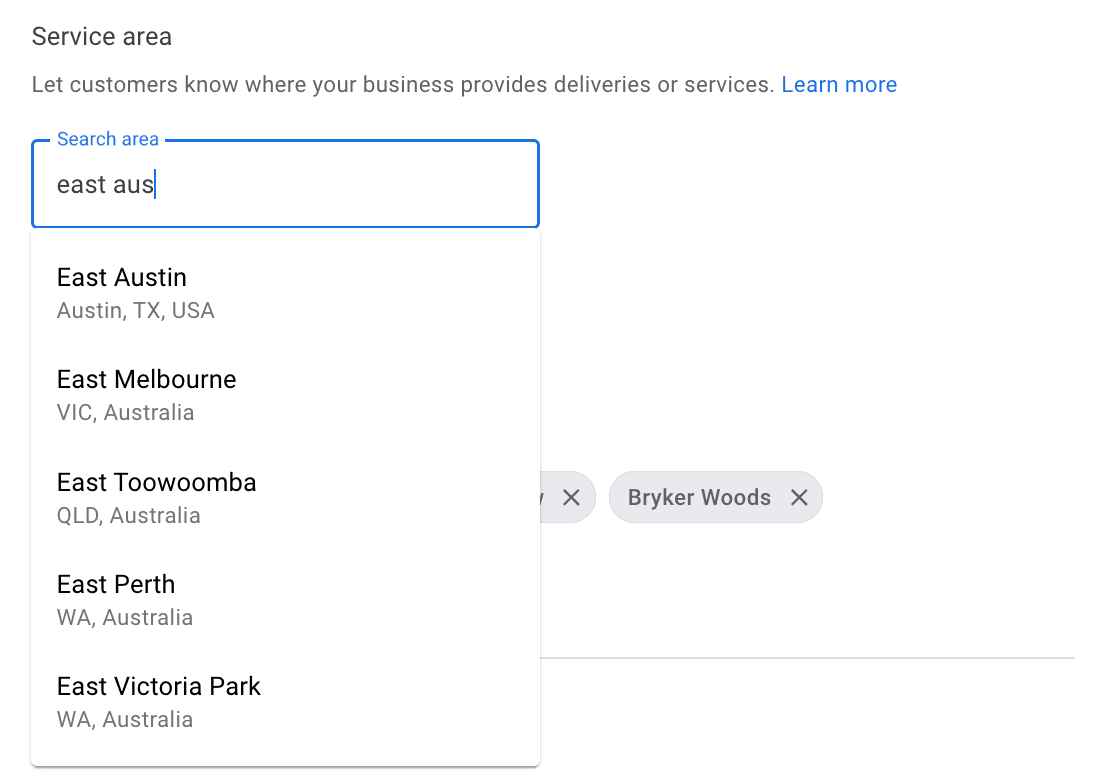
If you go to customers instead of having a storefront, set up one profile for your main office and add a service area. Virtual offices don’t count unless staffed. If you’ve got multiple locations, each needs its own team. Keep your service area reasonable—usually within a two-hour drive.

Video verification

Opening hours

Setting your business hours accurately on Google isn’t just a small detail—it’s a must if you want customers to find and trust you. Nobody likes showing up to a closed store after checking the hours online.

Video verification
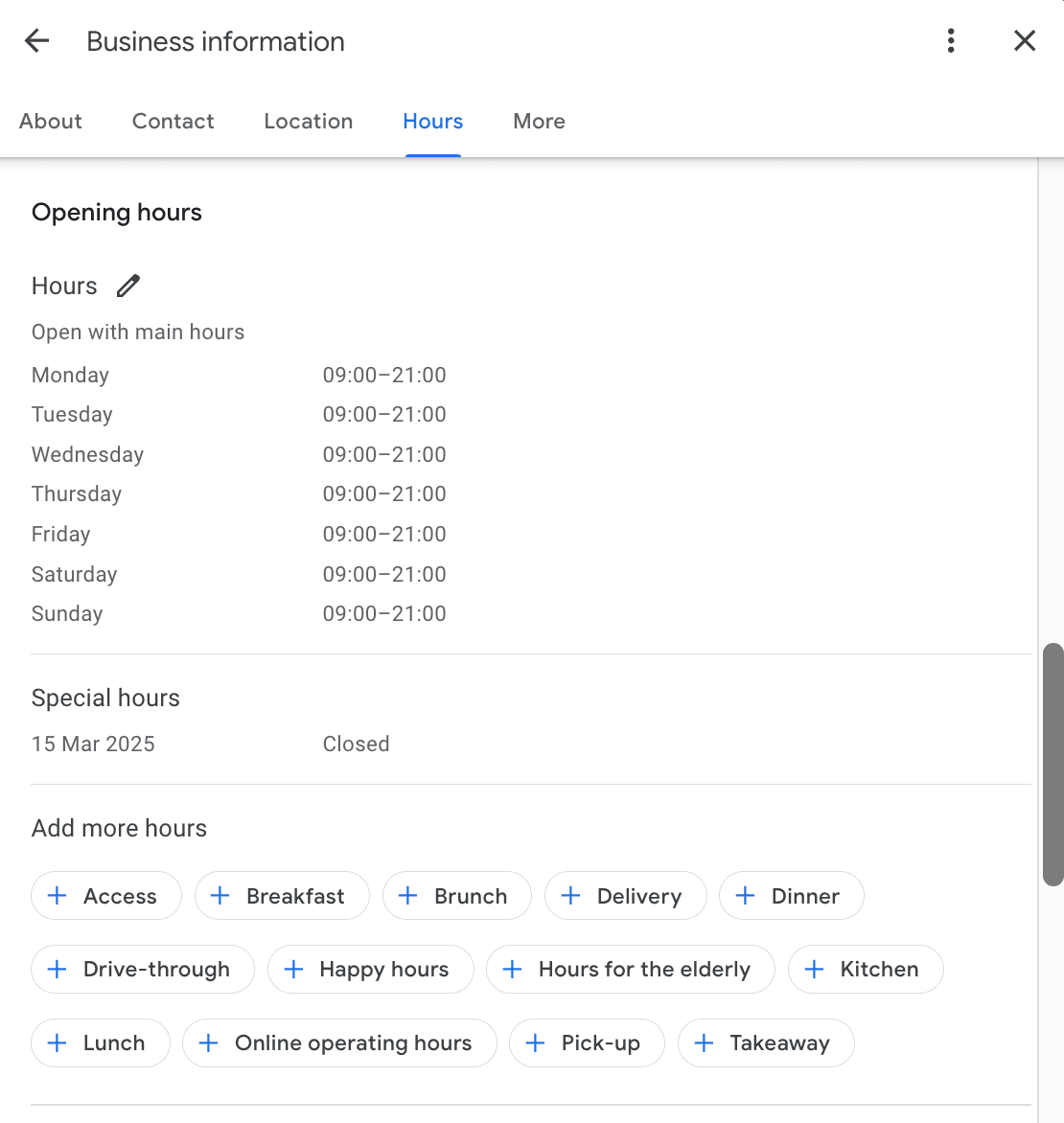
  • Regular hours: These are your standard business hours. Set them up properly so customers always know when they can visit.
  • Special hours: Use this feature for holidays, events, or one-off changes. Whether it’s a public holiday or a team outing, updating these in advance saves customers frustration.

Accurate hours mean fewer disappointed customers and more trust in your business. If you’re open late for special occasions—like a toy store extending hours before Christmas—update your profile so customers know.

Attributes

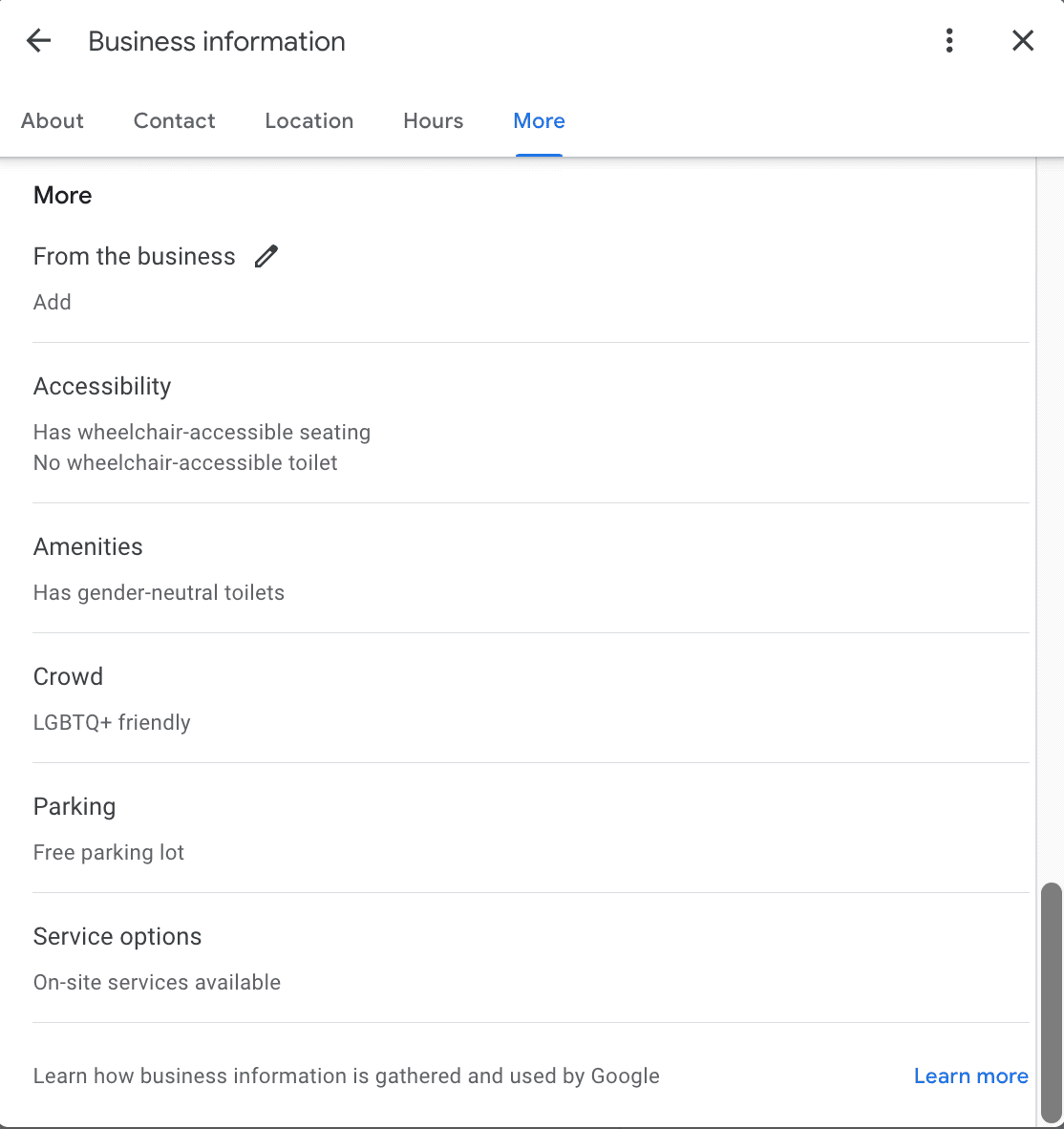
Attributes are a great way to highlight what makes your business unique. Whether it’s free Wi-Fi, outdoor seating, or wheelchair accessibility, these details help customers know what to expect before they visit.

Video verification

Google automatically suggests relevant attributes based on your business type, but you can customize them. Adding attributes like payment options, accessibility features, or health and safety measures makes your listing more informative and customer-friendly.