

How to choose the best accounting practice management software
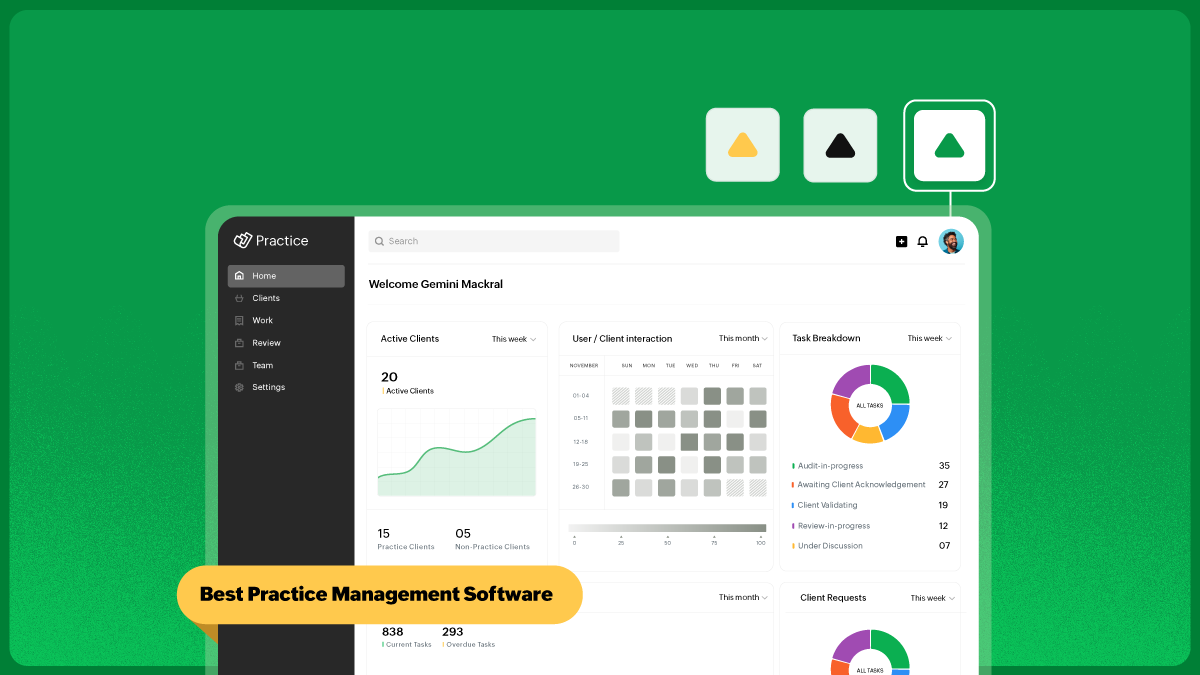
Most CA firms do not go looking for practice management software because they suddenly become interested in software. They start looking because the practice begins to feel heavier than it should.
Work is moving, but not cleanly. Deadlines are being met, but with too much chasing. Client communication is happening, but not in a way that gives anyone a full view of what is still pending. The firm is functioning, but too much of that function depends on memory, follow-up, and people knowing how things “usually” work.
That is usually the real trigger.
So the decision is not really about buying software. It is about deciding what kind of operating structure the firm wants next.
First, be clear about what the software is supposed to fix
Before comparing tools, it helps to answer one question honestly: What is making the practice harder to run right now?
For some firms, the answer is deadlines. For others, it is document collection. Some firms are doing the work but struggling to track status. Others have visibility on work but not on time and billing.
If that part is not clear, software selection becomes guesswork.
A firm that struggles with internal task movement should not buy software the same way a firm whose biggest issue is client communication does. And a firm that is losing time at the billing stage needs something different from a firm that already bills well but has poor control over document flow.
That is the first filter. Not features. Not pricing. Not demos. It's defining the actual point of friction inside the firm.
What the software should simplify
If the software is a good fit, daily work should feel more settled, not more complicated.
A CA practice management system should usually improve these areas:
Client visibility to know what work is open, pending, or complete.
Task control to see who owns what and what is due next.
Document flow to receive, store, and locate client records easily.
Team coordination to reduce internal follow-up.
Billing and effort tracking to record time and fees closer to the work.
Client communication to decrease the amount of work lost in email threads.
If a system looks strong but does not improve at least a few of these in a meaningful way, it is probably not solving the right problem.
Can the whole firm see the same thing?
A surprising amount of practice inefficiency comes from everyone working with slightly different information.
The partner has one view of the client.
The manager has another.
The junior member knows part of the status.
The client is waiting for an update no one realized they were expecting.
This is where practice management software starts to matter.
The best systems create a shared picture of the work—Not just a task list—a full operating view of client details, open assignments, files, pending items, deadlines, responsibility, and communication history.
That is one of the main reasons firms move toward platforms like Zoho Practice. The benefit is not just that work gets tracked. It is that client work, internal work, and communication sit in one place instead of being spread across disconnected tools.
If the workflow is inconsistent, software should streamline it
A lot of CA firms do not have a workload problem. They have a repeatability problem.
The same kind of work is handled differently each time. One team member follows a checklist. Another works from habit. Someone remembers to send a reminder; someone else forgets. Documents get requested twice. Reviews happen late because nobody saw a step had been missed.
Software cannot fix weak processes on its own, but it can make good processes easier to repeat.
That is why workflow matters more than many firms expect. Recurring assignments, review stages, handoffs, and deadline tracking should not have to be rebuilt from scratch every cycle.
A good system gives the firm some rhythm. It should help the team know:
What starts the job
What happens next
What is waiting on the client
What is waiting on internal review
What is ready to close or bill
If that structure becomes clearer after implementation, the software is doing something useful.
The client side matters just as much as the internal side
A lot of firms choose software with the internal team in mind and only later realize that the real slowdown sits with clients. Documents come late. Clarifications get buried in email. Approvals are slow. The team asks for the same thing twice because no one can tell whether it was already received.
This is where client collaboration becomes more important than people first assume.
For an accounting firm, client-facing features are not just “extras.” They shape how much friction the practice carries every day.
A useful system should make it easier to:
Request information from clients.
Receive documents.
Keep client responses attached to the relevant job.
Reduce unnecessary back-and-forth.
That is part of why Zoho Practice makes sense as a CA-focused platform. It is not just a task tool sitting behind the scenes. It also supports the part of the workflow where clients are involved, which is often where the delays begin.
Documents should not feel separate from the work
This is a bigger issue than many firms admit. In a lot of practices, the work and the documents still live as two separate realities. The task is tracked in one place. The file is somewhere else. The latest version may be in an email. The signed copy may be in a shared drive. The supporting note may be in a chat.
That setup creates drag everywhere.
A better system pulls documents closer to the actual work. When files, notes, and communication sit next to the assignment they belong to, the firm spends less time looking for context and more time moving work forward.
This is not a glamorous feature but, in real firms, it is one of the things people feel the quickest once it improves.
Billing should not sit too far away from delivery
A lot of firms know exactly how busy they are, but not always how clearly that work is translating into fees.
That usually happens when time tracking, task management, and invoicing live too far apart. The work gets done, but the commercial side of it is reconstructed later.
That is why it helps when practice management software can bring these pieces closer together.
A good setup should make it easier to connect the:
Work that was done
Time or effort behind it
Fee that is owed
This does not mean every firm has to run on strict timesheets. However, it does mean software should make billing feel like a natural continuation of the work instead of a separate cleanup exercise.
That is another place where Zoho Practice is practical. It gives firms a way to bring time, work, and billing into the same operational flow rather than treating them as separate systems.
Integration matters more as the firm grows
At the beginning, firms can tolerate more manual movement between tools. As the practice grows, that starts to hurt.
Data gets duplicated. Reports need to be checked twice. Staff spend time updating one system based on another. The process may still work, but it becomes more fragile and slower.
That is why integration is not just a technical detail. It affects how much extra admin the firm carries.
If a CA firm already uses bookkeeping, payroll, CRM, or finance tools from the same ecosystem, the practice management decision should take that into account. Zoho Practice has a natural advantage for firms already working in the wider Zoho environment because it reduces the need to bridge systems manually.
The point is not that every firm needs the same setup. The point is that the software should fit the way the firm already operates, or wants to operate moving forward.
A final evaluation before you choose
Before deciding, it helps to ask a few plain questions.
If we move into this system:
Will the team actually use it every day?
Will it reduce internal follow-up?
Will it make client communication easier to track?
Will it bring documents and work closer together?
Will it make billing and status visibility clearer?
Will it still make sense when the firm grows?
If the answer to most of those is uncertain, the software may look good in a demo but still be the wrong fit. If the answer is yes, then you might be honing in on the right choice.
The best choice usually feels quieter than expected
Most firms expect the right software choice to feel dramatic. Usually it does not. Usually it feels quieter than that:
The team stops asking where things stand.
Client work becomes easier to follow.
Files are easier to locate.
Billing feels less disconnected.
Managers spend less time chasing updates.
That is what a good choice tends to look like in practice.
For accounting firms that want one place to manage assignments, client collaboration, documents, time, and billing, Zoho Practice is a strong option because it is built around how firms actually operate, not just around generic task management.
And that is probably the best way to judge any practice software in the end: does it make the firm feel more under control? If it does, it is probably the right system.