Zoho People teams up with Slack
Get real-time approval notifications and take instant actions - right from Slack!
 Add to Slack
Integrate with Slack
To integrate Zoho Slack with Zoho People, a paid Zoho People plan account is required. Upgrade to a paid plan to view your Zoho People portals here.
Select a portal and click Configure, if you are an administrator you will be redirected to the Zoho Slack configuration page in Zoho People settings. Once set up, users will receive approval notifications directly in Slack.
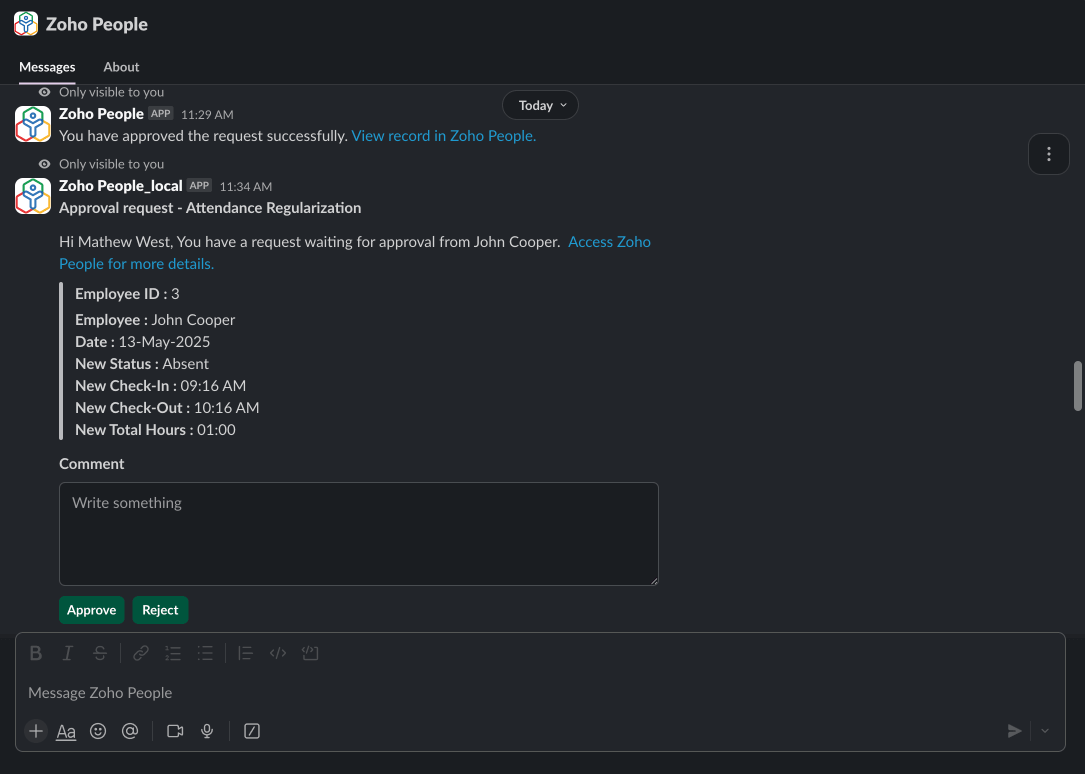
Approval Notifications
Approvers receive instant notifications and can approve/reject requests directly from Slack
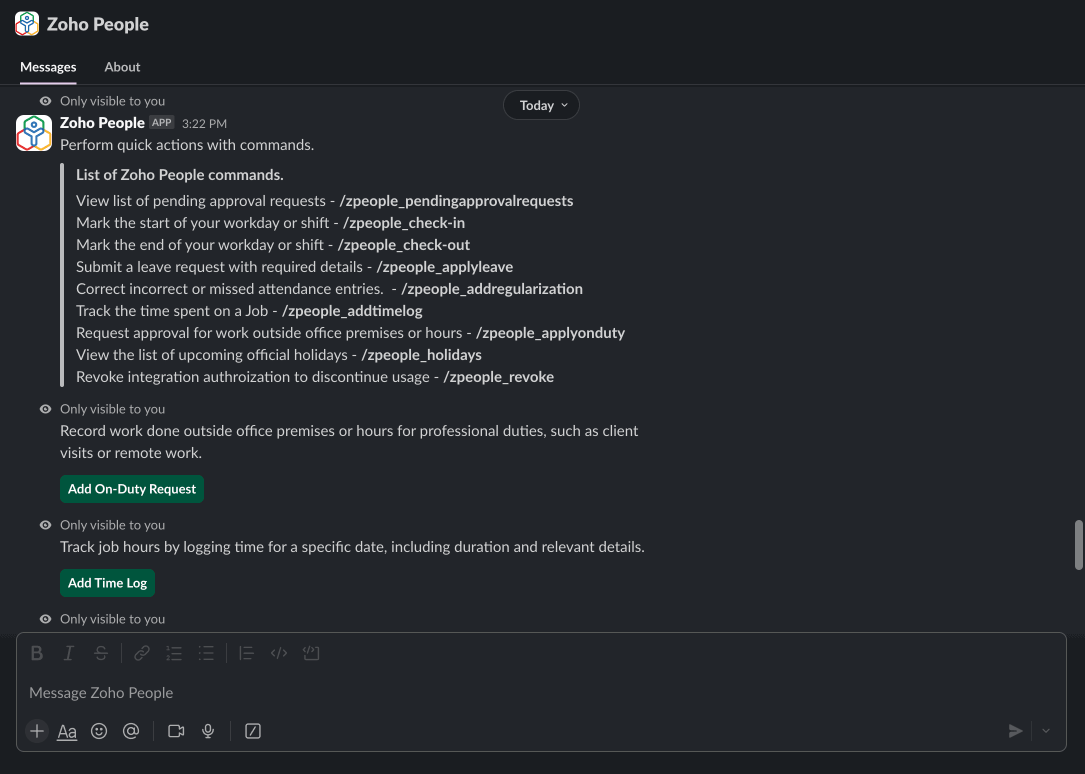
Quick HR Actions
Employees can execute everyday tasks using simple Slack commands
Example: To apply leave simply use the command: /zpeople_apply leave
Seamless Communication
Stay connected with your team and HR processes without switching platforms
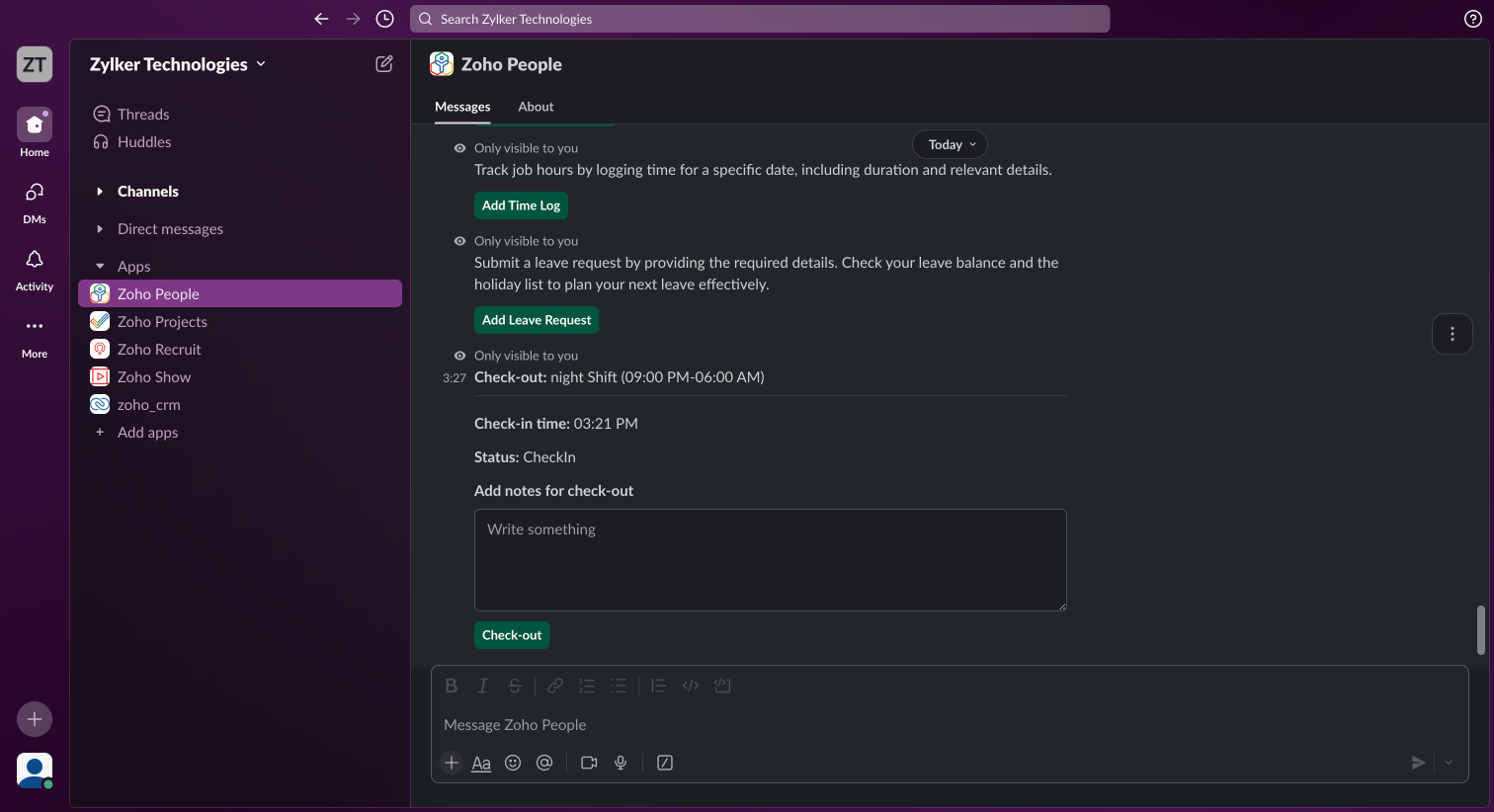
If you install the Zoho People app from Slack’s Marketplace then by default you’ll have only slash commands available to you. You’ll be able to access the app’s full feature set once you’ve configured your slack workspace from inside Zoho People.
Ok, got it×