



Back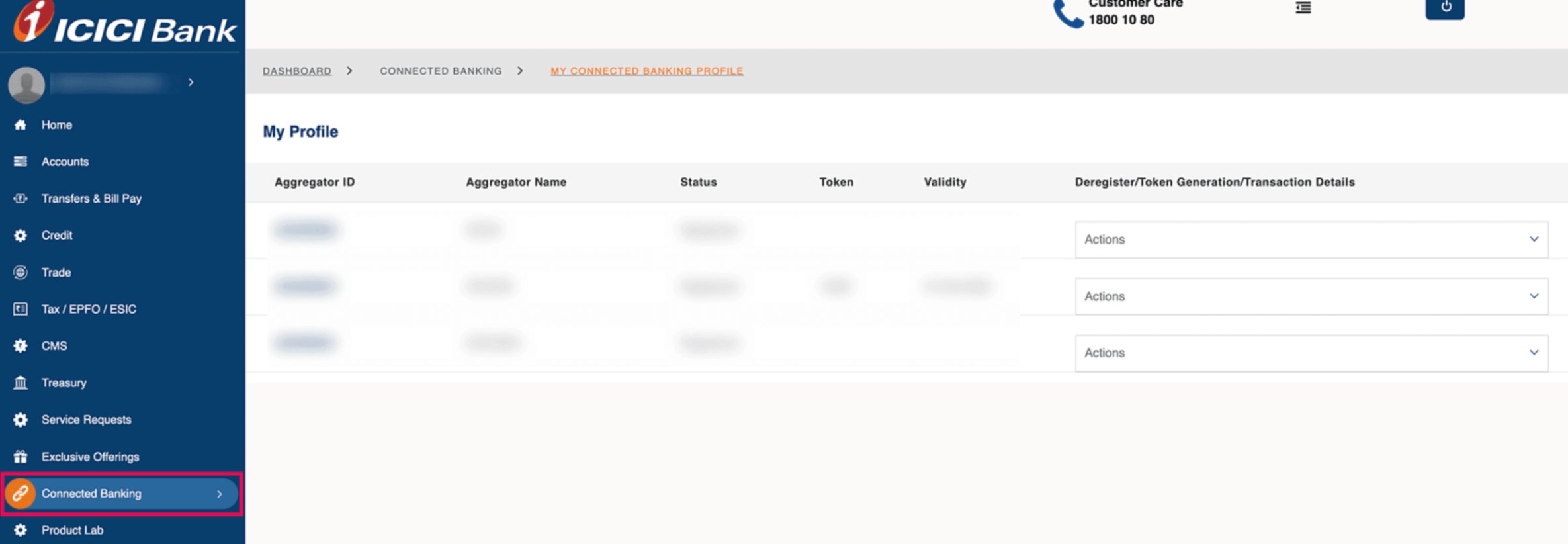
How do I generate tokens used in the ICICI Bank integration?
ICICI Bank has introduced Tokens - a unique 4-8 digit number used to initiate online payments securely through connected banking services.
Here’s how you can generate a token and use it to make online payments:
- Log in to your ICICI Corporate Internet Banking Portal.
- Go to the Connected Banking module in the left sidebar.
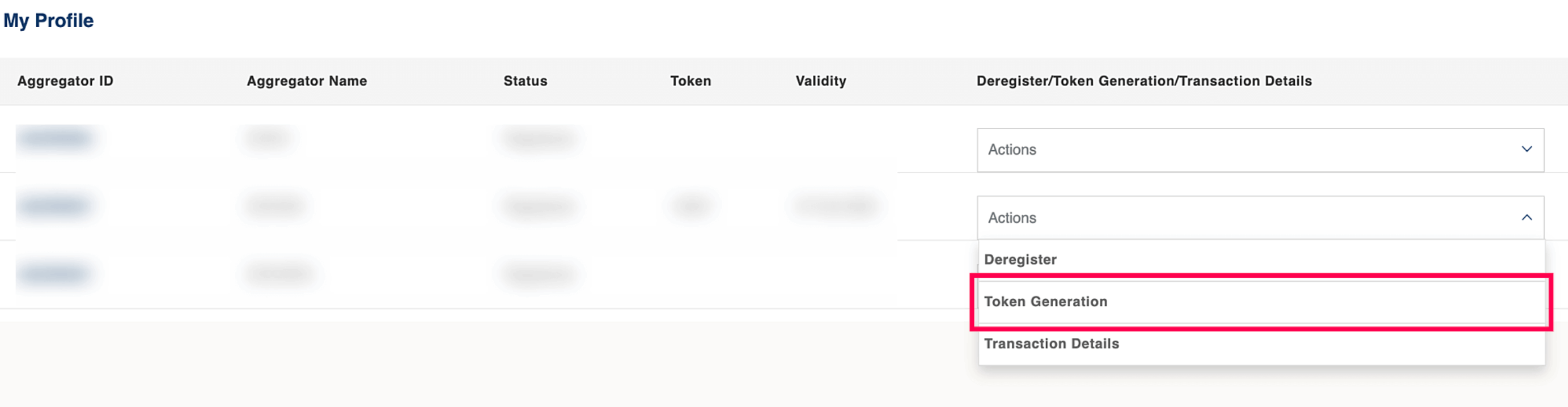
- Navigate to the Aggregator Name labelled as ZOHOIN/ZOHOSPL.
- In the Actions dropdown, select Token Generation.
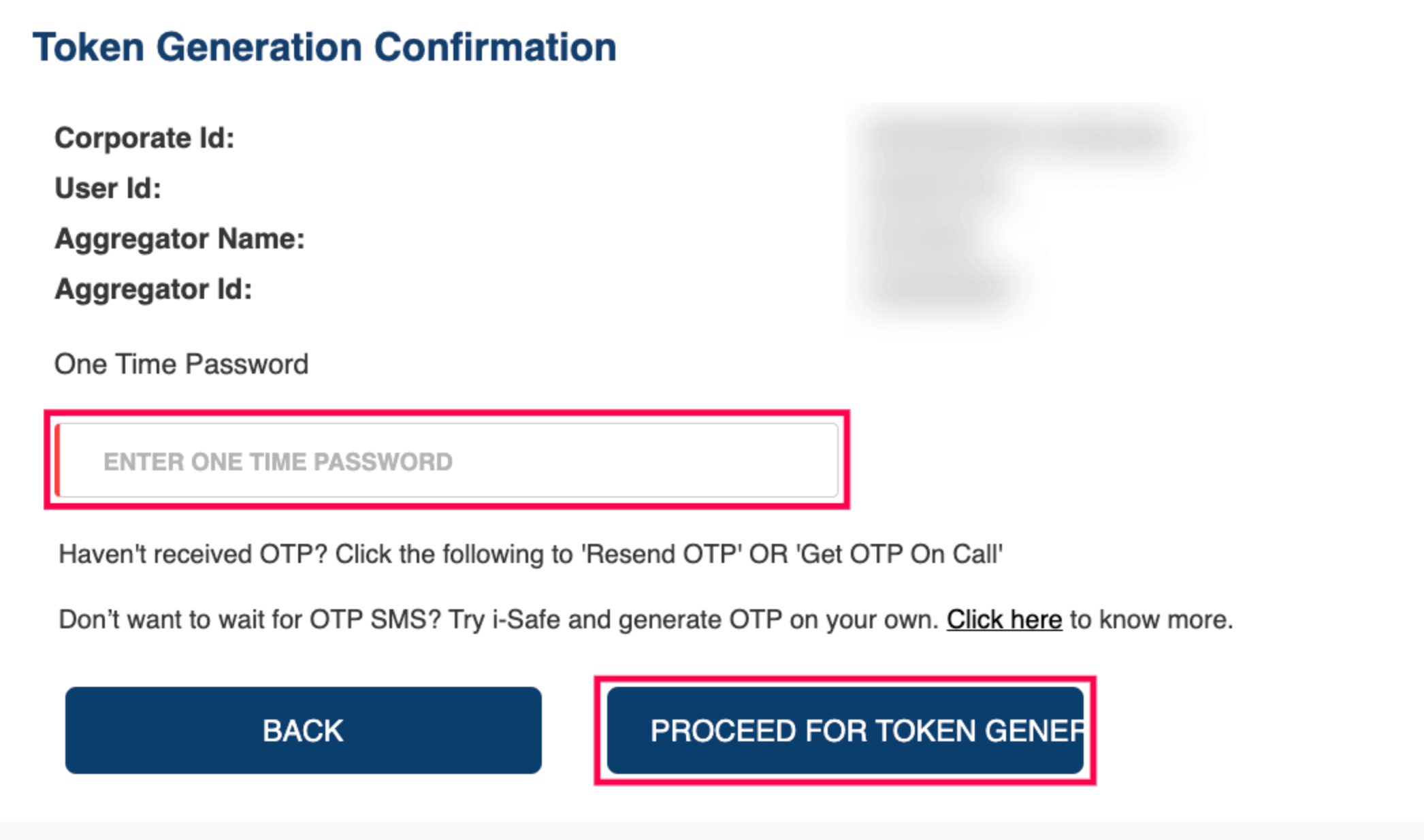
- In the next page, enter the OTP sent to the registered phone number.
- Click PROCEED FOR TOKEN GENERATION.
A new token for your account will be generated automatically.
Enter this token number in Zoho Spend while reimbursing your employees, paying employee salaries, and vendor payments through your ICICI Bank account. Learn more.
Note: Your ICICI Bank token expires every 7 days. Follow the above mentioned steps again to generate a new token in the CIB portal and enter it while initiating reimbursements through your ICICI Bank account in Zoho Spend.