


e-Way Bills for Gold
In the 50th GST Council meeting conducted on 11th July 2023, the generation of e-Way Bills for the inter-state as well as intra-state transportation of gold and other precious stones (classified under HSN Chapter 71) was made mandatory.
For the intra-state movement of gold and other precious stones, an e-Way Bill must be generated if the consignment value exceeds ₹2 lakh, or the specific threshold set by the relevant State or Union Territory. In Zoho Books, you can configure this intra-state limit and generate the required e-Way Bills for transporting gold and other precious stones.
Points To Remember
- An e-Way Bill for gold can be generated only for items under HSN Chapter 71 (precious metals and jewellery), excluding HSN 7117.
- An e-Way Bill generated for the transportation of gold and precious stones cannot include Part-B details.
- You can extend the validity period of an e-Way Bill generated for the transportation of gold or precious stones.
- Multiple vehicles cannot be included for a single e-Way Bill.
Enable e-Way Bills for Gold
Here’s how you can enable e-Way Bill for gold:
- Go to Settings.
- Navigate to Organization Settings.
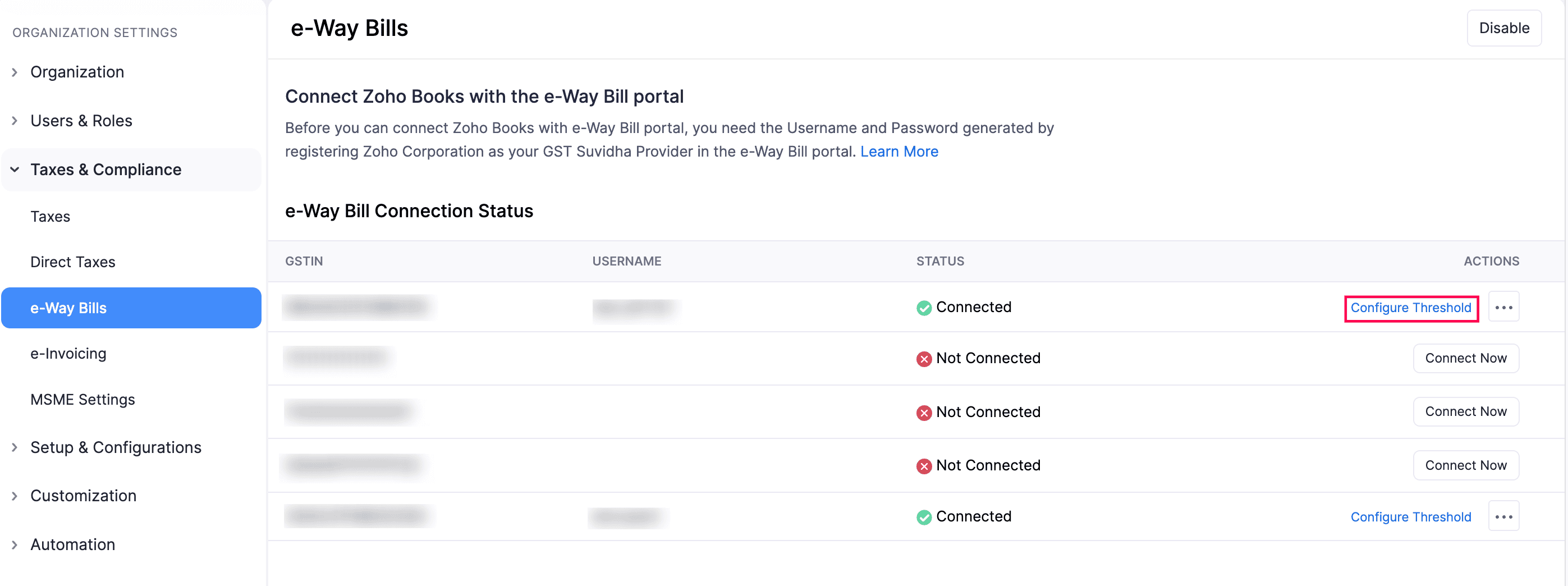
- Select e-Way Bills under Taxes & Compliance.
- Click Configure Threshold for the GSTIN for which you want to enable e-Way Bills for gold.
In the Configure Threshold pop-up, check the Enable e-Way Bill generation for gold items option.
Enter the gold Threshold limit as per your state’s regulations.
Note: This threshold limit applies only to the intra-state transportation of gold and other precious stones.
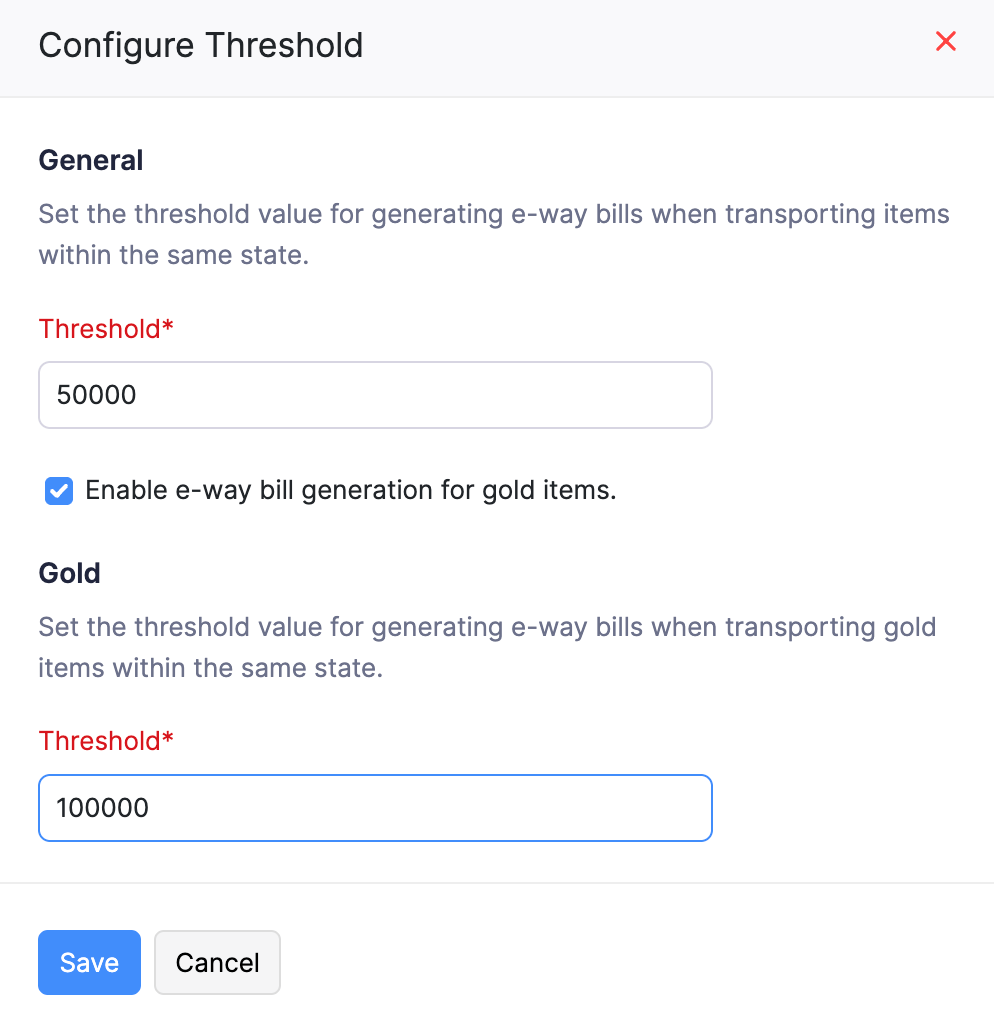
Click Save.
You can now add e-Way Bill details for transactions involving gold or other precious stones when their value exceeds the specified threshold for intra-state transit.
Generate e-Way Bills for Gold
Delivery Challans, Invoices, and Credit Notes that include gold or other permitted HSNs and meet the configured threshold will appear on the e-Way Bill list page. Here’s how you can generate an e-Way Bill for gold and other precious stones:
- Go to Sales on the left sidebar select e-Way Bills.
- Select the Location, Transaction Period, Transaction Type for which you wish to generate the e-Way Bill and ensure that the e-Way Bill status is Not Generated.
- Select the transaction for which an e-Way Bill for gold needs to be generated.
- Enter the necessary details.
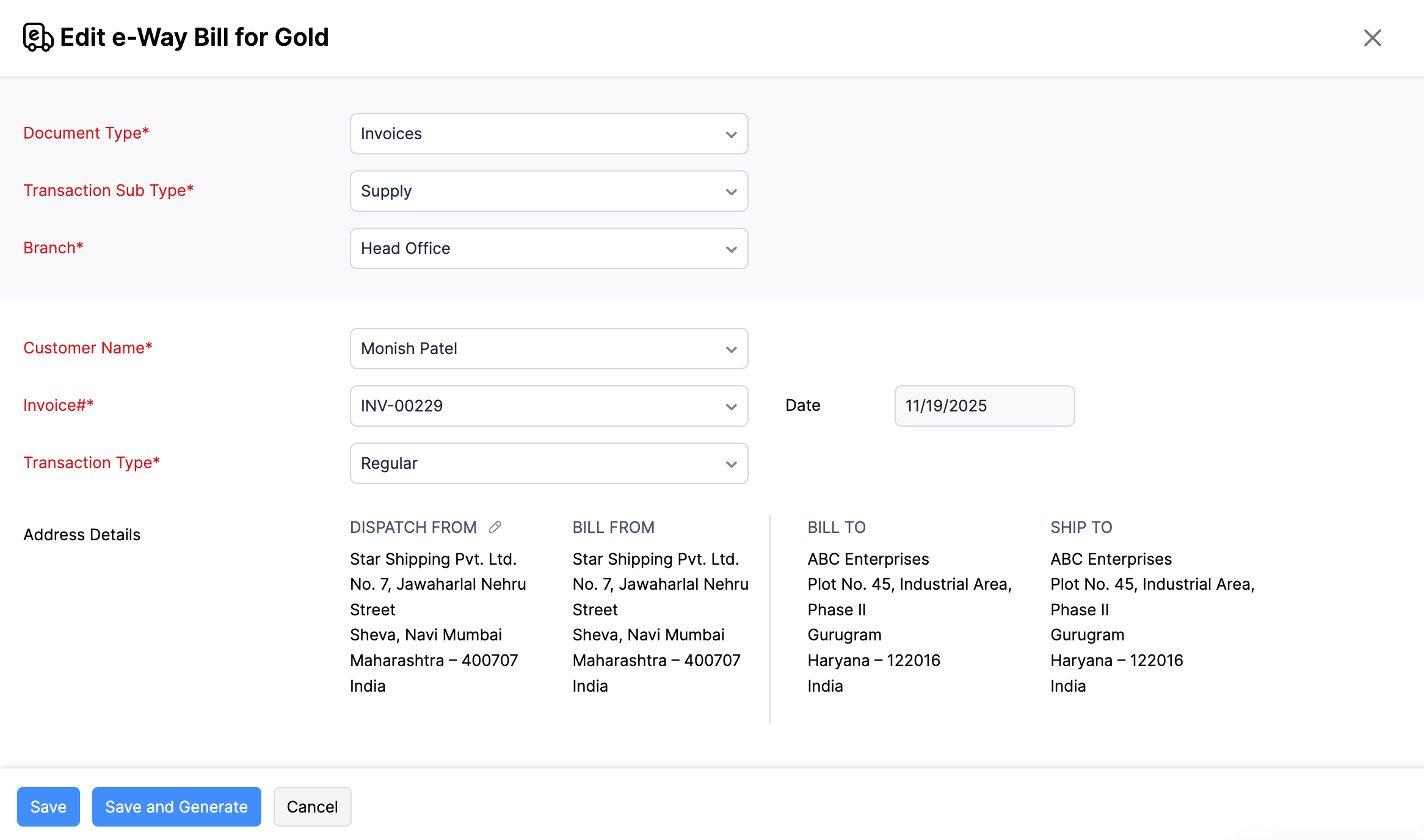
- Click Save to save the e-Way Bill as a draft or click Save and Generate to generate an e-Way Bill from Zoho Books.
Note: You cannot generate an e-Way Bill for gold for a transaction that contains items with non-permitted HSNs. For example, if a transaction includes gold and a wooden item, the e-Way Bill cannot be generated because the HSN of the wooden item is not permitted for e-Way Bill generation for gold.