


Preferences

Let’s have a look at the various settings you can configure for the Projects module in Zoho Billing.
General Settings
To configure your project preferences:
- Go to Settings > Preferences.
- Select Projects in the left menu and choose your preferences.
| Fields | Description |
|---|---|
| Round off time | You can change the round off preference of the time entries you record as follows: Round up to, Dont round off, Round down to, Round to nearest. |
| Enable approval for timesheet | If this box is checked, the project manager will have to approve the time entries before they are invoiced |
| Enable customer approval for time entries | If this box is enabled, the client will be requested to approve the entries before they are invoiced. |
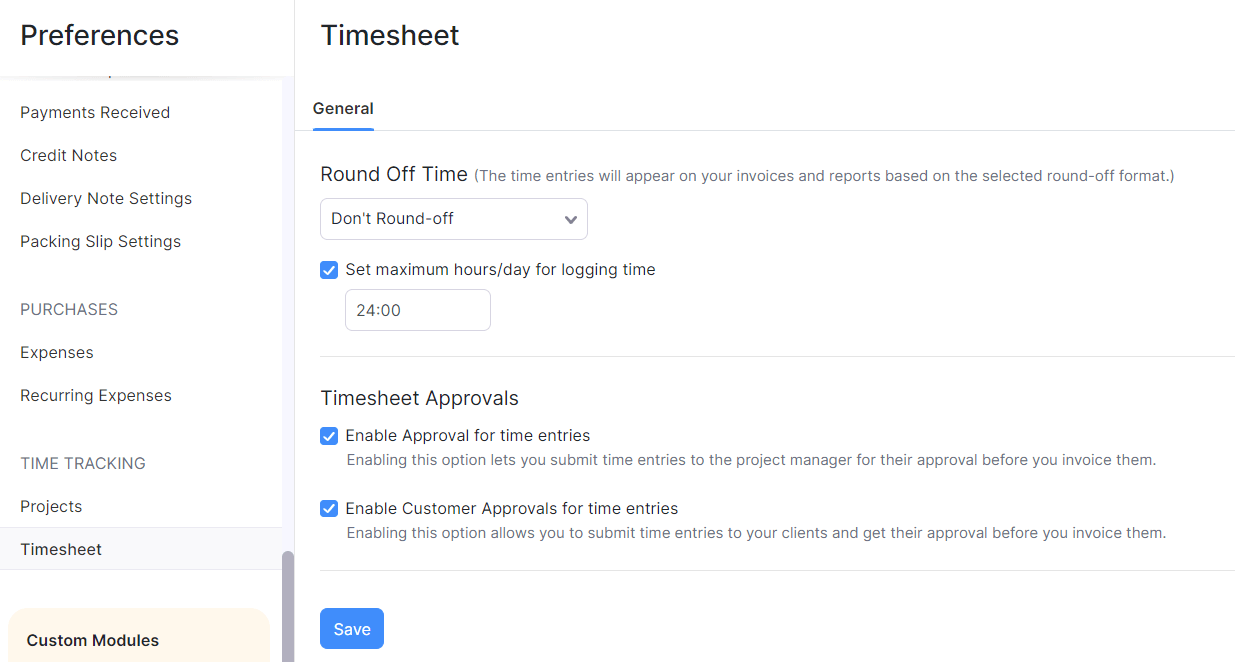
- Click Save.
Field Customization
You can add multiple custom fields for the Projects module and assign different data types for each of them. Learn more about Field Customization.
Related


Loading response
Ask Zia is powered by AI. Responses are helpful but not always perfect.
 Yes
Yes