Nurture business clients with systematic company management
From tracking contacts and service histories to automating billing and compliance, we’ve made it easy to deliver exceptional service to your business clients.
Get Started Now
- Keep all company information organized in one place
- Schedule services across multiple locations
- Track work orders, estimates, invoices, and appointments
- Automate tax management to ensure compliance
- Access company- specific insights

Why do you need company management?
When working with business clients, it’s essential to have a complete picture of their service needs. Zoho FSM’s company management centralizes company details, including multiple locations, into a single platform. Dashboards keep you updated on each company’s service history and upcoming jobs, while automated tax handling simplifies operations, enabling you to manage your business more efficiently and build stronger client relationships.
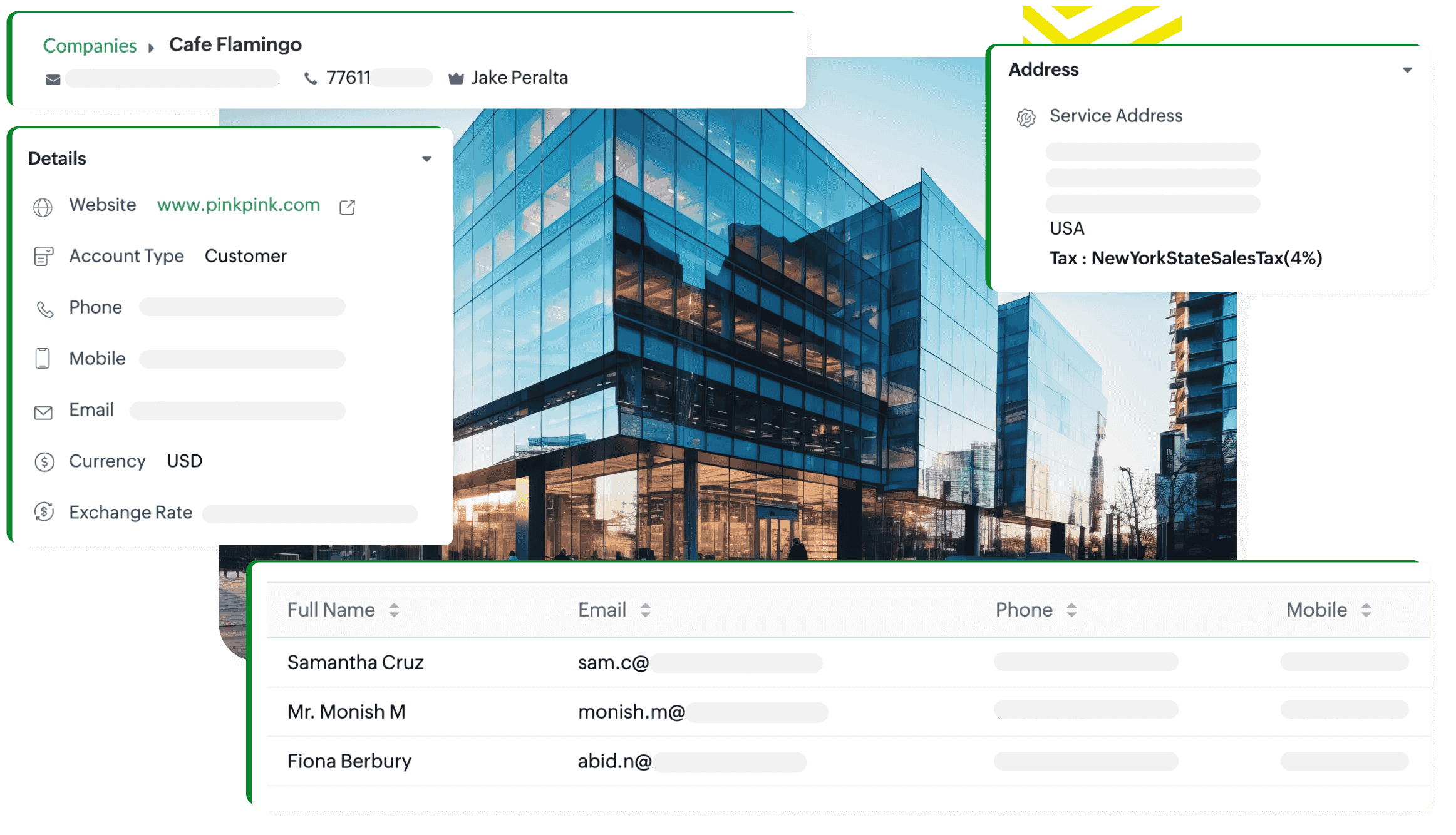
All your company data in one place
Zoho FSM enables businesses to manage detailed profiles for each company they work with. You can store essential data—such as multiple contacts associated with each company, service agreements, notes, and more—within a single platform. Having this information easily accessible ensures efficient communication and service delivery for every business client.
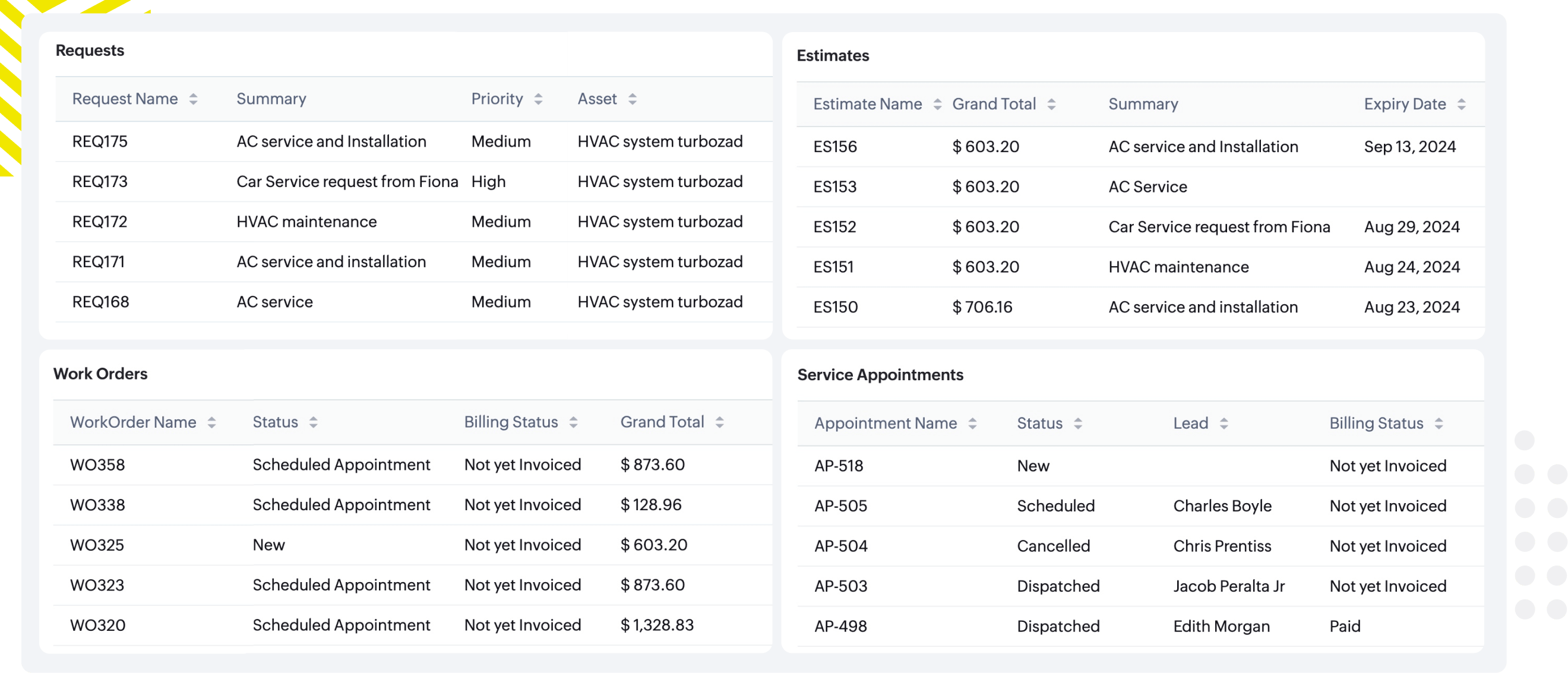
Keep track of company history
With Zoho FSM, you can maintain a complete, chronological record of service requests, estimates, and work orders for each company. This provides your team with a full context of all previous activities, enabling them to make informed decisions and deliver high-quality service to businesses.
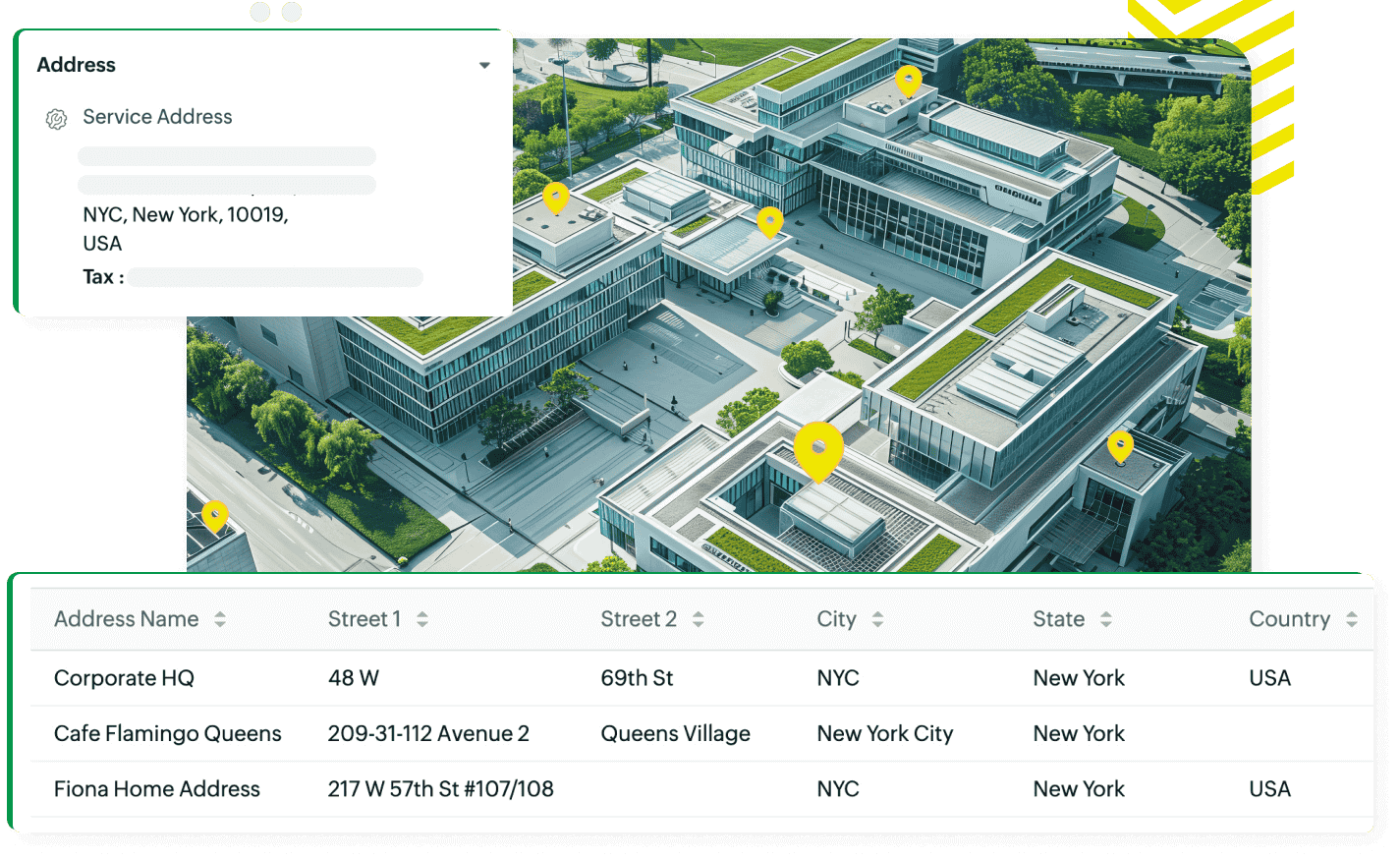
Streamlined service for multiple addresses
Manage complex service delivery for businesses with multiple addresses. Zoho FSM allows you to assign multiple service addresses for each company or contact, ensuring amplified service delivery. You can even customize billing preferences for centralized or location-specific invoicing, making it easier to deliver services accurately and efficiently.
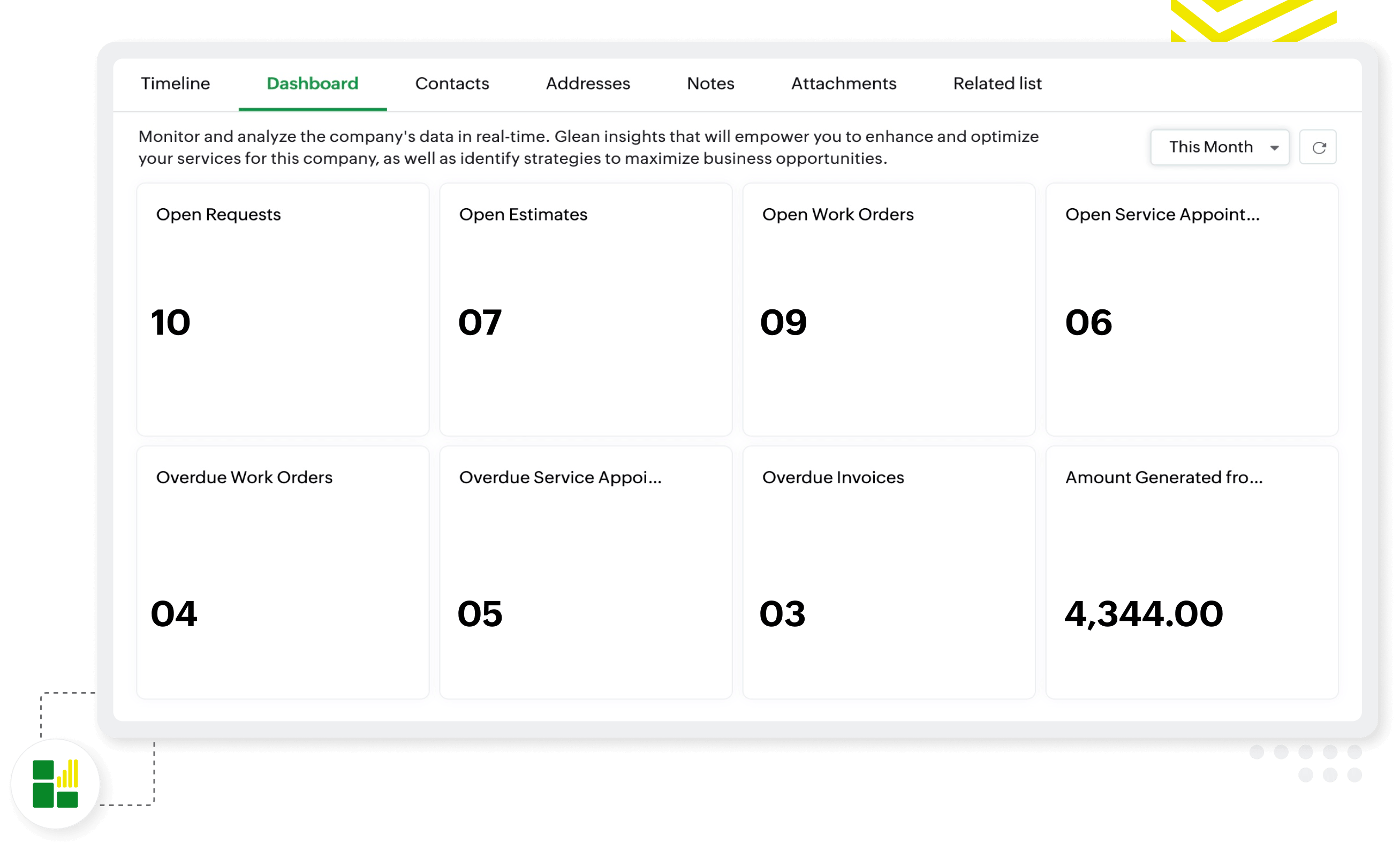
Company-specific dashboards for better insights
Zoho FSM provides each company with a tailored dashboard that displays key service metrics, helping you view trends, track job status, overdue invoices, and monitor the overall performance of your team. Filter to view dashboards for specific timelines.
Automated tax management
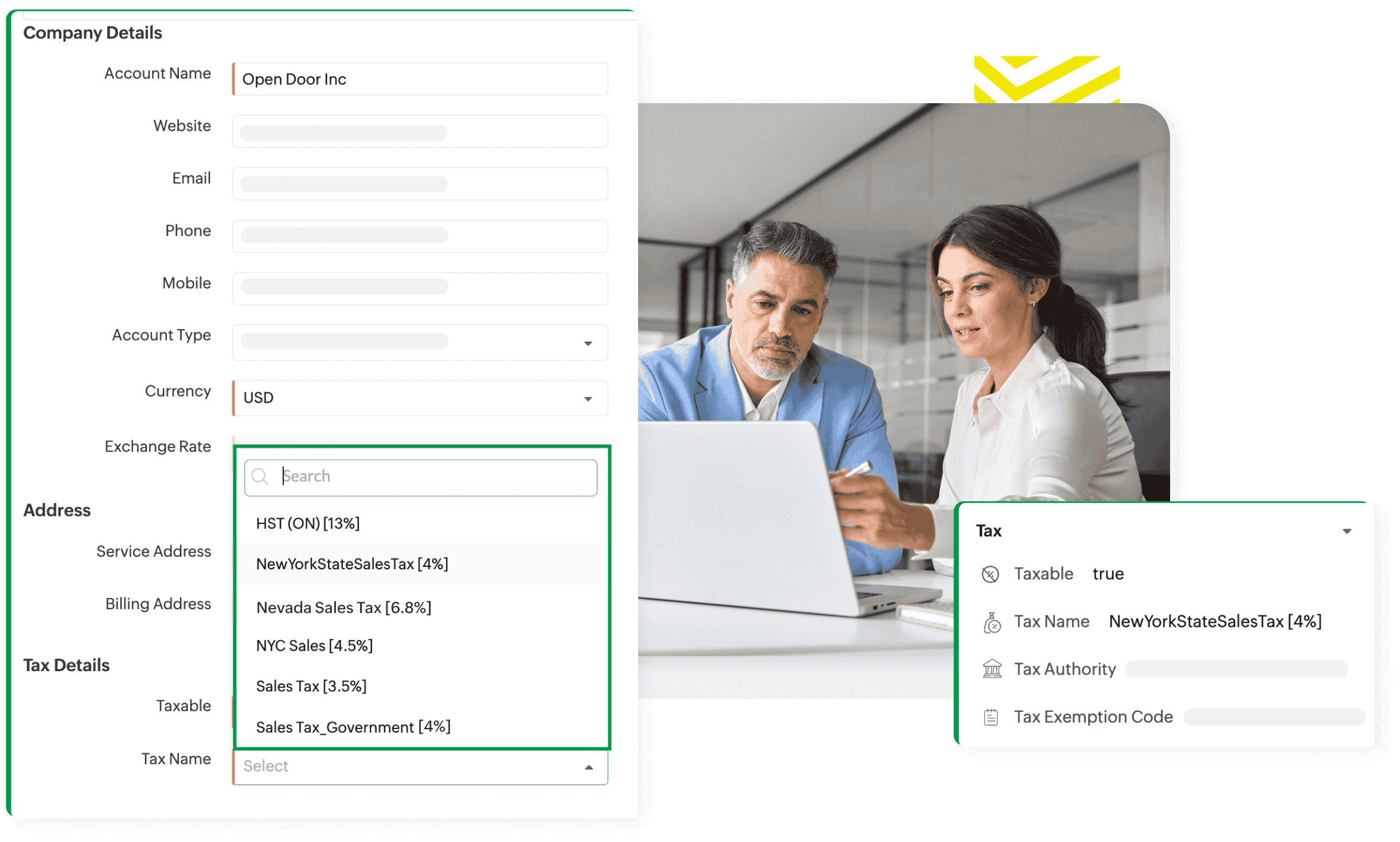
For companies operating in different regions, Zoho FSM automatically handles tax information based on where the service business operates. Ensure that every transaction complies with local tax laws, simplifying the overall invoicing and billing process.
Frequently asked questions
To add a new company, navigate to the Companies module in Zoho FSM, select "Create," and enter details such as the company name and addresses. New companies can also be added using APIs, integration tasks, or the import option.
Yes. In a field service business, a company may have multiple addresses. That's why you can add multiple addresses to the 'Address tab' in the related list of each Company, which can be used as billing or service addresses based on your service request.
All contacts associated with a company can be linked as a related list in Companies module. While creating a contact, you will see a Company look-up field. Once you select a company in this field, the contact will be associated with that company and listed in the related list under the Companies module.
Yes, Zoho FSM supports separate billing and service addresses for each company, a feature that is especially useful in field service management software for accurate invoicing and dispatching.