



Automate your HR workflows to keep your teams and tools in sync

Connect your HR tools and automate workflows across recruitment, onboarding, payroll, and beyond. Set it up once—let it run 24/7.

Try zoho flow for free
Automate your HR workflows

TRUSTED BY BUSINESSES WORLDWIDE

  • Bosch logo
  • IIFL logo
  • relay cloud
  • knight frank logo
  • Sharc logo
  • YellowAfrica logo
  • BlazeSoft logo

Turn fragmented HR processes into a unified system

Disconnected HR platforms

Challenge

Without HR process automation, critical workflows from hiring to payroll stay spread across disconnected platforms with no integration between them.

Manual HR work slowing teams down

Impact

This slows down your team, adds unnecessary manual work, and costs you more time than it should.

Unified HR workflow automation

Solution

With Zoho Flow, bring all your business tools together and set up HR workflow automation across all your recurring processes, so every system stays up to date automatically.

Automate every stage of your HR operations

Hiring and recruitment

Keep your hiring pipeline moving

When a candidate moves forward, the hiring manager gets notified and your tracker updates automatically without any manual status updates or follow-ups.

Send offer letters without the wait

When a candidate is ready for an offer, the letter goes out automatically. Your team doesn't have to switch apps or remember to follow up.

Schedule interviews without the back and forth

Interview slots get created and confirmed in Google Calendar the moment a candidate moves forward, with no back-and-forth emails required.

Hiring and recruitment automation

Onboarding and offboarding

Get every new hire set up before day one

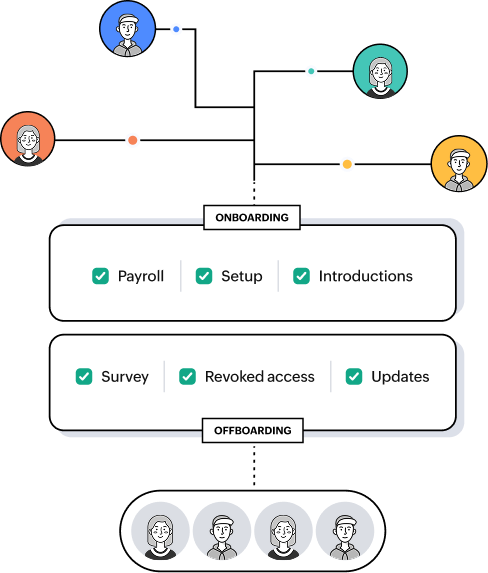
The moment a hire is confirmed, employee records, payroll, and team notifications are all taken care of. Your new hire is ready to go before they walk in.

Welcome communications go out automatically

Welcome emails, first-week schedules, and team introductions are sent the moment a new hire is added to your HR system.

Offboarding runs without a manual checklist

When an employee exits, IT gets notified, app access is revoked, the exit survey goes out, and the org chart updates.

Onboarding and offboarding automation

Leave and attendance

Leave requests reach the right person instantly

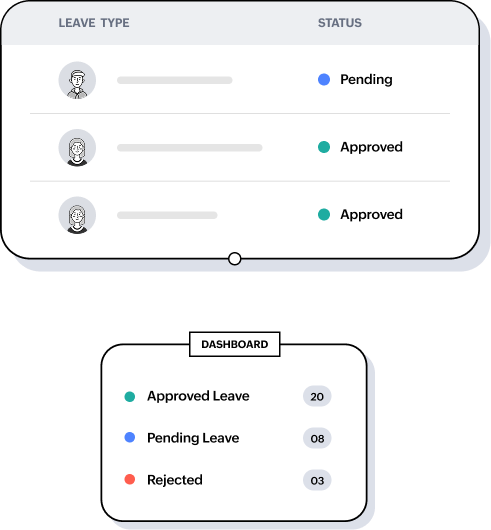
The moment a leave request is submitted, the manager gets notified. Requests don't sit in a queue waiting for someone to notice them.

Approved leave shows up where the team works

Once leave is approved, calendars and project boards update automatically. The team knows without anyone sending a separate notification.

Timesheet reminders go out on schedule

Anyone who hasn't submitted a timesheet by the deadline gets a reminder, so HR doesn't have to send a follow-up.

Leave and attendance automation

Payroll and performance

Salary changes reach payroll without manual entry

When a compensation change is approved, it gets pushed to payroll, and the finance team is notified. No one has to re-enter the same data in a second system.

Performance review cycles run on schedule

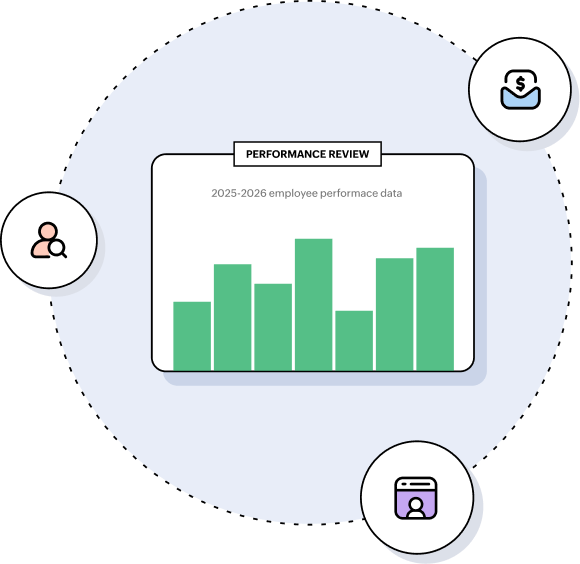
When a review cycle opens, reminders go out to managers and employees automatically. Deadlines don't get missed because someone forgot to send a notification.

Review responses compile without chasing anyone

After reviews are submitted, responses are pulled into a single report. HR gets a complete picture without following up on individual submissions across inboxes.

Payroll and performance automation

The benefits of automating your HR workflows

Less time on manual work

Every employee event triggers the right actions across HR, finance, operations, and more, automatically. Data moves between apps without anyone copying it by hand, which means no duplicate records, no missed updates, and no re-entering the same information in a second system.

“It takes maybe 15 minutes just for adding the information in the right place. Now, with Zoho Flow, this takes seconds. The work which had to be done by eight people can now be done by just two, resulting in a 4x increase in team productivity.”

George Al Hajjar
George Al HajjarDirector of IT, PandaPay

Faster onboarding from day one

New hire records, payroll setup, welcome communications, and tool access are all ready before the employee walks in. Connect HR with IT, finance, and operations so every team is ready when the new hire arrives.

One trigger—every team informed

A status change in Zoho People or BambooHR can notify your finance team in Slack, update your project board, and log the change in Google Sheets, without HR sending a single manual update.

“Zoho Flow has eliminated data silos for us and assured that our different teams work together. It has helped us streamline our process and system, which has resulted in around an 80% reduction in our tickets and escalations.”

Mattias Johansson
Mattias JohanssonCEO, Syncify

Scales across your entire business

As your team grows, your workflows handle the volume across every department automatically. HR doesn't have to manually coordinate with finance, IT, or operations every time something changes.

Your HR data stays secure

Every workflow in Zoho Flow runs on encrypted connections, with data protected in transit and at rest. Compliance with GDPR, ISO 27001, SOC 2 Type II, and HIPAA is built in, so regulated industries and global teams can automate without compromise.

  • Zoho People
  • Zoho Workerly
  • Zoho Payroll
  • PeopleHR
  • Bonusly
  • BambooHR
  • Connecteam
  • Employment Hero
  • Expiration Reminder
  • Leave Dates
  • Papershift
  • People India
  • SmartHR
  • Spaceship
  • Starred
  • Teamdeck
  • Traffit
  • When I Work

Frequently asked questions

1. What is HR workflow automation and how does it work?

HR workflow automation connects your HR apps and handles the steps between them automatically. Instead of manually updating systems every time something changes in HR, you set up a workflow once. When the event happens, every action that follows happens automatically across all your connected apps.

2. Do I need technical skills to automate HR processes with Zoho Flow?

No technical skills are needed. Zoho Flow uses a visual drag-and-drop builder, so you just pick a trigger, such as a new hire being added in Zoho Recruit, then add the actions you want to follow, like creating a record in Zoho People or sending a Slack notification. There's no code involved at any step. HR teams with no technical background can build and manage their own workflows in Zoho Flow without depending on IT.

3. Is employee data secure when it passes through Zoho Flow?

Employee data stays secure throughout. Zoho Flow runs on Zoho's enterprise-grade security infrastructure. Data in transit is encrypted using TLS, and data at rest is encrypted using AES-256. Zoho Flow is GDPR compliant and ISO 27001 certified, and Zoho doesn't sell your data to third parties. You can also set role-based access controls to manage who on your team can view or edit workflows.

4. How long does it take to set up an HR workflow in Zoho Flow?

A simple workflow, like notifying a manager in Slack when a leave request is submitted, can be live in under 10 minutes using a prebuilt template. More complex multi-step workflows, like a full onboarding sequence across five or six apps, typically take 30 minutes to set up and test. Once a workflow is live, it runs automatically with no further effort required.

5. Can Zoho Flow connect with the HR tools my team already uses?

Zoho Flow connects with 1,000+ apps, including popular HR tools like Zoho People, Zoho Recruit, BambooHR, Workday, ADP, and Slack, as well as finance, IT, marketing, and operations tools. If a specific app isn't in the gallery, you can connect it using a webhook or URL trigger.

6. What happens if a workflow fails or an HR app goes down?

Zoho Flow includes built-in error handling and monitoring. If a workflow fails, you get notified so you can review and fix the issue. Zoho Flow also logs every workflow run, so you can see exactly where a failure occurred and rerun the flow once the issue is resolved. This gives HR teams full visibility into their automations without having to check each one manually.

7. Can Zoho Flow handle HR automation for teams across multiple locations?

Yes. Zoho Flow is built for organizations of all sizes, including those with teams across multiple offices, regions, or countries. You can create separate workflow folders for different teams or locations, set role-based access controls, and run automations that connect apps used by different regional HR teams. Zoho also has data centers all over the world to support data residency requirements and provide extra security.

8. Does Zoho Flow use AI to help build HR workflows?

Zoho Flow has three AI capabilities built in. Flow Creation lets you describe a workflow in plain English and Zia generates it for you instantly. Zia Utilities lets you add AI steps inside your workflows to summarize content, generate emails, or create checklists automatically. Agentic Actions let the workflow evaluate context and decide the next steps on its own, so your HR automations can handle more complex scenarios without you defining every condition upfront.

9. Is Zoho Flow included in Zoho One?

Zoho Flow is included in Zoho One. This means you can connect all your Zoho apps, including Zoho People, Zoho Recruit, and Zoho Payroll, and build HR workflows across them without an additional subscription.

10. Is Zoho Flow free to use for HR automation?

Zoho Flow has a free plan that includes 100 tasks per month and access to base apps. For HR teams that need multi-step workflows, premium app connections, or higher task volumes, the Standard or Professional plans are available. You can start a 15-day free trial with access to all features and apps—no credit card required.