
Home - Your Dashboard
The Home page lets you record an expense or a receipt quickly, helps you get an overview of your pending tasks, and view the list of all your recent expense reports and trips.
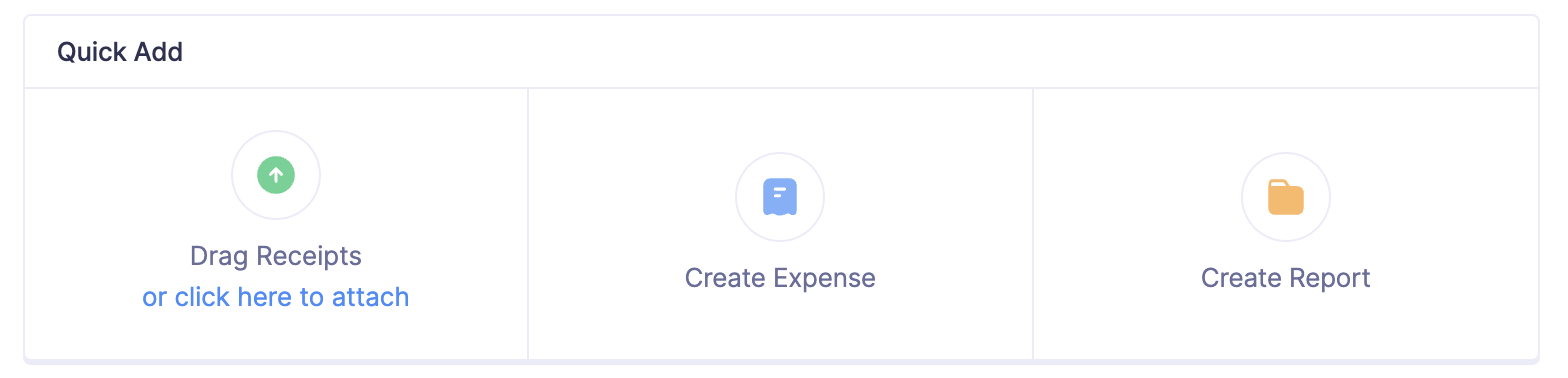
Quick Add
You can upload receipts, record expenses, and create reports and trips directly from the Home page.
To get started with receipts, upload them from your device, cloud storage, or forward them via email to your Zoho Expense account. If Autoscan is enabled for your organization, receipts will be automatically scanned once forwarded.
Alternatively, click New Expense to record an expense manually. You can also quickly generate an expense report by clicking New Report and adding expenses to it.
Click New Trips to create a trip from the Home page.
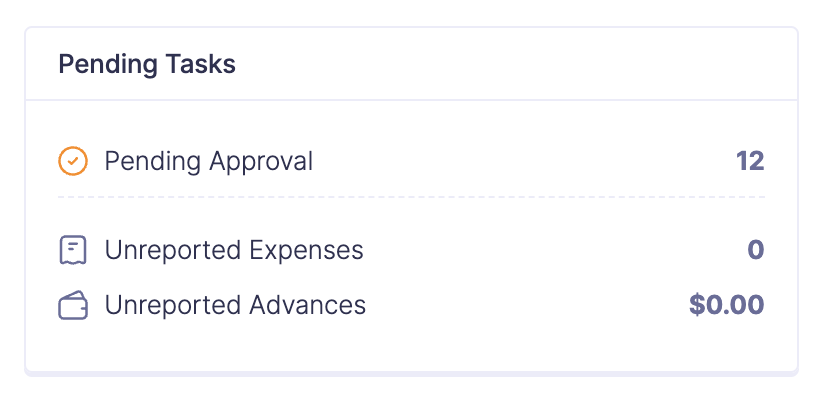
Pending Tasks
The Zia assistant will suggest and notify you about the tasks you are yet to complete in Zoho Expense. From reminding you to submit your trip requests or expense reports to updating you about failed receipt scans, Zia notifies you about them all. This section covers a range of pending action items across all areas of Zoho Expense that require your attention. Click any pending task to view its details.
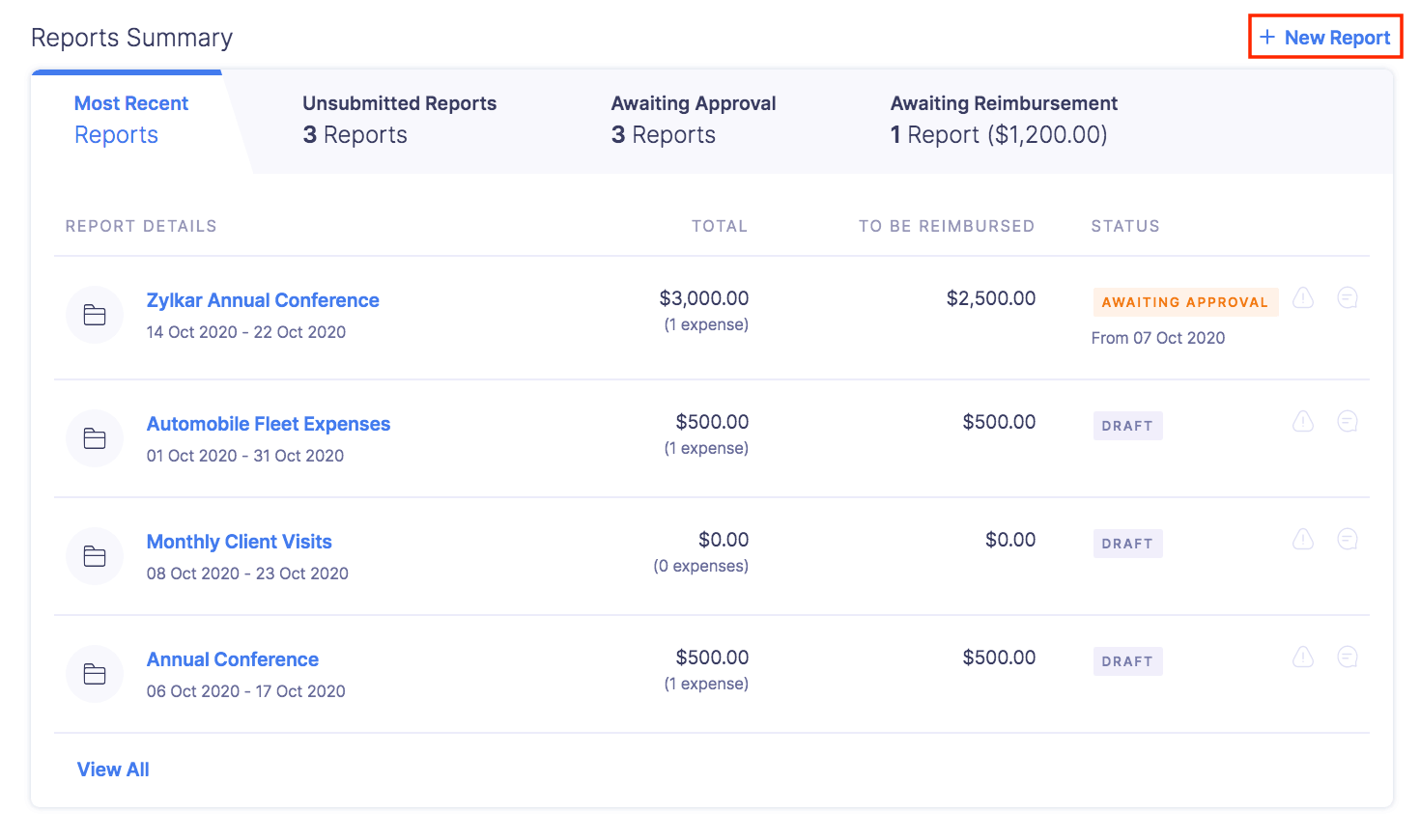
Reports Summary
The Reports Summary section provides you with an overview of report details such as the status, the total amount, and the amount to be reimbursed for your reports. In this section, you can view the report details of your most recent, unsubmitted reports, and the reports that await approval and reimbursement.
| REPORT FILTER | DESCRIPTION |
|---|---|
| Unsubmitted Reports | Lists the reports that have not yet been submitted for approval and the ones that have been recalled. |
| Awaiting Approval | Lists the reports that are yet to be approved by your approvers. |
| Awaiting Reimbursement | Lists the reports that are yet to be reimbursed. |
| Recent Reports | Lists your recently created or edited reports. |
To view all your reports based on any of these report filters, click View All. If you haven’t created a report yet, click + New Report to create one from this section.
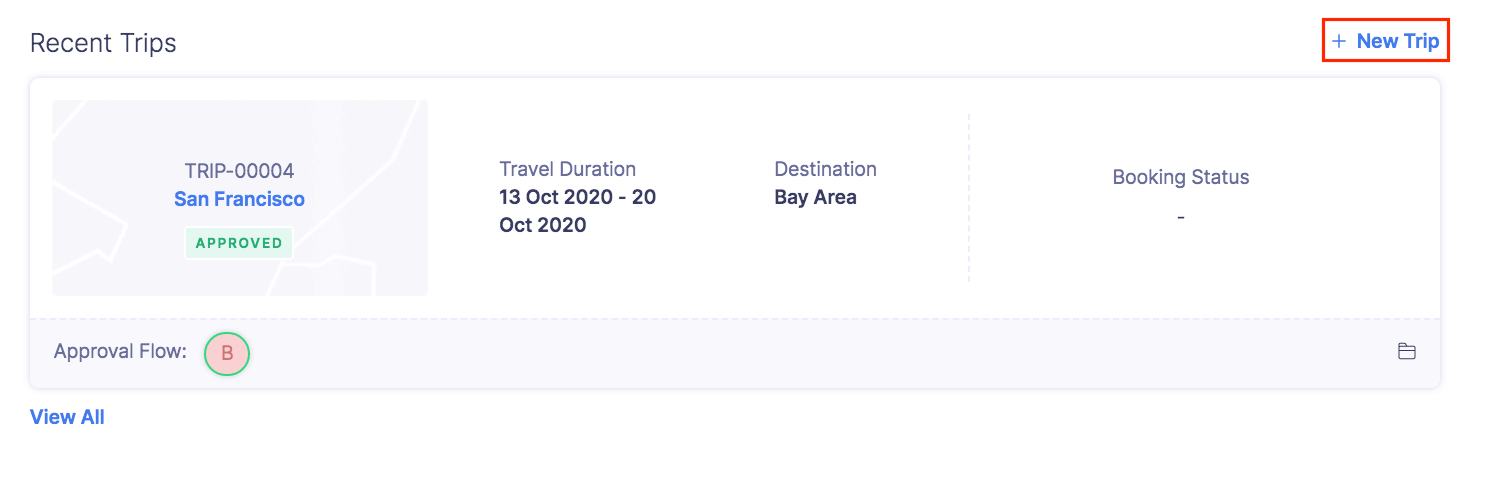
Recent Trips
The Recent Trips section provides you with an overview of your most recent trip. You can view the trip details such as the trip status, travel duration, destination, and booking status.
To view all your trips, click View All. If you haven’t created a trip yet, click + New Trip to create one from this section.