


Other Actions for Sales Receipts

Edit Sales Receipt
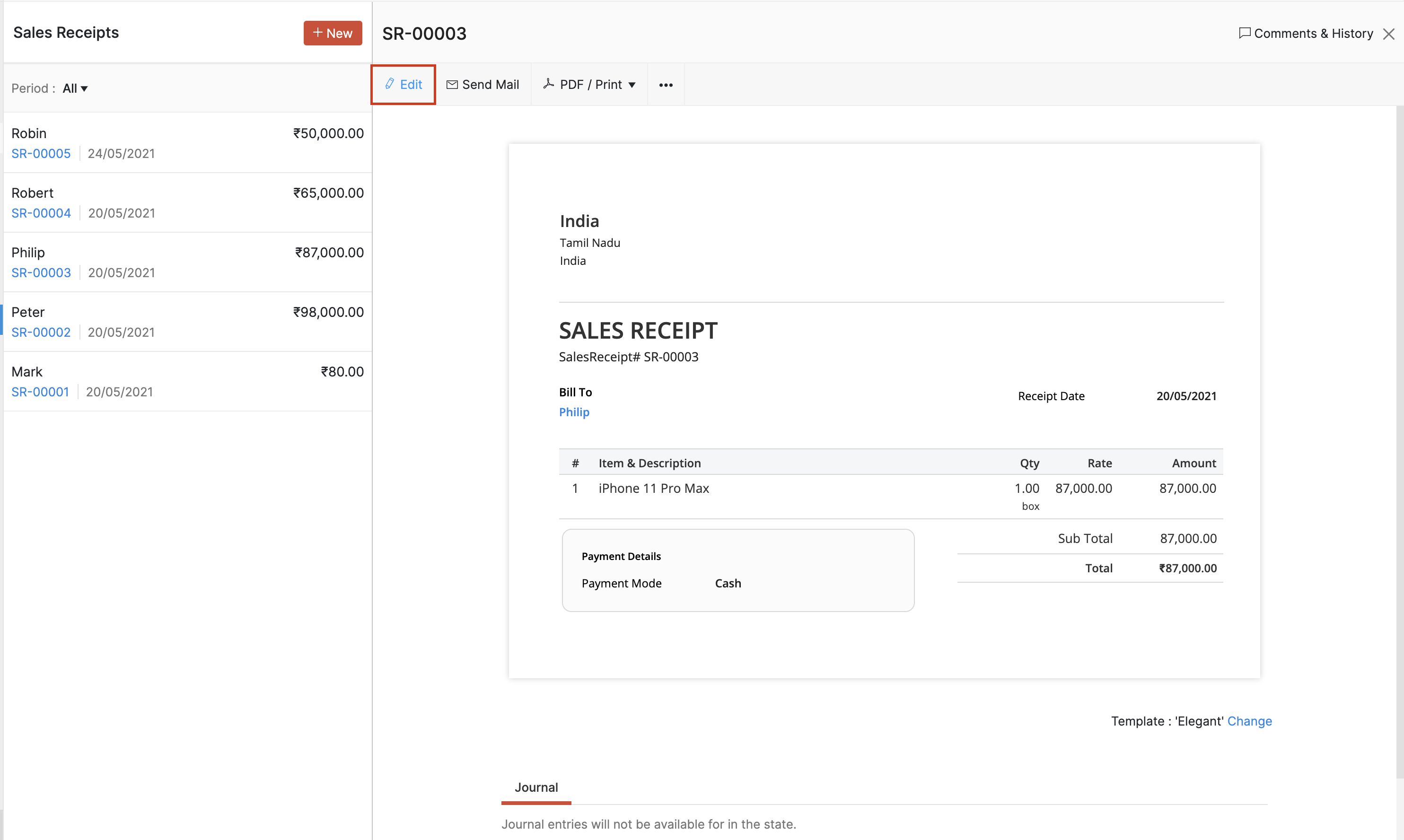
- Go to Sales > Sales Receipts.
- Select the sales receipt whose details you want to edit.
- Click Edit on top of the receipt.
- Make the necessary changes and click Save.
Insertar encabezados como artículos de línea
Puede insertar encabezados para agrupar artículos de línea relacionados en su recibo de venta. Cuando tiene muchos artículos de línea, los encabezados dividen la lista en secciones claras para que sus clientes puedan revisar el recibo de venta con mayor facilidad. Por ejemplo, puede agregar un encabezado como Servicios de mantenimiento, Artículos de hardware o el nombre de un proyecto, y agrupar los artículos de línea relacionados debajo de él. También puede insertar varios encabezados en un recibo de venta.
Para insertar una fila de encabezado en su recibo de venta:
- Vaya a Ventas y seleccione Recibos de venta.
- Haga clic en + Nuevo en la esquina superior derecha para crear un recibo de venta, o seleccione un recibo de venta existente y haga clic en Editar para modificarlo.
- En la Tabla de artículos, haga clic en el icono Más junto al artículo de línea requerido y seleccione Insertar nuevo encabezado. También puede hacer clic en el menú desplegable junto a + Nueva fila debajo de la Tabla de artículos y seleccionar Nuevo encabezado.
- Escriba el título del encabezado.
- Complete los campos requeridos y haga clic en Guardar.
El encabezado se agregará como una fila y los artículos de línea debajo de él permanecerán sin cambios. Para eliminar un encabezado, haga clic en el icono Eliminar a la derecha.
Información: Eliminar un encabezado no elimina los artículos de línea debajo de él.
Insertar subtotales como artículos de línea
Una fila de subtotal muestra el total de los artículos de línea que están encima de ella en su recibo de venta. Incluye todos los artículos de línea entre el subtotal anterior y el subtotal actual, o todos los artículos de línea desde el inicio de el recibo de venta si no existe un subtotal anterior. Se calcula automáticamente y se actualiza cuando se agregan, editan o eliminan artículos de línea. Por ejemplo, puede agregar un subtotal para un grupo de artículos de hardware o para un proyecto. Puede agregar varios subtotales a un recibo de venta.
Para insertar una fila de subtotal en su recibo de venta:
- Vaya a Ventas y seleccione Recibos de venta.
- Haga clic en + Nuevo en la esquina superior derecha para crear un recibo de venta, o seleccione un recibo de venta existente y haga clic en Editar para modificarlo.
- En la Tabla de artículos, haga clic en el icono Más junto al artículo de línea requerido y seleccione Insertar nuevo subtotal. También puede hacer clic en el menú desplegable junto a + Nueva fila debajo de la Tabla de artículos y seleccionar Nuevo subtotal.
- La fila de subtotal se insertará.
- Complete los campos requeridos y haga clic en Guardar.
El subtotal se agregará como una fila y los artículos de línea debajo de él permanecerán sin cambios. Para eliminar un subtotal, haga clic en el icono Eliminar a la derecha.
Información: Eliminar un subtotal no elimina los artículos de línea debajo de él. Los artículos de línea permanecen en el recibo de venta y se incluyen en el total final.
Delete Sales Receipt
Warning: After you delete a Sales Receipt, you won’t be able to retrieve it.
- Go to Sales > Sales Receipts.
- Select the sales receipt which you want to delete.
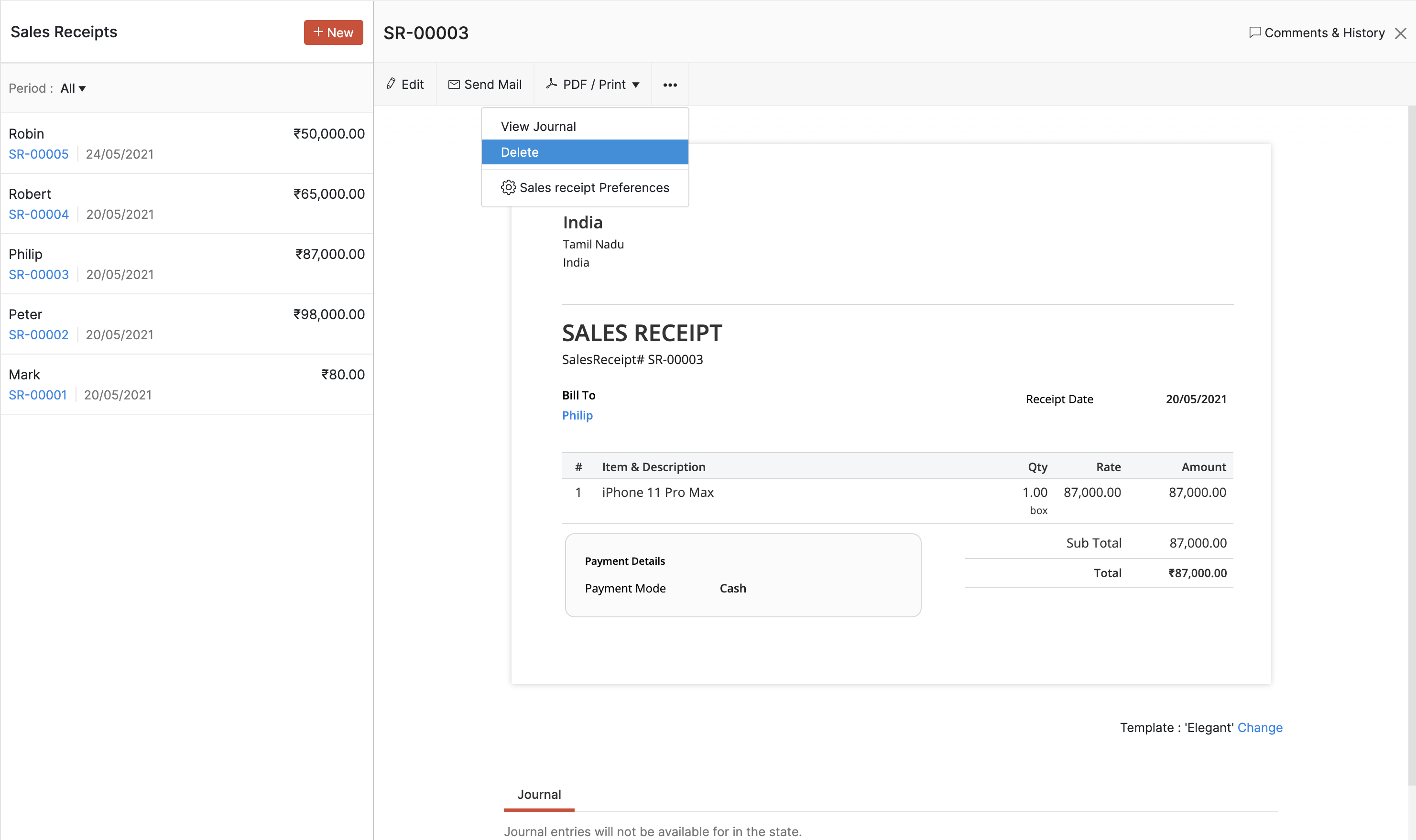
- Click Delete it and in the following popup, Proceed to confirm.
Print Sales Receipt
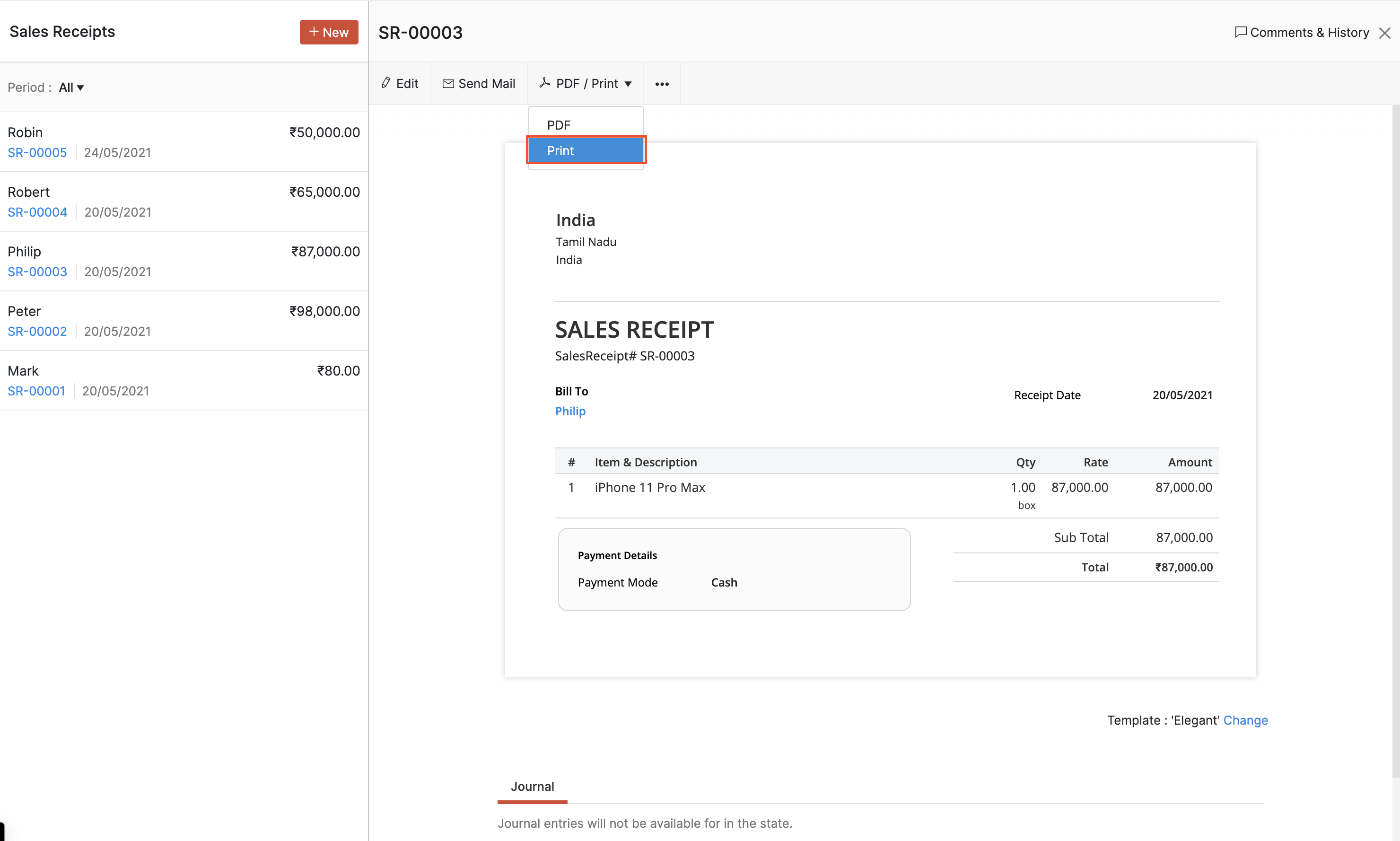
- Go to Sales > Sales Receipts.
- Select the sales receipt which you want to print.
- Click the PDF / Print dropdown and select Print
- Check the sales receipt preview and select Print.
Download as PDF
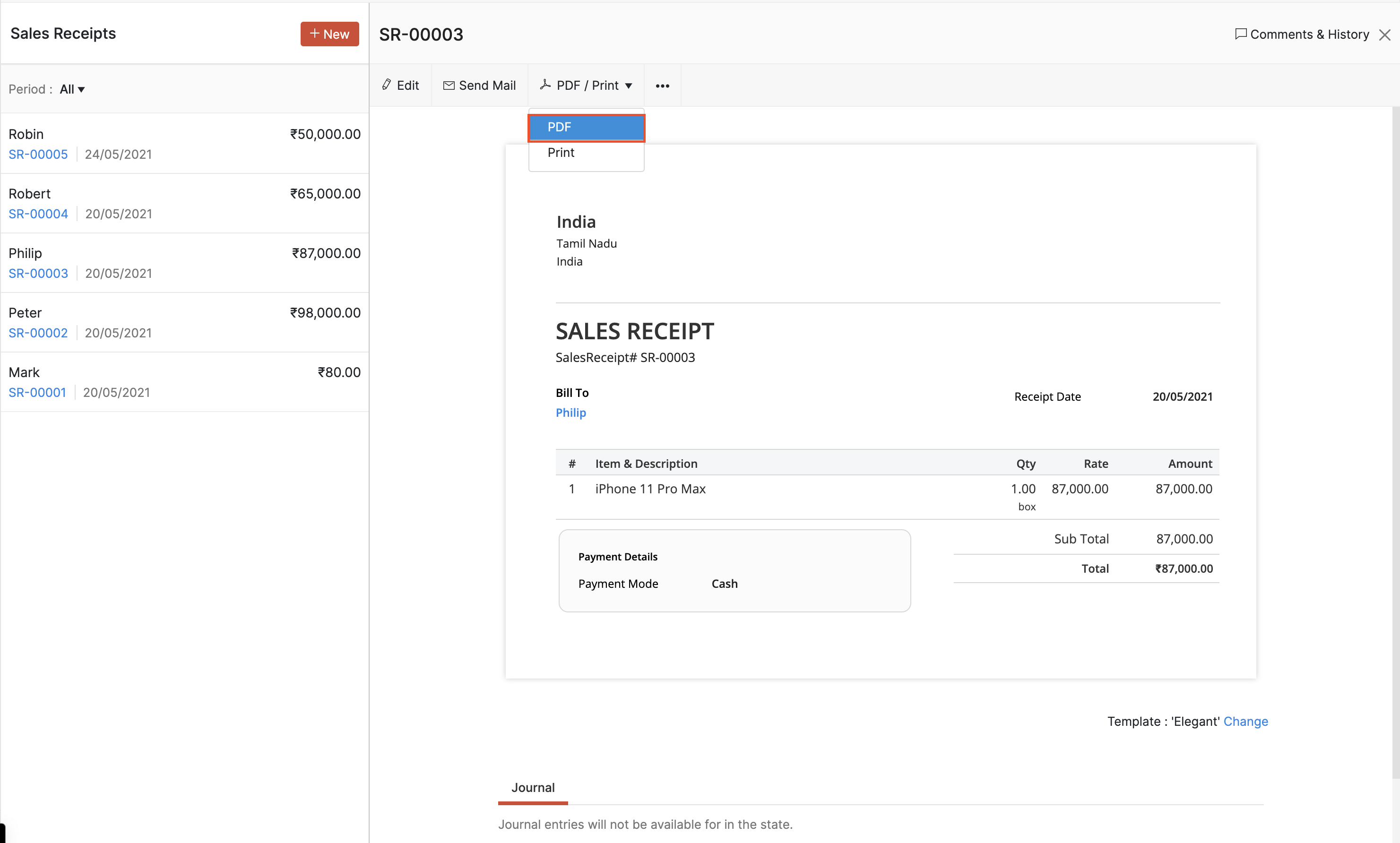
- Go to Sales > Sales Receipts.
- Select the sales receipt which you want to download as PDF.
- Click the PDF / Print dropdown and select PDF.
- The sales receipt will be downloaded as a PDF.
 Yes
Yes