
How do I apply self-accounting (or, reverse charge) on transactions?

In Nigeria, the Nigeria Revenue Service (NRS) manages VAT at the standard rate of 7.5%. Usually, your vendor collects VAT from you and remits it to FIRS. Under self-accounting, you calculate VAT yourself because your vendor is not registered for VAT. You then remit it to FIRS and claim it as input VAT if you’re eligible.
You must apply self-accounting when you buy goods or services from a non-resident vendor who has not charged you VAT. This includes:
- Services from foreign consultants, legal advisors, or marketing agencies.
- Digital or electronic services such as SaaS, streaming platforms, and more.
- Intangible goods or services such as royalties, licences, or intellectual property rights.
- Any other goods or services from a non-resident vendor who is required to register for VAT under the Finance Act, but has not done so.
In each of these cases, you must calculate VAT at 7.5% on the invoice amount and declare it as output VAT in your monthly return.
To apply self-accounting in Zoho Books:
- Go to Purchases on the left sidebar and select Bills.
- Click + New in the top right corner.
- In the New Bill page, select a vendor who is not registered for VAT.
- Under the Accounts Payable field, enable the Self-Accounting option.
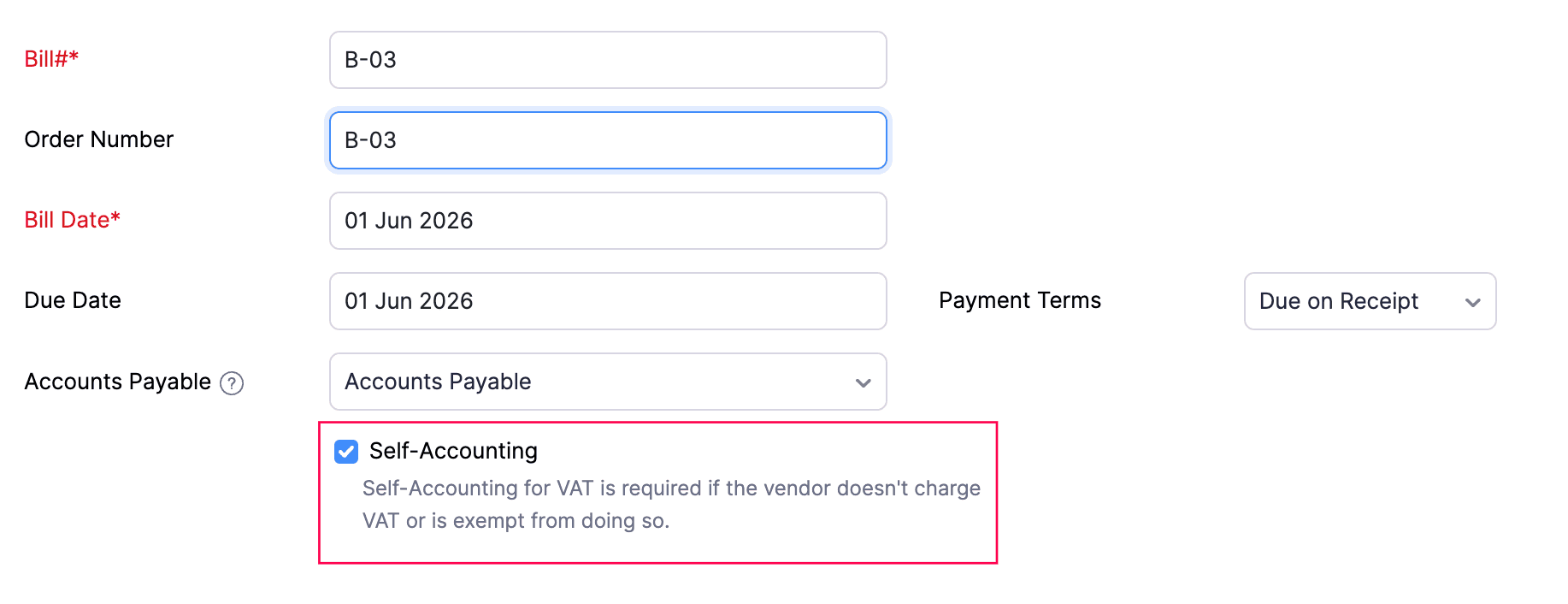
- Fill in the other required details.
- Click Save as Open, or click Save as Draft and mark it as open later.
The bill will be recorded with VAT calculated at 7.5% on the invoice amount and declared as output VAT in your VAT return.
 Yes
Yes