



Live Shipping Rates

Live Shipping Rates display real-time carrier rates at checkout, calculated directly by your integrated shipping carrier. You can adjust these rates before presenting them to customers by applying a markup, markdown, or rounding rule.
Scenario: Patricia runs an apparel store on Zoho Commerce and ships across multiple cities. Carrier rates vary by destination and order size, so she sets a minimum rate to avoid undercharging on low-value orders and applies a small percentage markup to cover packaging costs. She also rounds up rates to 0.99 so the final shipping charge appears consistent at checkout.
Enable Live Shipping Rates
Before configuring rates, you must enable Live Shipping Rates for a connected shipping carrier.
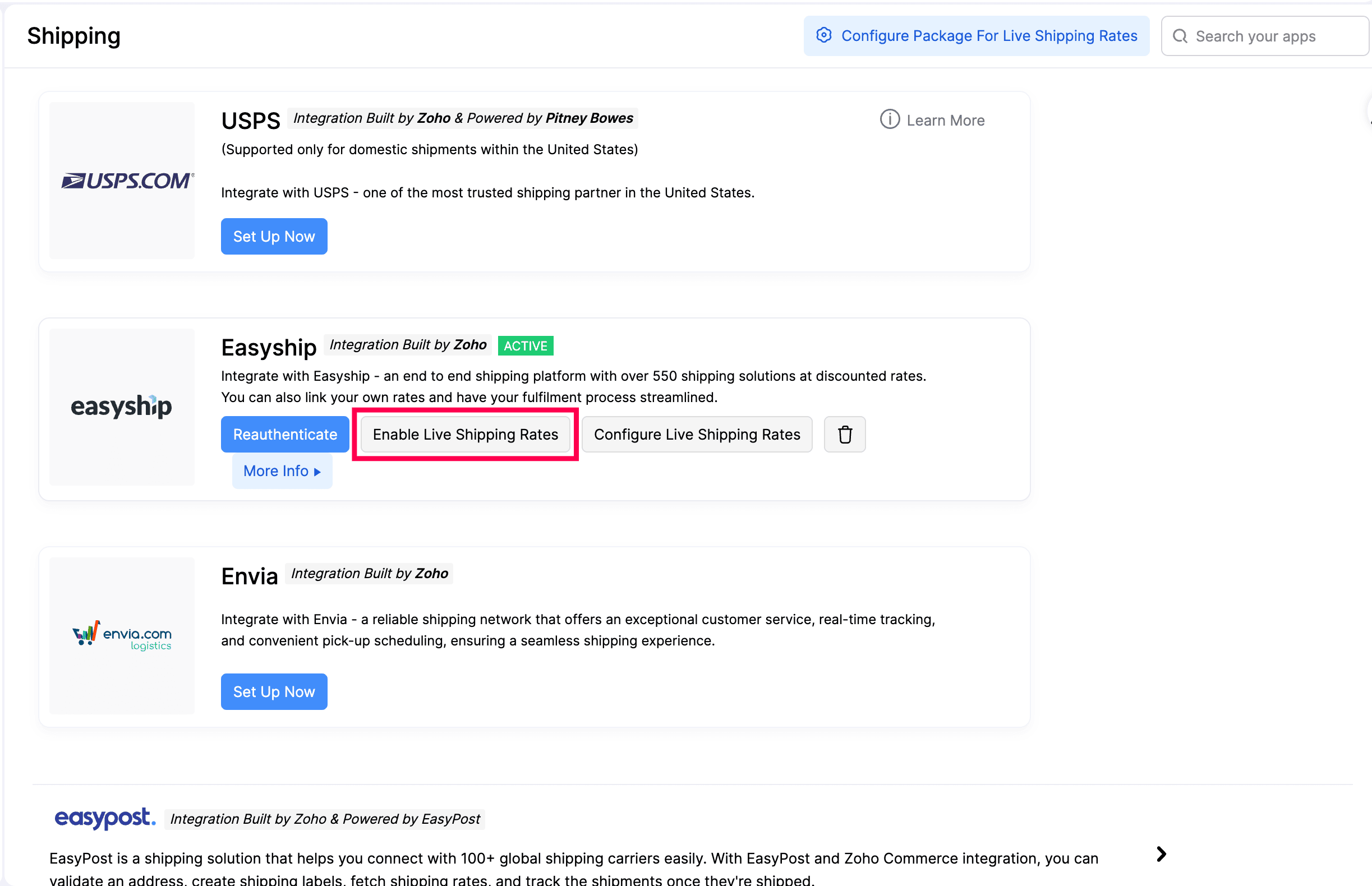
- Go to Settings in the top right corner.
- Select Shipping under Integrations.
- Click Enable Live Shipping Rates next to the shipping carrier you want to use. A confirmation dialog appears.
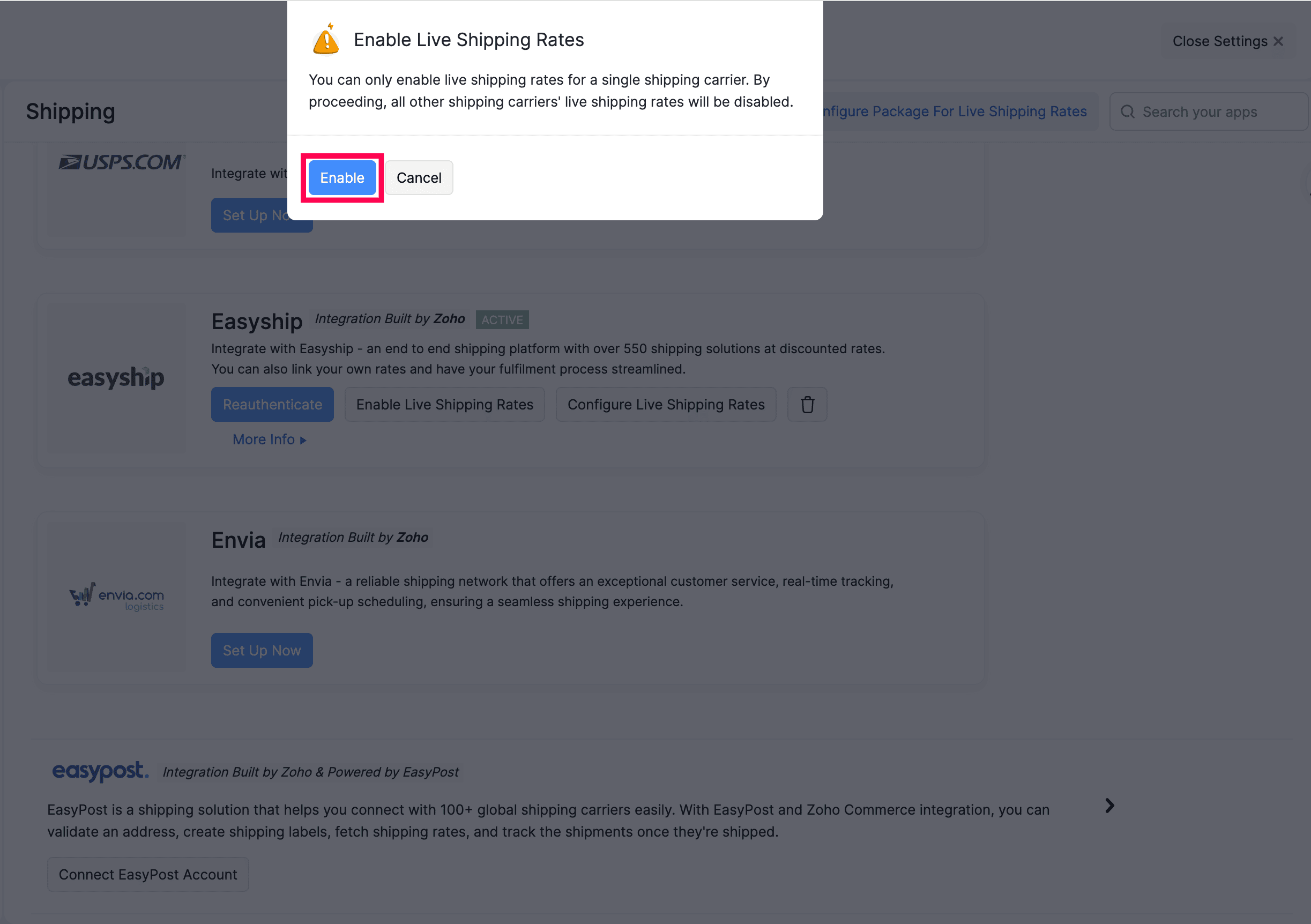
Warning: You can only enable live shipping rates for a single shipping carrier at a time. By proceeding, if live shipping rate is enabled for another carrier, it will be disabled.
- Click Enable to confirm.
Configure Live Shipping Rates
After enabling live shipping rates, you can configure how the carrier-calculated rate is adjusted before it is shown to customers.
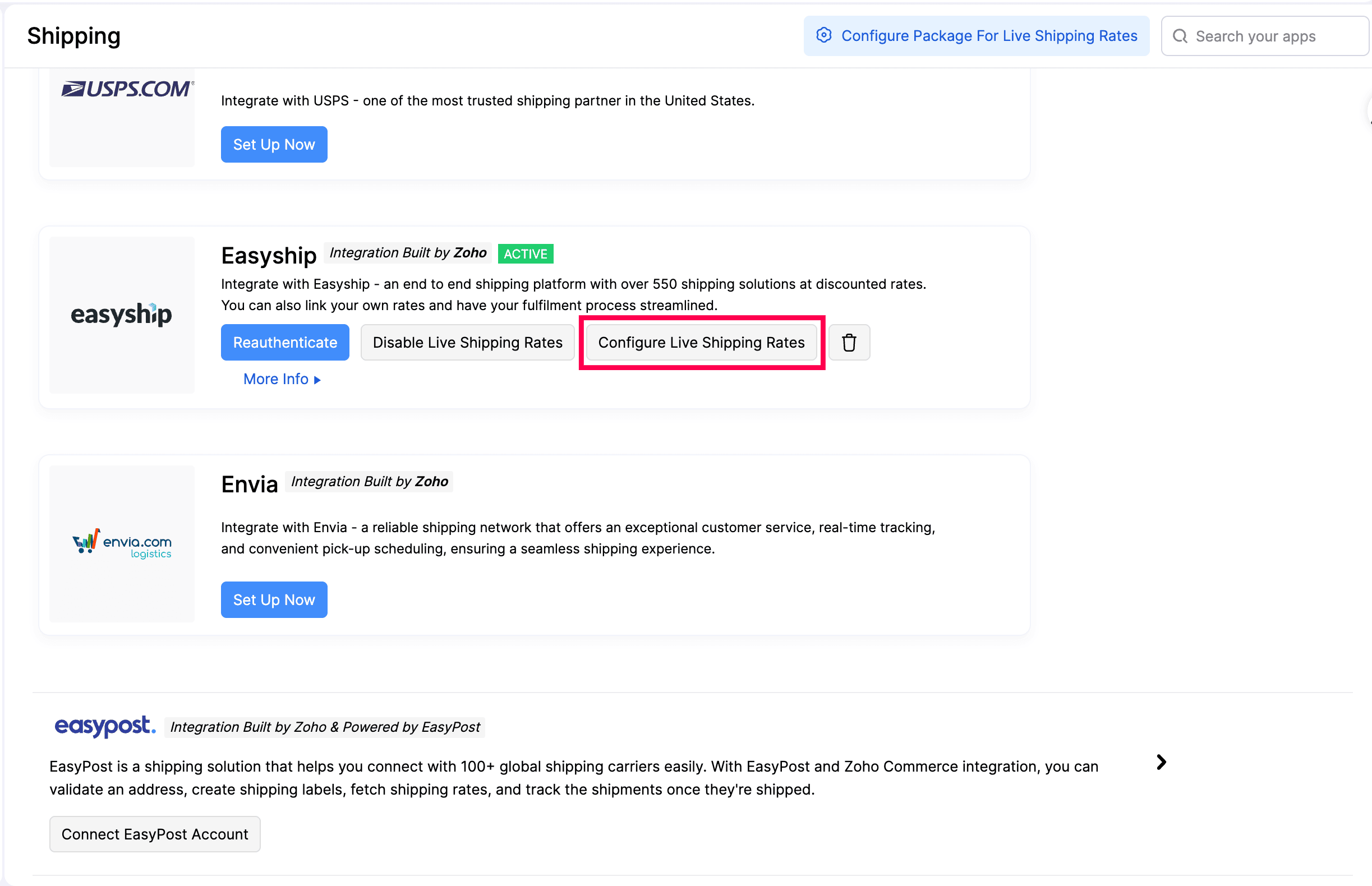
- Go to Settings in the top right corner.
- Select Shipping under Integrations.
- Click Configure Live Shipping Rates next to the active carrier. The Configure Live Shipping Rates dialog opens.
- Click New Condition to define a new rate adjustment rule.
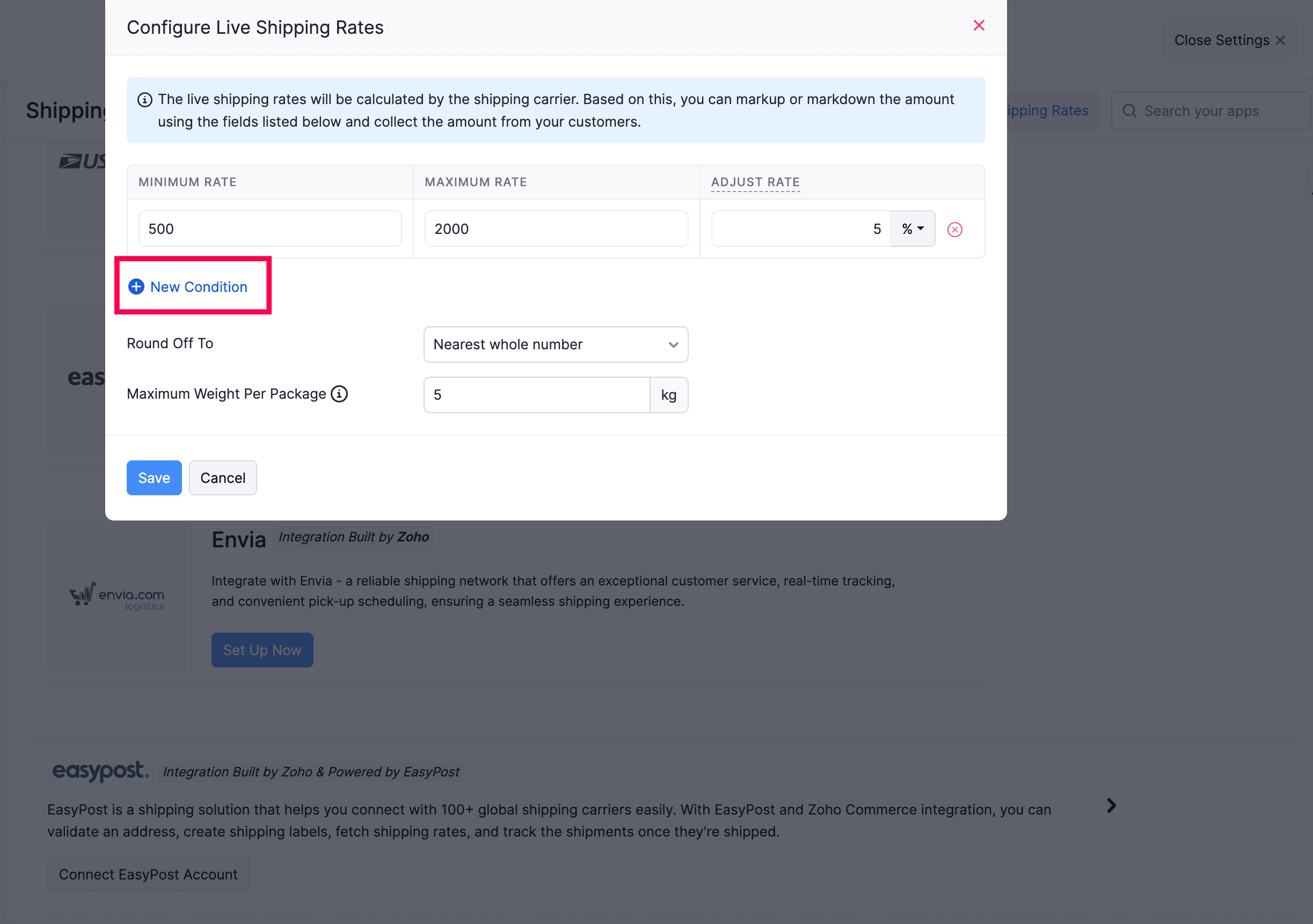
Fill in the fields as needed.
| Field | Description |
|---|---|
| Minimum Rate | Enter the minimum rate to apply the adjustment. |
| Maximum Rate | Enter the maximum rate to apply the adjustment. |
| Adjust Rate | Applies a markup or markdown to the carrier rate. Enter a value and choose the unit - % to adjust by percentage, or INR (or your base currency) to adjust by a fixed amount. Use a positive value to increase the rate and a negative value to reduce it. |
Note: You can use negative values in the Adjust Rate field to reduce the carrier rate. For example, entering -10% will reduce the carrier rate by 10%.
To add multiple conditions for rate adjustments, click + New Condition and define additional rules.
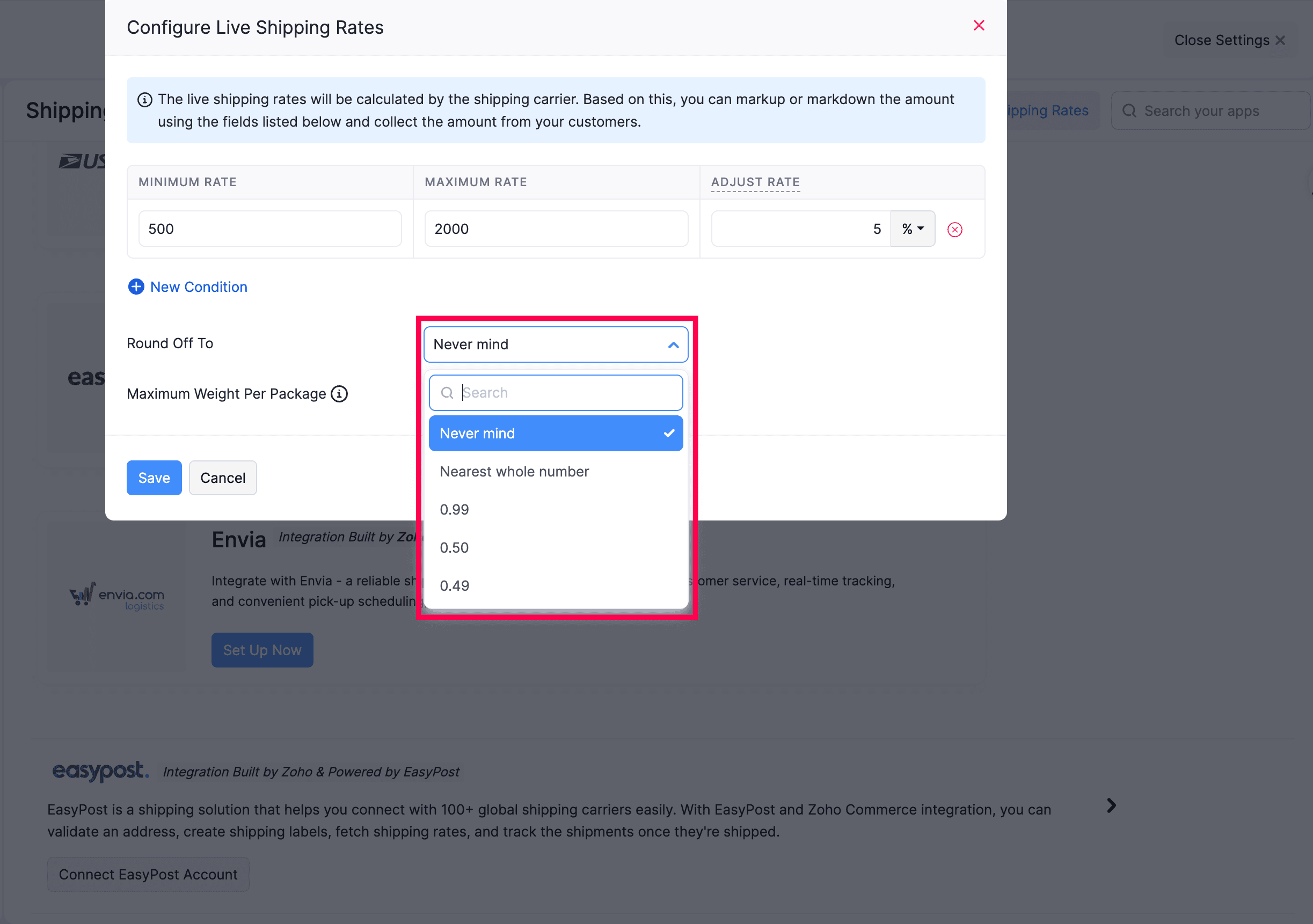
Round Off To
Rounds the final adjusted rate to a specified value before displaying it at checkout.
| Option | Description |
|---|---|
| Never mind | No rounding applied. The exact rate is displayed. |
| Nearest whole number | Rounds the rate to the nearest integer. |
| 0.99 | Rounds up to the nearest value ending in .99 (e.g., ₹149.99). |
| 0.50 | Rounds to the nearest value ending in .50. |
| 0.49 | Rounds to the nearest value ending in .49. |
Maximum Weight Per Package
Enter the maximum weight (in kg) allowed for a single package. When an order exceeds this weight, Zoho Commerce splits it across multiple packages and fetches rates accordingly.
Insight: The live rate displayed at checkout is calculated by the shipping carrier. The fields above let you adjust the carrier rate, they do not override carrier-side configuration.
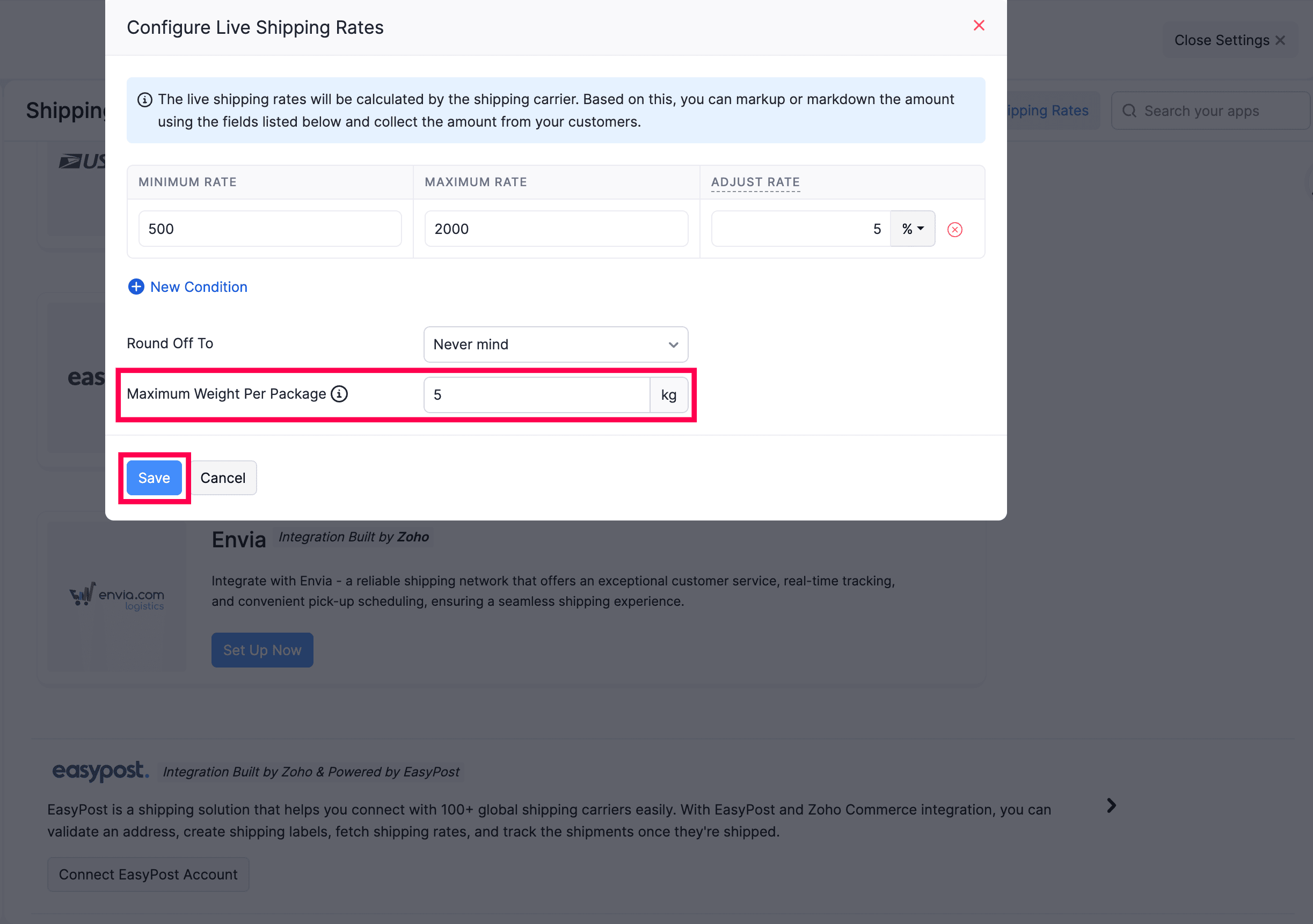
- Click Save.