How a leading household brand boosted customer satisfaction to 70% with Zoho Desk
The company
The brand is a trusted household name renowned for quality everyday products that has earned consumer confidence over 50 years and remains committed to providing innovative, highly efficient products that solve daily challenges while delivering exceptional value and customer experience.
Its longstanding market presence is supported by a deep understanding of consumer needs and a proven ability to adapt to changing lifestyles. By continuously investing in manufacturing, distribution, and support capabilities, the company ensures consistent product availability and dependable performance in everyday use.
The challenge
Though the brand collaborated with ecommerce sites and retailers for the sale of its products, it remained responsible for addressing customer concerns and queries. Before the pandemic, the company relied on in-house tools to store and manage all support tickets. The support team communicated with customers through email and toll-free numbers to collect feedback and handle queries.
However, as the brand’s product offerings expanded, its consumer base grew as well. This increase in volume highlighted the need to consolidate fragmented and siloed communication channels into a single platform that could streamline operations and enable better tracking.
The solution
Since they were already an avid user of two ManageEngine products, they wanted to try Zoho Desk for one of their sub-brands to improve the customer experience for their consumers. The brand purchased a small number of initial licenses before expanding to a broader implementation.
The process of implementing Zoho Desk was straightforward; they were able to easily integrate it into their website and make script-level modifications. They also found the graphical user interface to be highly user-friendly and intuitive.
Robust ticketing with seamless integrations
The brand uses Zoho Desk as a centralised platform to manage customer interactions. Customer feedback emails are automatically converted into tickets in Zoho Desk, which allows support representatives to review, track, and respond efficiently while maintaining accurate records of customer requests.
Additionally, when a customer has feedback for one of their sub-brands, but has raised a ticket with another one, the ticket is evaluated and moved to the respective department. This helps the company resolve customers' issues as soon as possible.
The company integrates its IVR solution through a third-party application connected to Zoho Desk. All incoming calls—including missed or unattended ones—are automatically logged in the system as tickets to ensure that no customer query goes unnoticed and that every request can be tracked and addressed promptly.
Webforms
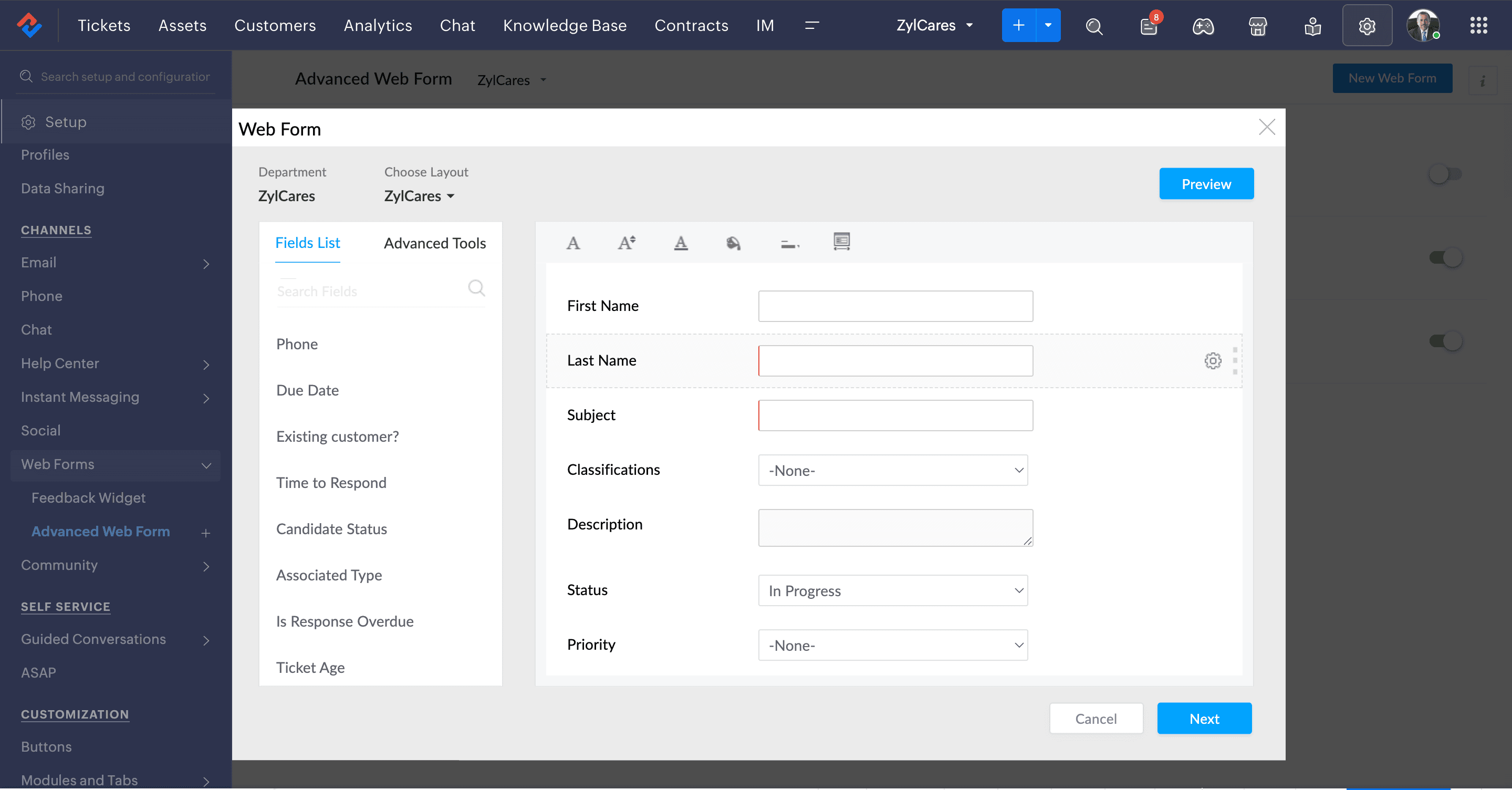
Webforms simplified the process of capturing customer requests directly from the company’s website and converting them into tickets in Zoho Desk. The brand needed to collect specific details such as invoice number, faulty product information, and location. Gathering this information through phone calls and emails was time-consuming and often incomplete. By integrating Zoho Desk webforms into their website, customers can now submit these details through a structured form, enabling the support team to quickly validate and process inquiries.
The brand created two dedicated webforms—one for customer complaints and another for sales inquiries. In addition, when a ticket is generated through other channels, the system automatically sends a response to the customer with a form requesting the required details. The form must be completed before submission to ensure that all necessary information is captured and reduce back-and-forth communication with customers. Read how to create webforms within Zoho Desk.
Custom functions
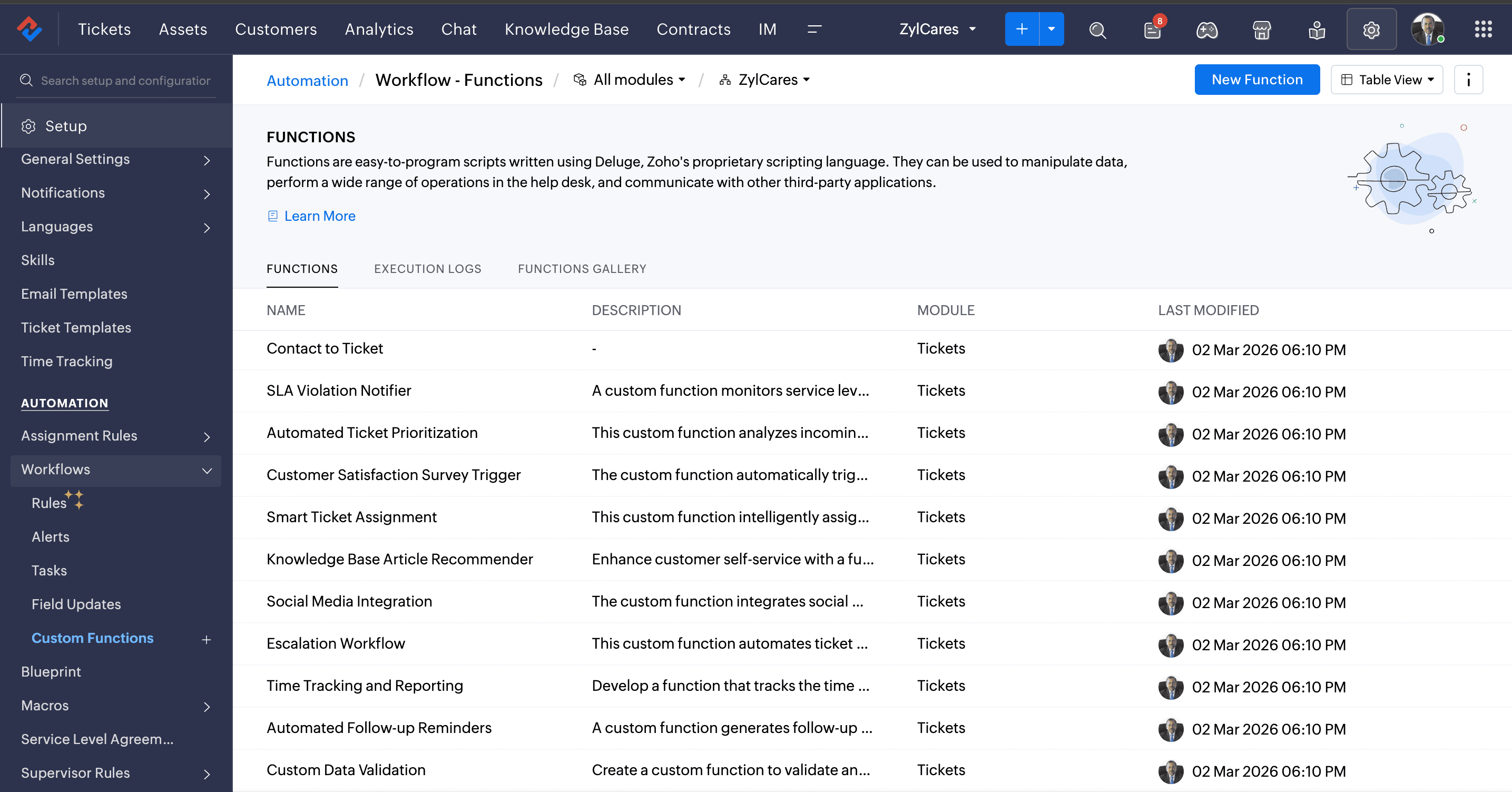
Customers usually call multiple times until they receive a response from a brand's help centre. To avoid confusion in ticket creation, the brand has customized the flow: Even when a customer calls multiple times, it's logged as a single ticket if the product and customer details provided are the same. In addition to the ticket merging rule, the brand has also set up restrictions so that tickets can only be re-opened within a particular timeframe. Read how to merge tickets to avoid duplication.
Seamless integrations for better customer engagement
The brand uses Zoho Survey to collect feedback from customers after resolving their concerns. Once the customer has given feedback through the form, the ticket is closed. They have incorporated Zoho Survey to ask their customers about their experience and are seeing good ratings in more than 70% of the survey submissions across all brands.
The brand also has an in-house application, which can be downloaded from the Google Play store. The application helps users scan the QR or bar codes of defective products. After the product is auto-detected, if the customer wants to submit a ticket, they can do so from within the application, after which the ticket is saved within Desk.
Advanced insights and automated customer engagement
The brand uses Zoho Desk dashboards to track key metrics such as the number of missed calls logged as tickets, the number of resolved and unresolved tickets, and the total ticket volume. To gain deeper insights, the team integrated Zoho Analytics. This allows them to monitor additional metrics, including the number of missed calls and the volume of calls received during non-working hours, along with several other performance indicators.
In addition, the brand has automated customer interactions using Zobot, a bot powered by Zoho SalesIQ. Zobot is implemented through ASAP widgets and the live chat feature, enabling the team to handle customer queries more efficiently and provide quicker responses.
Zia helps to build a strong knowledge base
Zia in Zoho Desk enables this household brand to build a robust knowledge base through intelligent sentiment analysis and automated ticket-to-article conversion. By analysing incoming customer inquiries, Zia identifies customer sentiment and satisfaction levels, automatically flags dissatisfied customers, and simultaneously converts resolved tickets into structured knowledge base articles. Read how to create a strong knowledge base using Zia.
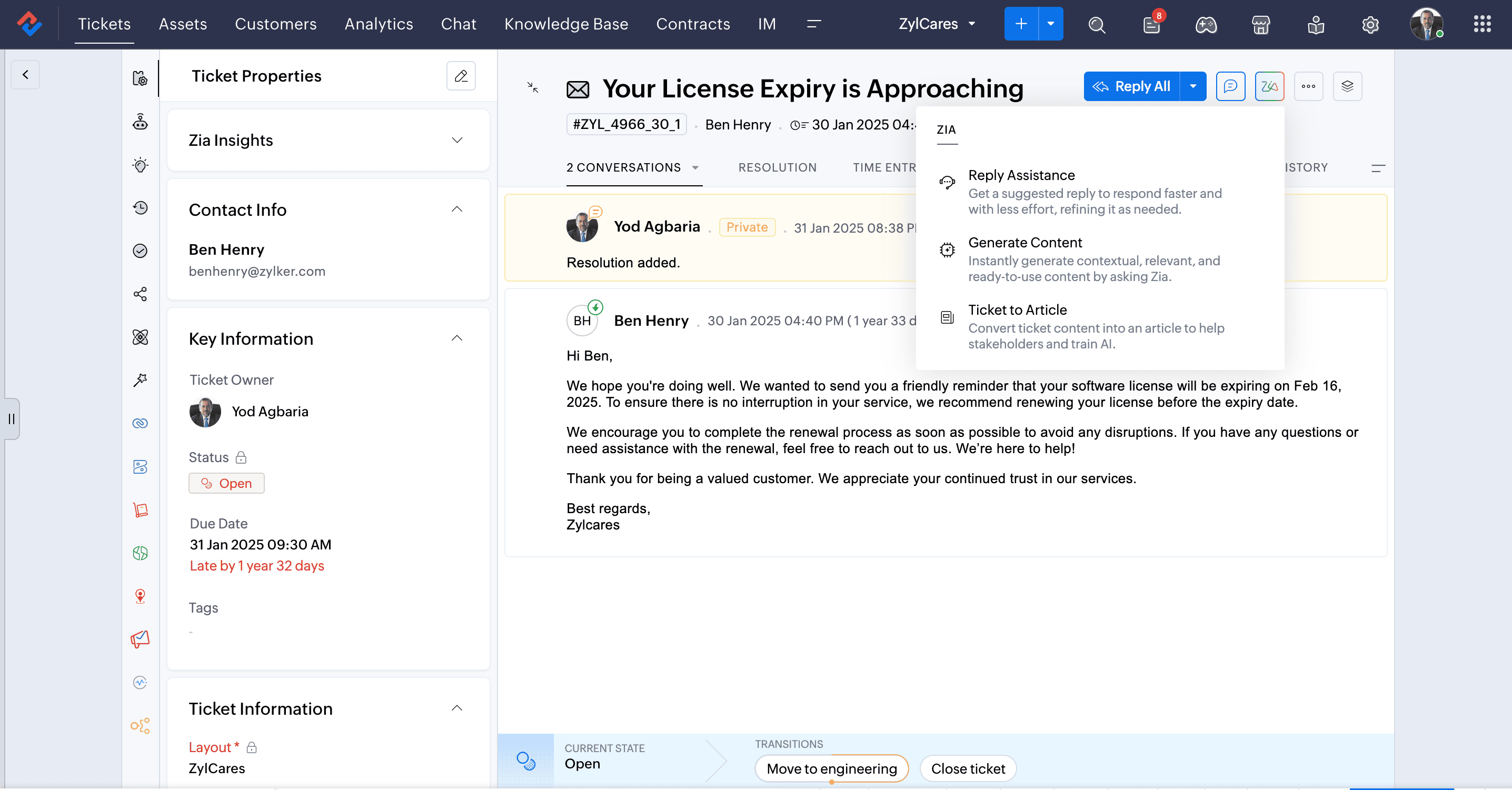
As Zia continuously learns from resolved cases, it suggests relevant articles to support agents, which helps reduce resolution time and enable customers to find solutions independently through self-service options. Over time, this approach transforms everyday customer inquiries into valuable institutional knowledge, enabling faster first-contact resolution, improved customer satisfaction scores, and a continuously evolving support resource that reflects real customer needs and best practices unique to the brand's product ecosystem.
Business results
The brand has found Zoho Desk to be a practical upgrade to their customer support operations, with an implementation process that required minimal ramp-up time. Staff were able to get comfortable with the platform on their own, without the need for structured training sessions.
Bringing customer inquiries into a single system and establishing consistent support workflows has given the team better oversight of open cases and cut down on the manual work involved in handling requests. Ticket routing and follow-through now happen with less friction, freeing support staff to spend more time actually resolving issues rather than coordinating them. Management has also gained a clearer picture of day-to-day operations through real-time data and reporting tools, which help with spotting patterns, keeping tabs on team workloads, and making grounded operational decisions.
Having customer data and support activity housed in one place means the team no longer has to jump between tools to find what they need, which has contributed to more consistent customer interactions and smoother daily workflows.
Looking ahead, the company is evaluating other products within the Zoho ecosystem as part of a broader effort to strengthen their support infrastructure and continue raising the bar on customer experience.
- Key FeaturesWebforms, custom functions, dashboards, integrations, Zia