Centralize external partner communication with Secondary Contact
Scenario
Resolving a ticket often requires collaboration with people outside the organization or the team. These may include external consultants, service providers, legal advisors, auditors, or third-party agencies, depending on the issue or the type of business. These users play a critical role in resolving the issue, but communication can be a challenge.
An HR executive is managing the onboarding process for a newly hired employee. As part of the standard onboarding procedure, a background check, including employment history and identity verification, must be conducted.
This task is outsourced to a third-party agency but also requires coordination between internal teams. To initiate the process, the HR executive raises an internal support ticket with the onboarding team.
Problem
The team needs end-to-end communication to streamline the process, and having all communication associated with the ticket is preferable. However, since the agency is not an internal user or the ticket owner, they are not automatically included on the thread and can't make updates to the ticket directly.
This creates a gap in communication that can cause delays and prevents centralized documentation and process tracking.
Solution
The HR executive can include the point of contact from the external verification agency as a secondary contact using CC feature in the ticket. In place of using another email service to track the communication, the external verification agency's reply to email will automatically be logged within the ticket thread in Zoho Desk to maintain transparent end-to-end communication.
This will ensure that:
- The agency is kept informed and included in the email thread
- They can provide updates on the process, such as which stages of background verification are complete
- It's easy to add associated reports or documents as attachments
- All communication can be associated with the same ticket
Points to remember:
- A maximum of 20 CC email addresses can be added per ticket
- The ability to add a CC or secondary contact to a ticket needs to be enabled at the department level
- Contacts and emails that cannot be added as CCs:
- Deleted contacts
- Spam contacts
- Anonymous contacts
- Support email addresses
- From addresses
- Agent email addresses
- The CC field cannot be removed from the layout of a department unless the CC feature is disabled entirely
- When multiple recipients are added in the "To" field, the system automatically adds all of them (except the original requestor) to the CC field.
Configuration:
To enable secondary contact/ CC feature:
- Navigate to Setup > Customization > General Settings
- In the General Settings for Tickets page, click Configuration
- Click Select Department to enable and select the department from the drop-down
- In the pop-up, click I understand, enable.
- Select the check box to update your preferences:
- a. End users can add Secondary Contacts (CCs) to tickets in the help center
- b. Email recipients can also be auto-added in the ticket's Secondary Contacts (CCs) field
Output
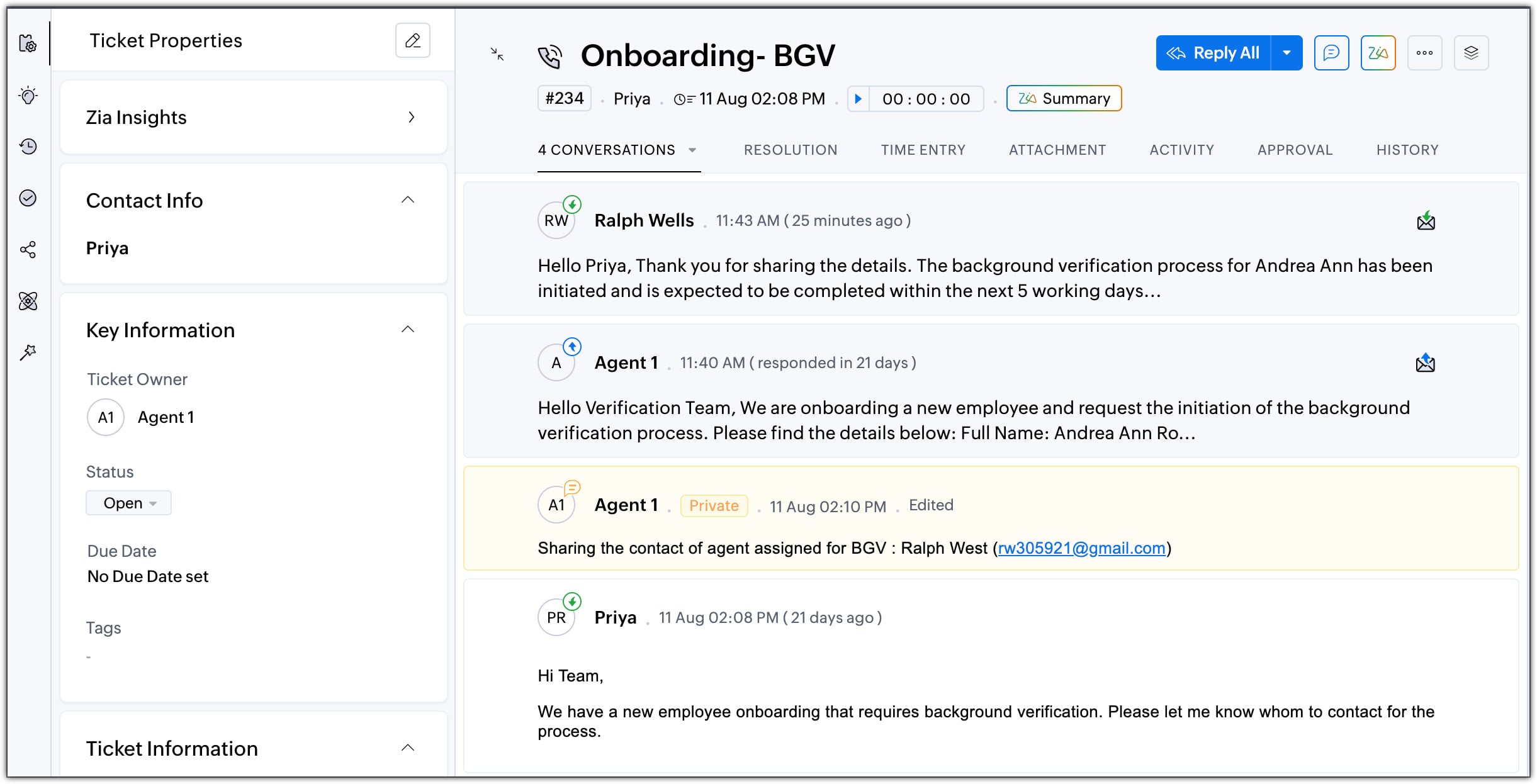
By adding secondary contact to the ticket conversation, keep all associated communication within the ticket.
Also read: Enabling Secondary Contacts (CC) in Ticket Conversations
- EditionProfessional and above
- Key FeaturesSecondary Contact
- Profile PermissionAdministrators can configure Secondary Contact for a department.