



Ship in Separate Package

The Ship in Separate Package option lets you force an item to be packed and shipped separately from other items in the same order. This is useful for bulky, fragile, or special-handling items that should not be combined with standard packages.
Scenario: Patricia runs a furniture and decor store. A floor lamp is tall and fragile, so she enables Ship in Separate Package for that item. A customer places an order with one floor lamp and two cushion covers. At checkout, Zoho Commerce requests shipping rates for two packages: one separate package for the lamp and another package for the cushion covers. The customer sees one final shipping charge that includes both package rates.
What is Ship in Separate Package?
When this option is enabled for an item, Zoho Commerce treats that item as a separate shipment unit while calculating live shipping rates. The carrier rate is then calculated using that item’s dimensions and weight.
Note: To get accurate live shipping rates, enter the item’s dimensions and weight in the Fulfilment Details section.
Enable Ship in Separate Package for an Item
- Click Items in the left sidebar.
- Open an existing item or click + New Item to create a new item.
- In the Fulfilment Details section, enter the item’s dimensions and weight.
- Select Ship in Separate Package.
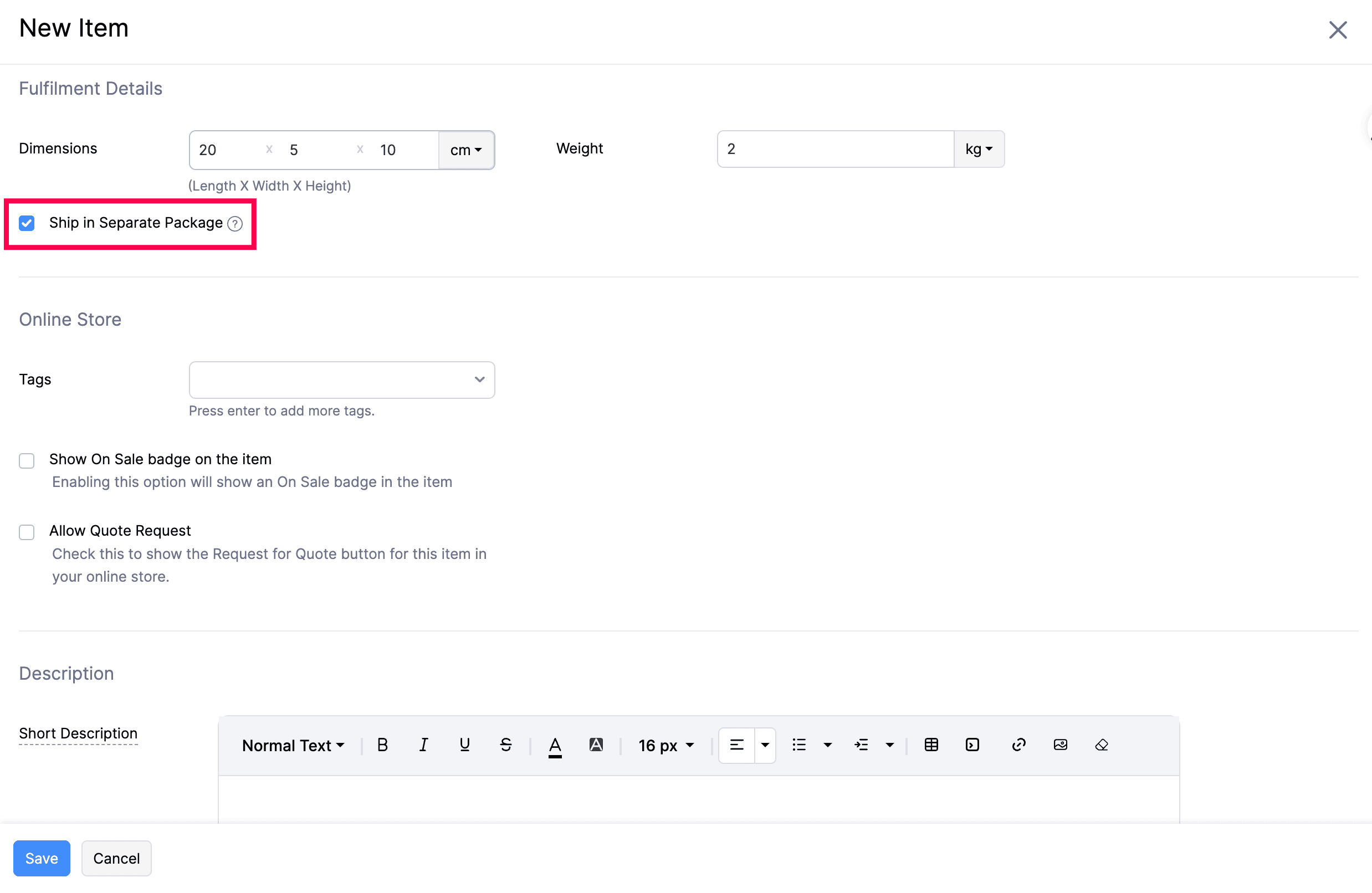
- Complete the remaining item details and click Save.
How Ship in Separate Package Works
During checkout, Zoho Commerce sends shipment details to your integrated shipping carrier for live rate calculation.
If an order contains an item marked Ship in Separate Package:
- That item is packed as a separate package.
- Remaining items are packaged based on your live shipping package configuration.
- Live shipping charges are calculated for each package.
- The final shipping amount shown at checkout is the total of all package-level shipping charges.
Insight: Use this option along with Configure Package For Live Shipping Rates and Configure Live Shipping Rates for consistent shipping rate calculations.