
How to mark messages as unread?
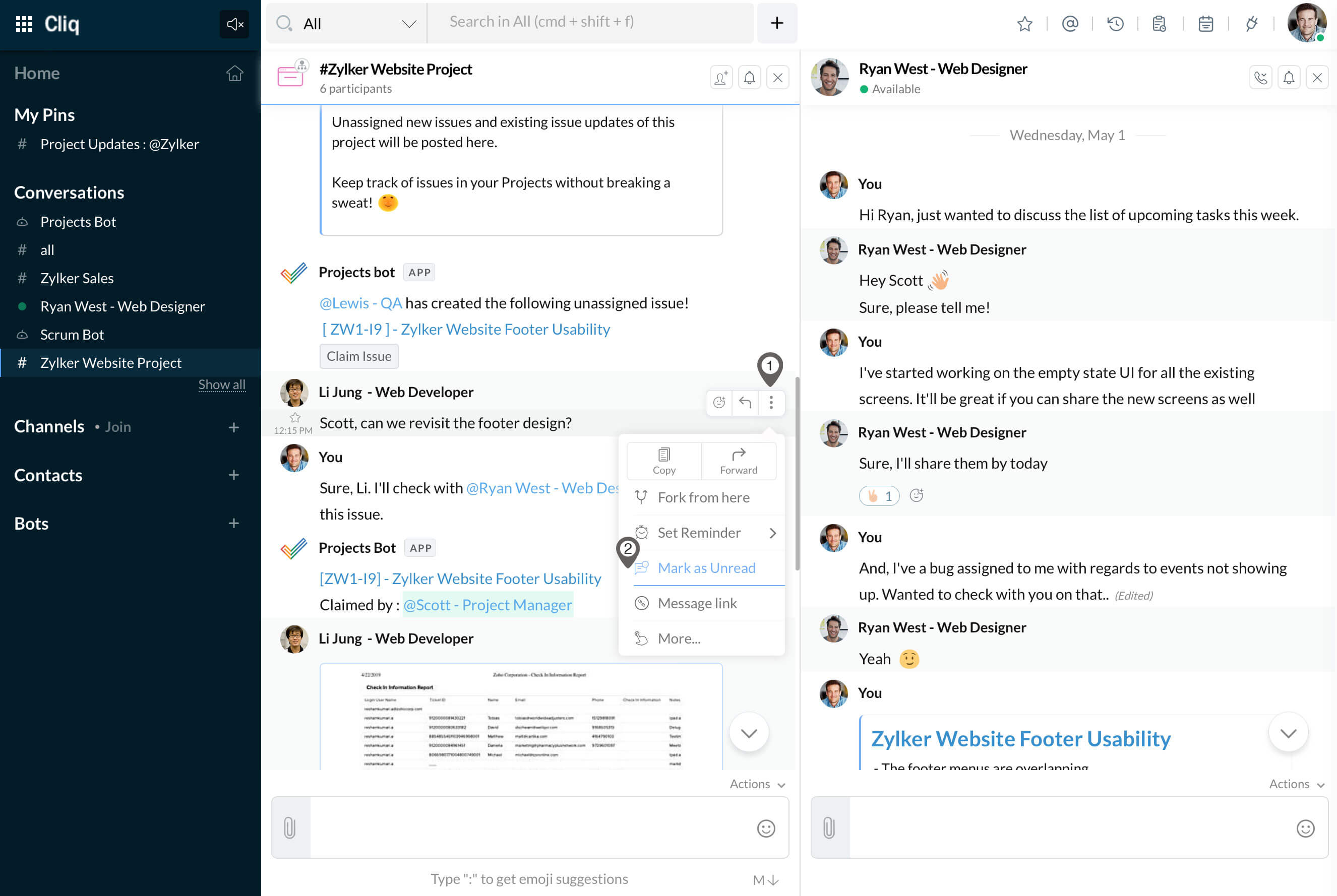
You can mark important messages as unread to read and act on them later when you have time. The steps to mark a message as unread are,
- Hover on the message and click on Actions (3 dots).
- Select Mark as Unread.
- The chat window will get closed on screen and it will be marked with the unread icon (red circle) in the left sidebar.
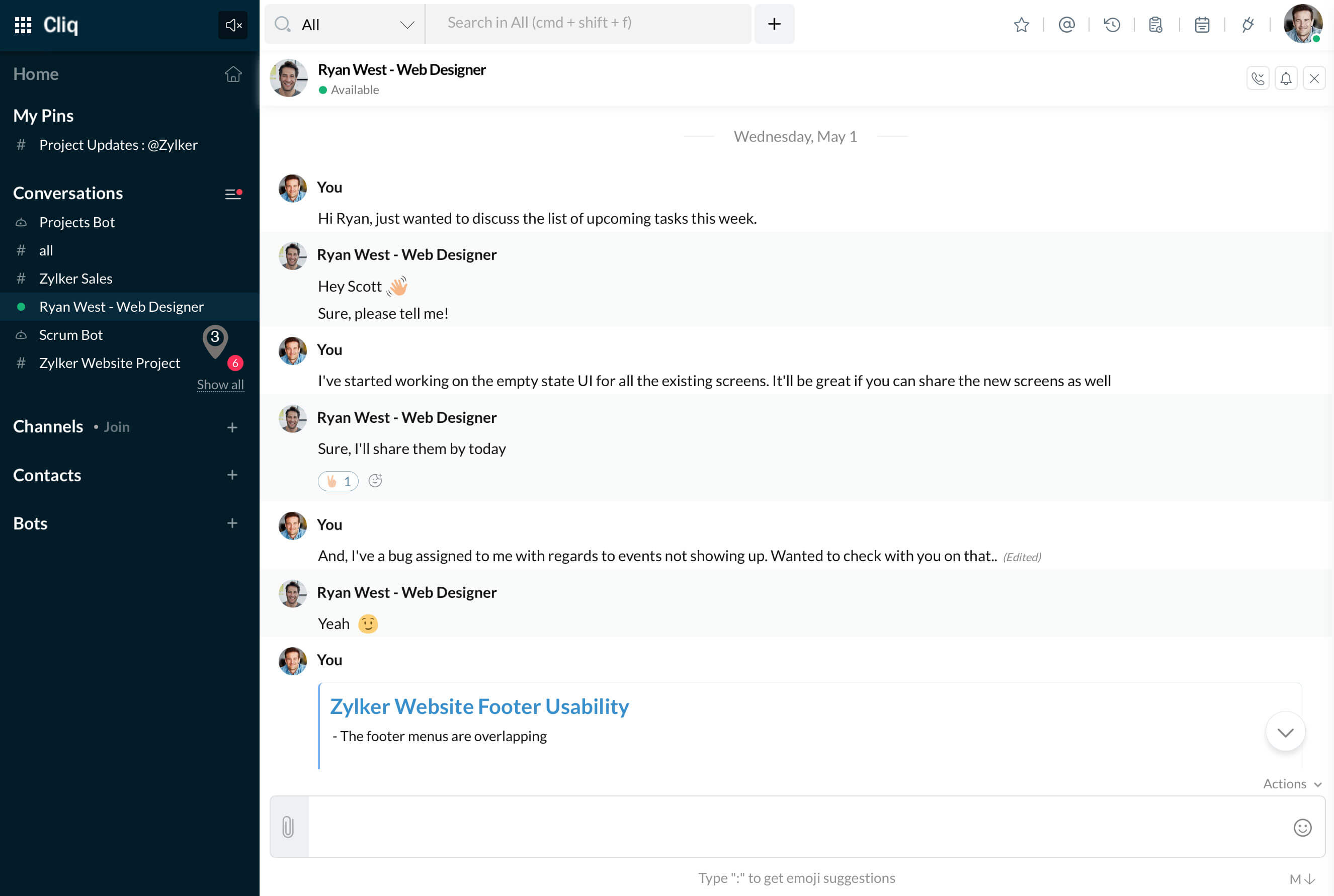
If the chat was a muted chat, then it would be found under Muted Conversations. Marking a chat as unread in the web will instantly get synced across Cliq apps in all devices.

Note:
You can mark messages as unread from any time onwards, there is no time limit!