How to choose the right LMS for your institute?
For a growing institute, choosing an LMS that combines powerful features with an intuitive interface is key. It should be affordable, scalable, and backed by responsive support ensuring better engagement, smoother teaching workflows, and real value as your institution grows.
Easy-to-use platform
Built for educators, simple UI enables quick adoption across teams.
Affordable and scalable
Flexible pricing with all features, no hidden fees or add-ons.
Smart course builder
Design structured courses with lessons, assignments, videos, and quizzes—no coding required.
Syllabus Planner
Plan your academic year with structured weekly or monthly curriculum blocks.
Built for multi-branch institutions
Easily manage branches, content, and users from a single dashboard.
Powered by education-first AI
AI creates lesson plans, exams, and feedback tailored to curriculum.
Template Library
Access preloaded courses, announcements, and assignments ready to use instantly.
Top reasons Zoho Classes wins over Canvas LMS
Responsible AI Ownership

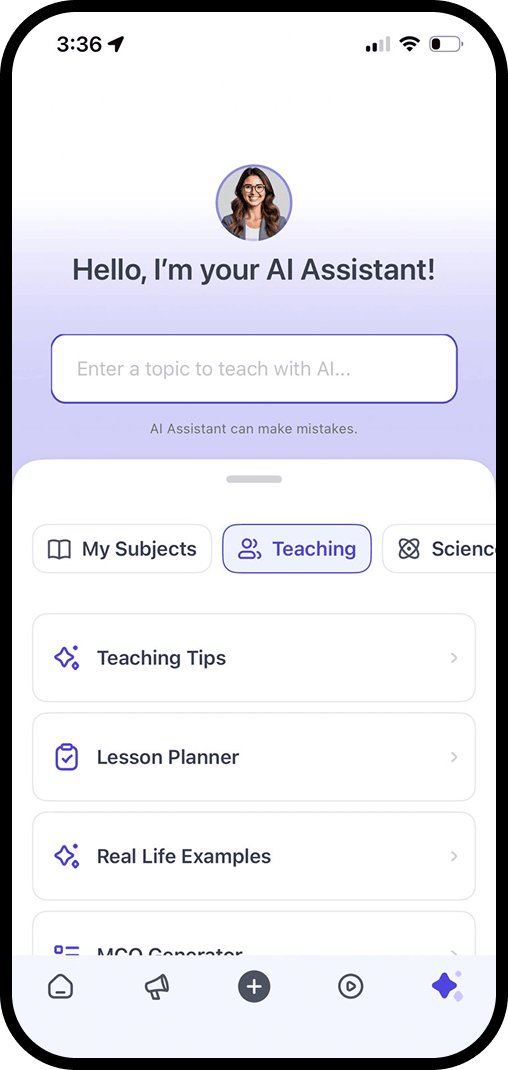
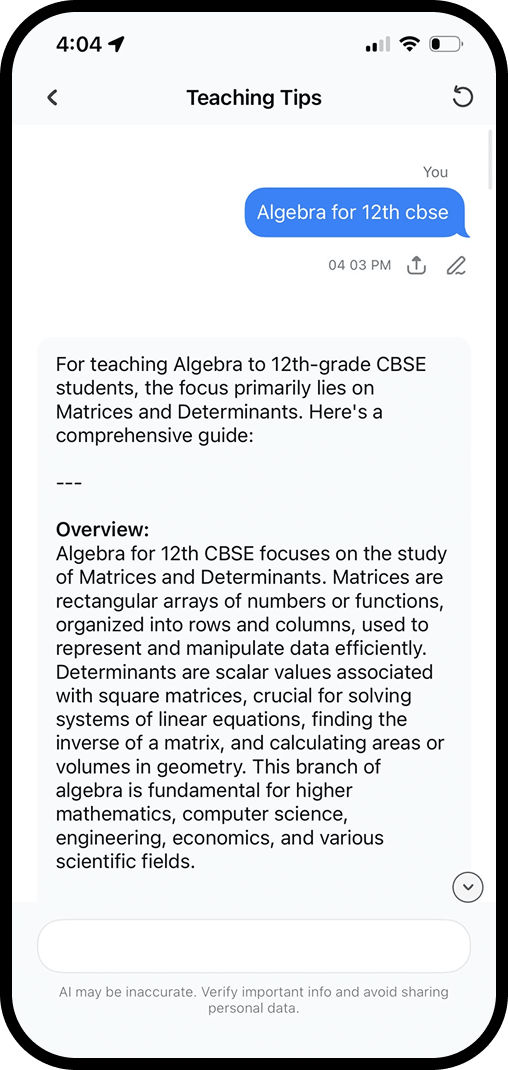
Create, customize, and govern AI.
We believe AI in education must remain under the control of teachers and institutions. That principle guides everything we design and build.
Zoho Classes enables schools to create, customize, and govern their own AI. Teachers add domain-specific GPTs, set guardrails, and control student access. AI supports learning with transparency, oversight, and no hidden automation.
Limited institutional control over AI tools.
Canvas LMS delivers AI primarily through third-party integrations, with inspection outside the core platform.
While educators can use AI-powered features, institutions typically rely on third-party integrations for customization, guardrails, and data handling. This can result in limited visibility into prompt control, interaction history, and centralized AI governance.
Create, Distribute & Track Courses across Locations
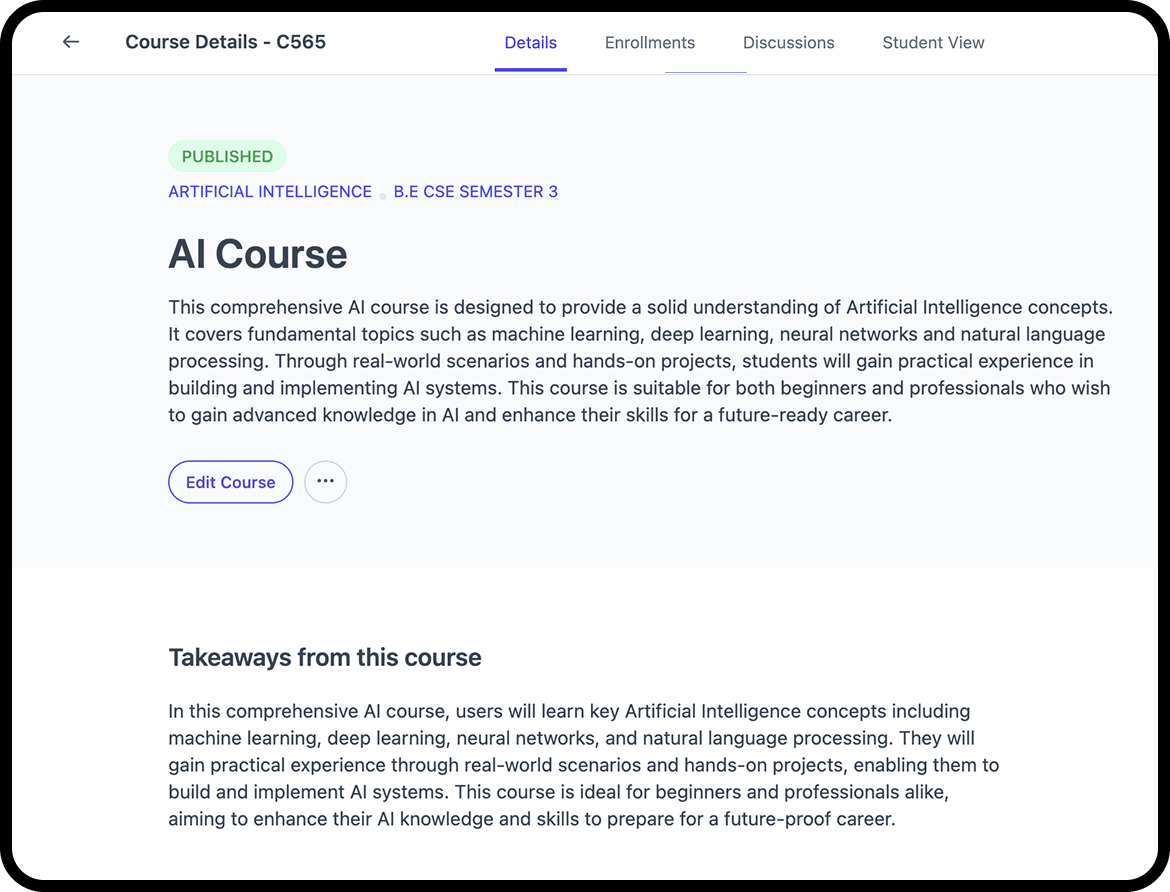
Create courses in 100+ languages
With intelligent tools, teachers can build high-quality courses faster, localize content instantly, and adapt learning for diverse audiences.
Zoho Classes delivers an AI-enhanced visual course builder with templates, scaling easily from one school to hundreds of branches, free for educators.
Demand time, training & support
Canvas offers course building flexibility only with significant time, training, and tech support, slowing everyday teaching workflows.
It lacks built-in AI creation, reusable templates, and drag-and-drop flow, while costing more and depending on third-party tools for most growing institutions.
Lesson Plan to Course with Agentic AI

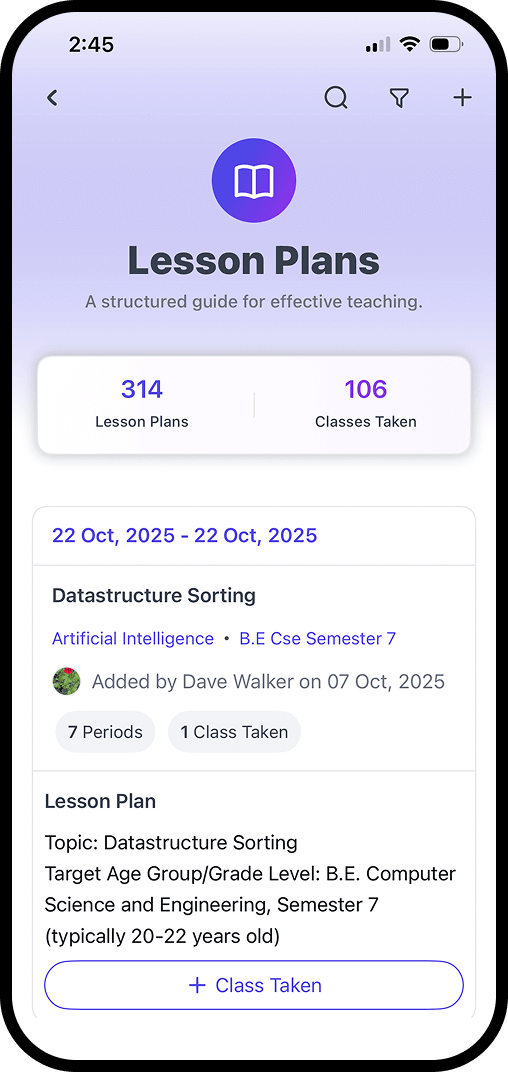
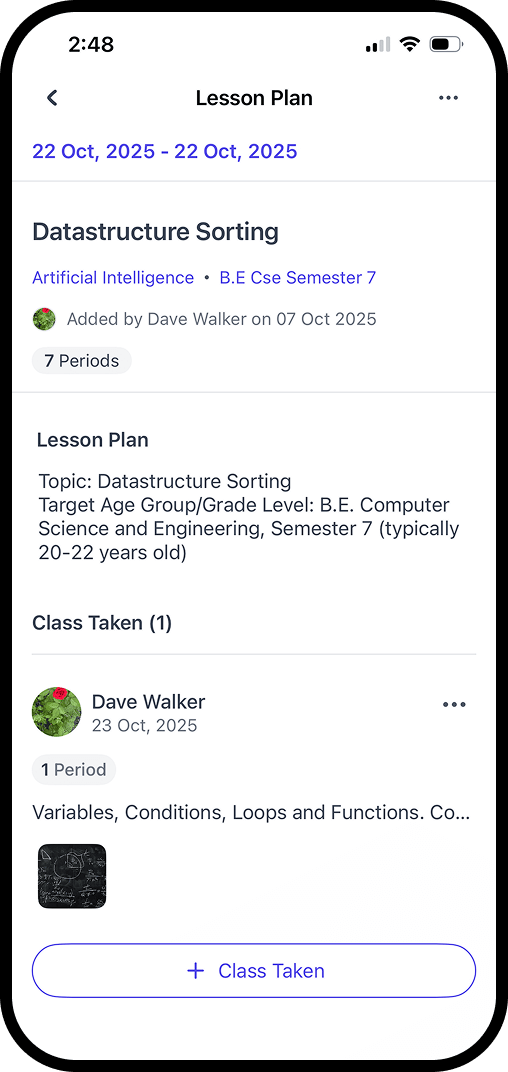
Automate course generation
Zoho Classes turns lesson plans into complete courses automatically using agentic AI and built-in practice assessments tools.
Faculty follow planned schedules, share materials on time, maintain organized teaching, ensure continuity, and access everything later within one structured workflow system.
Manual setup and disconnected workflows
Canvas LMS does not automatically convert lesson plans into structured courses and lacks native AI-driven practice assessment generation.
Course creation, lesson planning, and evaluation operate as isolated workflows, demanding additional faculty effort while offering limited intelligence into real learning progress.
Institution-wide Communication
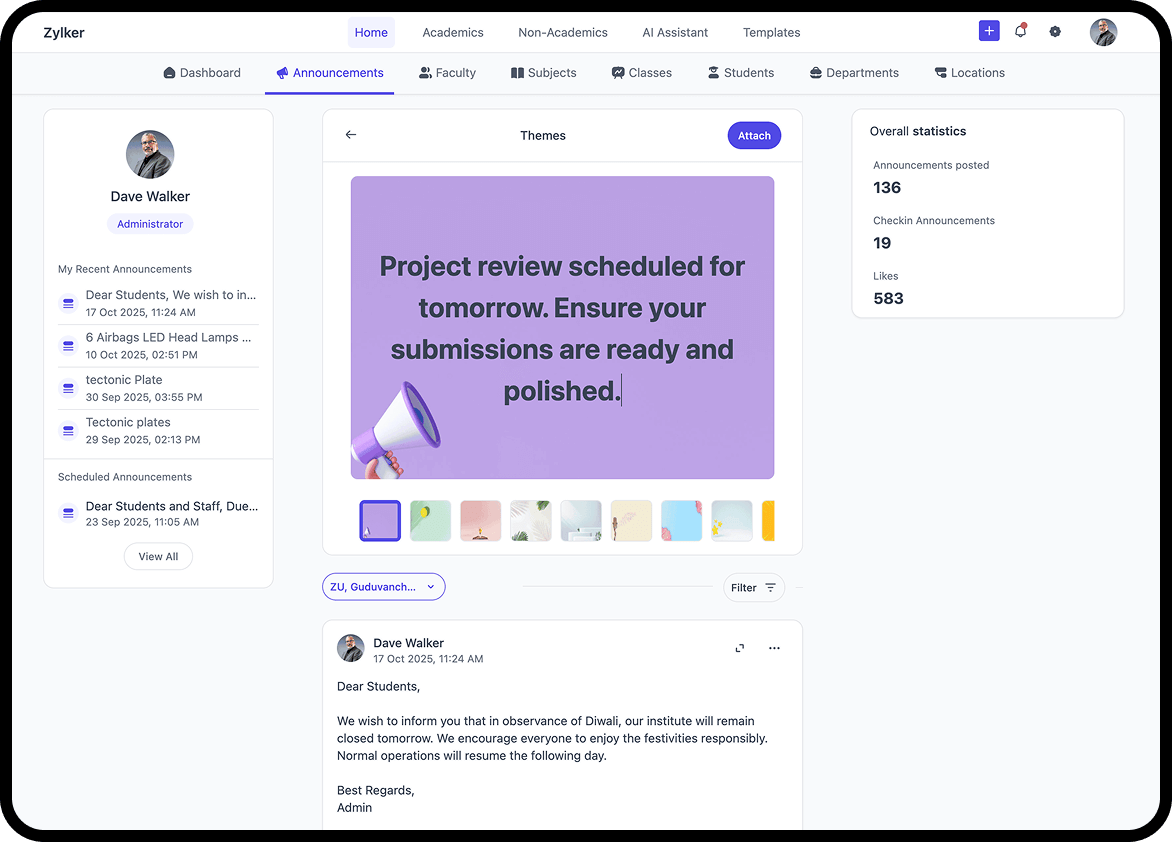
Unified Announcements, Institution-Wide
Zoho Classes enables real-time in-app announcements reaching students, teachers, and parents instantly without delays or confusion.
Faculties schedule updates, attach files, tag classes, and communicate contextually inside the LMS, eliminating emails and third-party messaging tools.
Course-level announcements with limitation
Canvas does not offer a simple, instructor-friendly way to broadcast unified announcements across all courses, campuses, or branches from a single interface.
Faculty often rely on manual posting, duplicated messages, or external communication tools, leading to fragmented communication, increased effort, and inconsistent message delivery across the institution.
Comparison Zoho Classes VS Canvas


CRITERIA
Pricing
Starts at /staff/month
$50/staff/month (Average)
AI Teaching Assistant
Built-in for lesson plans, exams, content
Not native, needs third-party add-ons
Course Builder
Drag-and-drop with reusable templates
Powerful but requires manual setup and familiarity
Multi-Branch Management
Native; supports 100+ branches
Not designed for multi-institute setup
Preloaded Templates
Courses, Assignments, Announcements, Exams
No prebuilt content
Free Teacher Access/ Freemium
Yes
No
Exam Builder
MCQ, Descriptive, Coding, Auto-eval built-in
Basic quiz engine available
Syllabus Planner
Planner for academic year
Needs manual setup or external tools
Customization & Branding
Logos, app name, themes
Limited without enterprise-level customization
Ease of Onboarding
1–2 days with support
No
Templates for Fast Teaching
1-click to launch full content
No
Language
Multi-language
Global focus; localization limited
Integration
Open API and SDKs available
Rich LTI & API integrations (but needs setup)
The Zoho Classes advantages
Built-in AI Assistant for Educators
Save hours every week with AI-powered tools for creating lesson plans, exams, and assignments no third-party tools needed.
Flipped Classroom with Agentic AI
Transform lessons into flipped learning. Turn lesson plans into interactive courses with videos, quizzes, and more making classes engaging and meaningful.
Smart Course Builder
The built-in course builder lets educators structure modules, lessons, videos, and exams in minutes—not hours.