



Edit and Delete a Delegate
Edit a Delegate
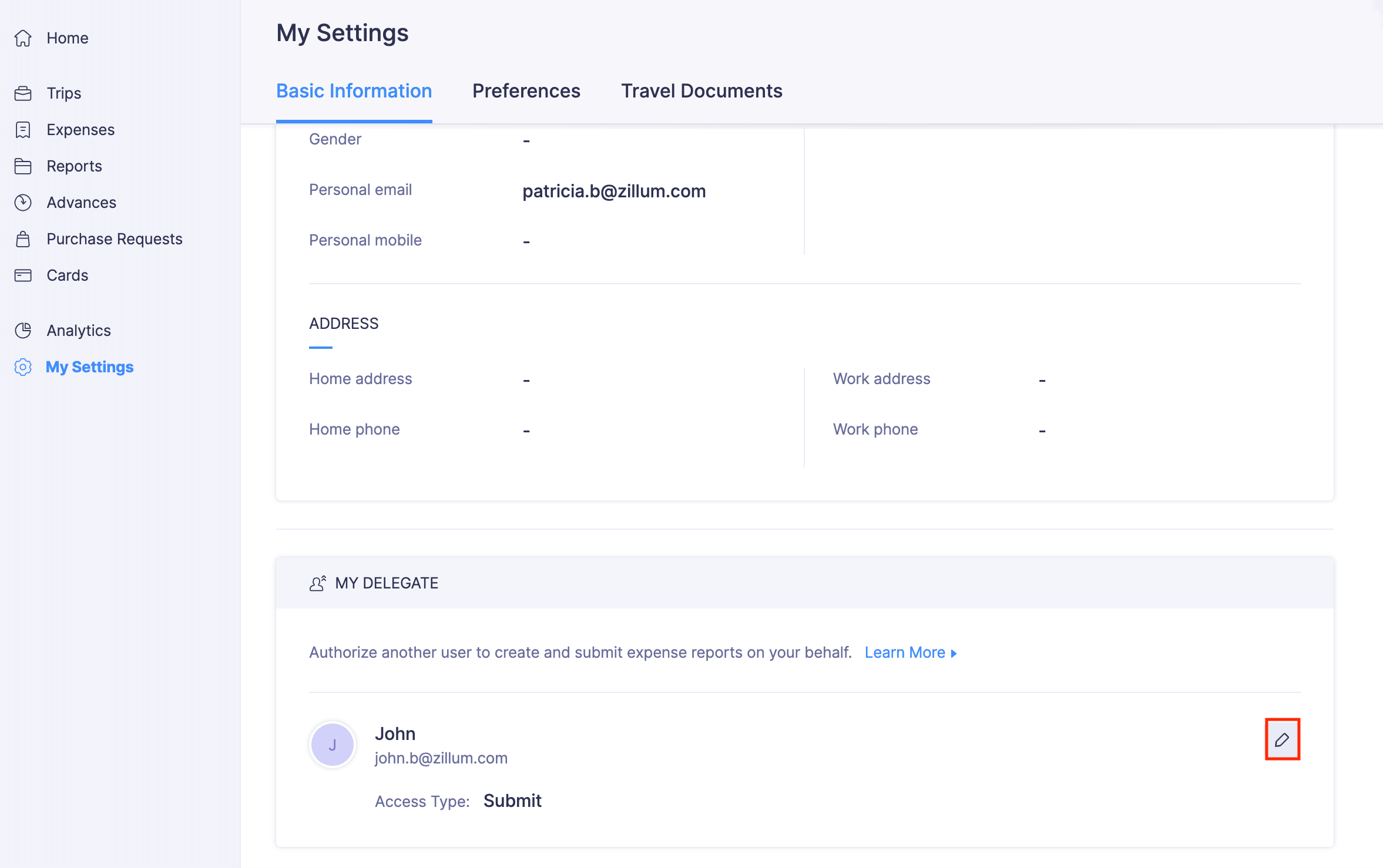
Once you have added a delegate, you can edit the access permissions given to your delegate or change the delegate. To edit:
- Go to My Settings on the left sidebar.
- Click the Edit icon next to your delegate.
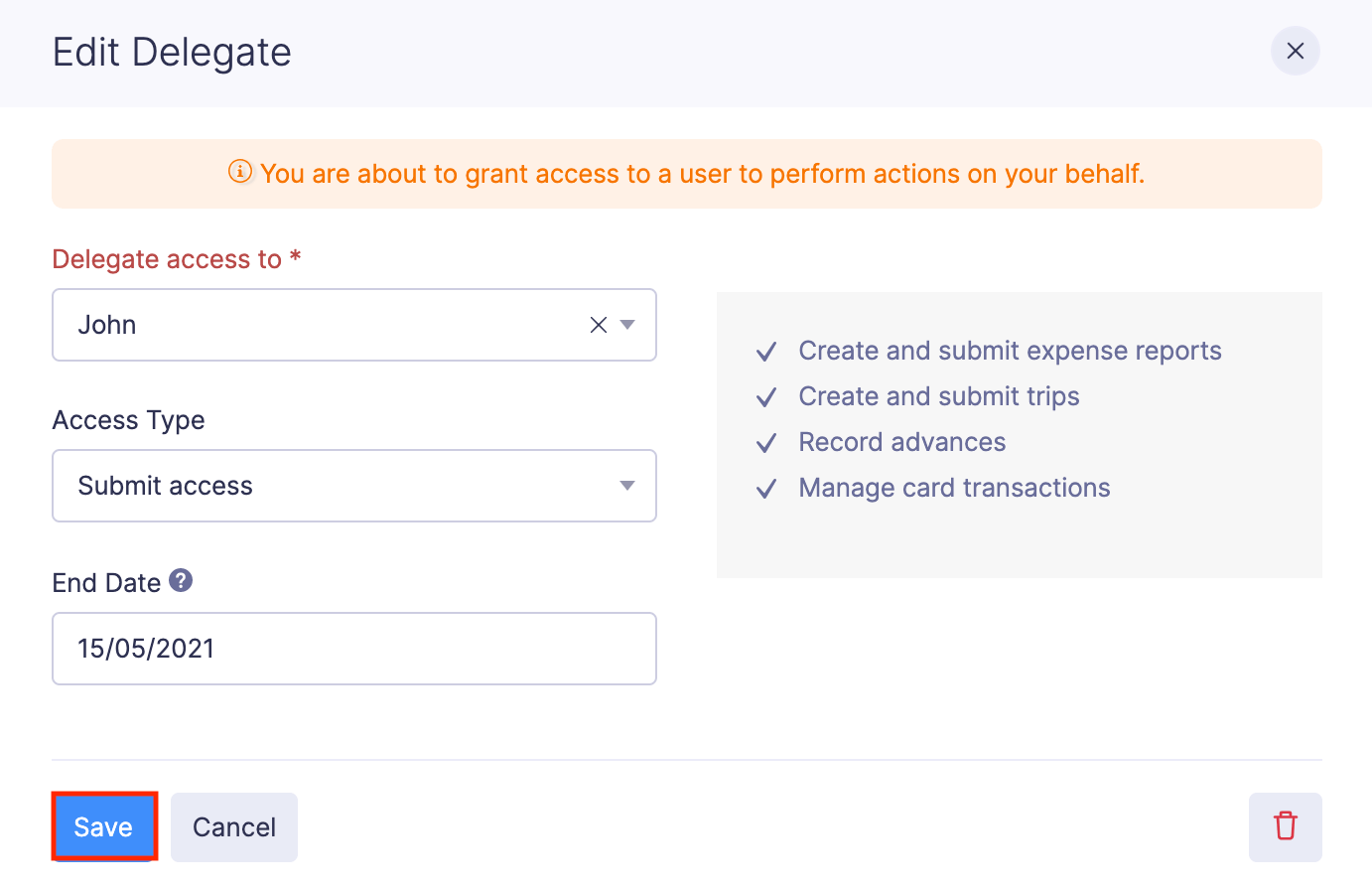
- To change the delegate, select another user under the Delegate access to dropdown.
- Change the Access Type and End Date, if required.
- Click Save. Your changes will be saved.
Delete a Delegate
You can delete the delegate you have added. To delete:
- Go to My Settings in the left sidebar.
- Click the Edit icon next to your delegate.
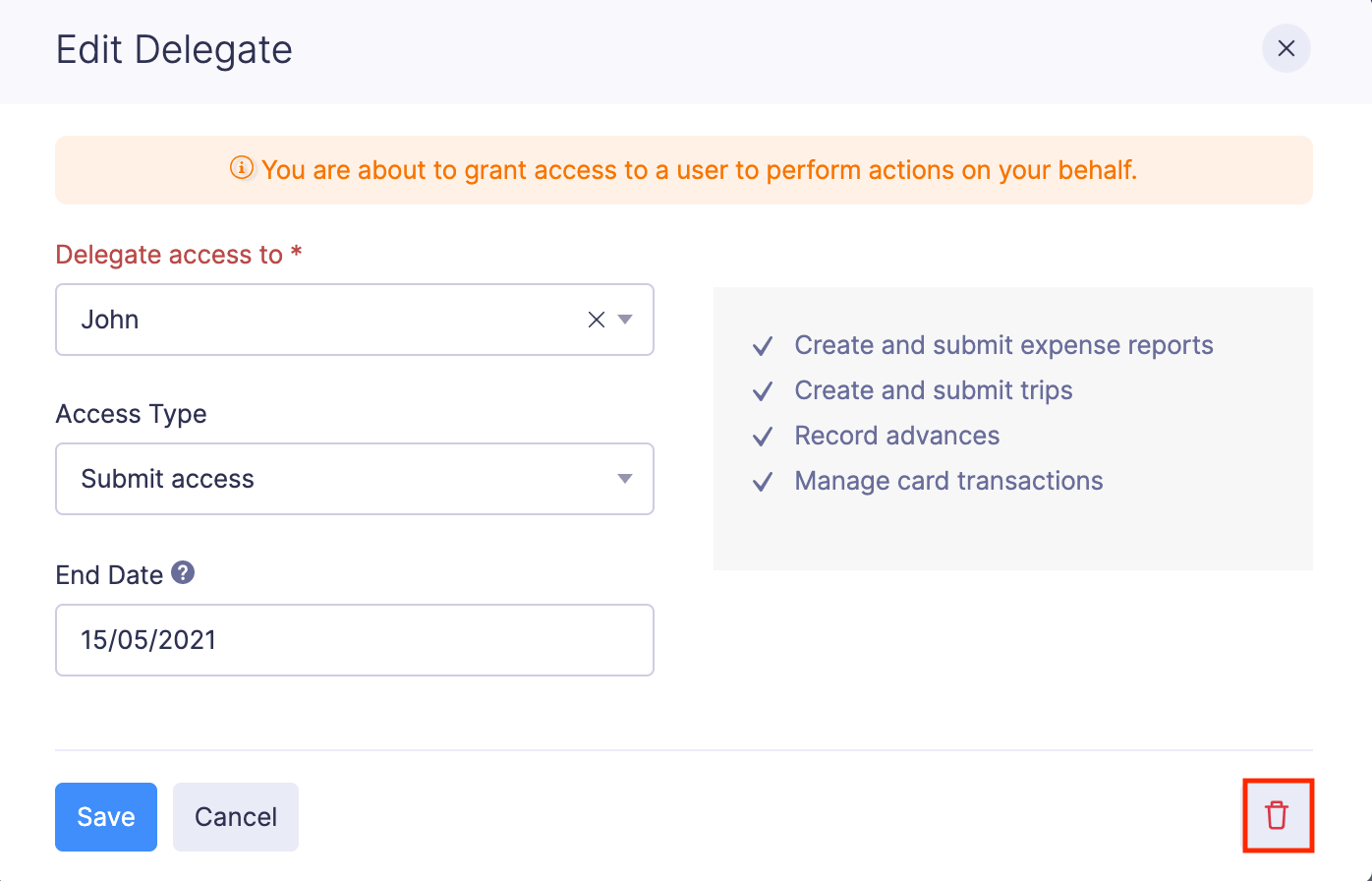
- Click the Trash icon at the bottom right corner of the pop-up.
- Click Delete. Your delegate will be deleted.
 Yes
No
Yes
No
Thank you for your feedback!