Appointment scheduling software for nail salons and solo nail artists

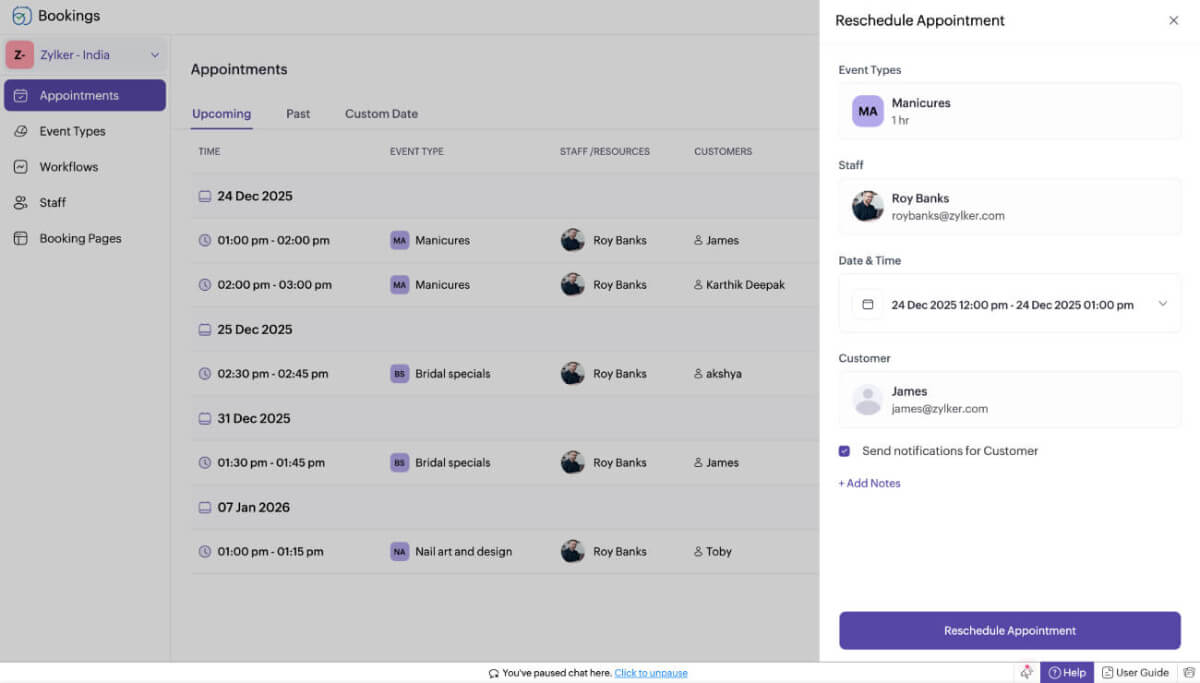
Pausing mid-service to answer booking calls? With Zoho Bookings, your clients can book manicures or pedicures online at any time, whether you're at work or away.

Sign up now

Online nail salon booking software

Let clients book recurring sessions

Have regulars who never miss their monthly manicure? Give them the option to book multiple appointments at once.

Reduce no-shows with WhatsApp notifications

Send gentle nudges before appointments through WhatsApp. They can even reschedule or cancel directly from WhatsApp, no calls or emails needed.
Online nail salon booking software

Why do nail salons need booking software?

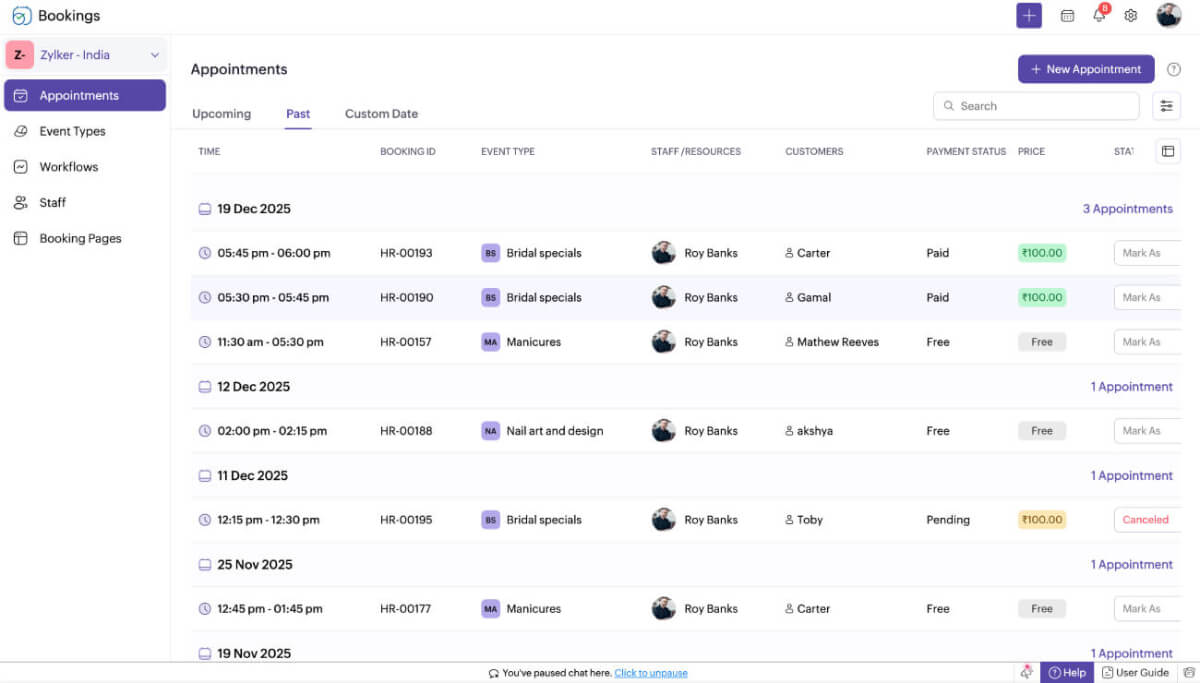
A nail salon may look serene. But, behind the scenes, it's a juggle between clients, schedules, and supplies. One missed appointment or double-booking can throw your whole day off balance and hurt your revenue. Zoho Bookings is the AI-powered scheduling software that ensures staff availability, captures appointments, sends automated reminders, and collects payments upfront.

Your salon needs booking software if:

  • You're losing time confirming appointments manually.
  • You've dealt with two clients showing up for the same slot.
  • Tracking staff schedules is tedious.
  • You want to collect deposits for premium services.
  • You dream of going fully digital without hiring extra staff.
Why do nail salons need booking software

Zoho Bookings helps you polish your schedule

  • Manicures
  • Gel polish and extensions
  • Pedicures and spa treatments
  • Nail art and design
  • Bridal specials
  • Group bookings for online classes
  • Space and equipment rentals
Sign up now

We have everything to customize your nail salon booking system

01

Easy onboarding with AI

Setting up your nail salon booking system shouldn't take hours. With Zoho Bookings' AI setup, your dashboard is ready before your next client walks in.

02

Manage multiple branches

If you run multiple salons or have stylists working in different locations, create separate workspaces to manage each one independently—no mix-ups, no mess.

03

AI-assisted booking pages

Customize your booking pages with AI to reflect your salon's style. It automatically pulls in your nail salon's logo, colors, and images from your website, creates service and staff labels, and builds a booking page that feels just like your brand.

04

Appointment booking limits

Keep your schedule realistic by setting daily booking limits. Whether it's two bridal sessions or ten express manicures, you decide how much your team can handle per day.

05

Rent out your space or equipment

If you rent out chairs or treatment rooms to independent nail artists, list them as resources in Zoho Bookings. Let professionals book available slots directly without coordination chaos.

06

Virtual consultations

Offering online consultations or pre-event styling discussions? Integrate with your favorite video tools (like Zoom, Zoho Meeting, Microsoft Teams, or Google Meet) to make remote appointments feel more personal.

07

Sync your calendars

Connect your salon's calendar with your personal one to avoid double-bookings. Every new appointment automatically appears in both places.

08

Send notifications and reminders

Keep your clients on time with automated text and email reminders. You can send different messages for confirmations and reschedules, and send rebooking emails after a few months.

09

Collect payments

Charge deposits for high-value services or full payments upfront. Integrate payment gateways like Razorpay, Stripe, or PayPal to keep transactions secure and simple.

10

Manage on the go

Whether you're at the salon or shopping for new nail colors, manage appointments right from your phone. The Zoho Bookings app for iOS and Android keeps your schedule in your pocket.

Give your clients a booking experience that nails the details

Try a 15-day free trial and get access to the premium features.

Sign up now

Frequently Asked Questions

1. Can my clients book appointments on Instagram or Facebook?

Yes! You can share your Zoho Bookings link right on your Instagram bio, Facebook ads, or any other social media campaigns. Clients can book directly from the booking links—no DMs needed.

2. What if a client cancels last minute?

Zoho Bookings helps you prevent last-minute cancellations by letting you set your own cancellation rules, whether it's requiring 24 hours' notice, keeping deposits, or charging full payments for no-shows.

3. Can my staff manage their own calendars?

Yes! Each staff member or stylist can have their own profile to view, edit, or block their schedules. It keeps everyone organized and eliminates redundant admin tasks.

4. Is Zoho Bookings only for big salons?

Not at all. It works just as well for solo nail artists, home-based studios, and boutique salons. You can also start solo and add more staff or workspaces as you grow.