


Integrate Zoho Books With Zoho Billing

Zoho Billing is a cloud-based billing software that helps businesses manage subscriptions, create invoices, collect payments, and track revenue. Integrate Zoho Books with Zoho Billing to automatically sync data to keep financial records up to date, simplify accounting, and manage tax returns.
Benefits of the Integration
- Manage your accounting and subscription from one place.
- Sync customers and transactions between both apps to avoid duplicate data entry and manual import.
- Keep tax details in sync for easier tax return filing.
- Access bank feeds for your Zoho Billing transactions in Zoho Books to track cash flow, reconcile transactions, and manage payments.
- View your financial reports together with your subscription data.
Scenario: Zylker is a cloud storage company that offers monthly and yearly subscription plans for customers to store their data in the cloud. It uses Zoho Billing to manage subscriptions and Zoho Books for accounting. As more customers subscribe the finance team has to record invoices manually, payments, and refunds in Zoho Books. By integrating Zoho Billing with Zoho Books, subscription invoices, payments, refunds, and customer details are synced automatically. This helps maintain accurate tax records, simplify tax return filing, and submit returns on time.
Note: When you set up the integration, you’ll get access to a 14-day free trial of Zoho Billing. After the trial period ends, you must subscribe to any one of the paid plans of Zoho Billing.
How Sync Works
When you enable the integration between Zoho Books and Zoho Billing, the existing data from the supported modules are automatically synced between both applications. Any changes made after the integration are automatically updated in the corresponding application.
Note: Depending on the volume of data, the initial sync may take some time to complete.
If you’ve enabled the multi-currency feature in Zoho Books and recorded transactions with foreign currencies, those foreign currencies are automatically available in Zoho Billing.
If a payment gateway is configured in Zoho Books and is also supported in Zoho Billing, the payment gateway is configured automatically in Zoho Billing.
Supported Modules
The following modules in Zoho books will be synced with Zoho Billing:
- Customers
- Items
- Price Lists
- Invoices
- Retainer Invoices
- Sales Receipts
- Delivery Challans
- Credit Notes
- Expenses
- Recurring Expenses
- Payments Received
- Payment Links
- Projects
- Timesheet
- Documents
- Taxes
- Reporting Tags
- Custom Modules
Set Up the Integration
Prerequisites: You must be an admin in your Zoho Books organisation to set up this integration.
Warning: Once you set up the integration, it cannot be disabled.
To integrate Zoho Books and Zoho Billing:
- Go to Settings.
- Navigate to Extension and Developer Data, and select Zoho Apps under Integrations & Marketplace.
- On the Zoho Apps page, click Try Now next to Zoho Billing.

Note: A Zoho Books organisation can be integrated only to its corresponding Zoho Billing organisation.
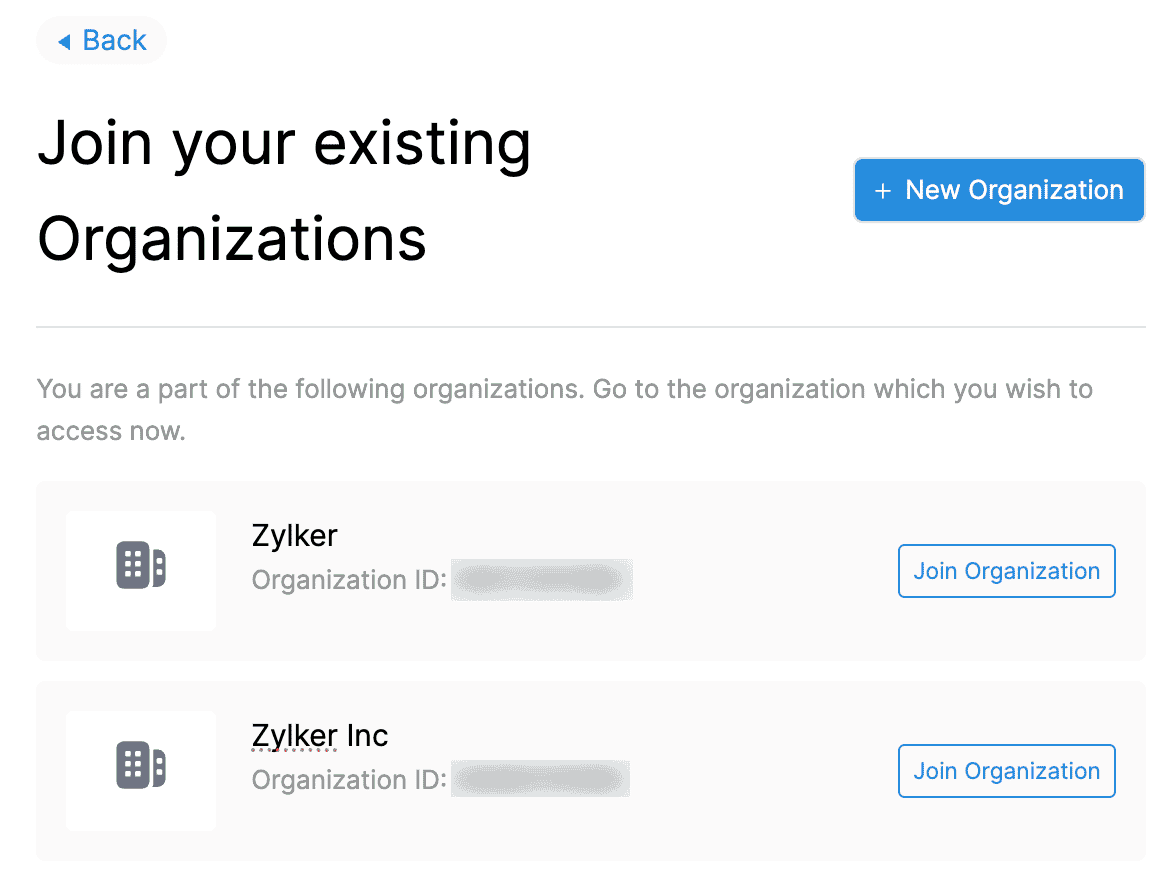
Select Join Organisation from the list of organisations.
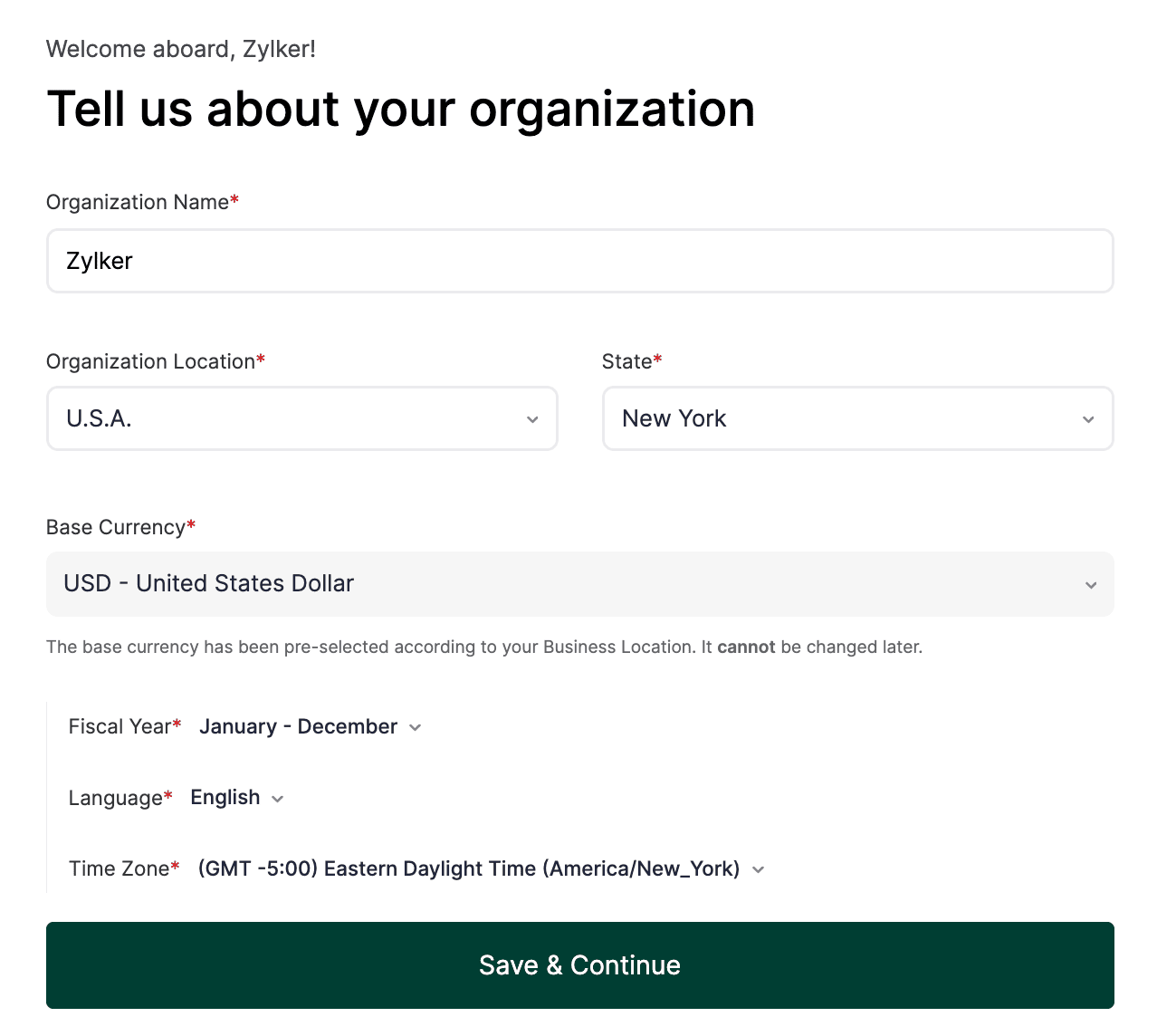
In the Tell us about your organisation page, verify your organisation’s details and click Save & Continue.
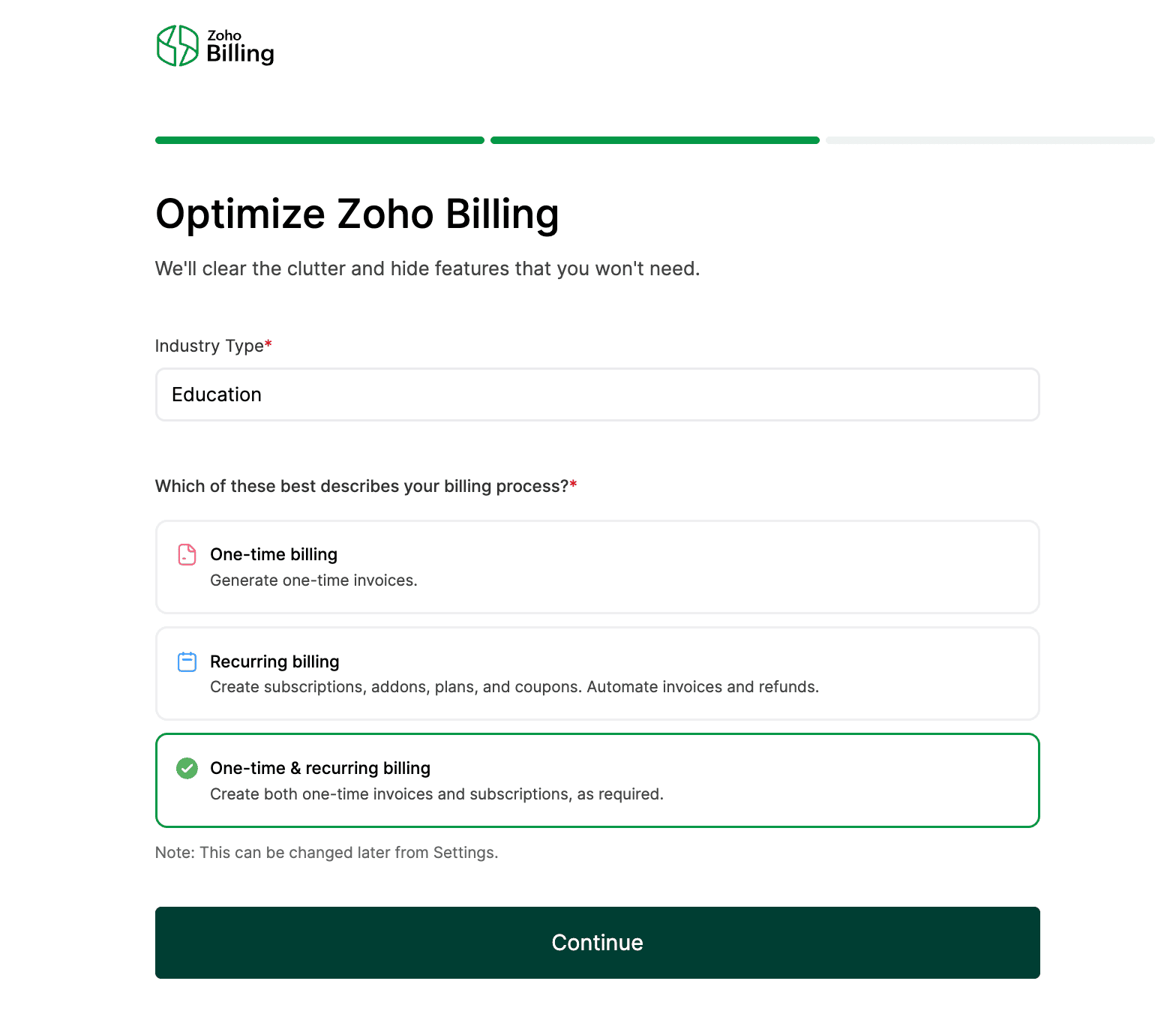
In the Optimize Zoho Billing page, verify the industry type, select your billing preference and click Continue.
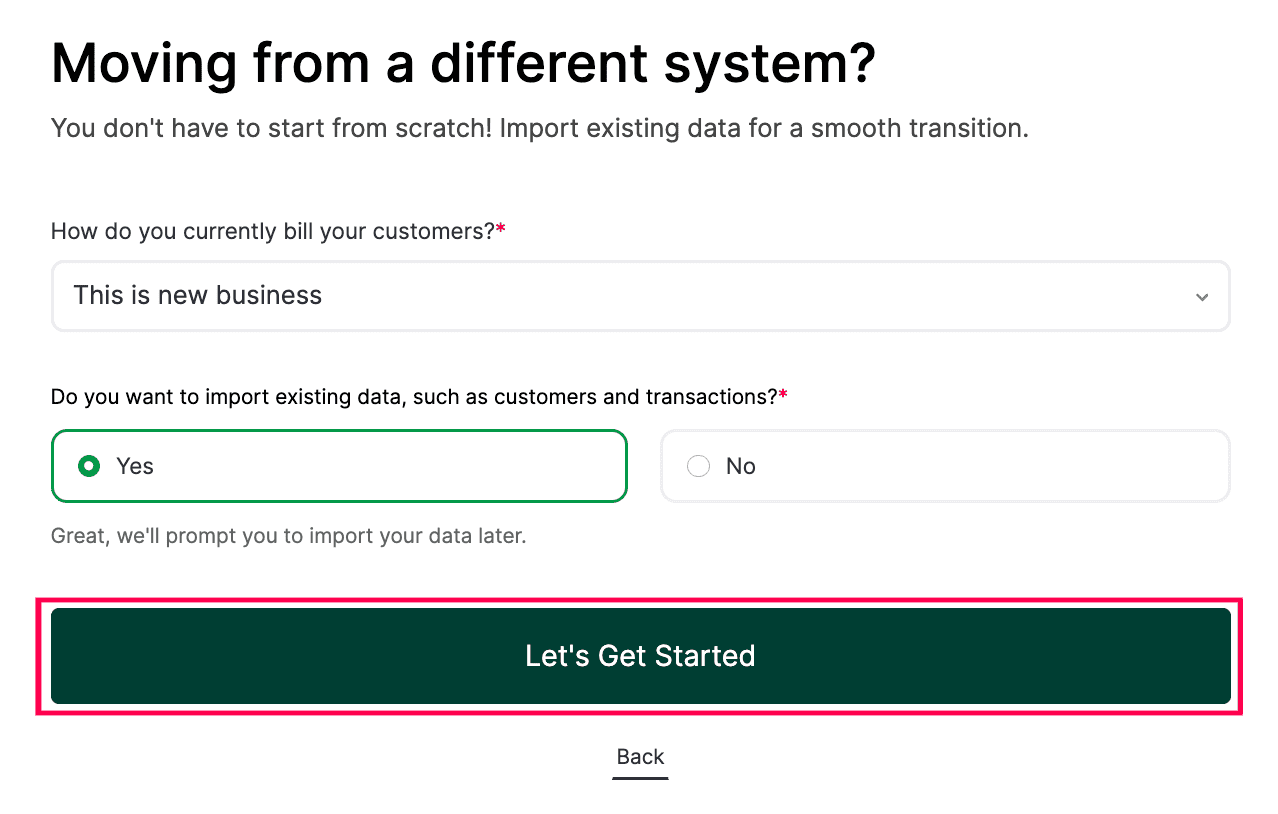
In the Moving from a different system? page, select a suitable option in the How do you currently bill your customers? field, choose Do you want to import existing data, such as customers and transactions? and click Let’s Get Started.
You will be redirected to your Zoho Billing home page.
The integration is now set up. You can now start managing advanced billing workflows such as metered billing, unbilled charges, manage subscriptions, and dunning management to improve collections for your business using Zoho Billing.
 Yes
Yes