Why on-site badge printing is the smartest move for busy event planners
Turn the first event walk-in impression into your strongest one. Learn how to make the event registration process faster, smoother, and more personalized with on-site badge printing.
No one likes queues. Especially not at events where people paid good money (and maybe traveled miles) to be inspired, network, and learn. But there they are, stuck at the registration desk because a printer jammed, a name got missed, or the pre-printed badge pile is suddenly nowhere to be found.
Sounds familiar, right?
If there's one thing event organizers lose sleep over, it's check-ins. It's that moment when months of careful planning can crumble under a 10-minute registration delay. But the truth is, it's not because planners aren't organized; it's because the traditional badge printing system isn't designed for agility.
That's exactly where on-site badge printing steps in.
It takes what was once a manual, error-prone, slow process and turns it into something fast, accurate, and surprisingly easy. With on-demand badge printing, you can print badges instantly as attendees check in.
And when combined with modern event platforms like Zoho Backstage, you can run smooth, professional, and perfectly branded check-ins from anywhere at your venue.
Key benefits of on-site badge printing for events
Why is the check-in experience the most critical part of your event?
Think about the very first moment your attendees interact with your event.
It's not during the keynote. It's not even when they grab their welcome kit. It's at the registration desk where the energy, efficiency, and organization of your event become visible for the first time.
This is why event check-in and badging isn't just a formality; it's a brand moment. A slow or clumsy check-in can undo months of planning in minutes, while a smooth one creates confidence and excitement right from the start.
If your check-in desk is chaotic, with lines piling up, paper lists flying, and attendees waiting impatiently, that's the story they'll tell about your event later.
But if they're greeted with a smile, scan their QR code, and instantly receive a crisp, personalized badge, that's efficiency they'll remember.
On-site badge printing helps you make that experience the new standard, not the exception. It transforms check-ins from a stressful manual task into a fast, automated process powered by real-time data and digital printing.
What are the common problems associated with traditional badge printing?
Let's break down what usually goes wrong with pre-printed badges, the method most event planners still rely on:
Outdated data: Badges are usually printed days (sometimes weeks) before the event. By event day, there are always name changes, substitutions, and new registrations. That means at least 10–15% of your badges are wrong before you even begin.
Manual sorting: Staff must alphabetize badges, separate them by company or ticket type, and hope they don't mix them up. During rush hour, it's chaos, and attendees feel it.
Wasted materials: Pre-printing 3,000 badges when 2,500 show up means 500 wasted badges, plastic sleeves, and lanyards. That's wasted cost, effort, and resources.
Zero flexibility: Walk-ins and last-minute attendees are always a problem. Without on-site printing, your only fallback is handwritten badges. Not exactly the image you want.
On-site badge printing eliminates all of this. It makes your check-in area flexible, responsive, and data-driven to handle whatever surprises the event day throws at you.
What are the real benefits of on-site badge printing?
When you first hear about on-site printing, it's easy to assume it's just about saving time. But in practice, its benefits go far beyond speed, as it reshapes how your event operates, feels, and performs. Here are the main benefits of on-site badge printing:
1. Save time and reduce registration bottlenecks
Check-in queues are every planner's nightmare. Even a small delay multiplies quickly when hundreds of people arrive together.
Here's how on-demand badge printing solves that:
Instant generation: Badges are printed the moment an attendee checks in. There's no searching, sorting, or manual distribution.
Smart synchronization: Platforms like Zoho Backstage link directly to your registration database. When someone scans their ticket or QR code, their information flows instantly to the connected printer.
Reduced crowding: Because each badge is printed in under 10 seconds, your registration lines move continuously. This minimizes congestion and improves the overall flow of your venue.
In high-attendance events, organizers using on-site badge printing can get faster check-in times that ultimately lead to calmer staff, happier attendees, and sessions that start on time.
2. Manage last-minute registrations and walk-ins easily
Last-minute attendees are a given. Some register at the door, others replace colleagues, and many show up because they finally found the time.
With pre-printed systems, every unexpected attendee disrupts your process. With on-site printing, they fit right in.
Here's how:
You simply add their details to your platform.
The system brings up the pre-designed badge template with their role, company, and ticket type.
The printer produces their badge in seconds identical in quality to everyone else's.
If you're managing multiple entrances or zones, mobile hardware like portable badge printing with SUNMI mobile terminals allows staff to move across the venue and print badges anywhere.
That flexibility means you're never stuck behind a single check-in counter and can process attendees where they are, not where you need them to be.
3. Eliminate printing errors and data mismatches
Accuracy at check-in isn't optional; it's a trust signal. When attendees see their name spelled wrong or their title missing, it creates an instant disconnect.
With on-demand badge printing, errors drop dramatically because badges pull live data directly from your event platform.If someone updates their registration details even five minutes before arrival, their badge reflects it automatically.
Zoho Backstage handles this through its real-time sync feature. Hence, every attendee record, ticket update, and name change is instantly mirrored across devices and printers.That means you don't have to re-export attendee lists manually or worry about mismatched data. What's in your system is what prints.
How does on-site printing actually work?
Now that we've covered the why, let's talk about the how. On-site badge printing might sound technical, but once you understand its workflow, you'll realize how seamlessly it fits into your existing setup.
The tech behind on-demand badge printing
At its core, an on-site printing system has three main components working together:
Event management software (like Zoho Backstage): This is the command center where attendee data, ticketing, and badge designs are stored. It automates badge generation based on real-time information.
Printer hardware: Thermal or ink-based printers are connected to your system via Wi-Fi, Bluetooth, or LAN, and print badges instantly when the software sends a command.
Check-in device (laptop, tablet, or kiosk): Attendees scan their QR codes or enter their confirmation number here. The check-in triggers the software to send the correct badge details to the printer.
Together, these elements create a loop of instant data verification, printing, and delivery, all happening within seconds.
Integrated systems for smooth event badge printing operations
This is where modern systems shine. Traditional setups rely on exporting Excel sheets and manually connecting printers. On-site systems like Zoho Backstage eliminate that.
You can print badges simultaneously across multiple counters.
Each printer accesses the same live data to ensure consistency.
You don't need IT staff or manual setup; it's ready out of the box.
This is why large-scale events prefer integrated setups as they reduce downtime, prevent data mismatches, and make operations scalable across multiple entrances.
Setting up your workflow for smooth check-ins
To make on-site printing run like clockwork, your workflow must be clear, logical, and tested. Here's a practical setup that works for most mid- to large-scale events:
Pre-event configuration: Design your badges in Zoho Backstage with the correct branding, role colors, and QR codes. Link printers and test print samples before event day.
Check-in layout: Split your counters into two zones: pre-registered attendees (quick QR scan and print) and walk-ins (manual entry + instant print). This keeps lines balanced.
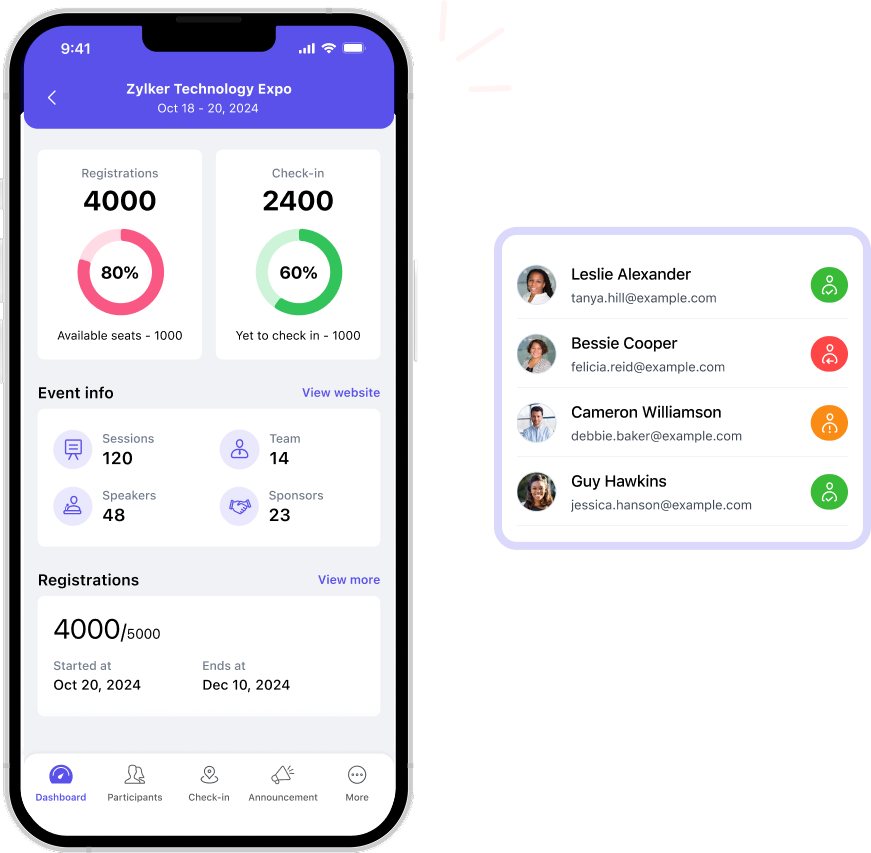
Live monitoring: Use the Zoho Backstage dashboard to see check-in volume, average printing time, and counter performance in real time.
Mobile assistance: Deploy a few mobile printing devices (like SUNMI terminals) for quick interventions wherever lines build up.
Each of these steps removes friction, keeps your lines flowing, and ensures no attendee feels "stuck" at the door.
How can event platforms make on-site badge printing effortless?
Every event organizer knows that the most unpredictable part of any event is the check-in desk. Attendees arrive all at once, last-minute registrations flood in, printers jam, and someone inevitably forgets their confirmation email.
This is where modern event management platforms completely change the game. They don't just support on-site badge printing; they make it seamless, integrated, and scalable for events of all sizes.
Let's break down how they do that.
Real-time data synchronization across devices
The most powerful feature of any event platform is its ability to work in real time. Instead of relying on outdated spreadsheets or manually updated guest lists, your registration data continuously syncs across all connected devices.
Here's how that translates into real-world efficiency:
Instant updates: When an attendee edits their name, adds a workshop, or upgrades their ticket, those changes appear immediately across every check-in station.
Single source of truth: If someone checks in at one counter, they're automatically marked as present everywhere else. Hence, there's no risk of double printing.
Consistent design: Whether badges are printed at the main desk or a mobile kiosk, the same design template, access permissions, and color codes apply universally.
This kind of live synchronization ensures that your on-site badge printing setup behaves like one connected system rather than a patchwork of isolated stations.
Self-check-in kiosks and QR-based verification
Long queues happen when check-ins depend entirely on human input. Modern event software eliminates that bottleneck through self-service kiosks and QR code scanning.
Here's what this looks like in action:
Attendees approach a kiosk or counter.
They scan the QR code from their registration email or mobile app.
The system verifies their record and triggers the badge printer automatically.
That's it! No manual lookups, no typos, no sorting through list printouts.
For organizers, it means:
You can deploy multiple kiosks during peak hours to manage attendee surges.
Each check-in automatically updates attendance analytics.
Role-based access (for VIPs, speakers, or exhibitors) applies instantly when the badge prints.
Some platforms even allow on-the-spot registrations or payments directly from kiosks, making it easy for walk-ins to get their badges in minutes.
Mobile and portable printing for flexible operations
If your event spans multiple floors, halls, or venues, mobility is crucial. Traditional fixed check-in counters limit flexibility and create traffic jams. Portable badge printers, especially compact mobile terminals, allow your team to print badges anywhere, anytime. They connect wirelessly to your event platform, pulling live attendee data on demand.
Imagine this:
A VIP guest walks in through a side entrance. Instead of redirecting them to the main desk, your floor manager verifies their details on a mobile device and prints their badge right there. This not only saves time but also makes the experience feel personal, premium, and friction-free.
Mobility in printing is especially useful for:
Large expos or trade shows with multiple check-in points.
Hybrid events where in-person and virtual attendees overlap.
Multi-session conferences with separate access zones.
Transform your check-in process with Zoho Backstage
A flawless check-in experience is one that doesn't draw attention to itself, but just works—by simply moving people in, getting them oriented, and setting the tone for a well-organized event.
With a platform like Zoho Backstage powering your onsite badge printing, that kind of flawless performance becomes standard practice. Real-time data sync, quick self-service options, and thoughtfully designed badges come together to create an entry flow that feels effortless for attendees and manageable for your team. From small business conferences to international expos,ensure that every check-in is quick, branded, and meaningful, the way it should be.
Choose high-speed thermal printers and pre-test your setup for volume. Setting up multiple print stations at key entry points helps prevent bottlenecks.
Keep attendee data synced in real time so reprints can be generated instantly without manual lookups or duplicate entries.
Not necessarily. Most modern badge printers are plug-and-play, but training one or two team members on troubleshooting and maintenance helps avoid downtime.
Yes. You can design dynamic templates that print automatically based on attendee type, like VIPs, speakers, exhibitors, or staff, saving setup time.
Opt for recyclable badge materials, print only what's needed, and reuse printer ribbons and holders wherever possible to reduce event waste.